Unclaimed: Are you working at QuickBooks Desktop Pro?
QuickBooks Desktop Pro Reviews: 4.3/5 — Solid Choice
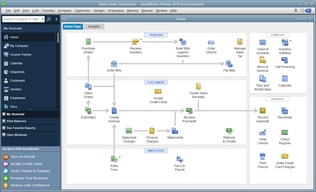
QuickBooks Desktop Pro is a platform that lets users automate key processes in the accounting system, including billing and invoicing. With Desktop Pro, users have the option to link bank accounts, define workflows, and make automated payments for efficiency. This solution also lets users manage employee payrolls via a single application. Other key features include business expense tracking, report generation, and time tracking.
| Company | Intuit Inc. |
|---|---|
| Year founded | 1983 |
| Company size | 10,001+ employees |
| Headquarters | Mountain View, California, United States |
| Social Media |

| Capabilities |
API
|
|---|---|
| Segment |
Small Business
Mid Market
Enterprise
|
| Deployment | Cloud / SaaS / Web-Based, Desktop Windows, On-Premise Windows |
| Support | 24/7 (Live rep), Chat, Email/Help Desk, FAQs/Forum, Knowledge Base, Phone Support |
| Training | Documentation |
| Languages | English |





Compare QuickBooks Desktop Pro with other popular tools in the same category.
I LIKE USING QB BECAUSE IT'S EASY AND I CAN GET WORK DONE WITH NO PROBLEMS
I dislike that fact that I cannot access my QB from the cloud or multiple devices.
QB HAS HELPED ME KEEP MY ACCOUNTING IN ORDER
It's easy to learn to use it. It provides comprehensive accounting features such as Accounts Receivable, Accounts Payable, Inventory & Payroll. It provides Balance Sheet & Profit & Loss to understand the position & profitability of the company
The inventory feature is hard to fix. Quarterly Payroll returns are not available in a timely manner
Problems figuring out the client's financial position & profitability
It is best for small businesses. From bookkeeping to payroll to preparing Financials, QB does everything
It crashes sometime when exporting or importing data
It has helped to do accounting for small businesses in an easy and efficient manner
It’s easy to use and provides small business owners with the ability to maintain their financial records. You can also link your bank accounts to keep the information up to date and accurate.
There are constant fees for using certain features and you must pay every 3 years to upgrade the software.
It makes payroll much easier, even for people who aren’t familiar with processing payroll. This makes it much faster to train people in our office or our clients to use Quickbooks on their own without our help.

Online, you have to buy a separate subscription for each company. Desktop, you can manage as many companies as you want.
Have to be in the office, or remote in to use it.
We have 4 companies. It is easy to switch between them as needed. We use Purchase Orders/ Receive items/pay bills; Estimates/Invoices/Receive payments and of course check writing and credit card tracking. I like the memorized transactions for things that come due every two weeks (payroll) or monthly (insurance, etc). Good for reminders, even if amounts vary slightly.
QuickBooks is very open and easy to manipulate. It allows many different avenues for processing payments, receivables, and lots of flexibility with reports.
Nothing to dislike.QB Pro functions well for us and we have no complaints.
We do all of our accounting through QB pro without any headaches or problems - so, in short, it solves all of our problems.
The best part of Quickbooks Desktop Pro is being able to see everything all at once.
The only thing I have to say I dislike about Quickbooks Desktop Pro is that I still have to go in and out of companies- there's still that separation. I don't use it on both computers for that reason.
I'm able to finally give my very busy boss, who is a contractor and calls me from the road all day, fast answers to his questions and see all invoices and payments along with that customer's material purchases and man hours.
easy to navigate software. It generates various reports which can be tell about financial health of the company. The ability to merge changes made by an accountant just makes the life easy
Sometimes, when importing large number of entries, the software freezes and I have encounter cases where sometimes the Balance sheet was out of balance
The bookkeeping and running payroll has been made easy by the software

Desktop Pro gives business all of the tools needed to runt heir business and keep their finances on track. I particularly like the reporting features and how customizable they are.
Can be overwhelming to a newer user. Small businesses may not utilize all of the features that are offered because of a lack of knowledge in how to use them best.
Quickbooks allows me to track our business finances in order to make decisions and changes based on the profitability of our products and services. It is also detailed enough to cut the costs of outside accountants having to do more work.

Well what's not to like; It's simplistic, user friendly, managable and easy to learn as well. The support team is amazing and have all my books running QuickBooks for my other Company and have never been happier.
The only issue I seem to have and not sure who else experiences this, but for some reason I always need to launch QuickBooks twice before it opens up. This only happens on my Mac and not the other laptops which aren't Mac's. Very odd indeed. Other than this I am happy.
My invoicing use to be such a hassle that a change needed to happen with my staff, where I introduced QuickBooks and gave them all a trial, and not one of them complained, and in fact business got done a bit faster as well, which suited me very well.
I love how intuitive the software is, it makes my job easier because there's no searching for the things you need.
I don't have any issues with the software.
Bill pay, bookkeeping and tax preparation.
Invoicing, simple to use and easy to understand
Statement template setting is not easy to be understand by customers
Account management, very clear on account
This software helps as a 1099 contractor. It’s easier to keep track of my miles instead of me recording all my trips when I go to properties or meet with clients.
The phone app glitches sometimes, which makes it frustrating when organizing.
There are many more functions than the phone app.
I love QuickBooks. I use it daily. It is very user friendly and intuitive. I love the ease with which you can work in the program.
I wish I knew more of the shortcuts in QuickBooks to get to certain screens faster.
We use QuickBooks as our accounting system for our company. I use it daily. It is easy to enter information into it and run reports.
When I'm doing an invoice, this is very convenient
It this not convertable to Microsoft Excel
Manage employee's account
Once you get your head around it, I was new to the finance department, it is so easy to use. I can input and reconcile invoices and payments in minutes. Our accountant finds it so much easy to process too.
I can be a little slow and there are limited features, for example paying off a credit note sometimes doesn't account properly despite following all the resolution steps. It would also be great if they could link with out bank feeds as the current bank list is very limited.
We can input and reconcile all invoices very quickly. Its is also great for budget and spend predictions which is something we struggle on excel. I also love the bulk invoice feature as this saves so much time! We can easily get our quarterly invoices out to our clients either by email or post, before we had to write and issue them seperatly which was a waste of valuable time.

Ability Create invoices quickly and send
QuickBooks has to many features for a simple accounting solution I find it difficult when training new clients.
Scheduling, POS system
I've used Quickbooks for years and it has been so simple to navigate. It's simple to go back to invoices from previous years and in seconds find the invoice.
I dislike the price point of Quickbooks. I work at a small business and we have Quickbooks on one computer and its significant cost to get Quickbooks on multiple computers.
I use Quickbooks to look up past prices on invoices for previous clients when they request similar work years later. It makes creating a proposal easy since I know what we've charged in the past.
Ease of use. You don't need to be an accountant to use and understand the software, just basic bookkeeping knowledge.
As with any software, updates sometimes have glitches that are troublesome.
QuickBooks provides all of the financial information my employer requires.
Quickbooks is a very friendly software and is very easy to understand.
everything in quickbooks is very simple and works well no complains.
everything from vendors, customers, employees
Quickly print your p&l immediately for your accounting during tax time.
Nothing. Quickbooks makes owning your own business easy!
Linking your bank account is very important and can help reconcile transactions easier.
Quickbooks is great. It is an all in one program. Fit for all business needs.
Nothing. I am able to do everything I need and keep track Of everything all on one program
It saves me so much time, I have it all right st my fingertips in one program
Quickbooks is by far my favorite program, I keep track of everything on there from finances, to payments, to employees and invoices
Nothing, there is nothing to dislike about QuickBooks.
It makes my job so much easier, I am able to keep track of everything all in one place.
Very helpful to keep track of paying bills and what is owed. My favorite part is when paying bills, I can see who owes us quick and easy. For not so tech savvy people like myself, figuring out what we owe and who owes us is the most important and Quickbooks does just that. I love that we can add our logo onto the invoices and we can attach our e-mail addresses too.
The only downside to Quickbooks is there is so much you can do with it so a lot of the stuff takes time to figure out. You can create a report for just about anything if you know how to get there. If you're not too tech savvy, it can take a lot of time and frustration to get what you want out of it.
Taking the time to really learn the software has helped immensely.
Helps keep everything organized and easy to use
Was a little tricky getting used to pro version
It has simplified my process
Very user friendly. Easy enough to use even for most people with little bookkeeping experience.
Sometimes it is really slow on desktop if you have a large company file
Being able to keep up with all transactions seamlessly and being able to reconcile monthly with ease.
QuickBooks is super user friendly and easy to navigate. Even if you aren’t sure how to do or find something in it, usually your first guess is correct
The downsides are that sometimes when too many users are on it can start to lag and slow down a bit.
QuickBooks makes generating invoices and keeping track of client information so incredibly easy.

I like using QuickBooks because it's so well connected with the accounting and software community. It you're working with an outside accountant or looking for software to connect to your bookkeeping software you can usual count on it working with QuickBooks.
The downside of using the desktop version is the obvious- you can't get to it online. You would need to connect to your work computer remotely which it slower and clunkier.
It makes your financial information easy to track and analyze. Reconciling financial accounts is a breeze.
The Quickbooks of today is so simple to use. It is intuitive, reports are easy to run, perfect for our needs
There really isn't anything that I dislike.
It is so easy to share the account with our outside CPAs and they can go in and run reports or grab information whenever they need. Information sharing couldn't be easier than with Quickbooks!
Quickbooks is a really great financial software package to use.
It is really date sensitive. You have to be really careful when doing reports that you use the correct dates.
QB's was able to fulfill our companies needs very easily with the utilizing class tracking