

Unclaimed: Are you working at QuickBooks Online?
QuickBooks Online Reviews: 4.1/5 — Solid Choice
As one of the best known accounting and financial software companies today, Quickbooks offers a combination of reliable payroll tools, HR solutions, and automated tracking features. Quickbooks also include access to benefits, project management, inventory, and contractor options. One of the biggest benefits of Quickbooks is its flexibility. Quickbooks integrates with Square, Shopify, PayPal, and a host of other well-known tools. Finally, Quickbooks also provides access to expert accountants and tax professionals.
| Company | Intuit Inc. |
|---|---|
| Year founded | 1983 |
| Company size | 10,001+ employees |
| Headquarters | Mountain View, California, United States |
| Social Media |

| Capabilities |
AI
API
|
|---|---|
| Segment |
Small Business
Mid Market
Enterprise
|
| Deployment | Cloud / SaaS / Web-Based, Mobile Android, Mobile iPad, Mobile iPhone |
| Support | 24/7 (Live rep), Chat, Email/Help Desk, FAQs/Forum, Knowledge Base, Phone Support |
| Training | Documentation |
| Languages | English |
QuickBooks Online Pros and Cons
- Great onboarding process
- Can integrate with third-party apps
- There is a mobile app available
- Introductory price doubles after three months

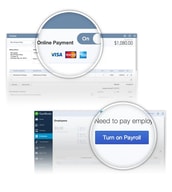






Compare QuickBooks Online with other popular tools in the same category.

Like many others that have answered-the ONLY thing I like is being able to access my quickbooks from any computer.
The lack of continuity, lack of intuitiveness, mis representation that this is a Quickbooks product that is like the desktop version, lack of accounting standards built into the system, lack of appropriate reports, lack of actual Quickbooks Company customer support (they pawn you off onto, well, people like me who find 'work arounds' to try to get this awful system to work), lack of consistent up time-whenever its crunch time (year end) their servers become over loaded and we all get the waiting circle of death, over-priced for under-serviced system to say the least.
ONLY benefit is accessing this anywhere, but the cons of changing to this system have been much too great-we are currently in the market for an alternative Quickbooks Online solution.
We liked access from places outside of the office.
We are a small building contractor. We switched over for three weeks and have switched back to the desktop. What did we dislike? Such a long list! First, it does not calculate taxes on payroll correctly. It only calculated withholding taxes on an employee's salary, not any of their taxable benefits. Second, lumps all federal taxes together instead of separate accounts for medicate, social security and withholding. Third, no way to distinguish Vendors from Subcontractors. Our "To Pay" report included too many entries for the report to be useful to our Subcontractor Supervisors. Fourth, no way to track Certificate of Insurance expiration dates for subcontractors. Fifth, calculated incorrect taxes for some state taxes. Sixth, no job costing reports by item available. Sixth, cannot save invoices as PDF so they can be stored on our Google Drive. Seventh, when database was uploaded from desktop, several old credit amounts (that were used) suddenly showed as available. QBO answer? Delete the credits. Hello? How am I going to do accurate job costing if I have to delete valid credits? Eighth, no progress invoicing.
We only solved the problem of how to have access to the financials from any location but the "cost" of what QB Online could not do was too great.
Honestly, there's nothing that I need to say again that hasn't been said in previous reviews. All the negative stuff is right on point. This will cost you not only money and time, but A LOT OF STRESS. If your health is important to you, AVOID QuickBooks at all costs. Worst software I've ever dealt with in my 30+ years in business.
Honestly, there's nothing that I need to say again that hasn't been said in previous reviews. All the negative stuff is right on point. This will cost you not only money and time, but A LOT OF STRESS. If your health is important to you, AVOID QuickBooks at all costs. Worst software I've ever dealt with in my 30+ years in business.
Accounts.
Not much. It is a convenient way to pay when and IF it works.
Please do not subject your customers or yourself to this horrible product. The first month my business landlord switched to it, one of my payments was never taken out of my bank account. (I receive three bills, one for each of three rooms that I rent.) I brought this to the attention of the landlord's accountant. She finally reissued the invoice, but when I went to pay it, it said "paid". Unlike in the system she used before, there was no way to customize the amount, so I could not simply send more money on a newer invoice. When it is working, a customer goes online, they can either be a guest user, not log in and enter their routing number and account number, or log in to pay. When trying to log in, because I was on vacation, in a location with slower internet (although EVERYTHING else I tried to do online worked fine) the single use code provided by Quickbooks for security would take so long to arrive that it would have expired by the time I got it and used it. Finally on the fourth try, a good fifteen or twenty minutes later, I was able to log in. I poked around the website, and I never could find payment history, help, a way to customize the amount or a way to send money without an invoice. Here is where the real fun began. I emailed the accountant to send me a totally new invoice. She did. I had closed the windows and did not realize that I was still logged in. When I clicked pay on the new invoice in my email server, because I was still logged on, QuickBooks took the payment from the last account I had used to pay a bill WITHOUT LETTING ME CHOOSE which account to use. The account used had insufficient funds. I never intended to use that account. I had to email again and ask the accountant to void the pending bill (there was no way for me to cancel the transaction) and issue yet another invoice- by this time the third invoice issued for the same bill. At this point I did not trust Quickbooks in the least. Was the payment really voided? I decided to call. What a nightmare! First, the automated voice said it would be a 3 minute hold and it was 9 minutes. Second, the guy who helped was CLUELESS. I explained many times, over and over that no, I did not have quickbooks, that I was just trying to pay a bill sent from someone who did. He said he could not use the tracking number that THEY PROVIDED in my payment confirmation email without an EIN number, which I told him again and again that I could not supply because I was paying a bill. (I even said- I am not a client. I am paying a bill one of your clients sent." He also asked me at least three times if I used quickbooks to pay my employees! (More on that later.) He never asked me the name of the company sending the bill or the invoice number. Finally, when I had been on with him for 12 minutes, he put me on hold to get a supervisor, who figured out that I had been connected to the wrong department: PAYROLL! Which was why he kept asking about my employees. ROTFL. The total time for the call was 29 minutes, and I did not even get my rather straightforward question answered. All I wanted was confirmation no funds would be withdrawn from my bank since the invoice had been voided while pending. I still don't know!
NONE. I will actually probably pay that bill using snail mail rather than risk more time wasting problems.
This program would probably fit a one person self employed person who travels and needs access to their accounting software online.
This product is almost as bad as the early version of Quickbooks for the MAC! Many of my clients who switched from their desktop version are going back to it due to continued problems with the information not being accurate and the time they are wasting fixing issues. Perhaps this on
Payroll processing and filing of P/R tax forms is OK. No other benefits realized using the online version compared to the desktop one I was using.
Not a thing. Not user friendly and the customer service is horrible.
The program does not work properly. Then you call and submit a ticket, they say it's fixed and close the ticket but they did not fix the issue and you have to start the whole process again.
I have not realized any benefits from QuickBooks
Nothing really, I also hate that they have a word requirement for things you like about quickbooks when writing a review.
I have had problem after problem with quickbooks online. From setup to recurring invoices. The setup of quickbooks is super complicated and takes forever. I actually had to get help from my accountant to just decipher some of the lingo. The most recent issue is the recurring invoices. I set up my recurring invoices with a quickbooks associate, hoping that would insure success and save me some time down the road. I went along the first few weeks of the month not paying attention to my invoices because I was sure they went out. Little did I know, that even the associates that work at quickbooks don't know how to use the software. None of my invoices went out, which may cost me 1000's of dollars. I have employees to pay, overhead to plan for, ect. If I don't get paid in time my company can really suffer. To top it off, I have to wait on hold for an hour for the associate to research what happened. I have a company to run, I don't have time to wait on hold all day for something I paid to just work. WORST SUPPORT EVER!!!!!! I'm really disappointed in the service.
Haven't solved anything yet.
Nothing the system cost me more money in man hours to use than creating my own spreadsheets would have. 4 to 5x more work. Everything that should have been easy just was not user friendly and customer service never had an answer. My integration with chase online failed multiple times further confusing things.
Customer Service has no idea what they are doing. They google the help topics you are calling in with. Payroll service would not pay my taxes until February even though I was ready for the to be sent in November. Sales Tax could not even be accounted for because I was using an invoice based business. Makes no sense for retail business.
Has been a total waste of money and time for my small seasonal business. Payroll service wouldn't even send taxes until February even though my books were done in November.

Do not even think of using Quickbooks Online. It is the worst. If you have signed up for an account before 2006 you are in worse luck as you are stuck on an older system at around 3 times the cost that of new sign ups.
Just about Everything. The system is very hard to use and clunky.
Well it handles our accounting, but not well and the support is non-existent.
The only function someone would like is to be able to access it from any device. (But who does accounting on their phone?)
There isn't enough space to expound upon the problems areas intuit's travesty of an accounting program. All the below are headaches and take much more time than when using the desktop version 1) To get through the register you have to either page forward or backwards. It is very hard to find a specific transaction. 2) The FIND function sort of works but is clunky and slow. 3)Timeouts and other odd errors often pop up asking you to "try again later". 4) You can't search a vendor or customer list by anything but it's name. In desktop you can even search by zipcode or parts of the address or entry. 5) You have to open everything to edit it, you can't just change a number without going through extra steps. 6) In desktop you can have several windows open at once, clicking in or out with ease. In QBOffline you have to open separate browser tabs, and iff you wait too long they will time out on you. 7) No batch entry. 8) It is agonizingly SLOW!! in everything it does with the little spinning wheel always in your face. 9-100 Etc etc.
Online access by multiple people. No other problems are being solved. Lots of problems are being created.
Easily accessible from any computer that has an internet connection.
The layout, the processing time, the payroll, the bank reconciliation, the help menu, the sales tax. I'm beyond trying to write about everything else. The good old way for making deposits, write check, pay bills, payroll etc. are tragically completely twisted in an understandable way. Try finding the all payments to a bill you paid, a nightmare and above all A WASTE OF PRECIOUS TIME! YES TIME! If you need to utilize your time efficiently then QBO is NOT the way to go. The register is just about the fastest way to input info to QBO. But lo and behold. You are in the middle of doing entries and ohmigosh! where did that screen jump to again?? I am very upset with the insidious propaganda of intuit to change to QBO Canada from desktop. Why? Because they made sure there is NO WAY BACK! STAY AWAY FROM QBO ONLINE as from a handicapping ailment! That is my opinion. Good luck.
Bank reconciliations. Benefits are that you can type a partial name in the payee bar or in the chart of account search bar or in the accounts split bar, even part of the second name of the full title, and QBO will show it in the dropdown list.
I can access from any location which is the main reason i changed but i am now going back to my desktop version because this is bulky and is without the convenience of the desk version.
Everything else. Transferred my data and now i have accounts long ago inactive are now on chart accounts with no way to make them inactive. Cannot print payroll checks because batch action button disappeared. Etc etc etc
QBO has now wasted about 2 days of my time...benefits realized, absolutely none
Fairly easy to use, some nice reports. Like being able to log in from any computer and not tied to one computer.
When I switched from Desktop to online, in switched most of my items listed as expenses to bills due. The only suggestion they had was to delete all of them and renter them. Next, been using Intuit on line payroll, since it is same company, YOU WOULD THINK it was be easy to switch Payroll on line to the payroll in quickbooks that too is online. WRONG! Ive spent over 6 hours on two different phone calls and did not get close to exporting the information into quickbooks. If you want the combination, start at same time and forget about exporting old information.
Tracking income, expenses and payroll.
The only benefit is QB online is through the cloud. Since I travel a lot, this is very helpful.
I don't even know where to begin. This online version of QB has been my worst nightmare. Double postings in deposits and checks. Deposits showing up in the check portion of my reconciliation reports. Inventory completely off. Not the easiest to navigate compared to the Desktop version. And, the online support.....I know more then they do. I am definitely switching programs within the next 10 days. Sadly since i've been a QB user for 28 years. Worst nightmare, my only source of frustration in my business. Very disappointing.
QB has caused me more problems. And to date, I have realized absolutely no benefits.
I don't like anything about the online version
Everything. It is not user friendly, support is out of the United States ('offshore"). You can't do any work-arounds. Accountants like me, hate to work with the program because the Desktop version is so far superior in every way. If you have inventory forget it. If you have anything except a hobby business, it is just awful.
Many clients came to us complaining last year, and we moved them back to the desktop version.
I do not like it at all. It takes far too long to get anything done in this program.
Let's just start simple. The search feature is terrible. The amount of required steps is just not efficient. Then, when you go back to your search, it makes you start over completely. It is a frustrating waste of time. It's just a low quality program.
na
Desktop user since 2000, converted to online in the first 6 mos of service offering. Easy access, most functions that I used from desktop, no more windows desktop nightmares. easy to read reports, integration of banking and credit card services for quick reconciliations.
If you are considering using QBO, I would issue this strong statement of caution. I have been a QBO customer since it's inception, and a Quickbooks desktop user since 2000. QBO has recently upgraded its security, and has been misleading its customers in relation to the fact that they have lost account/administration information related to the accounts. If you have lost or changed your email address, it will be near impossible for them to either change the email address to gain new login information, or change the administrative privileges for log in. They no longer have administrative name or contact information on my account, and therefore, even providing passport, state issued driver’s license, and verifying company information, they will not grant access. After providing all the information that was provided at the time the account was established, they are still unwilling to grant access. Please, please, please consider using a different accounting system as you are putting your company in jeopardy using their online systems. I was a desktop user for over 10 years, and I have a case number in relation to my online account, and will not be able to gain access to my business information due to their screw ups.
If you are considering using QBO, I would issue this strong statement of caution. I have been a QBO customer since it's inception, and a Quickbooks desktop user since 2000. QBO has recently upgraded its security, and has been misleading its customers in relation to the fact that they have lost account/administration information related to the accounts. If you have lost or changed your email address, it will be near impossible for them to either change the email address to gain new login information, or change the administrative privileges for log in. They no longer have administrative name or contact information on my account, and therefore, even providing passport, state issued driver’s license, and verifying company information, they will not grant access. After providing all the information that was provided at the time the account was established, they are still unwilling to grant access. Please, please, please consider using a different accounting system as you are putting your company in jeopardy using their online systems. I was a desktop user for over 10 years, and I have a case number in relation to my online account, and will not be able to gain access to my business information due to their screw ups.
Not very much. I am all for browser based applications its my job. But this move from desktop is a disaster.
I am in the middle of doing a bank reconciliation and realise that it doesn't reconcile because there are some entries that have not been made. I then enter the entries but when I return to the reconciliation it says it has been reconciled and displays the report which is completely wrong! Used help (to undo this reconciliation) and it suggested suggested going to: Transaction>Registers There is no “Transaction>Registers”???? I then tried the 'contacts page'. On contact page received this message:- Phone Number Phone Number is invalid <<- your error message Entered: +447477826217 What’s invalid with this numbers? I have tried with the +44, with zero, with space inserted always says invalid?? All this after the time I wasted trying to sign on - they changed the ***** password! What numskull system does that? I had to wait for a code to log on and then tried to change the password to what it was already but it failed validation - I needed a special character - is this why they changed it? So I set up a new password and it works in Chrome but not in Explorer - what! Having sorted this out I then went back into reconcile and wonder of wonders it said 'Resume Reconcile' - so it sorted that out but unfortunately I could not find the 5 transactions I entered to finalise the reconcile. They show on the 'Home' screen (right hand column) but nowhere in the system can I access them. If I click on any of them they take me to the first item - always!
This has created a massive headache trying to reconcile the bank account so that I can pay the VAT. Where's the Sage salesman's telephone number?
Nothing at all! We transferred in September and I have been willing to be patient and work through what I was hoping was just a few glitches.
Every feature has issues and is so much more complex than it needs to be. There is nothing , nothing quick about this version of Quickbooks. I should have stayed with desktop and will be returning as soon as we close out our year. The customer service is horrible and that is being nice. I have wasted countless hours trying to get help with simple to complex issues. The most recent complex issue that is a nightmare is with NYS Sales Tax . Their software does not have capability of breaking out by county which is how NYS works. They gave up ...litereally said they don't know how to handle this and suggested we go back to Desktop.
Accounting . There are no benefits, none!
On-line anywhere access instead of being tied to a particular desk top.
I have used QB's desk top for more than ten years running, and it has served me well. I have had QB's on-line for two weeks and I am ready to cancel. Today I learned that I would not be able to print a bank deposit slip after receiving checks because QB's on-line does NOT offer that ( Basic ) function. You can do it via their Merchant Services for a FEE...what an up-sell surprise.
On-line anywhere access
Nothing nothing nothing nothing nothing
I ran a report to show transactions for my checking account for this year and QB Online cant even do that - records are missing! I have been fighting with the thing for 3 days to reconcile my bank account - a nightmare!!!
No benefits whatsoever
Up to being locked out of my account the software was decent it got the job done and many bookkeepers are familiar with the software. I found the constant changes made to the software very frustrating but doable. Overall up to this point customer service was decent and would help me from time to time but usually had to find answers online. Beats the old way's of booking for small business.
On November 21 2015 I tried to log into my quick books account and it asked for additional information to log in to verify that I was the owner. Since I had hired someone to do my bookkeeping this person had put all the start up information in her name. This started a month long process of customer service reps creating tickets with different case numbers. With each new case number it delayed the process by ten business days. QuickBooks asked me for certain forms which I faxed over same day on November 23, 2015. E-mails were sent back to me indicating they have received my documents however, they kept a on going circus without giving me a new user name and password to get back into my account. Every time I call to inquire when I will be given a new user name and password I am given the run around. They will not let me speak to a supervisor or manager. I have been locked out of my account now for a month.
none

If you ever have an issue will take you hours and many phone calls. Been with them for just under 7 years and over time the service and the product gets worse. 7 years ago online based accounting options were very limited now not so much so many other better options from a product, service, and support. I would not choose this one again. I have 4 companies using them and if could find a way to easily move I would. They get worse over time and I have a lot of experience with them and over time gets worse and worse. I would not recommend this software to anyone.
When they make changes they dont test and have way too many bigs to be this old of a product. Support is lost and just has a goal to get you to the next person and have a very high turn over so they have little to no knowledge of QB.
Accounting and Payroll
That it is supposed to be easy and automated.
If I could give negative stars I would. I never write reviews on sites, but I simply have to warn others how unbelievably bad Intuit's service is. I have never witnessed such gross ineptitude in one organization. Since we moved from the desktop version to QBO about 5 months ago, Quickbooks has been nothing but the bane of my existence. First they transferred over duplicate records for payroll and then spent the better part of 3 months dual filing taxes and sending notifications each month. I spent hours upon hours working to resolve. Next and concurrently I found out that they also forgot to continue my Workers Compensation coverage and I only found out when receiving a non-renewal letter from the insurance carrier. Again another 3-4 months to resolve, but the best part of this was I had gotten on the phone with a rep who told me they had fixed the problem and when I asked him to send me proof, I received a screenshot of a Quickbooks WC Enrollment success screen containing NO Confirmation code or any reference to my company name or account. Since I was skeptical I called back a few days later and what do you know...not only was the issue not fixed, but also there was not even a record of the incident at all. SERIOUSLY??? They were just going to let me that my WORKERS COMPENSATION coverage had been fixed while I lost my sole remedy for workplace related injuries. This would not be the only time that I was misled or that an incident was lost. The next issue was that they misfiled my payroll tax payments randomly one month and sent me a notification that they had the wrong information for my company. They had been making these payments for my company for over a year. When I got on the phone they blamed the state and said they would look into it but that I would need to report those myself. When contacting the state, wouldn't you believe...it was Intuits fault of course. Now I have just gotten off the phone with them inquiring about an issue where my downloaded transactions are not finding matches. After a decent amount of time on the phone and on hold, I was told that the problem is on their end and that I would hear from an escalated support level “soon”. In the meantime; however, I shouldn't try and reconcile my accounts. WHAT?? They mean to tell me that I am not supposed to keep my books up to date. They couldn't even give me a time for resolution. Before I got off the phone, I decided that I would at least check on the status of another escalated incident I reported more than a month ago regarding a syncing error on one of my credit cards and, of course, have heard nothing since then as I was promised. And guess what, there was no record of my call again. ARE YOU KIDDING ME? The support rep I spoke with on this particular issue had helped me with a temporary work around involving manually uploading the transactions. I cannot make this up! I have never seen such a comedy of errors or witnessed such a mismanaged and incapable operation. Is Intuit having financial issues or have they just decided that their customers don't matter and that quality control is pointless???? A business cannot survive with such a horrendous product and even worse support.
More like created!
At first glance the product seems to have a lot of great features like access from my iPad, multiple currencies, better online banking and so on but when you start to use the product you will find that the product is full of bugs with very bad support
Yesterday I was told that my data was corrupt and there was nothing they could do for me. Unless I spent $399 on a 6 month support contract in which case they could fix my problem. What??
Keeping records of my investments, being able to run reports and better record keeping.
The UI refresh does look a lot better. Accounting firms appear to like it.
Whoever put this together should be ashamed. Unwieldy data entry, drop downs where you cannot read the entries in fill because they are too short, unable to view invoice content (so you have to open up every invoice to see what it is), bank reconciliation that periodically refuses to work, disinterested customer service, inability to import excel spreadsheets into the online version (so if you have a lot of line entries it's a manual process), you cannot duplicate rows in an invoice, you have to enter each line from scratch, etc, etc. I was forced to migrate from Fresh books by our accounting firm and I wish wish wish that I could leave this program, but it's difficult to start over again with something completely new. Even the accountants who recommended the switch think it's a shockingly bad program, but it's so prevalent that they insisted we use it. Do no switch if you are using something that is remotely user friendly. This may be OK for professionals who need the balance sheet and accounting functions, but for the average user it's awful. I highly recommend Fresh Books. Do not, I repeat do not use this product unless you like feeling in a constant state of disbelief about features that should exist but do not, or you like spending hours trying to do something simple that used to take you 5 minutes.
Just trying to manage a medium size business and use industry standard accounting software.
Good interface. Easy to understand and use. Creating invoices is easy and intuitive.
Poor customer service. I recently started using the option to have my clients pay by credit card and set up the merchant account with Intuit. Or so I thought. After 3 clients paid with their cards I received a cryptic and poorly written email that appeared spam like informing me that I owed them money. After calling the number the guy on the other end didn't make me feel too comfortable that it wasn't a scam until about 10 minutes into the conversation he sent me an email with a form to fill out. Apparently the bank routing number I gave them online was incorrect so I had to send in the form with the correct one. I sent the form with the bank routing number that I had from my banks website. So now, 3 months later and another attempt at sending them a routing number I had to call them back and ask why the money hasn't been put into my account. 15 minutes on the phone today with 3 people tell me that the routing number I sent wasn't the correct one. Now I'm getting furious. I called my bank and asked them again for the routing number. This person tells me that for a US based company they require a 9 digit special routing number. In Canada where I am we use 5 digit bank routing numbers. You'd think that with the size of Intuit, someone there would have either noticed, or even bothered to tell me months ago that I was giving them the Canadian routing number. How are we supposed to know there's a different set of numbers for each country? Very poor service.
Saving time sending invoices. Accurate way of quickly seeing what my bank and credit card balances are. Easy to use reports.
As a small business owner and General Contractor I rely on mobility and access to my estimates and invoices from location to location without the need to return to an office for clerical work. In the field, I can create and manage my paperwork in real time. BUT it stops there.
The product boasts the ability to reconcile accounts and allows for job costing but, when you make deposits and classify them as "undeposited funds", QB, after reconciling with the bank, will double apply the payment resulting in inaccurate accounting. QB online also made software changes that resulted in the removal of applied (approved and visible) changes to invoices that when printed the line items were not visible.
Cloud storage made it possible to do 2 jobs at once.
It is supposed to be compatible with other products and most common accounting software for small businesses.
The customer service was horrible!!! I called in to explain my business and receive assistance in selecting the proper accounting and payroll software. Tried to use it later and wouldn't work, so I had to repurchase online versions of each. Called back to get the repeated subscriptions cancelled, which they said they would not, but they continued to charge my credit card monthly. I couldn't get the software to work with my POS or bank, so called for assistance, but customer service takes a long time, they do not listed and are very frustrating to deal with. Finally decided to cancel within first 60 days, but customer service rep wouldn't process in a timely manner and I needed to get off the phone after 26 minutes. Have called in repeatedly and still can't get a full refund. I have been on the phone with them 11 times for a total of 448 minute (thank you Verizon for tracking this) and am still waiting for a refund that I have been promised four times.
After three months, I have no accounting software because I couldn't get QB to work properly.
It's great to save the information online. I love being able to access it from everywhere. This is good, however it doesn't consistently work.
It automatically populates fields it shouldn't when recording transactions. Can't change an invoice to a quote. Google would definitely call this a "beta" version of the software. It shouldn't cost what it does for the garbage that it is.
Attempting to have it keep the books for 3-5 $100k+ renovation projects at once. It is difficult to get anything accurate out of quickbooks.