Unclaimed: Are you working at Adobe Photoshop?
Adobe Photoshop Reviews: 4.6/5 — Highly Rated
Arguably one of the best-known graphic design software tools used today, Adobe Photoshop is currently the go-to tool of many creative professionals. The software offers feature-rich tools for photo retouching, editing, and manipulation; and gives access to numerous brushes and textures. The platform is well known for having an ever-improving interface, supported by an extensive selection of tools, high customizable dashboards, collaboration options, and efficient file management options.
Adobe Photoshop is also often used as Photo Editing of choice in Marketing and UI/UX Design tech stacks.


| Capabilities |
AI
API
|
|---|---|
| Segment |
Small Business
Mid Market
Enterprise
|
| Deployment | Cloud / SaaS / Web-Based, Desktop Mac, Desktop Windows, Mobile iPad, Mobile iPhone |
| Support | 24/7 (Live rep), Chat, Email/Help Desk, FAQs/Forum, Knowledge Base, Phone Support |
| Training | Documentation |
| Languages | English |
Adobe Photoshop Pros and Cons
- Comprehensive set of tools for touch-up and retouching
- Extensive filters, brushes, and pre-sets
- Advanced color and background manipulation
- Extensive organization and image management tools
- Highly customizable
- Might present a steep learning curve for beginners
- Limited support for vector graphics

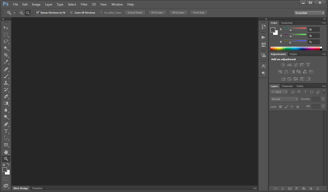
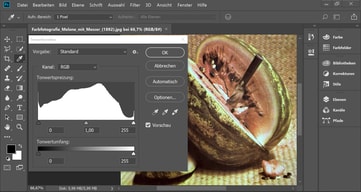





Adobe Photoshop is the industry standard for image editing, and the most useful thing a review can tell you is not whether it is good but which plan to buy. Buying Photoshop on its own costs more than buying the Photography plan, which includes Photoshop plus Lightroom and 1 TB of storage. That inversion catches people every year.
- What it is: Professional photo editing software for retouching, compositing, and digital art, available on desktop, web, and mobile.
- Best for: Photographers, designers, and retouchers who need the deepest pixel-level toolset available, and anyone working to industry file-format expectations.
- Pricing: Roughly $22.99 per month for the Photoshop single-app plan, about $19.99 for the Photography plan that includes it, and around $69.99 for Creative Cloud All Apps. See the verification note below.
- The honest catch: Adobe’s annual plans are commitments, not rolling months, and cancelling early typically incurs a fee. Buy the term you actually intend to keep.
What Is Adobe Photoshop?
Photoshop launched in 1990 and has been the default professional image editor for so long that its name became a verb. That dominance is not nostalgia. Layer-based compositing, masking, selection tooling, colour management, and non-destructive adjustment are deeper here than in any competitor, and the file format is what agencies, printers, and collaborators expect to receive.
In recent years the product has expanded well beyond the desktop application, adding web and mobile versions and a large set of generative AI tools built on Adobe Firefly. Generative fill and expand are genuinely useful for retouching work that used to take manual cloning, and Adobe’s position that Firefly is trained on licensed content matters to commercial users who need to know where their imagery came from.
The independent ratings are among the highest of any product we have reviewed, on very large samples: 4.8 out of 5 on Capterra across 2,433 reviews and 4.6 on G2 across roughly 13,210. There is no serious argument that the software is not excellent. The complaints are almost entirely about the commercial model.
How Photoshop Works
- Layers and masks. The foundation, and still the reason professionals stay. Non-destructive editing at this depth has no real equal.
- Selection tooling. Object selection, subject detection, and Select and Mask handle the hardest part of compositing, and successive AI improvements have made this dramatically faster than it was five years ago.
- Generative AI. Generative fill, generative expand, and neural filters, powered by Firefly. Useful for removal, extension, and background work.
- Camera Raw and colour management. Professional colour handling and raw processing that matters for print and commercial delivery.
- Cross-device. Desktop, web, and iPad, with cloud documents syncing between them. The web and mobile versions are capable companions rather than full replacements.
Photoshop Pricing
A verification note first. Adobe’s own pricing pages did not respond to automated requests during this review, and Adobe varies prices by region and runs frequent promotions. The figures below reflect current published US pricing as reported by multiple independent sources in July 2026, and you should confirm them on Adobe’s site for your own region before buying.
| Plan | Approximate US price | What you get |
|---|---|---|
| Photoshop single app | ~$22.99/month, annual plan billed monthly | Photoshop on desktop, web, and mobile, plus Adobe Express Premium |
| Photography plan | ~$19.99/month, annual plan billed monthly | Photoshop, Lightroom, Lightroom Classic, and 1 TB cloud storage |
| Creative Cloud All Apps | ~$69.99/month | Photoshop plus Illustrator, InDesign, Premiere Pro and the rest of the suite |
The things worth knowing before you choose:
- The Photography plan costs less than Photoshop alone and includes more. At roughly $19.99 against $22.99, it bundles Lightroom, Lightroom Classic, and 1 TB of storage. Unless you specifically need Adobe Express Premium instead, this is the better buy for almost everyone who wants Photoshop, and it is the single most valuable thing to know about Adobe’s pricing.
- Annual plans are commitments. The common “annual, billed monthly” option is a twelve-month contract paid in instalments, not a rolling subscription. Cancelling early normally triggers an early termination fee. Month-to-month plans exist at a higher rate for people who genuinely need flexibility.
- There is no perpetual licence. You rent Photoshop. Reviewers who left cite this directly, and it is a legitimate objection rather than a misunderstanding.
- Storage differs sharply between plans. The Photography plan’s 1 TB is the practical difference for photographers working with raw files.
- Prices move. Adobe adjusts pricing regularly and runs student, teacher, and seasonal discounts. Check for a current offer rather than assuming list price.
A free trial is available, and Adobe also offers a free web-based Photoshop tier with limited functionality.
Who Should Use Photoshop
- Professional photographers and retouchers. The Photography plan is close to an automatic purchase: Photoshop for pixel work, Lightroom for cataloguing and raw processing, at less than Photoshop alone.
- Designers working with agencies or print. PSD is what collaborators expect, and colour management is what printers require.
- Anyone doing serious compositing. Layer and masking depth is unmatched, and no alternative comes close for complex work.
- Teams already on Creative Cloud. If you need Illustrator or Premiere too, All Apps is the sensible route.
It is a poor fit for casual users who crop and adjust holiday photos, where free tools are entirely sufficient, for people who object to subscriptions on principle, since Affinity Photo sells a perpetual licence, and for teams whose real need is quick social graphics rather than image editing, where Canva does the job faster.
Honest Pros and Cons
Strengths
- Unmatched depth. Nothing else offers this much control over pixels, layers, masks, and colour.
- The industry standard file format. Practical value when working with clients, printers, and collaborators.
- Genuinely useful AI. Generative fill and improved selection have removed hours of manual work from routine retouching.
- Excellent ratings on huge samples. 4.8 on Capterra across 2,433 reviews and 4.6 on G2 across over 13,000.
- Cross-device workflow. Desktop, web, and iPad with cloud document syncing.
- Enormous learning ecosystem. Decades of tutorials, courses, and community answers for any problem you will hit.
Limitations
- Subscription only. No perpetual licence, and reviewers cite this as the reason they stopped upgrading.
- Annual commitment with cancellation fees. The most common source of billing complaints, and easy to agree to without noticing.
- A steep learning curve. Reviewers consistently note beginners need real time and tutorial support before becoming productive.
- Demanding on hardware. Large files and heavy filters need a capable machine.
- Confusing plan structure. The Photography plan undercutting the Photoshop plan is the clearest symptom of pricing that is harder to navigate than it should be.
- Support quality is criticized. Slow replies, long holds, and inconsistent resolution appear repeatedly in reviews.
Photoshop Alternatives and How It Compares
- Affinity Photo is the strongest alternative for people who want to own their software, with a one-off purchase and roughly 80% of Photoshop’s capability for most work.
- Canva is not a competitor for editing depth but is faster and easier for social graphics, presentations, and marketing assets.
- GIMP is free and open source, capable but with a less refined interface and weaker colour management for print.
- Pixlr and similar browser tools handle quick edits without a subscription.
- Lightroom, included in the Photography plan, is the better tool for cataloguing and batch raw processing, and pairs with rather than replaces Photoshop.
For a broader view, browse our photo editing software directory.
The Verdict
Photoshop is the best image editor available and has been for three decades, and its 4.8 Capterra rating across thousands of reviews reflects software that genuinely earns its reputation. If your work involves serious compositing, retouching, or professional delivery, there is no real debate about capability.
The decision that actually matters is which plan to buy, and here the answer is counterintuitive: the Photography plan at roughly $19.99 costs less than the Photoshop single-app plan at roughly $22.99, while adding Lightroom, Lightroom Classic, and 1 TB of storage. Unless you specifically want Adobe Express Premium, choosing the Photoshop-only plan means paying more for less. Check both before subscribing.
Then read the commitment terms. Adobe’s headline monthly prices usually describe an annual contract billed monthly, and leaving early carries a fee. That is the source of most billing complaints, and it is avoidable by choosing the term deliberately. If you object to renting software altogether, Affinity Photo is a credible one-off purchase, and for casual editing free tools will serve you perfectly well.
FAQ
How much does Photoshop cost in 2026?
US pricing is approximately $22.99 per month for the Photoshop single-app plan on an annual plan billed monthly, about $19.99 per month for the Photography plan, and around $69.99 per month for Creative Cloud All Apps. Adobe varies pricing by region and runs frequent promotions, so confirm current rates on Adobe’s site. Our automated checks could not reach Adobe’s pricing pages directly, so these figures come from current independent sources.
Is the Photography plan really cheaper than the Photoshop plan?
Yes, and it includes more. The Photography plan is typically around $19.99 per month against roughly $22.99 for Photoshop alone, and it bundles Photoshop, Lightroom, Lightroom Classic, and 1 TB of cloud storage. The single-app plan includes Adobe Express Premium instead. For most people who want Photoshop, the Photography plan is the better purchase.
Can you buy Photoshop outright instead of subscribing?
No. Adobe discontinued perpetual licences for Photoshop, and the software is subscription-only. This is the most common complaint from long-time users. If owning your software matters, Affinity Photo offers a one-off purchase that covers most of the same ground.
Can you cancel a Photoshop subscription at any time?
Not without cost on annual plans. Adobe’s common “annual, billed monthly” option is a twelve-month commitment paid in instalments, and cancelling early normally incurs an early termination fee. A genuine month-to-month plan is available at a higher rate. Choose deliberately, because this is where most billing disputes originate.
What is Photoshop best for?
Professional image editing: retouching, compositing, masking, and colour-managed output for print and commercial delivery. It is the right tool when depth of control matters, and considerable overkill for cropping holiday photos or making social media graphics.

Compare Adobe Photoshop with other popular tools in the same category.
how well it interacts with all my drawing tablets, its also very intuitive and when we hire new people on it is very easy to teach them how to use it to make demos of designs they are coming up with. this makes our work much easier.
sometimes when I try and use it on my old computer, it can crash, but that's because the newest program has just become too much for older computers. also the price may be a little steep for some but i can guarantee it is worth every penny to just go with photoshop.
When I want to make a mock-up of a design for a new motorcycle project its always very helpful in helping me visualize what i want out of my projects and how to go about it, it also helps me see flaws in other designs for vehicles i make
The things I like best about Adobe photoshop are that they allow you to edit images in a way that is more advanced then typical programs. It's easy to use it in combination with all other Adobe suite programs. Removing background is simple with the multiple tools as well as just editing photo colors and brightness.
The things that I dislike about Adobe photoshop are that the shortcuts for Adobe suite are different in photoshop than in illustrator and InDesign. Sometimes editing images can be a little but complicated but it is definitely worth the effort to make flawless edits.
The problems that you solve with photoshop are photo editing and removing backgrounds from images. Also updating colors, brightness, hue and saturation, as well as having the ability to correct flaws in the original images.
I love the Photo editing capabilities. I love being able to remove backgrounds, color correct and create a new reality.
I struggle with the lack of lighting adjustments. In camera raw and Lightroom you have a lot more control over the tone of the light and general brightening while saving the color profile. I hate having to use both programs to get my desired effect.
I can make our professional photos really pop, size then correctly and correct flaws.
This is a great program. Lots of functionality for photo editing, design, and more. I frequently use it for cover designs.
I wish there were a few more options for text boxes like InDesign has.
Old photos that are damaged and need retouching, as well as a platform to combine images for cover designs.

Adobe Photoshop is very user friendly with lots of features for editing photos
The tool bar is sometimes hard to find things due to abundance of features
Editing photos at our company

It's very comprehensive. Makes my job more impactful, and my projects more robust, whether it's a picture, brochure, or email graphic.
There is a learning curve. You have to take the time to really learn the software to get the benefits.
I use it every day to modify photos, and manipulate graphics for social, web, and email marketing.
I like that I can add filters to images and the vast feature and custom colors
I wouldn't say I like the cost of the yearly fee
I am solving the issues that I run into when trying to edit images using other photo editing software such as the problem os the lack of custom colors in other software

Each version gets better and better as Adobe continues to listen to it's professional users in integrating new technologies into the program. Things like content aware changed my life. With one click I can now remove objects from a photo. It samples the area around it to create the missing information. GENIUS
I think theres a big learning curve for beginner users. Took awhile to get comfortable and up to speed
I use it to edit photos, create logos and graphics, and to assist with video programs
Powerful photo manipulation tools right at your fingertips.
Each new iteration takes some time to get used to, but once you adapt to changes it's just as great as before.
Quick and easy photo and image editing. If you can imagine, you can do it.
It is a straightforward and intuitive tool. There wasn't a huge hassle to learn how to use. The "tour" provided gave all the tips the user needed.
It sometimes felt somewhat limited in its abilities, which was a little disappointing, but there was always a workaround.
The benefits have been the amount of time and money I have saved. I don't have to send the request out for someone else to do the editing. I can do it myself and on my timeline. I'm making cover art and quick edits faster than we have been able to in the past.
Adobe Photoshop makes art easy, and the tutorials available on the Adobe website along and within the application allow people to learn many new skills. It's very helpful to be able to quickly access tips and tricks that can bring your design to the next level. A major upside to the program is the fact that it saves previous versions of files as you're working on them in order to allow users to use the "undo" function very far back. The readability of layers is much easier to navigate than other programs, which are often clunky, confusing and even potentially project-ruining.
Sometimes the program becomes slow or crashes when there are too many files open, and then cannot be force quit. Also, at times the user interface can be messy because of the variety of brushes and tools. Free apps like Canva are far more user-friendly, and even have some features Photoshop does not (such as switching words or paragraphs from lowercase to uppercase in one click). The learning curve to using the program is a major downside for new or inexperienced designers who may be trying digital art for the first time.
I am using Adobe Photoshop to create posters and graphics for my organization, as well as create personal art pieces. Being able to access so many tools in one application saves time and download space. Issues of design capability in other programs, like Canva, are solved through the use of Photoshop. The benefits of such a vast library of artistic tools are innumerable. Being able to download new fonts and brushes from the internet and upload them into Photoshop is very helpful in creating new and innovative designs, whereas other programs may force users to stick to pre-programmed fonts and brushes only.
The best thing I like about Adobe Photoshop is the endless possibilities. In Photoshop you are only limited by your own imagination and skill level. I have been an Adobe Photoshop user for the past 10 years. The progress they have made over the years has been very helpful to myself as a digital marketer. Another nice thing about Photoshop is its ease of use. Photoshop has become very easy to use and learn over the years. It has also been around long enough that there is tons of content online you can find to learn the software. YouTube is a great place to troubleshoot and learn about different things you can do with Photoshop. Like I mentioned earlier I have used Photoshop for 10 years and I am still learning about different things I can do.
There are occasionally bugs with Adobe. I wish they were completely worked through. It could prevent a lot of headaches on projects. Often I will run into my scratch disk stating it is too full and I will have to restart my computer or quit out of photoshop to fix the issue. I have check and my storage is not the issue. There is some type of bug there. Also, every so often my tools will disappear and I will have to reset my toolbar.
Adobe Photoshop has allowed me to do many different media design projects. Anything from just your basic photo touch-ups to graphic designing different projects.
Photoshop is an excellent image editing software, easy to get a hang on, especially the selection tools. The features offered by PS are great. It's an amalgamation of all the image editing tools- a one-stop solution to all our needs. It efficiently collaborates with the Adobe packages and brigs quality outputs.
The pricing is an issue. Photoshop requires a higher configuration with the system, which makes PS a privilege. Sometimes it lags a lot, and extracting higher resolution images becomes a task. The format .psd is not very compatible with other software, and then I lose layers when I try multiple platforms with .psd.
It makes life easier with Image editing. Although adobe offers other software for specific purposes, I believe that Photoshop is the best product they are offering. It allows multiple output formats and won't restrict you.

Adobe Photoshop is the only software we need for sure, and this is the industry-standard software. I like its powerful tools, which are essential for me. As a VFX Artist, I always need this software.
Some downsides of this software are it's costly for any beginners to use photoshop also it needs much space to work faster. It also needs some more tools for 3D and VFX artists.
Adobe Photoshop helps me with the cleanup or any photo editing works.

I have always loved photoshop. I love to design my ads in Photoshop for graphic design. I love that I can make any picture look unique and stand out and the best thing is I can take two different pictures and combine them together. I also love the patch tool I use that quite a bit. When I have a photo and there's a piece of hair in front of my face or my shirt is messed up then I use the patch tool to make it look a lot better I don't even notice afterwards.
What I do not like is it takes a while to learn photoshop. It was probably the hardest program to learn out of all my design programs. While learning Photoshop I took an online class. It was really hard because a lot of the things I learned I did not understand how to do them because it was not a Hands-On class. I had to call my teacher a lot and she would tell me how to do something. Now that I learned it it is my favorite program though.
There have been a lot of photos that have been messed up of mine such as the color is too bright or there's a smudge on my photo or someone is not in the picture so I like to add that person to my photo to make them feel like they were there. So I can do basically anything with Photoshop with a picture. Photoshop is probably my favorite program I feel like I can do anything and I can design anything and express how I feel and show others cool photos or cool design such as signs for ads or even magazines. Another great thing about Photoshop is I can change the color or make the photo brighter or I can even crop out people that do not belong I can explore anything that I would not be able to make in real life.
I love that there are so many features that can be used with the program. Once you understand how to use the various tools and features, the program becomes more like second nature.
Some of the features for the program are not obvious to users, so I learned them through Youtube tutorials. Some Youtube videos showed me how to upload a file that allowed me to have zigzag lines. Thus, I think it can be more user-friendly because it can be very complicated.
I am designing collages of images for high-profile scientific publications. I am also editing photos for photography purposes.

Adobe Photoshop is easy to learn, comes with a rich set of editing and manipulation tools for producing elegant digital arts. It can handle a wide range of file formats and work smoothly with iPad and desktop computers.
Pricing of $20.99 per month is a bit expensive. Does not support vector graphics editing.
With Adobe Photoshop our company is able to produce high-quality images and graphic designs in less time. It supports a wide range of file formats, input devices, and printers.
I love the small explanations that come up when you hover. Practically, a live, constant tutorial.
Photoshop does still have a lot of terminology that is not very user friendly, making the learning curve still steep.
I can turn mediocre photos beautiful. We have a snappier socia media presence.
We're using Adobe Photoshop for a whole month to retouch photos before using them on websites and social media accounts. We use the Photoshop CC 2019 version. It has tons of options for giving your captured images a professional look.
As it deals only with pixels, vector work looks terrible when we enlarge the pictures. Hard to format text as it also looks awful. Till the version CS6, they offer a one-time purchase license. After that, they introduce the subscription-based charges from $20.99/month for Photoshop and around $53/month for All Apps. I live in Pakistan, where they didn't offer the license from the website. And purchasing a from a reseller is not a good decision to buy it license in my country.
I am giving the final touch to captured images. Create web graphics for the website and many more.
Photoshop is a powerful tool to the user to modify the photo, I really like the content aware, clone stamp features, beacuse it enables to clear unnecessary objects from the frame.
There is no ability to read eps files as individual layers. some time the magic selection tool becomes annoying for low light photos
Color correction, collaging photos, creating posters and flyers in no time.
No matter how many other competitors on the market, Photoshop is still the number one software because it contains all the functions/features that you can think of from both personal and commercial usage
The learning curve to master the app is relatively long due to the complexity of its features and functions
I use the app to design and modify pictures to fit into company internal publication

The ability to edit the photos at ease Works likes charm
File handling freezes when opens huge size file. Felt slow some times
I haven't solved any problems in photoshop
You have a lot of features that you can use
With the new History Feature you can't undo a lot of moves
I am making posters and flyers
To get the wild imagination to reality in digital form
Previously Adobe was easily available on CD now gone online i:e for CC you have be online continously.
I am basically a photo editor. This tool acts like salt in food.
It has all the necessary tools you need to organize, edit, and share your photos and I think it's one of the easiest softwares for begginers to learn
I think it is a bit expensive, but I know that's just because it's one of the best software for image editing.
I use photoshop for simple stuff like color corrections, contrast adjustments, etc., but I like to explore all the features it has, and I can tell you that the limit does not exist.

Visual manipulation and content-aware feature
The file size is too heavy and PC RAM requirement is ridiculous
General design, photo editing and interactive media like GIF
The ease of use and advanced functionality. No other product like it!
The price and login required. NOt bad but it is an investment
Advanced creative and help with all our marketing efforts
I like all the features you get with it. I like you dna use it on all type of electronics not just your computer. It's really good for what you need.
I dislike the price I will say it is cheaper than other things tho.
Making my photos and products look professional
What I like most about photoshop is that there are so many ways to customize anything you are working on. There are so many tools implimented into the software that make editing and creating content so much better. I also like that there is a button to quickly go back to a previous state. It's very useful to have the tool to see a layer you created or see it without the layer. Often times when I am editing the color of the image it is nice to see a layer with or without the other layers I have created. It is very easy to create an off looking picture because filters look different combined, but with the layer selection you can add or remove a layer style without having to remove the laters on top of it. The one tool I use the most is the quick healing tool. It is so quick and easy to remove simple unwanted objects in a photo, such as stop signs, imperfections in the face and garbage when you take a landscape picture. I also really enjoy tee sky replacement tool. It is so easy and quick with an amazing result.
What I dislike about photoshop is that it is very complicated to start to learn. Once you learn the basics of photoshop it does get easier to use but it is still difficult to learn. There are plenty of amazing youtube videos that show you the basics. There is also a search option in photoshop incase you need more informtaion. Also on the note of difficulty, I do wish it was more cut and dry. It was pretty hard and frustrating to try to remember all the tools, what everything means and the abreviations. It is a difficult and frustrating software but at the end of the day, everything is going to be difficult and confusing when you first start.
It has so many tools in one place that you can't get from another application. The benifits is that it is very very nice and well built software, so when I am creating content it is very easy to get the result I want. Once you learn the basics and learn where to get the tools to create the product you want, the more difficult tools are eaasier to use. Adobe is one of the leading editing software development in the world and it shows. For the price of anything adobe you really do get more bang for your buck.

Photoshop has lots of tools and features that allow you to edit your image or create an image in any way you would like. It also has a great and intuitive user interface. You can easily and quickly switch between tools.
The main challenge is learning about the various tools and finding the right one for the job. The program's power is in the variety of tools; however that requires knowledge of them to use them.
I use photoshop to edit images, create photo-realistic renderings and visual diagrams. It is a fantastic editor for raster-based graphics of all kinds. Graphics that I create in photoshop include architectural illustrative plans, sections, perspectives, and diagrams.