Unclaimed: Are you working at Adobe Photoshop?
Adobe Photoshop Reviews: 4.6/5 — Highly Rated
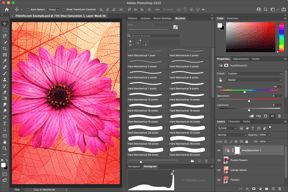
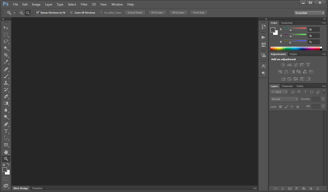
Arguably one of the best-known graphic design software tools used today, Adobe Photoshop is currently the go-to tool of many creative professionals. The software offers feature-rich tools for photo retouching, editing, and manipulation; and gives access to numerous brushes and textures. The platform is well known for having an ever-improving interface, supported by an extensive selection of tools, high customizable dashboards, collaboration options, and efficient file management options.
Adobe Photoshop is also often used as Photo Editing of choice in Marketing and UI/UX Design tech stacks.


| Capabilities |
AI
API
|
|---|---|
| Segment |
Small Business
Mid Market
Enterprise
|
| Deployment | Cloud / SaaS / Web-Based, Desktop Mac, Desktop Windows, Mobile iPad, Mobile iPhone |
| Support | 24/7 (Live rep), Chat, Email/Help Desk, FAQs/Forum, Knowledge Base, Phone Support |
| Training | Documentation |
| Languages | English |
Adobe Photoshop Pros and Cons
- Comprehensive set of tools for touch-up and retouching
- Extensive filters, brushes, and pre-sets
- Advanced color and background manipulation
- Extensive organization and image management tools
- Highly customizable
- Might present a steep learning curve for beginners
- Limited support for vector graphics







Adobe Photoshop is the industry standard for image editing, and the most useful thing a review can tell you is not whether it is good but which plan to buy. Buying Photoshop on its own costs more than buying the Photography plan, which includes Photoshop plus Lightroom and 1 TB of storage. That inversion catches people every year.
- What it is: Professional photo editing software for retouching, compositing, and digital art, available on desktop, web, and mobile.
- Best for: Photographers, designers, and retouchers who need the deepest pixel-level toolset available, and anyone working to industry file-format expectations.
- Pricing: Roughly $22.99 per month for the Photoshop single-app plan, about $19.99 for the Photography plan that includes it, and around $69.99 for Creative Cloud All Apps. See the verification note below.
- The honest catch: Adobe’s annual plans are commitments, not rolling months, and cancelling early typically incurs a fee. Buy the term you actually intend to keep.
What Is Adobe Photoshop?
Photoshop launched in 1990 and has been the default professional image editor for so long that its name became a verb. That dominance is not nostalgia. Layer-based compositing, masking, selection tooling, colour management, and non-destructive adjustment are deeper here than in any competitor, and the file format is what agencies, printers, and collaborators expect to receive.
In recent years the product has expanded well beyond the desktop application, adding web and mobile versions and a large set of generative AI tools built on Adobe Firefly. Generative fill and expand are genuinely useful for retouching work that used to take manual cloning, and Adobe’s position that Firefly is trained on licensed content matters to commercial users who need to know where their imagery came from.
The independent ratings are among the highest of any product we have reviewed, on very large samples: 4.8 out of 5 on Capterra across 2,433 reviews and 4.6 on G2 across roughly 13,210. There is no serious argument that the software is not excellent. The complaints are almost entirely about the commercial model.
How Photoshop Works
- Layers and masks. The foundation, and still the reason professionals stay. Non-destructive editing at this depth has no real equal.
- Selection tooling. Object selection, subject detection, and Select and Mask handle the hardest part of compositing, and successive AI improvements have made this dramatically faster than it was five years ago.
- Generative AI. Generative fill, generative expand, and neural filters, powered by Firefly. Useful for removal, extension, and background work.
- Camera Raw and colour management. Professional colour handling and raw processing that matters for print and commercial delivery.
- Cross-device. Desktop, web, and iPad, with cloud documents syncing between them. The web and mobile versions are capable companions rather than full replacements.
Photoshop Pricing
A verification note first. Adobe’s own pricing pages did not respond to automated requests during this review, and Adobe varies prices by region and runs frequent promotions. The figures below reflect current published US pricing as reported by multiple independent sources in July 2026, and you should confirm them on Adobe’s site for your own region before buying.
| Plan | Approximate US price | What you get |
|---|---|---|
| Photoshop single app | ~$22.99/month, annual plan billed monthly | Photoshop on desktop, web, and mobile, plus Adobe Express Premium |
| Photography plan | ~$19.99/month, annual plan billed monthly | Photoshop, Lightroom, Lightroom Classic, and 1 TB cloud storage |
| Creative Cloud All Apps | ~$69.99/month | Photoshop plus Illustrator, InDesign, Premiere Pro and the rest of the suite |
The things worth knowing before you choose:
- The Photography plan costs less than Photoshop alone and includes more. At roughly $19.99 against $22.99, it bundles Lightroom, Lightroom Classic, and 1 TB of storage. Unless you specifically need Adobe Express Premium instead, this is the better buy for almost everyone who wants Photoshop, and it is the single most valuable thing to know about Adobe’s pricing.
- Annual plans are commitments. The common “annual, billed monthly” option is a twelve-month contract paid in instalments, not a rolling subscription. Cancelling early normally triggers an early termination fee. Month-to-month plans exist at a higher rate for people who genuinely need flexibility.
- There is no perpetual licence. You rent Photoshop. Reviewers who left cite this directly, and it is a legitimate objection rather than a misunderstanding.
- Storage differs sharply between plans. The Photography plan’s 1 TB is the practical difference for photographers working with raw files.
- Prices move. Adobe adjusts pricing regularly and runs student, teacher, and seasonal discounts. Check for a current offer rather than assuming list price.
A free trial is available, and Adobe also offers a free web-based Photoshop tier with limited functionality.
Who Should Use Photoshop
- Professional photographers and retouchers. The Photography plan is close to an automatic purchase: Photoshop for pixel work, Lightroom for cataloguing and raw processing, at less than Photoshop alone.
- Designers working with agencies or print. PSD is what collaborators expect, and colour management is what printers require.
- Anyone doing serious compositing. Layer and masking depth is unmatched, and no alternative comes close for complex work.
- Teams already on Creative Cloud. If you need Illustrator or Premiere too, All Apps is the sensible route.
It is a poor fit for casual users who crop and adjust holiday photos, where free tools are entirely sufficient, for people who object to subscriptions on principle, since Affinity Photo sells a perpetual licence, and for teams whose real need is quick social graphics rather than image editing, where Canva does the job faster.
Honest Pros and Cons
Strengths
- Unmatched depth. Nothing else offers this much control over pixels, layers, masks, and colour.
- The industry standard file format. Practical value when working with clients, printers, and collaborators.
- Genuinely useful AI. Generative fill and improved selection have removed hours of manual work from routine retouching.
- Excellent ratings on huge samples. 4.8 on Capterra across 2,433 reviews and 4.6 on G2 across over 13,000.
- Cross-device workflow. Desktop, web, and iPad with cloud document syncing.
- Enormous learning ecosystem. Decades of tutorials, courses, and community answers for any problem you will hit.
Limitations
- Subscription only. No perpetual licence, and reviewers cite this as the reason they stopped upgrading.
- Annual commitment with cancellation fees. The most common source of billing complaints, and easy to agree to without noticing.
- A steep learning curve. Reviewers consistently note beginners need real time and tutorial support before becoming productive.
- Demanding on hardware. Large files and heavy filters need a capable machine.
- Confusing plan structure. The Photography plan undercutting the Photoshop plan is the clearest symptom of pricing that is harder to navigate than it should be.
- Support quality is criticized. Slow replies, long holds, and inconsistent resolution appear repeatedly in reviews.
Photoshop Alternatives and How It Compares
- Affinity Photo is the strongest alternative for people who want to own their software, with a one-off purchase and roughly 80% of Photoshop’s capability for most work.
- Canva is not a competitor for editing depth but is faster and easier for social graphics, presentations, and marketing assets.
- GIMP is free and open source, capable but with a less refined interface and weaker colour management for print.
- Pixlr and similar browser tools handle quick edits without a subscription.
- Lightroom, included in the Photography plan, is the better tool for cataloguing and batch raw processing, and pairs with rather than replaces Photoshop.
For a broader view, browse our photo editing software directory.
The Verdict
Photoshop is the best image editor available and has been for three decades, and its 4.8 Capterra rating across thousands of reviews reflects software that genuinely earns its reputation. If your work involves serious compositing, retouching, or professional delivery, there is no real debate about capability.
The decision that actually matters is which plan to buy, and here the answer is counterintuitive: the Photography plan at roughly $19.99 costs less than the Photoshop single-app plan at roughly $22.99, while adding Lightroom, Lightroom Classic, and 1 TB of storage. Unless you specifically want Adobe Express Premium, choosing the Photoshop-only plan means paying more for less. Check both before subscribing.
Then read the commitment terms. Adobe’s headline monthly prices usually describe an annual contract billed monthly, and leaving early carries a fee. That is the source of most billing complaints, and it is avoidable by choosing the term deliberately. If you object to renting software altogether, Affinity Photo is a credible one-off purchase, and for casual editing free tools will serve you perfectly well.
FAQ
How much does Photoshop cost in 2026?
US pricing is approximately $22.99 per month for the Photoshop single-app plan on an annual plan billed monthly, about $19.99 per month for the Photography plan, and around $69.99 per month for Creative Cloud All Apps. Adobe varies pricing by region and runs frequent promotions, so confirm current rates on Adobe’s site. Our automated checks could not reach Adobe’s pricing pages directly, so these figures come from current independent sources.
Is the Photography plan really cheaper than the Photoshop plan?
Yes, and it includes more. The Photography plan is typically around $19.99 per month against roughly $22.99 for Photoshop alone, and it bundles Photoshop, Lightroom, Lightroom Classic, and 1 TB of cloud storage. The single-app plan includes Adobe Express Premium instead. For most people who want Photoshop, the Photography plan is the better purchase.
Can you buy Photoshop outright instead of subscribing?
No. Adobe discontinued perpetual licences for Photoshop, and the software is subscription-only. This is the most common complaint from long-time users. If owning your software matters, Affinity Photo offers a one-off purchase that covers most of the same ground.
Can you cancel a Photoshop subscription at any time?
Not without cost on annual plans. Adobe’s common “annual, billed monthly” option is a twelve-month commitment paid in instalments, and cancelling early normally incurs an early termination fee. A genuine month-to-month plan is available at a higher rate. Choose deliberately, because this is where most billing disputes originate.
What is Photoshop best for?
Professional image editing: retouching, compositing, masking, and colour-managed output for print and commercial delivery. It is the right tool when depth of control matters, and considerable overkill for cropping holiday photos or making social media graphics.

Compare Adobe Photoshop with other popular tools in the same category.
Flexibility and online help make this robust software a game changer. Editing photos is a breeze.
Can be complicated, but online training and resources make for a supportive community
Photo editing- easy for quick social and email posts
Lots of features and capabilities if you know how to use them.
Not as intuitive as it once was. Requires additional training and regular use to be a skilled user.
Editing and resizing photos

Adobe Photoshop is the king of editing software, I'm using it from my school time for my projects and all, and finally, I m doing photoshop for my clients, as a part-time graphic designer create so many poster banners from photoshop, I like all tools.
I dislike adobe photoshop Some 3D tools are missing and it's too tough for beginners, getting some errors in recent updates for rendering and editing images.
I can work easily with my windows pc and smoothly work on it and I edit 3D artwork for my clients and he/she will pay a huge amount for this. this is very beneficial for me.
It's very hard to point out the one best thing about Photoshop. It is the best photo editing, retouching, and image processing software there is. Apart from this, you can basically handle and create any design in the world in Photoshop.
I truly don't have any dislikes. I think that Photoshop is THE best software in the world in the photo editing arena.
For me, as a photographer and graphic designer, it basically solves and caters to all my needs.
Photoshop is one of the best photo editing software to date, you can manipulate and edit pictures exactly how you like them.
the interface is a little bit clustered and the application takes a while to learn.
it gives me the ability to market my photos the way I want to.
Photo shop is one of the best to I have ever used and still I used in daily basis it delivers high class photo editing result.
You can't export icons in photo shop that's what I don't like.
Creating mock-up has been more easier to make in Photoshop and that's what make difference in my work

I am using Adobe Photoshop since 2009, and it is the most powerful for editing any photos, I like all tools of photoshop, you can think more creatively, and the possibilities are unlimited with photoshop, the recently launched Ai feature is too good.
dislike about photoshop subscription fee is a little bit high it is not suitable for everyone and software uses is also a little bit complex.
It gives me many opportunities for creating posters for my clients.
The best part about photoshop are the excellent tutorials and the helpful interface. There is almost nothing that can't be done in photoshop.
Photoshop will run on older smaller machines, but frankly it's a pain if you don't have the ram for this software. I recently purchased an updated machine and things that were taking 15 minutes to render now render a moment after pressing go.
I use photoshop in conjunciton with Adobe Illustrator for blog and web graphics.

1st oF all I am like in photoshop is it was updated by time to time as per we needed woth that new features are also with the new brushes facilities its change with itme its work amazing no one editing software as compared to photoshop
I am disliked that the photoshop some time may be hang over systen and its file size was to larg after editing a phots and aslo di liking when we transfer file from another one quality was lil bit week
Its was amazing to solving my problem by making projects easy by i am buying some photoshop templates mood boards collag or also help to create any type or photoshop to make creative effects or we can also chang or edit as per we need. Its benefits are also those we want all are doing with photoshop nun of one of the features are missing on this software of editing all tolls are available or all fears are available those we want effects brushes or layers work backwards chang all are amazing we are doing best projects with thise software
Photoshop is the most ideal and well-known software for image editing. Photoshop very nicely integrates with other software like Adobe Dreamweaver, Illustrator and After Effects. By using photoshop you can create beautiful content for your advertising needs.
With the latest version of Photoshop, there are many new tools and features added which might be confusing for someone who is new to this software. Some tools need refinement otherwise its very good overall.
I create promotional content on photoshop almost every day for my company. I use photoshop for editing all the raw photos I receive from our recording team, which later on be used for marketing purposes. Photoshop has helped me immensely to do my work with great ease and comfort.

Photoshop is the most complete and versatile software when it comes to editing digital images. The possibilities are immense and as one would say, "the sky is the limit"
Being the top choice by professionals of digital image editing software, it does come with a caveat: it is not an intuitive software as, let's say, a word processor.
There are two main possibilities when one uses Photoshop. One is to correct certain issues in an image when this image was captured. Another is to apply one's imagination to create beautiful and stunning images even from scratch
Helps in creating and editing artwork. Very versatile .
Sometimes the app crashes when the computer you are using does not have enough RAM
Getting the message across in the form of artwork . Because everything is digital we get to share effortlessly

The free flow of work done and helpful is the best.
Nothing at all disappoints photoshop because it doesn't have any faults in the line of design.
The issue I face in day-to-day life is correcting a pen and paper sketch into digital form is the best tool for solving this type of issues
Photoshop is a great design tool. As a beginner, there feels like an overwhelming amount of information and tricks that can be learned, but watching youtube videos is helpful. I have been able to accomplish enough design work with this tool for my business even as a beginner and feel satisfied with the work I have been able to put out.
==There is an overwhelming amount of features and functionalities, and multiple ways to complete one task.
Quick internal graphic design work that we would otherwise need to outsource
Everyone knows Adobe photoshop. It is the most popular tool for Image editing in the market. I am a professional designer and I am using photoshop for more than 12 years. I find it still the most relevant and powerful tool for my designing needs. It is the best in the industry.
Some feature over the years has been changed but change does not always good for software. There are some features which have changed over the years which need to be updated futhure.
With Adobe Photoshoot I edit all the images I need for my design project. I design webpages, and social media banners and also I design UI interface on this platform and implement it further on other software. Photoshop has helped me immensely to create awesome designs and earn money as a design professional over the years.
Photoshop is universal. No matter if you're a digital painter, web designer, making film posters or altering photographs - if you read their official guidelines, you would be able to understand how to do what you need. However, even the best software won't make your painting skills better on it's own - you need to practice. 10 years and still learning new tricks. And I find it pleasant that it restores pictures you were working on when it happens that you shut down your PC incorrectly.
Currently you can't just buy and own software like it's been earlier. Secondly, it requires to have a powerful PC to be able to do everything at the same time (with 3ds Max/ Maya and other programs running simultaneously).
Photo editing and preparing publishing materials for printing.

All options of manipulating or modify any type of a photo, more over good tool for logo designing, illustrations etc
Not free and it will not accept the output of the project if the sequence is not followed
For example object selection with more options (many tools) or different way of performing the task
It is the experts graphic design tool that can handle anything and everything
Expensive and can be bloated when you add lots of plugins
It lets me edit images graphically and do design work.

Adobe PS is easy to use and makes editing or designing enjoyable.
It would be great to have a "How To Feature" that allows users to know steps to creating an effect.
Adobe PS allows me easy and fast ability to make design changes that look like they're done by a professional.
I like that it can be purchased on a subscription model now. We use photoshop for fabric design, product editing, mock ups and marketing material. I couldnt imagine having to pay for several different services.
There's not really anything i dislike. It can be difficult to navigate if you're new to the program but once you get comfortable everything is very intuitive.
We use it for marketing images, photo editing, fabric design, mock ups, all sorts of things. I love that i can buy 3rd party add ons to automate processes and streamline things.

Being the best on the market, Photoshop has made running my own freelance book cover design business simple and highly effective. I enjoy the layout, and I find it very intuitive (after my many years of experience) and customizable to how my mind and process works. I enjoy their constant innovation and developing of new features to achieve quick results. The remove background tool has got to be one of my favorite things in existence.
With every new update of Photoshop CC, my downloaded actions, brushes, and such are usually deleted from the program (not my computer), and having to add them back each time is annoying. Also, some of the filters, like those in the Blur Filter Gallery, can be CPU hogs if you don't have a beast of a machine to compensate for it. This can slow down my multitasking processes at work when I need Google Chrome and Illustrator also running.
Photoshop has streamlined my design process and taken my promotional designs and book covers to such a gorgeous and professional level. I can work more quickly and efficiently within the program. Subscribing to the Cloud Suite has offered me benefits such as access to fonts I would otherwise be paying a pretty penny for.
I used PS CS6 for year, and finally had the opportunity to use CC. It was a night and day difference. Everything was easier, smoother and quicker than before.
It cannot read my thoughts... which I guess is not a bad thing. LOL!
compositing multiple graphics for adverts and layouts

edit quality of images with specific effect as per the requirements of the company or person like flyers special logo with specific design. Good to use for trained person.
For beginners it is difficult to use as it required specific commands to execute special purpose in image or in creating design for Awesome results and acceptance.
Helped us to improve design of promotion activity and some times improve the image quality to create a better printable material for public domain.
Photoshop helps me to edit photos even if they aren't that great. I have taken pictures from my cell phone and dramatically improve the quality using the tools available. Training and education are required to use Photoshop; once you have developed the skills, a quick visit to the tutorial pages can remind you how to do some trickier tasks. I use it daily to edit photos of the experiences I offer, including paddle and beach yoga classes. The light isn't always great, but once I bring the images into Photoshop, I can fix them up to their most beautiful.
There is a lot to remember to use Photoshop. It is much easier to use if you know the shortcuts and have comfort with the icons. Sometimes they make changes that can throw off your habits. I often forget the shortcuts and end up having to go through multiple clicks or windows to make what I need to happen to occur. The typing capabilities are limited. I work with the entire Adobe suite to get the effect I am seeking when working on graphic design imagery because I can't always get the result I want in Photoshop. It is a program that works better when paired with the entire package but can stand alone if all you are doing is photo editing.
My photos are the best in the business. Besides professional photos that people paid a high price for, the snapshops I can capture a moment and edit it to its best using Photoshop. I found that I can repair and improve images I have captured on my phone and damaged photos from my camera. Using Photoshop has helped me to level up my services and offer something no one else in my market is including.
Selection features and photo cropping and sizing tools.
There should be a link to the best place to find tutorial advice, to stop me going to Youtube to find instructional videos.
Ability to select, size, crop and adjust photos prior to publishing them.

I use Photoshop for digital painting, and ever since I started using it, I've never looked back. Between great options for customizing brushes, nuanced color and image editing capabilities, fantastic compatibility with years-old files, and a number of other goodies for art enthusiasts, it's a great choice for artists.
There are some tools that I wish received an overhaul - for example, the animation capabilities aren't very intuitive, and while they're good for simple animations (i.e. pixel art sprites), I wouldn't use it for anything lengthy. Additionally, the monthly subscription is VERY expensive.
Photoshop has been my go-to program for digital painting for years now. Everything I need in that regard is in one place, making it easy to jump right in and work.
The upside is using this product and the Is a variety of choices given for a project They also have an ample source of material that one may choose from instead of having to go to other sites for a different applications
During the test product phase not having enough time to test it out Insane that basically that there is not enough time during the trial. To get the full scope of the benefits of adobe Photoshop
A double Photoshop solves my problems in in the ways that I don't have to do different types of programs or softwares to make one project complete as opposed to Adobe where I can actually pick a project that has all those attributes already there
There are so many helpful features. Especially with recent updates. I love the content aware move tool, creative cloud syncing, and 3d text editor. I also love how easy it is to import brushes, actions, effects, etc.
If I had a complaint, it would be the monthly fees. I miss being able to purchase the product once and being done with payments. Also, I don't love the new brush update that will automatically switch you between tools (paint to eraser) when simply changing your brush.
I use it daily for building online learning content, website development, video creation, and graphic design. It syncs so well with other Adobe CC products, that is truly is essential for my day to day work.

Everything this tool has. Editing, colour correction, modifying, filters, and many advanced features.
The complexity of some features. Everyone cannot understand it easily.
Editing and images for making UI for websites and Instagram posts are always helpful in photoshop. I use it for multiple purposes.
love how many features Photoshop has. if you can think of it, it has it!
Once you get started the program is so dense it might seem daunting, but once you get the hang of it its perfect
Creating youtube thumbnails s a breeze