Unclaimed: Are you working at Canva?
Canva Reviews: 4.7/5 — Highly Rated
Canva is an easy to use graphic design and video editing platform that lets users create, design, and publish original artwork using a simple drag-and-drop editor. The platform comes with thousands of design templates and layouts for numerous projects, including social media posts, presentations, videos, posters, flyers and more.
Canva is also often used as Photo Editing of choice in Marketing and Ecommerce tech stacks.

| Capabilities |
AI
API
|
|---|---|
| Segment |
Small Business
Mid Market
Enterprise
|
| Deployment | Cloud / SaaS / Web-Based, Mobile Android, Mobile iPad, Mobile iPhone |
| Support | 24/7 (Live rep), Chat, Email/Help Desk, FAQs/Forum, Knowledge Base, Phone Support |
| Training | Documentation |
| Languages | English |
Canva Pros and Cons
- Simplicity: Canva is delightful to use. You can search for stock images and videos in seconds, drag and drop elements into place, and experiment with a huge range of filters and effects.
- Free plan: If you’re not sure how many visual assets you need yet, you can start with the free plan and work your way up.
- Versatile: You can create a lot of different kinds of graphics easily with Canva, including logos, Facebook posts, email marketing templates, and landing pages.
- Convenient easy-to-use environment for beginners
- Thousands of templates, icons, photos, fonts and other assets
- You don’t get the full control with Canva that you get with more advanced marketing tools. There aren’t as many layers as possible and advanced features to explore.
- Can be a little slow as a browser-based product.
- Very limited editing options
- No layering or re-adjustment options


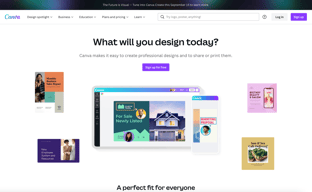





Are you a non-designer looking for graphic design software? If you need to create designs for your business, Canva is one of the top rated tools to choose. In this post, we’ll explore Canva’s pricing, features, and alternatives.
What is Canva
Canva is an online graphic design tool used by over 170 million monthly active users to create visual content for offline and online marketing. Over 9,400 Capterra reviewers have given Canva an average rating of 4.7 out of 5 stars.
Canva offers hundreds of thousands of templates and elements you can use to create designs for personal or business use. Customize your visual content with your brand kit and media from your own library.
How Much is Canva
Canva offers Free, Pro, and Teams plans – visit Canva’s pricing page for current rates.
The Free plan includes the following.
- Over 250,000 free templates.
- Over 100+ design types including business cards, presentations, and social media posts.
- Free photos, logos, fonts, photos and graphics.
- Share, collaborate, and comment on designs with a team.
- Save your designs with 5GB of cloud storage.
- Share designs to multiple platforms including Instagram, Facebook, X, LinkedIn, Pinterest, Slack, and Tumblr.
The Pro plan includes everything from the Free plan plus the following.
- Over 100 million premium stock photos, videos, audio and graphics
- Over 610,000 premium and free templates with new designs daily
- Up to 100 Brand Kits with your companies colors, logos, and fonts
- Access to Background Remover and Magic Resize.
- Create templates from your own designs.
- Save your designs with 100GB of cloud storage.
- Schedule your social media designs on up to 8 platforms including Instagram, Facebook, X, LinkedIn, Pinterest, Slack, and Tumblr.
The Teams plan includes everything from the Pro plan plus the following.
- Use brand controls to manage your team’s access to apps, graphics, colors, logos, fonts, and uploads.
- Get approval on your designs with built-in workflows.
- Control what your team can edit and stay on-brand with template locking
- Save your designs with unlimited storage.
- Log in with single-sign on (SSO) and have access to 24/7 Enterprise-level support.
How to Use Canva
To get started on Canva, you will need to create an account using your email address, Google, Facebook, or Apple. You will then choose your account type between student, teacher, small business, large company, non-profit, or personal. Templates and additional resources will be recommended based on your chosen account type.
You can choose to start a free trial of Canva Pro or begin with the free version to see if it’s the right graphic design tool.
Designing with Canva
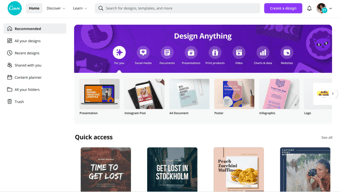
For your first design, Canva will suggest different post types to choose. Based on the type of account you set up, you will see template categories like social media posts, documents, presentations, marketing, events, ads, launch your business, build your online brand, etc.
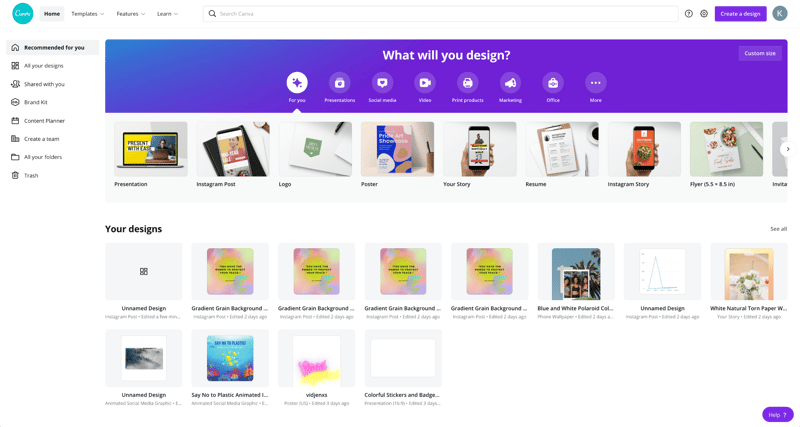
Begin by choosing the type of post you want to create or searching for something more specific. Search by social network name, for example, to see a list of templates by post type on each network.
Templates
Next, you will be able to choose a template. Templates come ready to go, with customizable photos, text, and additional elements.
You can start your design by choosing a template, searching for a template, or working with a blank template.
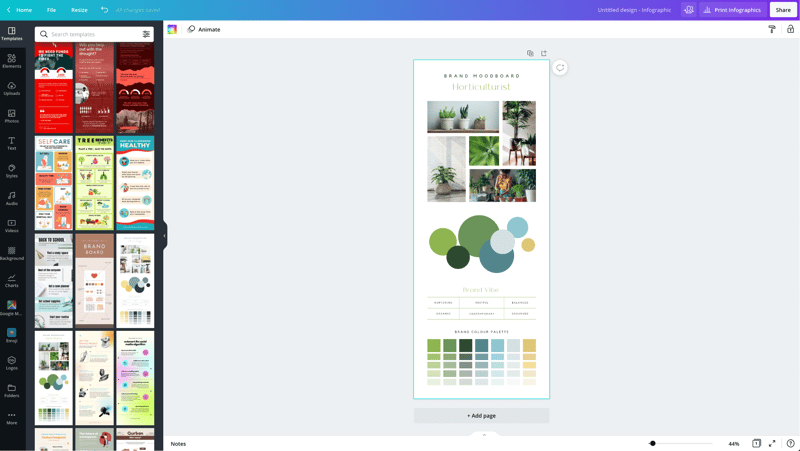
Canva has a lot to choose from, so start with a specific search. If you’re in the horticulture business, you’ll find plenty of templates for a variety of post types just by searching for plants.
You may not find the perfect template, and that’s ok. Remember there are plenty of ways to customize any template. So choose the best fit and move on to Elements.
Elements
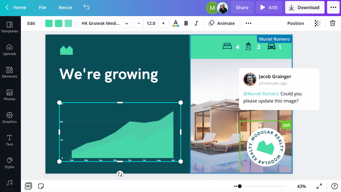
Inside the Canva designer, the Elements tab gives you access to lines and shapes, graphics, photos, videos, audio, charts, photo frames, and photo grids. You can use the search box on the Elements tab to search everything on Canva.
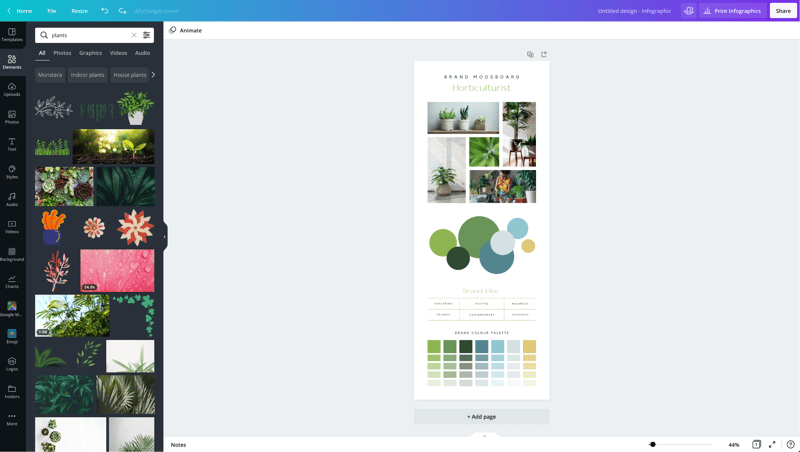
Again, Canva has a large library of elements to choose from, so be specific in your search query. You may also want to search in the following tabs to see various elements separately in the search results.
Photos
The Photos tab allows you to choose from millions of free, paid, and Pro-only stock photos.
You can replace photos on your templates to create a new look or to match a particular template to your industry.
Alternatively, you can use photos from another stock photography site or your own photos. Simply upload them in the Uploads tab.
Once you choose a photo, you can use Canva’s photo editing features to add filters, adjust the photo’s settings (brightness, contrast, saturation, etc.), crop, animate, and change the transparency.
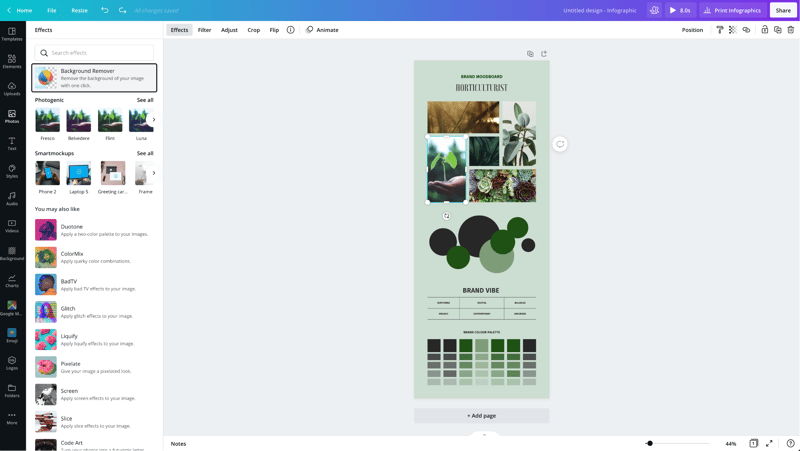
Canva Pro subscribers have access to the Background Remover. This will remove backgrounds from stock photos in the Canva library as well as photos you upload to the Uploads tab.
Canva has also introduced Magic Studio, a suite of AI-powered tools including text-to-image generation, background removal, and AI-assisted writing.
Text
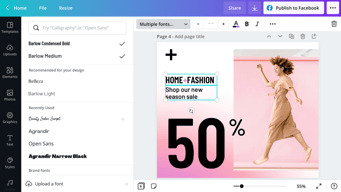
The Text tab allows you to add headings, normal text, and fancy graphical text to your design.
When you click on the text on a template, you’ll see options to adjust the font, font size, color, format, spacing, text effects (like shadows), and change the transparency.
Canva Pro subscribers can set brand fonts via the Brand Kit or the Styles tab. Enterprise-level controls will ensure that your team keeps visual content on brand.
Audio
Creating an animated image or video? Search for audio elements to add to capture user’s attention in social news feeds.
Alternatively, if you want to use audio from another stock site or your own audio tracks, you can upload them in the Uploads tab.
Video
Want to create video content? Choose from thousands of free and Pro-only stock video clips. You’ll find videos that range from a few seconds to two minutes long.
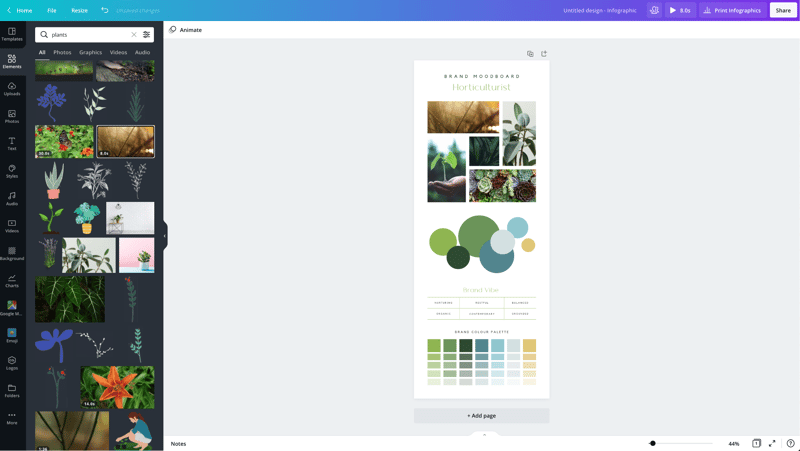
Similar to photos and audio, if you want to use videos from another stock site or your own videos, you can upload them in the Uploads tab.
Once you choose a video, you can use Canva’s video editing features to trim the video, flip it, and change the transparency.
Backgrounds
In the Background tab, you’ll find free photos specifically geared to act as backgrounds on your designs. Change out the background on a template to give it a more custom feel.
Styles
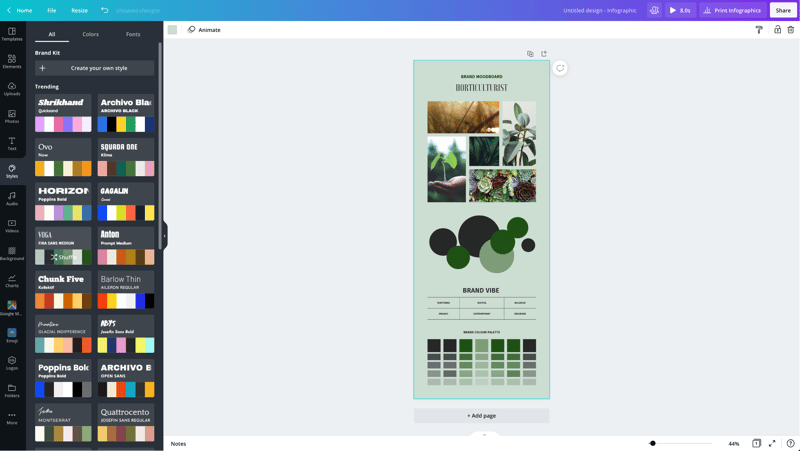
The Styles tab allows you to change the look and feel of your template quickly with different color palettes and font combinations. If you have a Canva Pro subscription, you can upload your brand’s custom colors and fonts to keep designs on brand.
Logos
If you have a Canva Pro subscription, you’ll have a Logos tab. Here, you can upload variations of your brand logo to use throughout your designs.
You can also create logos with Canva. Note that you can’t trademark logos with stock content in them.
Publishing with Canva
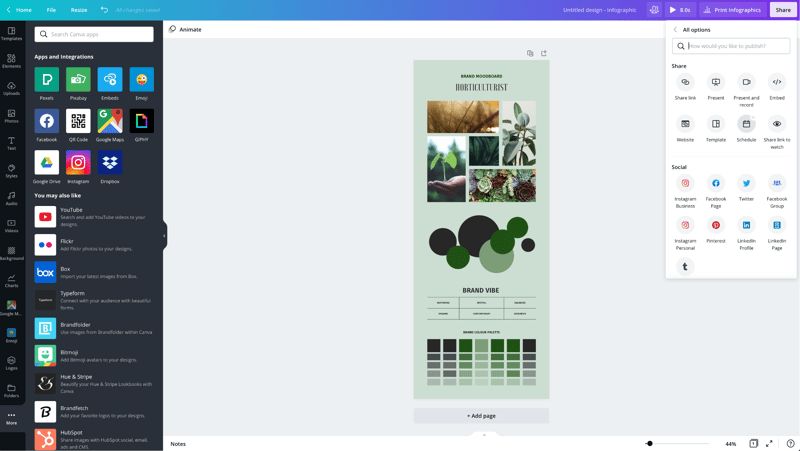
Free users of Canva can download their designs or share their designs to multiple platforms including Instagram, Facebook, X, LinkedIn, Pinterest, Slack, and Tumblr.
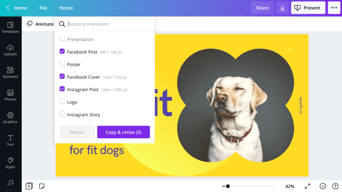
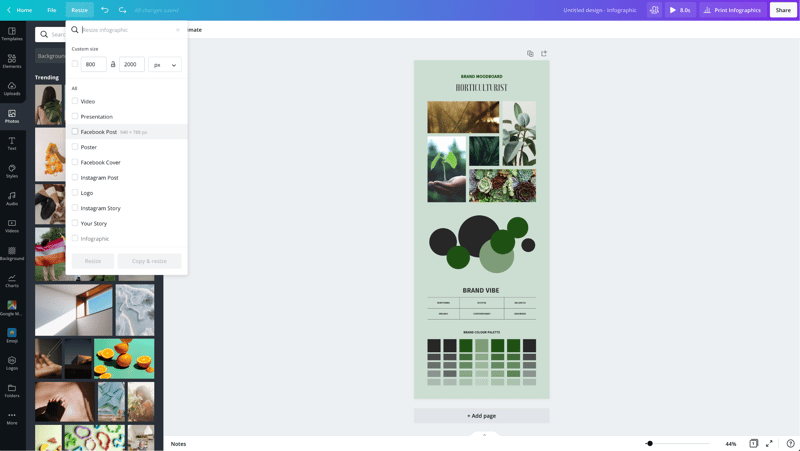
Canva Pro subscribers can use the Magic Resizer to create multiple post formats from one design. For example, you can start by designing an Instagram post. Canva’s Magic Resizer can resize it for posts on other networks, Stories, Reels, and other formats.
Canva Pro subscribers can also use Canva’s Content Planner to schedule updates to up to eight profiles/accounts on Instagram, Facebook, X, LinkedIn, Pinterest, Slack, and Tumblr.
Canva Teams
Canva Pro subscribers can work in teams to improve the visual content workflow. Designs can be created inside Canva and sent to the appropriate team members for approval. Teams can make comments, edits, revisions, and keep track via the version history.
Canva Print
If you create a design for offline marketing, Canva has a Print division to compete with companies like VistaPrint. They will print your designs on banners, wall art, mugs, t-shirts, business cards, stickers, invitations, cards, flyers, and more.
Canva Print is perfect for any business that wants customers to do some word of mouth marketing for them. Create designs people would want to stick on, wear, etc. Hand out business cards that people want to keep and share.
Canva Apps
Canva offers their own mobile app on the Apple and Google Play stores. Canva has earned a 4.9 out of five stars from over 3 million Apple users and a 4.7 out of five stars from over 188,000 Google users.
With that said, the mobile app doesn’t have all of the features you’ll find on the desktop browser version. Fortunately, you can access most of them via a mobile browser by going to the Canva website and bypassing the app.
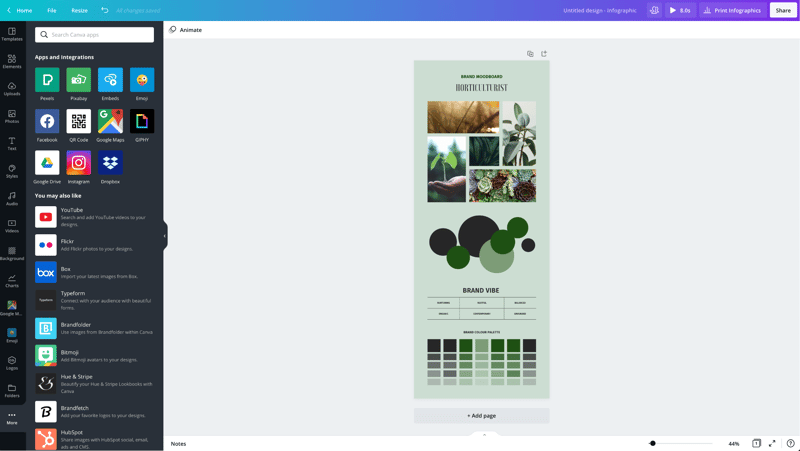
In addition to mobile apps, Canva has apps and integrations that allow you to access elements from third parties. You can add maps from Google Maps, Emojis, photos from Google Drive and Dropbox, YouTube videos, Flickr photos, Bitmojis, and other popular visual content elements.
Canva Pros and Cons
Review networks like TrustRadius allow people to leave specific pros and cons about their Canva experience. Amongst the over 500 reviews, here are some of the highlights from the pros and cons users have identified.
-
Pros :
-
An easy to learn and use interface
-
It allows people with limited graphic design skills to create professional graphics
-
Tons of templates so you never have to start from scratch
-
Branding kits to keep teams matching the brand colors and fonts
-
Ability to create visual content on the go
-
Templates that cover a wide variety of uses and networks
-
The ability to search for royalty free images, video, and audio without another service
-
Cons :
-
Seemingly basic elements (graphics, shapes, etc.) and features are Pro-only
-
Elements that fall outside of the design area are tricky to retrieve
-
Newer features (like Canva presentations) need work
-
The UI can be cluttered
-
Users of Adobe tools may find Canva features limited
-
Would like the ability to work with vectors, especially on logos
-
No analytics when sharing designs
-
Expensive enterprise pricing
-
The artboard could be larger
-
Everyone has access to templates/elements, meaning your graphics may not be as unique
Canva Alternatives
If Canva doesn’t sound like the right fit for you, you may be interested in trying the following Canva alternatives.
Adobe
Adobe has a suite of tools for beginner to advanced level graphic designers, photo editors, and video makers. One tool, Adobe Express, is a Canva-like tool that makes it easy to create social graphics and videos. They offer a free plan and paid plans with premium features.
Those with graphic design skills may prefer tools like Lightroom and Photoshop for photo editing, Adobe Illustrator for vector graphics, or Adobe Premiere Pro for video editing. Alternatively, you can get access to all Adobe tools through the Creative Cloud All Apps plan.
PicMonkey
PicMonkey is a Canva alternative that boasts better photo editing features and no hidden fees for premium templates or elements. With that said, PicMonkey does not offer a free plan. Their pricing starts at $7.99 per month for basic features.
VistaCreate
VistaCreate (formerly Crello) is a free graphic design tool that is similar to Canva. It includes thousands of templates and features like the photo background remover and brand kits. The app on the Apple store has an average rating of 4.7 stars from over 600 users.
Piktochart
Piktochart is a graphic design tool that focuses on infographics, presentations, and reports. Their goal is to help you turn data-heavy content into a compelling visual story. They offer a free forever plan plus pricing for premium features starting at $24.17 per month.
GoDaddy Studio
If you are a GoDaddy customer, you can access their free tool, GoDaddy Studio. This tool gives you access to thousands of customizable templates.
Similar to Canva, no design skill is necessary to create professional graphics. The app on the Apple store has an average rating of 4.8 stars from over 94,000 users.
Canva FAQ
Q: Is Canva for free?
Yes, Canva does have a free plan that you can choose to create professional designs.
Q: Does Canva have a watermark?
No, Canva does not place a watermark on your finalized images. You will only see a watermark on copyrighted stock elements in the Canva library unless you purchase the media or a Canva Pro or Enterprise subscription.
If you see a watermark on a previous design, it is because you had a Pro subscription and used a Pro-only template or element.
Q: Can I use Canva for free for my business?
Yes, all free elements included in the Canva free subscription can be used for commercial and non-commercial use.
Q: What is Canva good for?
Non-designers can use Canva to design a wide variety of visual content for online and offline marketing. They include social media graphics, presentations, business cards, reports, infographics, and much more.
Q: Is Canva better than Adobe Photoshop/Illustrator?
Canva markets itself as an easy to use design tool for non-designers. Adobe Photoshop and Illustrator are geared towards intermediate to advanced level photo editors and graphic designers.
Q: Is Canva good for making videos?
Yes, Canva offers an easy to use video tool for visual content creators who aren’t video experts.
Q: Is it worth paying for Canva?
Definitely, when you consider the number of Pro-only templates and elements. You can always start with the free version or cancel after the 30-day free trial if you’re unsure about the platform.
Q: Can I trademark a logo created in Canva?
Yes, unless it has any stock elements in it.
Q: Can I sell content created in Canva?
Yes, if it doesn’t include unaltered Canva media. You can read more about licensing, trademarks, and commercial usage of Canva content here.
Useful Canva Resources
Canva offers several free resources for designers.
- If you need to do simple edits, Canva has a free photo editor.
- Canva’s Color Wheel allows you to preview what colors go well together.
- The Palette Generator will generate a set of colors from an image you upload.
- The color meanings and symbolism guide can help you find the right meaningful color palette for your brand.
- The design size guide gives the current best sizes for graphics on social media, video, presentations, and more.
Additional Resources
If you want to five even deeper into graphic design, Adobe offers some insightful free guides as well. There are tips for various design types (tattoos, backgrounds, newsletters, logos, etc.) and use of graphic design principles, colors, and symbols.
Canva Review: Conclusion
Overall, Canva is an excellent solution for creators who need visual content. If you’re an experienced graphic designer, you will find their platform lacking in customization and other features – particularly vectors. But if you don’t have a lot of design experience, you’ll find Canva easier to use than advanced graphic design tools like Adobe Photoshop or Illustrator for most projects.

Compare Canva with other popular tools in the same category.
Canva is so simple and intuitive to use. It offers so much flexibility for both design and for use. One can create anything from a business logo to a spreadsheet presentation on Canva.
Nothing really. It's an excellent platform. Sure, it doesn't have the photo editing capabilities of Photoshop, but that's not what Canva is.
Canva helps me design most digital assets for websites I create, and anything else my employer needs (social media ad designs, logos, business cards, etc.) It is very effective.

Es una herramienta de facil uso que tiene muchas utilidades para realizar imagenes, videos para redes sociales, posters, entre otros. Cuenta con una gran variedad de plantillas prediseñadas listas para ser usadas, ademas cuenta con una versión gratuita.
A pesar de ser una herramienta de diseño, tiene algunas limitaciones comparandola con otras herramientas como photoshop.
He utilizado algunas de sus plantillas y facilmente he podido realizar diseños para redes sociales.

Simple, Its editing made easy. Canva has a wide range of templates that allow you to create documents that you would normally be able to create in Microsoft Word, Microsoft Publisher, and other Adobe editing platforms. The templates available for labels and flyers are amazing on their own and help to get the inspiration flowing. It makes it much less mentally consuming to create a graphic. Even more, the templates are fully customizable which still gives us the users/editors the creative freedom to innovate an already amazing template. The creative possibilities are practically endless; I was recently creating a label for a book and ended up customizing an entire book cover to cover only using graphics available on Canva. If you're having issues with keeping your graphic theme consistent there's a button that automates color themes and respective texts that would suit the template. It's really great, honestly, and the paid version that I use is even better you really get the most out of the money you spend, especially if you use Canva a lot. The web app also offers collaboration between team members and can be effectively integrated into other platforms. For instance, I was able to schedule Instagram posts right from Canva without having to go into Instagram.
Unfortunately, making contact with the technical support and customer support teams feels impossible. I've tried many times but haven't made any progress in that regard. When I wasn't Canva pro user, it felt that all the great looking templates and graphic designs were only available for Canva pro users. However this is not the case for all templates, it's really a case-by-case basis that depends on the type of template you're looking for. Another thing is that when too many pages are added to the Canva document it becomes impossible to edit; in the sense that if you ever leave that document you can't open it to delete the pages that went over the page limit. Which almost feels like you would have lost the work and time spent to get said work done.
For me, sometimes getting inspiration to create a graphic is hard, but with canva I find it easier to overcome my creator's block. It also helps me bring out my creative side when I do not want a graphic to look exactly like the template.
I list down some of the features of Canva I really like: 1. It's user-friendly interface. It's really easy to access and navigate. 2. Wide range of templates. 3. Customizable elements. Elements that can be easily added to your designs and further customized to meet your design preference. 4. Affordable pricing. 5. Collaboration features. Canva makes it easy to collaborate with others on your designs.
Limited file format options. Canva only supports a limited range of file formats, and sometimes you may need to convert the designs you created to different file formats before using them in other applications.
Difficulty in graphic design. Canva makes it easy for us to create professional-looking designs without learning complex graphic design software.

As the person in charge of planning events at one of our locations, I frequently utilized it to make visuals for websites, social media, event handouts, etc. Being able to generate pretty much anything I need whenever I need it was liberating and greatly aided my ability to complete my work.
It is the finest tool for those who are new to or require some valuable materials for their careers in digital marketing. Given that it offers students a free subscription, it is the finest program for them to use when working on assignments or other projects. Work in a different industry than design but still want to produce plans. Thanks to the user-friendly interface, you can do so easily without any prior training or experience.
Easily create wireframes. Creating material for different sizes is made easier with pre-built size templates. The tool's transparency feature being available for all items. There are countless elements, icons, and illustrations available. The capacity to vignette and frame images. All skill levels may easily operate the user-friendly UI. Designing content is quite quick thanks to the free design templates. Access to cost-free, secure stock photos. With team access, you may comment and work together. The potential for creation is limitless.

Canva is an online graphic design tool that makes it simple for users to produce beautiful graphics. Users who might lack the technical or creative ability to create high-quality images might benefit greatly from it. With the help of Canvas's many tools, anybody can create stunning designs quickly and effortlessly. These features include templates and layouts, drag-and-drop editing, free stock photos, and user-friendly features like pre-sized templates. Canva is a great option for individuals who are on a budget or are just starting out in graphic design because it is also free to use.
The major drawback of Canva is that it might be challenging to switch from Canva to other well-known design applications like InDesign, Illustrator, and Photoshop. Additionally, some of the more sophisticated capabilities need users to upgrade to the Canvas premium edition, which may be pricey. Last but not least, Canva is not always the greatest option for expert designers because it may be extremely simplistic when it comes to more complicated design jobs.
Canva is a fantastic tool for companies of all sizes since it makes it simple and quick to produce attractive graphics. It is especially useful for startups, small firms, and company owners who might not have the funds or people to engage a qualified designer. Canva has a tonne of tools that enable anybody to build beautiful graphics without needing to be an expert in graphic design, including templates and layouts, drag-and-drop editing, free stock pictures, and pre-sized templates. Canva is also cost-effective, enabling businesses to save money on design projects. Additionally, it aids companies in developing polished and consistent branding for their goods and services.
What I like the most is its intuitiveness, it is straightforward to learn how to use the application, it has an extensive catalog of templates, which allows you to start a design quickly, it has an extensive library that contains photos and videos, the learning curve is swift, and it is a valuable platform for people new to the world of design, I like that it synchronizes perfectly with social network platforms to share my design, it is easy to use since it is hosted in the cloud, it has a version mobile and also the free version is powerful.
It is an application that improves daily, so I have nothing negative to say.
I love that it is a software that anyone can use, so it is the best for our work team, editing is simple and intuitive, the tools panel is easy to understand and very easy to use, the catalog of images, videos and templates is immense and decisive for the user, it can be extracted in different formats such as JPEG or PNG and others, it also has GIFS videos, I can save the sessions and review them later or share them, the link with the most up-to-date social networks is straightforward, allows me to create infographics, flyers, invitation cards, business cards and more.

Canva can make it easy for anyone to create beautiful images for social media, blogs, websites or print. Whether you’re a marketer or student, an entrepreneur you can find the tools you need at Canva. It allows collabration and improves your creativity.
Free templates are limited and not good as premium ones.
Canva makes it super easy to create beautiful images. You don't need to learn graphic design. Just pick a template and use it for your business.

I tried this the first time and found its easy to use, Android & iOS compatible.Can be used to design and reinnovate graphics designs with audio,video,maps and animations for social media & other platforms.just tried and completed in 5 minutes only.
Everything is very innovative and useful.thanks to the developer who created such an app for instant graphics editing in short time.as of now nothing to dislike.
Graphics designing with audio, video & maps etc. For social media, banners, posters,flyers,cards etc.Apart, i used this for my personal graphic designing and editing.

I think that canva has so many good things, but I fall short in naming them. Initially, I like the number of templates it has, which allows you to broaden your ideas and perspectives. Helps you build and guide your creativity. In addition, being able to remove the background from the images in a few seconds, wow, in other places, you have to wait a while and download many things. One tip I give you is that if you have educational mail, you can access canva pro, a whole new world, and you don't have to pay anything hehe.
The only thing is that if you have normal Canva and use pro elements, you only realize that you can't at the end that you are going to download the file, it is very frustrating
Above all, creativity problems because of the number of templates, it helps you with this. It helps you by creating content in different aspects, for example, poster, presentations, infographics, etc.
Canva is very easy to use, with many free templates. Workflow is quick and easy. Canva is beyond user-friendly. They give you all the tools to add new features and improve their old ones. The final quality is amazing
Sometimes it's challenging to select a specific object or text, But overall it s a great tool,
The team collaboration feature helps me share designs and work together, it also comes with a content planner, which is extremely helpful for obvious reasons. Canva will provide the results in different formats according to the user's needs
The level of creativity available for those in education is astounding. The web service offer key functionality with eye-catching presentations and iterations that allow any education partner the ability to create and innovate presentations without the need to reconstruct the wheel.
That some of the options presented and icons are shown as premium items and only accessible if you make a purchase for a higher license. These should be organized and categorized, so they are not constantly bombarding the stream of usable items under the current version.
Eye catching presentations that allow guests and presenters to retain information while also presenting. This allows interactivity for both.

Canva is the most helpful application for all types of designers. Canva is very easy to utilise, and one can make superb designs easily. The other benefits of using Canva are mentioned below. 1) It contains various already created and designed layouts and photographs to look over. 2) It has many excellent elements like photo edits, text-to-picture converter, photo frames, bar graphs or tables, etc. 3) It coordinates well with Google Drive, Implant, Instagram, Facebook and numerous stages for bringing in media. 4) It has numerous text styles and is very adaptable. 5) It is an online platform. Hence people from anywhere in the world can use it. 6) It can be accessed on both Android and IOS applications.
I do not detest this platform in general. But it would be great if they provided more free images as mostly all images are paid. Subscribing to Canva pro is required to access the paid templates or images.
Canva has assisted me with many college projects and assignments like designing posters, reels, videos, presentations, phone or desktop wallpapers, etc. It has numerous highlights and features to create customisable designs. It is effortlessly easy to use, and Canva even provides a course for using Canva and becoming a pro designer.
Great for simple video editing and design
Wish it was a little more advanced. It is a very young program
A quick and easy way to make videos with basically no learning curve. An easy way to make good videos out of screen recordings
The platform is extremely easy to use, has multiple templates from different categories and has a good stock of photos, videos and music. One of the best upsides of Canva is that you can share your designs/projects with your team and have access to edit them from anywhere on different devices.
The mobile app can be improved, some tools are difficult to use from a phone but it's not a big deal. The options to customize the animations can be better, for example adding a timeline to choose the moment when you want to see the animation.
With Canva I'm able to create a good design from cero o from a template quickly without depending on a graphic designer to complete a request on time and this allows me to optimize my team's time.

All of the different options of graphics, photos, backgrounds, etc.
I can't really say anything bad about Canva.
We use it for Digital Signage at our office and we display important messages, birthdays, anniversaries, etc
What I like the most is that it is straightforward and it offers speedy results, I love that it is lightweight software, easy to use and understand for the user, it has a fast learning curve, it has ready-to-use predesigned templates, and is easy to get, I like that it is a valuable platform for both professionals and hobbyists, I love that I can design a wide variety of designs and formats such as brochures, flyers, logos, business cards and more, the templates are of high quality, and I like that I can also start my project from scratch, that's how I want it, the interface is spotless, I like its aesthetics and that it's very intuitive.
I had no problem with the application, I love that it is constantly updating for the better.
It is a complete application, I love that it is very accessible and easy to navigate, the free version is lovely, the images and videos they offer are of high quality, it has an essential variety of fonts and very useful templates, I love the link that it has with social networks, the variety of formats, it is very easy to extract the content, it is also straightforward to load images from my devices, I love that the formats are significantly updated for the new platforms, it has JPEG, PNG, GIFTS formats among others, the edition is very fluid and comfortable for the user, it has a mobile version and a desktop version.
I like the many different features available through Canva and it is also very easy to use!
Takes a little time to learn exactly how everything works because there is so much!
Clear and quality presentations and trainings

As a user of Canva, I can attest to the numerous benefits this platform offers. Its user-friendly interface allows me to create professional-looking designs with ease. The pre-designed templates are a great starting point and save me time, while the library of stock photos, icons, and illustrations adds an extra level of creativity to my designs. The customization options are extensive and allow me to personalize my designs to meet my specific needs. The collaboration features make it easy for my team to work together on projects, and the real-time collaboration, sharing and commenting tools help us stay on track. Additionally, the affordable pricing options make Canva accessible for individuals and businesses of all sizes. And the best part? I can access Canva from anywhere with an internet connection, making it convenient for me to create and edit designs on the go.
Limited export options for designs. But it's not a big deal!
Traditional graphic design software can be complex and challenging to use, especially for individuals without design experience. Canva simplifies the design process and makes it accessible to anyone.
I have always loved Canva - even from my time in college. It's easy to use and its tool are very vast!
The free version can be limited when it comes to business use - if you want to make anything worth publishing - you have to pay up!
I work for a small startup with a small marketing budget. I am on the technical team (which is busy as it is), but I can quickly knock out necessary marketing material!

I love Canva because it is an incredibly user-friendly platform with a wide variety of features. It is great for creating professional-looking designs quickly and easily, with no need for any prior design knowledge or experience. I also appreciate that Canva offers a huge library of templates and images, making it easy to customize designs to fit any project. Also, Canva's drag-and-drop interface is incredibly intuitive and allows for a lot of creative freedom.
I dislike the limited customization options available in Canva. While it is a great tool for creating basic designs quickly, it does not have the same level of flexibility as more advanced design software. Also, the pre-made templates can be limiting and difficult to customize, making it difficult to create designs that are truly unique.
Canva is an online platform that provides users with a wide range of tools and resources to help them create beautiful designs. It is a great resource for business owners, marketers, and anyone who needs to create visuals for their projects. Canva is solving the problem of needing to be a professional designer to create attractive visuals. With Canva, users can easily create stunning visuals with the help of templates, drag-and-drop features, and easy-to-use tools. This is beneficial to me because I can create visuals quickly and easily without needing to have any prior design experience.

A lot of templates to help beginners learn and create their own designs. Its a very budget friendly tool for beginners and also business users. Its a simple tool very easy to use unlike adobe which takes another level of skillset to deal with.
Even though there are lot of templates, there is a limitation to uniquie templates, photography available for free on the platform that makes it difficult to create a new design with clear and unique idea that can create magic for viewers.
In the field of graphics designing its providing a very smooth and a complete pack of all in one type- cost effective, easily available and available to all tool to use which is very great in itself and it's improvising its templates and photography collections day by day.
We can create templates that our agency can use to build assets and marketing collateral while adhering to brand guidelines. The expansion of Canva's toolbox is also great as an internal team, with mindmaps and documents now available to use.
I don't dislike anything, but I think some improvements can be made in specific areas. Off the top of my head, I would like the document feature to have page view and layout options available, and a more intuitive layout – as when you download a document as a PDF it will often cut through photos, placing half on one page and half on another. There is no way to see what the page layout would look like, without doing it by trial and error over many downloads. Would be helpful to export documents as a word/google format as opposed to just PDF. It would also be great to have a review layer in place for scheduling, so team members can submit designs for review before it is approved to be scheduled for publish. This review would be of the content, time, day and platforms – with an option for managers to edit or approve the scheduled post. Following this, posts should be able to be scheduled to multiple platforms, not just one at a time.
Canva helps us create templates that our agency can use to build assets and marketing collateral while adhering to brand guidelines. The ability to work from templates, comment on designs and write notes next to them helps us put good processes in place to review content before it is downloaded to publish across social channels.
The amount of different types of templates Canva provides, takes the guess work out of what is currently trending and how to put stuff together. Even a novice content creator or graphic designer will have no trouble with this platform.
I wish there were more options under the free plan, I understand why there is a paywall for a lot of the images/fonts/videos etc. I just wish it wasn't so expensive per month.
I am currently a content creator for multiple platforms and a freelance graphic designer, the amount of templates, images, text, video and audio options that Canva has is amazing. I love being able to do all I need to under one site.
I can establish lovely designs so fast and with such little effort - it has helped me on numerous work and personal occasions
It's hars to navigate sometimes and I need more time to understand how to use some of the features, it's not always self-explanatory
Creative projects for people with no or little experience in design/art
It has a bunch of materials to design almost anything, besides the option to have it printed directly from the same website.
Maybe the watermark in the free version is a little distracting, but great in the paid version.
I can create high quality designs for my business's social platforms with great visuals
What I like the best about Canva is its simplicity but with extravagant output.
The downside of Canva is its limited video length but the rest are great.
Canva is helping create better professional-looking social media content, banners, and videos.

I love how canva makes editing accessible and easy. Stuff that wouldve taken me double, maybe triple the time in photoshop now takes me minutes to do
Theres a few editing features which would be great, being able to add shadows to everything would be good, maybe a little more customisation on powerpoints similar to keynote animations for example.
Makes my workflow for communicating visually so much easier. I use it almost every day! I recommend it to all of my clients

The ease of use. Canva makes it extremely simple for beginners to fastly turn into pros. It also replaces many platforms needed for content creation.
The only downside I have found is with the new upload feature for PDF's. Unfortunately, there are many instances when the formating of the text is not formatted properly.
Canva is helping me create digital products at the speed of light and enabling me to drive sales faster.
Canva helps me create all my digital content in one place - social media posts, newsletters, email campaigns you name it
Some of the content is available on the premium account but I guess it is understandable
We can design on the go with the help of the mobile app. From a simple social media post to your startup pitch deck you can create anything here