Unclaimed: Are you working at Canva?
Canva Reviews: 4.7/5 — Highly Rated
Canva is an easy to use graphic design and video editing platform that lets users create, design, and publish original artwork using a simple drag-and-drop editor. The platform comes with thousands of design templates and layouts for numerous projects, including social media posts, presentations, videos, posters, flyers and more.
Canva is also often used as Photo Editing of choice in Marketing and Ecommerce tech stacks.

| Capabilities |
AI
API
|
|---|---|
| Segment |
Small Business
Mid Market
Enterprise
|
| Deployment | Cloud / SaaS / Web-Based, Mobile Android, Mobile iPad, Mobile iPhone |
| Support | 24/7 (Live rep), Chat, Email/Help Desk, FAQs/Forum, Knowledge Base, Phone Support |
| Training | Documentation |
| Languages | English |
Canva Pros and Cons
- Simplicity: Canva is delightful to use. You can search for stock images and videos in seconds, drag and drop elements into place, and experiment with a huge range of filters and effects.
- Free plan: If you’re not sure how many visual assets you need yet, you can start with the free plan and work your way up.
- Versatile: You can create a lot of different kinds of graphics easily with Canva, including logos, Facebook posts, email marketing templates, and landing pages.
- Convenient easy-to-use environment for beginners
- Thousands of templates, icons, photos, fonts and other assets
- You don’t get the full control with Canva that you get with more advanced marketing tools. There aren’t as many layers as possible and advanced features to explore.
- Can be a little slow as a browser-based product.
- Very limited editing options
- No layering or re-adjustment options


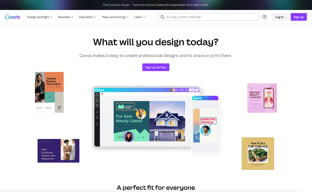







Are you a non-designer looking for graphic design software? If you need to create designs for your business, Canva is one of the top rated tools to choose. In this post, we’ll explore Canva’s pricing, features, and alternatives.
What is Canva
Canva is an online graphic design tool used by over 170 million monthly active users to create visual content for offline and online marketing. Over 9,400 Capterra reviewers have given Canva an average rating of 4.7 out of 5 stars.
Canva offers hundreds of thousands of templates and elements you can use to create designs for personal or business use. Customize your visual content with your brand kit and media from your own library.
How Much is Canva
Canva offers Free, Pro, and Teams plans – visit Canva’s pricing page for current rates.
The Free plan includes the following.
- Over 250,000 free templates.
- Over 100+ design types including business cards, presentations, and social media posts.
- Free photos, logos, fonts, photos and graphics.
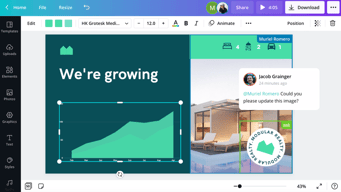
- Share, collaborate, and comment on designs with a team.
- Save your designs with 5GB of cloud storage.
- Share designs to multiple platforms including Instagram, Facebook, X, LinkedIn, Pinterest, Slack, and Tumblr.
The Pro plan includes everything from the Free plan plus the following.
- Over 100 million premium stock photos, videos, audio and graphics
- Over 610,000 premium and free templates with new designs daily
- Up to 100 Brand Kits with your companies colors, logos, and fonts
- Access to Background Remover and Magic Resize.
- Create templates from your own designs.
- Save your designs with 100GB of cloud storage.
- Schedule your social media designs on up to 8 platforms including Instagram, Facebook, X, LinkedIn, Pinterest, Slack, and Tumblr.
The Teams plan includes everything from the Pro plan plus the following.
- Use brand controls to manage your team’s access to apps, graphics, colors, logos, fonts, and uploads.
- Get approval on your designs with built-in workflows.
- Control what your team can edit and stay on-brand with template locking
- Save your designs with unlimited storage.
- Log in with single-sign on (SSO) and have access to 24/7 Enterprise-level support.
How to Use Canva
To get started on Canva, you will need to create an account using your email address, Google, Facebook, or Apple. You will then choose your account type between student, teacher, small business, large company, non-profit, or personal. Templates and additional resources will be recommended based on your chosen account type.
You can choose to start a free trial of Canva Pro or begin with the free version to see if it’s the right graphic design tool.
Designing with Canva
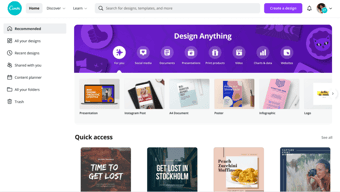
For your first design, Canva will suggest different post types to choose. Based on the type of account you set up, you will see template categories like social media posts, documents, presentations, marketing, events, ads, launch your business, build your online brand, etc.
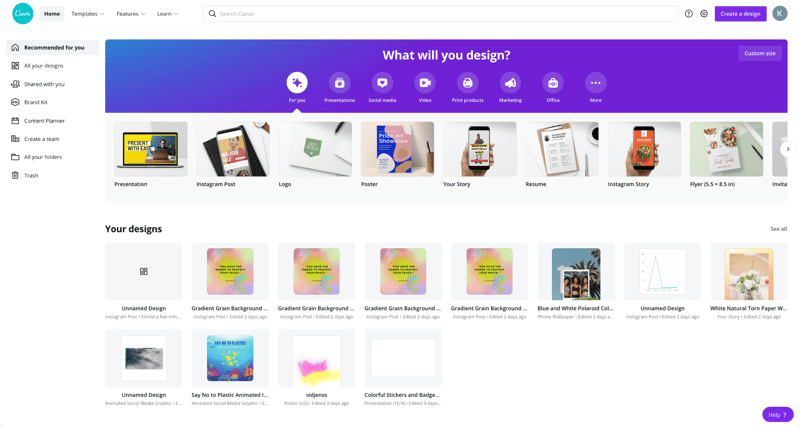
Begin by choosing the type of post you want to create or searching for something more specific. Search by social network name, for example, to see a list of templates by post type on each network.
Templates
Next, you will be able to choose a template. Templates come ready to go, with customizable photos, text, and additional elements.
You can start your design by choosing a template, searching for a template, or working with a blank template.
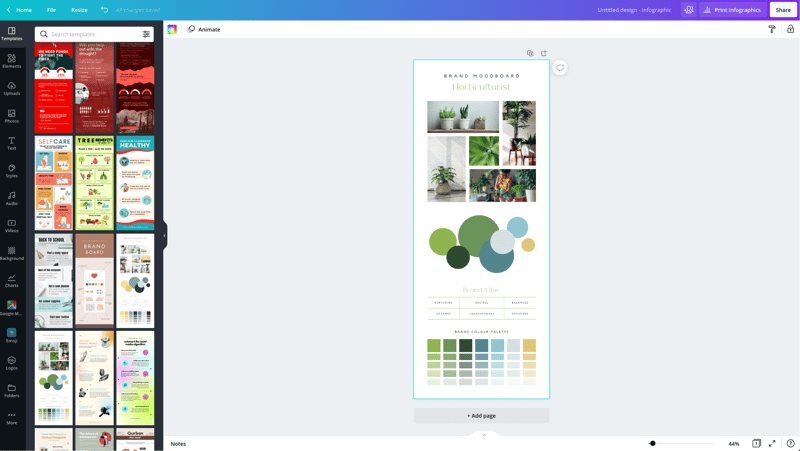
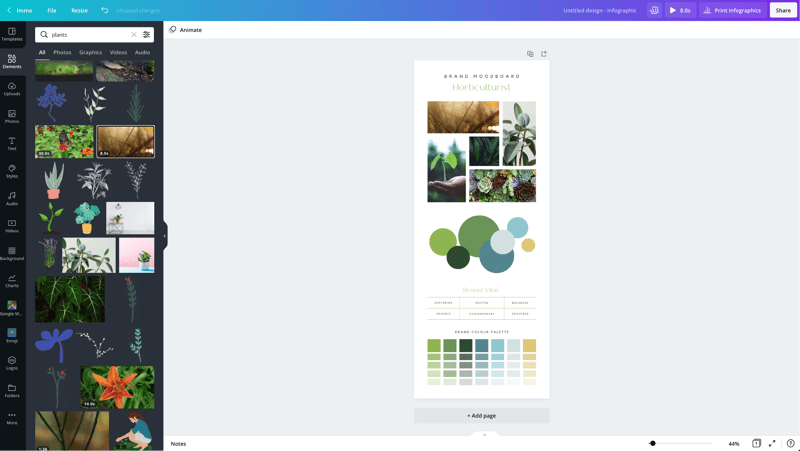
Canva has a lot to choose from, so start with a specific search. If you’re in the horticulture business, you’ll find plenty of templates for a variety of post types just by searching for plants.
You may not find the perfect template, and that’s ok. Remember there are plenty of ways to customize any template. So choose the best fit and move on to Elements.
Elements
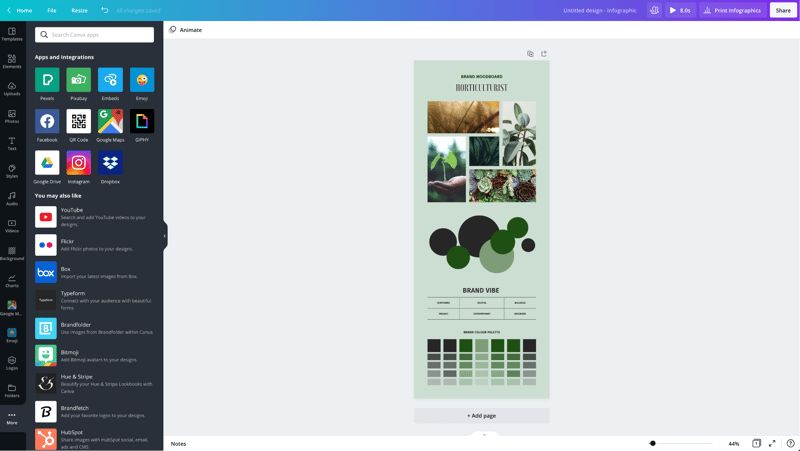
Inside the Canva designer, the Elements tab gives you access to lines and shapes, graphics, photos, videos, audio, charts, photo frames, and photo grids. You can use the search box on the Elements tab to search everything on Canva.
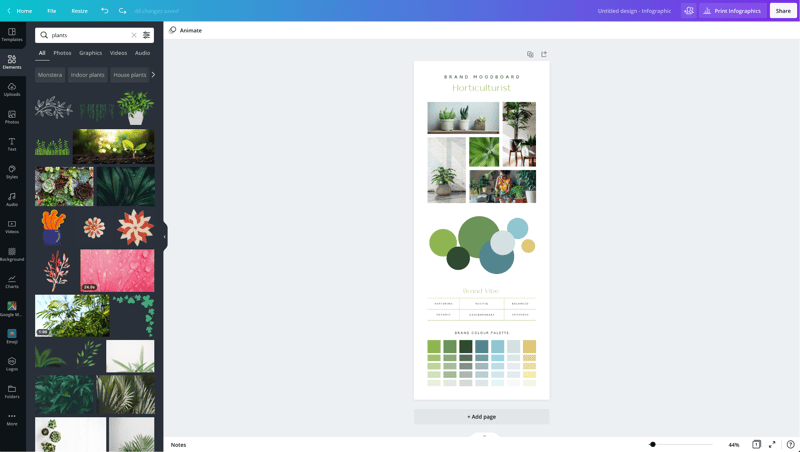
Again, Canva has a large library of elements to choose from, so be specific in your search query. You may also want to search in the following tabs to see various elements separately in the search results.
Photos
The Photos tab allows you to choose from millions of free, paid, and Pro-only stock photos.
You can replace photos on your templates to create a new look or to match a particular template to your industry.
Alternatively, you can use photos from another stock photography site or your own photos. Simply upload them in the Uploads tab.
Once you choose a photo, you can use Canva’s photo editing features to add filters, adjust the photo’s settings (brightness, contrast, saturation, etc.), crop, animate, and change the transparency.
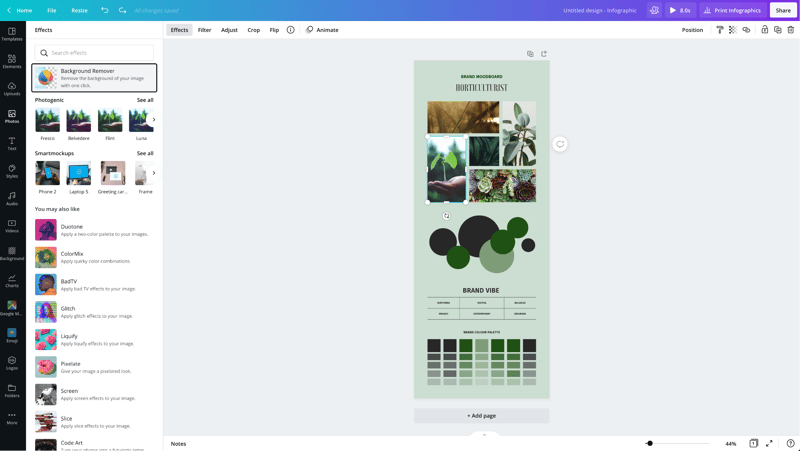
Canva Pro subscribers have access to the Background Remover. This will remove backgrounds from stock photos in the Canva library as well as photos you upload to the Uploads tab.
Canva has also introduced Magic Studio, a suite of AI-powered tools including text-to-image generation, background removal, and AI-assisted writing.
Text
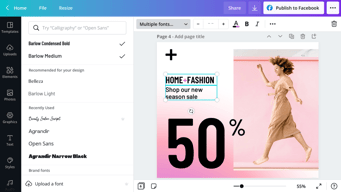
The Text tab allows you to add headings, normal text, and fancy graphical text to your design.
When you click on the text on a template, you’ll see options to adjust the font, font size, color, format, spacing, text effects (like shadows), and change the transparency.
Canva Pro subscribers can set brand fonts via the Brand Kit or the Styles tab. Enterprise-level controls will ensure that your team keeps visual content on brand.
Audio
Creating an animated image or video? Search for audio elements to add to capture user’s attention in social news feeds.
Alternatively, if you want to use audio from another stock site or your own audio tracks, you can upload them in the Uploads tab.
Video
Want to create video content? Choose from thousands of free and Pro-only stock video clips. You’ll find videos that range from a few seconds to two minutes long.
Similar to photos and audio, if you want to use videos from another stock site or your own videos, you can upload them in the Uploads tab.
Once you choose a video, you can use Canva’s video editing features to trim the video, flip it, and change the transparency.
Backgrounds
In the Background tab, you’ll find free photos specifically geared to act as backgrounds on your designs. Change out the background on a template to give it a more custom feel.
Styles
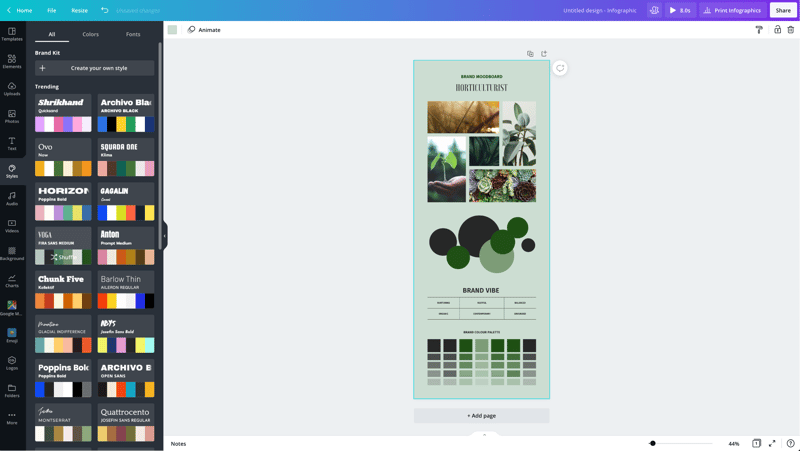
The Styles tab allows you to change the look and feel of your template quickly with different color palettes and font combinations. If you have a Canva Pro subscription, you can upload your brand’s custom colors and fonts to keep designs on brand.
Logos
If you have a Canva Pro subscription, you’ll have a Logos tab. Here, you can upload variations of your brand logo to use throughout your designs.
You can also create logos with Canva. Note that you can’t trademark logos with stock content in them.
Publishing with Canva
Free users of Canva can download their designs or share their designs to multiple platforms including Instagram, Facebook, X, LinkedIn, Pinterest, Slack, and Tumblr.
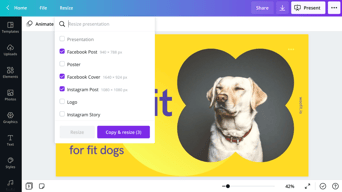
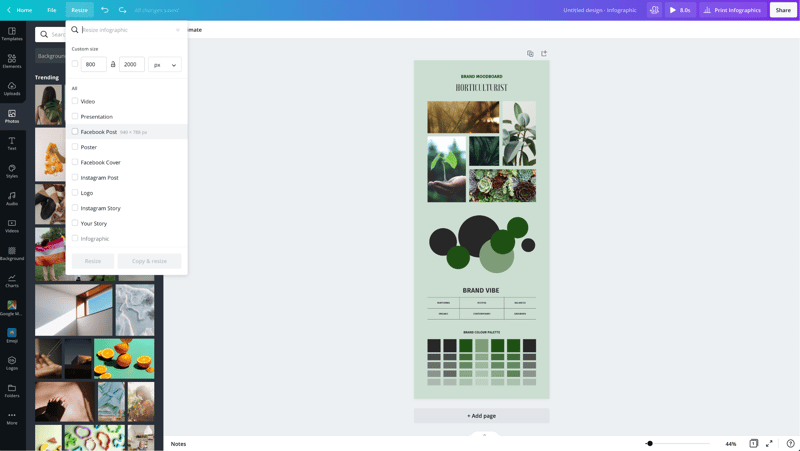
Canva Pro subscribers can use the Magic Resizer to create multiple post formats from one design. For example, you can start by designing an Instagram post. Canva’s Magic Resizer can resize it for posts on other networks, Stories, Reels, and other formats.
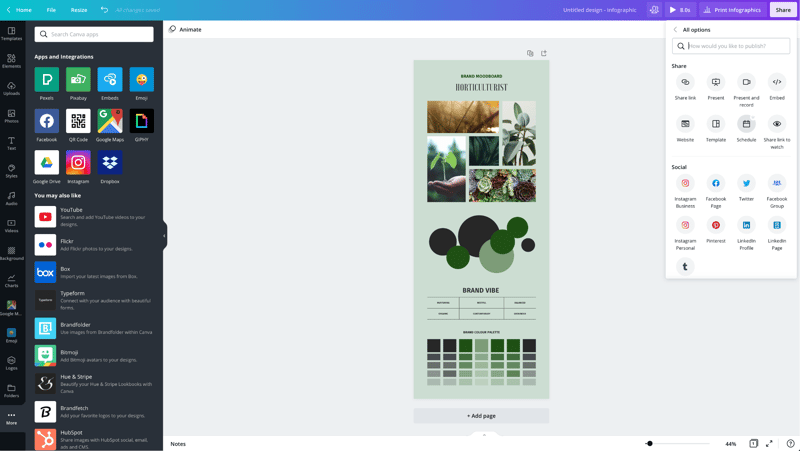
Canva Pro subscribers can also use Canva’s Content Planner to schedule updates to up to eight profiles/accounts on Instagram, Facebook, X, LinkedIn, Pinterest, Slack, and Tumblr.
Canva Teams
Canva Pro subscribers can work in teams to improve the visual content workflow. Designs can be created inside Canva and sent to the appropriate team members for approval. Teams can make comments, edits, revisions, and keep track via the version history.
Canva Print
If you create a design for offline marketing, Canva has a Print division to compete with companies like VistaPrint. They will print your designs on banners, wall art, mugs, t-shirts, business cards, stickers, invitations, cards, flyers, and more.
Canva Print is perfect for any business that wants customers to do some word of mouth marketing for them. Create designs people would want to stick on, wear, etc. Hand out business cards that people want to keep and share.
Canva Apps
Canva offers their own mobile app on the Apple and Google Play stores. Canva has earned a 4.9 out of five stars from over 3 million Apple users and a 4.7 out of five stars from over 188,000 Google users.
With that said, the mobile app doesn’t have all of the features you’ll find on the desktop browser version. Fortunately, you can access most of them via a mobile browser by going to the Canva website and bypassing the app.
In addition to mobile apps, Canva has apps and integrations that allow you to access elements from third parties. You can add maps from Google Maps, Emojis, photos from Google Drive and Dropbox, YouTube videos, Flickr photos, Bitmojis, and other popular visual content elements.
Canva Pros and Cons
Review networks like TrustRadius allow people to leave specific pros and cons about their Canva experience. Amongst the over 500 reviews, here are some of the highlights from the pros and cons users have identified.
-
Pros :
-
An easy to learn and use interface
-
It allows people with limited graphic design skills to create professional graphics
-
Tons of templates so you never have to start from scratch
-
Branding kits to keep teams matching the brand colors and fonts
-
Ability to create visual content on the go
-
Templates that cover a wide variety of uses and networks
-
The ability to search for royalty free images, video, and audio without another service
-
Cons :
-
Seemingly basic elements (graphics, shapes, etc.) and features are Pro-only
-
Elements that fall outside of the design area are tricky to retrieve
-
Newer features (like Canva presentations) need work
-
The UI can be cluttered
-
Users of Adobe tools may find Canva features limited
-
Would like the ability to work with vectors, especially on logos
-
No analytics when sharing designs
-
Expensive enterprise pricing
-
The artboard could be larger
-
Everyone has access to templates/elements, meaning your graphics may not be as unique
Canva Alternatives
If Canva doesn’t sound like the right fit for you, you may be interested in trying the following Canva alternatives.
Adobe
Adobe has a suite of tools for beginner to advanced level graphic designers, photo editors, and video makers. One tool, Adobe Express, is a Canva-like tool that makes it easy to create social graphics and videos. They offer a free plan and paid plans with premium features.
Those with graphic design skills may prefer tools like Lightroom and Photoshop for photo editing, Adobe Illustrator for vector graphics, or Adobe Premiere Pro for video editing. Alternatively, you can get access to all Adobe tools through the Creative Cloud All Apps plan.
PicMonkey
PicMonkey is a Canva alternative that boasts better photo editing features and no hidden fees for premium templates or elements. With that said, PicMonkey does not offer a free plan. Their pricing starts at $7.99 per month for basic features.
VistaCreate
VistaCreate (formerly Crello) is a free graphic design tool that is similar to Canva. It includes thousands of templates and features like the photo background remover and brand kits. The app on the Apple store has an average rating of 4.7 stars from over 600 users.
Piktochart
Piktochart is a graphic design tool that focuses on infographics, presentations, and reports. Their goal is to help you turn data-heavy content into a compelling visual story. They offer a free forever plan plus pricing for premium features starting at $24.17 per month.
GoDaddy Studio
If you are a GoDaddy customer, you can access their free tool, GoDaddy Studio. This tool gives you access to thousands of customizable templates.
Similar to Canva, no design skill is necessary to create professional graphics. The app on the Apple store has an average rating of 4.8 stars from over 94,000 users.
Canva FAQ
Q: Is Canva for free?
Yes, Canva does have a free plan that you can choose to create professional designs.
Q: Does Canva have a watermark?
No, Canva does not place a watermark on your finalized images. You will only see a watermark on copyrighted stock elements in the Canva library unless you purchase the media or a Canva Pro or Enterprise subscription.
If you see a watermark on a previous design, it is because you had a Pro subscription and used a Pro-only template or element.
Q: Can I use Canva for free for my business?
Yes, all free elements included in the Canva free subscription can be used for commercial and non-commercial use.
Q: What is Canva good for?
Non-designers can use Canva to design a wide variety of visual content for online and offline marketing. They include social media graphics, presentations, business cards, reports, infographics, and much more.
Q: Is Canva better than Adobe Photoshop/Illustrator?
Canva markets itself as an easy to use design tool for non-designers. Adobe Photoshop and Illustrator are geared towards intermediate to advanced level photo editors and graphic designers.
Q: Is Canva good for making videos?
Yes, Canva offers an easy to use video tool for visual content creators who aren’t video experts.
Q: Is it worth paying for Canva?
Definitely, when you consider the number of Pro-only templates and elements. You can always start with the free version or cancel after the 30-day free trial if you’re unsure about the platform.
Q: Can I trademark a logo created in Canva?
Yes, unless it has any stock elements in it.
Q: Can I sell content created in Canva?
Yes, if it doesn’t include unaltered Canva media. You can read more about licensing, trademarks, and commercial usage of Canva content here.
Useful Canva Resources
Canva offers several free resources for designers.
- If you need to do simple edits, Canva has a free photo editor.
- Canva’s Color Wheel allows you to preview what colors go well together.
- The Palette Generator will generate a set of colors from an image you upload.
- The color meanings and symbolism guide can help you find the right meaningful color palette for your brand.
- The design size guide gives the current best sizes for graphics on social media, video, presentations, and more.
Additional Resources
If you want to five even deeper into graphic design, Adobe offers some insightful free guides as well. There are tips for various design types (tattoos, backgrounds, newsletters, logos, etc.) and use of graphic design principles, colors, and symbols.
Canva Review: Conclusion
Overall, Canva is an excellent solution for creators who need visual content. If you’re an experienced graphic designer, you will find their platform lacking in customization and other features – particularly vectors. But if you don’t have a lot of design experience, you’ll find Canva easier to use than advanced graphic design tools like Adobe Photoshop or Illustrator for most projects.

Compare Canva with other popular tools in the same category.
I love how easy it is to update designs, copy templates, upload assets and edit assets. The background remover features is perfect.
I wish there was more flexibility with updates shapes and colors of objects.
I've been able to turn around simple designs super fast without having to bog down my design team who are working on much larger projects.

Canva has a unique interface that is not distracting. It also has many templates for user utilization. With Canva filters and animation I can produce professional designs and videos.
Canva developers have done an amazing job! The price is reasonable and even their free account provides many tools. With Canva the possibilities are amazing! What is not to love about this software. Thumbs up developers.
With Canva I can create professional work in minutes. The benefits are astounding as the support team promptly responds when you have a question or need help with a design. I also want to give the developers props for the quick export system. I am very happy I found Canva.
Very easy to use with a very intuitive interface. Huge selection of templates. eBook creation. You can edit anything from photos to videos. Ability to create teams and add team members and collaborate in real-time. You can post on social media profile straight from the Canva account. Smartphone app that works extremely well. Budget friendly.
Not that much to dislike. As a daily user you can tell that they are working on improving the app each week. It only gets better and better.
Other design solutions were rather expensive given our needs. Canva is not only budget-friendly, but it also has all the features we want and has a short learning curve when we introduce new members to the team.

I like to upload pics and create original posts easily from every device.
Nothing relevant, I couldn't do my job without a tool like canva.
Original graphics in less time.

You can bulk edit elements in the document you're working on, so you don't have to do them one by one. The animations look cool, too, since GIF ads are prevalent nowadays.
Some graphics symbols have limited editing features, and it would be nice to update the color for them, but that's not a common issue that I have. It would be helpful to have suggested color palettes included also.
We frequently need Instagram and Facebook banner-sized ads on a few days' notice, and it's effortless to copy an ad and save it as a new size and then rearrange the elements for the other orientation.
The user-friendliness of Canva is second to none. Canva allows any designer, regardless of skill level, to create stunning graphics for any business or personal purpose. What I like most about Canva is the capabilities of its free version. Often, you will find design suites online with minimal free features. Even though Canva has a Pro subscription, free users can generate professional graphics for internal documents, social media, reports, and advertisements.
What I dislike about Canva is its scalability. Even though Canva offers an excellent user interface, the designs are not scalable. This is because Canva is not a vector-based design software like Adobe Illustrator. In other words, you will not be able to create designs and scale them to custom sizes without quality loss.
I currently use Canva for all of my organization's social media content. I also use Canva for internal documents such as reports, forms, and business cards. We have found that Canva has amplified our outreach efforts through increased brand awareness and legitimacy. The Pro features enable creative freedom too!
I love the freedom and flexibility it gives our company to meet the individual needs of our clients and the ability to develop professionally designed pieces on our own; extending and stretching our company's design budget.
I do not dislike anything regarding Canva. It is a wonderful resource for both personal and professional usage.
Canva allows you to upload images or logos to a template. Canva is an easy-to-use and free design tool that I believe all professionals could utilize. Canva automatically saves all your designs.

I love that I don't have to be a graphic designer or use expensive graphics software to make images I can use on my clients' websites and in their social media posts.
Not much...! I would like a few more up to date images but on the whole, it's very good for the price.
Canva for Enterprise saves time and money. I don't need to hire a graphic designer to do image work because I can do it myself in Canva. It's easier to post social images to more channels.
Love the ability to use quickly and easily.
The product has become more well known and I wish there were more tiers for better options to make some designs more exclusive.
Quick graphics
I like the templates and how easy it is to use. As a graphic designer, I used to be too prideful to use Canva but now I see it as a tool that makes me much more efficient.
I wish the folders and subfolders were easier to use and that the landing page wasn't just a laundry list of recent designs, but a home screen with selected folders.
I am much more efficient in social media designs in particular. All my assets are in one place and I can duplicate and update and share with my team easily.

I love Canva for creating logos, video thumbnails for Youtube and Facebook. Also for photo-editing, banners design, and flyer design. I really enjoy the pre-made awesome templates to start designing. On the other hand, it's offering competitive and cheap pricing. I mostly use Canva for banner design and background removal.
Actually, I haven't found anything to dislike during my 3 years of experience except its requirement for high-speed internet. But I have some wishes if they could add layers to make my design process easier. Also, I badly miss the gradient tool when creating logos and banners.
I have created a lot of banners for my clients as well as for my own business promotion. Also, I use Canva for removing background from my photos with its powerful AI.
The quality of the graphics that you can achieve with Canvas Pro is simply amazing. For any technical illustration, you can draw 2D or 3D content and offer an excellent visualization for presenting any topic!! It also provides many templates for standard topics that can help you quickly achieve a fantastic presentation that you can animate or save as a PDF.
Like most the graphic design and technical illustration tools, a user needs some time to adapt to its formats and functionalities. Canvas Pro is easily adaptable for any user, but again, to discover all features, it needs a bit of time.
We got the license to solve to create high-quality content in our documents. It facilitates us to elevate the level of our documentation and to do no lose any detail in our graphs.
Canva has made my job easier because everything I need to create unique designs is in one place. I love that I can add brand logos & colors to the brand kit.
I wish there was a folder on my dashboard with all of my favorited fonts, templates, etc.
I can create trendy graphics for social within this one platform.
Free to make beautiful designs! Lots of great, modern templates!
Expensive and a lot of fonts are locked.
Not having to learn photoshop or something more complex.
The best thing about this software is its versatility, I like that it has a very complete mobile application and that I can live a pleasant design experience on the mobile device and in the desktop version, its use is straightforward, it has hundreds of designs and templates predesigned, also the software offers a lot of creative material that significantly helps to inspire during the design, I love that I can customize each template as much as I want, and it has an extensive font bank, I love that the software allows me to import my graphics and photos and store them there, I can download in multi-formats and synchronize it with the best content software.
I can't really think of anything wrong with this software, I had no problems.
I like the simplicity of each tool and the simplicity of the templates, I love the library of images and videos, I found it excellent that I can add videos to my logos, the animation function is also ideal, I really liked that after creating a Design I could adapt its size according to the capacity of each platform, it has a free version that has templates, pre-designed images, videos and graphics, however I can also add my pictures, I love the quality of the result and that it is straightforward to share each design created.
I love the ease of designing elements and creating clean clear content within minutes.
Sometimes the animated stickers disappear or are difficult to search for.
Our social media content was not existent for about two years and Canva has helped us populate it quickly. In an age where things have to be done yesterday, Canva allows to do that.
The best thing is that both the website and the mobile version are straightforward to use, it also has a free version that is ideal for beginners, it is what I like the most. It is an excellent design creator, with a clean interface, it has a huge library of templates and images, and these are very useful to start a design project, the drag and drop function facilitates the design, I can load the pre-designed pictures and edit them In the program, I can make logo designs, brochure templates and posters, I can share everything easily with my social networks, and I can also create short videos in the form of advertisements, I can download my design in multiple formats such as PNG, JPEG, PDF and more.
I have no negative comments, this application is absolutely excellent.
The most significant benefit is that it has endless tools to create, in addition to templates and the image library, it also offers font types, color options, logo options and more, it allowed me to create from PDF files, covers of books and logos, even graphics for social networks, I can also upload my images to the cloud, I love that I can access my account from anywhere and the free version is really very complete.
Canva is so easy to use and it has everything you need for amazing content creation!!!!
There is nothing I dislike! Everything is top quality
Graphic design, saving money, attracting more clients, creating digital products.

It's fun to use - even the free option give scope for creativity and ideas!
Sometimes it can be tricky to move designs around, which can mean starting from scratch
Creating attractive posts quickly. Attracting more followers.

I really liked every feature provided by Canva. But I will love to mention a few: *Thousands of templates and designs *Professional-looking templates *One-click magic resize tool *Background remover *Team feature *Content calendar and so on I just feel Canva is the best among all the online designing tools. Perfect replacement for offline graphic designing software.
I don't have much complaints with them but if they can provide these features, it would be like icing on the cake: *If they can support AI files *If they can provide more control over layers and elements for advanced customizations
Since I'm a social media marketing freelancer, I used Canva for my clients mostly to design their Social media posts, Social media Ad campaigns. I also used Canva for pitching my clients by directly sharing my portfolio designs.
I am able to create print ads or marketing materials that are exactly what I need, easy to download and share, and are quick and easy to create.
I do pay for the membership to gain more acsess to better tools. I do wish the free service offered a bit more.
I am able to quickly design exactly what I need in terms of marketing materials.
We use canva for all our design and printing needs. It's easy to use for beginners and there are so many templates, stock photos, shapes, frames, etc to choose from, or you can use your own images. I love Canva, especially for creating Facebook/Instagram collages.
I wish there were more editing tools for pictures. i.e., the ability to rotate slightly crooked images, touch-up tools, more filter options, etc. For the price, it's not a huge deal, but it's what I would improve on if I could.
creating posts for social media, posters, flyers, etc has never been easier. And we don't have to pay someone to design things for us. It does help to have someone in the company who has an eye for design, but there are templates for those who need a little more help or ideas.
It's easy to layer designs with a very comprehensive user interface that allows you to choose as you go. I use this software to create social media videos for holidays and to acknowledge special days throughout the year. The images are everything from real people to cartoons to special effects and music snippets. It's the most versatile design software I've used and was very easy to learn.
I don't have any dislikes. nothing amiss
Canva offers an array of options for creating video as well as static ads for every social media channel. it offers all video formats that will accommodate professional videos and reels.
I love how the platform is easy to use and offers plenty of features to create high-quality content of all sorts. I've been using this platform every day with my team to create beautiful designs on the go.
The only thing that I don't like is the compatibility with Word. The only option you have currently to download letter documents you've created with Canva is in pdf format (you can't download in word format).
We use Canva for our social media campaigns and to create content pieces from infographics to flyers. Their drag and drops feature as well as an extensive library of templates really helps to accelerate our creation process.
I love that I can take elements from already designed pieces and bring to life some amazing advertisements, Facebook and Instagram posts. It's a life-changer! Most competitors do offer well-designed content.
I think the only thing I dislike is the ability to add a URL to the actual image and be able to post it to social media. This would be a great improvement to your already amazing platform.
Designing content is quick and easy. I spend less time trying to create and more time with other business marketing tasks. Our performance has definitely increased due to Canva! We LOVE it!
Canva makes it super easy for us to create something, tag and store it, and make sure it gets approved by the correct team. Canva allows us to move quickly and get things out the door.
Canva's video capabilities are pretty limited. It would be better to look for a different software if you're looking at doing a lot with video projects
Create content quickly and make sure that the correct teams approve it.
Easy to create professional-looking brochures, posters, and flyers.
Not as customizable as other, more complicated program
Easy to make our own graphic design projects that look great
I love the ability to create designs for my listings to post on Facebook and other social media platforms
Some times images don't appear the way i'd like them to but otherwise I can get it to work for the most part.
Canva is great for social media in tapping into new markets with advertising.
The Canva platform offers many templates that you can use to create posters, banners, cards, logos, and so much more. The templates are designed and are very high quality, which you can edit and personalize. The platform is very user-friendly and highly customizable.
There aren't any cons to the platform. Though, some elements are premium and require a paid membership. Therefore, there are some limits to what you can create and use with a free account.
With Canva, I can create posters for different school events like bake sales, donation drives, after-school activities, and banners for bulletin boards. This helps engage the school community and make learning more fun.
I like canva because it is easy to use. i have to Simply choose a template from canva platform and customize it according to my needs. Here I like the in effects section available feature in which I can remove the image's background without any hustle. also Fonts family are really fantastic i like that much as well as my clients also like.
The image took a longer time to upload on canva. It needs Good internet connection. Some of the features and images are paid they unlock when we have pro account.
For graphics and logo design, I have regular needs of design at work so canva helps me a lot in photo and banner design for my business purpose and basic needs.