Unclaimed: Are you working at Canva?
Canva Reviews: 4.7/5 — Highly Rated
Canva is an easy to use graphic design and video editing platform that lets users create, design, and publish original artwork using a simple drag-and-drop editor. The platform comes with thousands of design templates and layouts for numerous projects, including social media posts, presentations, videos, posters, flyers and more.
Canva is also often used as Photo Editing of choice in Marketing and Ecommerce tech stacks.

| Capabilities |
AI
API
|
|---|---|
| Segment |
Small Business
Mid Market
Enterprise
|
| Deployment | Cloud / SaaS / Web-Based, Mobile Android, Mobile iPad, Mobile iPhone |
| Support | 24/7 (Live rep), Chat, Email/Help Desk, FAQs/Forum, Knowledge Base, Phone Support |
| Training | Documentation |
| Languages | English |
Canva Pros and Cons
- Simplicity: Canva is delightful to use. You can search for stock images and videos in seconds, drag and drop elements into place, and experiment with a huge range of filters and effects.
- Free plan: If you’re not sure how many visual assets you need yet, you can start with the free plan and work your way up.
- Versatile: You can create a lot of different kinds of graphics easily with Canva, including logos, Facebook posts, email marketing templates, and landing pages.
- Convenient easy-to-use environment for beginners
- Thousands of templates, icons, photos, fonts and other assets
- You don’t get the full control with Canva that you get with more advanced marketing tools. There aren’t as many layers as possible and advanced features to explore.
- Can be a little slow as a browser-based product.
- Very limited editing options
- No layering or re-adjustment options


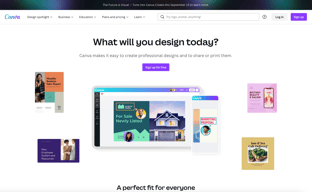
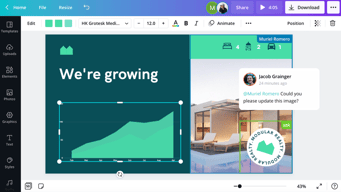





Are you a non-designer looking for graphic design software? If you need to create designs for your business, Canva is one of the top rated tools to choose. In this post, we’ll explore Canva’s pricing, features, and alternatives.
What is Canva
Canva is an online graphic design tool used by over 170 million monthly active users to create visual content for offline and online marketing. Over 9,400 Capterra reviewers have given Canva an average rating of 4.7 out of 5 stars.
Canva offers hundreds of thousands of templates and elements you can use to create designs for personal or business use. Customize your visual content with your brand kit and media from your own library.
How Much is Canva
Canva offers Free, Pro, and Teams plans – visit Canva’s pricing page for current rates.
The Free plan includes the following.
- Over 250,000 free templates.
- Over 100+ design types including business cards, presentations, and social media posts.
- Free photos, logos, fonts, photos and graphics.
- Share, collaborate, and comment on designs with a team.
- Save your designs with 5GB of cloud storage.
- Share designs to multiple platforms including Instagram, Facebook, X, LinkedIn, Pinterest, Slack, and Tumblr.
The Pro plan includes everything from the Free plan plus the following.
- Over 100 million premium stock photos, videos, audio and graphics
- Over 610,000 premium and free templates with new designs daily
- Up to 100 Brand Kits with your companies colors, logos, and fonts
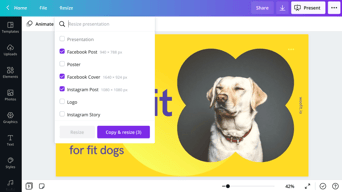
- Access to Background Remover and Magic Resize.
- Create templates from your own designs.
- Save your designs with 100GB of cloud storage.
- Schedule your social media designs on up to 8 platforms including Instagram, Facebook, X, LinkedIn, Pinterest, Slack, and Tumblr.
The Teams plan includes everything from the Pro plan plus the following.
- Use brand controls to manage your team’s access to apps, graphics, colors, logos, fonts, and uploads.
- Get approval on your designs with built-in workflows.
- Control what your team can edit and stay on-brand with template locking
- Save your designs with unlimited storage.
- Log in with single-sign on (SSO) and have access to 24/7 Enterprise-level support.
How to Use Canva
To get started on Canva, you will need to create an account using your email address, Google, Facebook, or Apple. You will then choose your account type between student, teacher, small business, large company, non-profit, or personal. Templates and additional resources will be recommended based on your chosen account type.
You can choose to start a free trial of Canva Pro or begin with the free version to see if it’s the right graphic design tool.
Designing with Canva
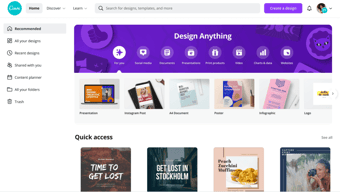
For your first design, Canva will suggest different post types to choose. Based on the type of account you set up, you will see template categories like social media posts, documents, presentations, marketing, events, ads, launch your business, build your online brand, etc.
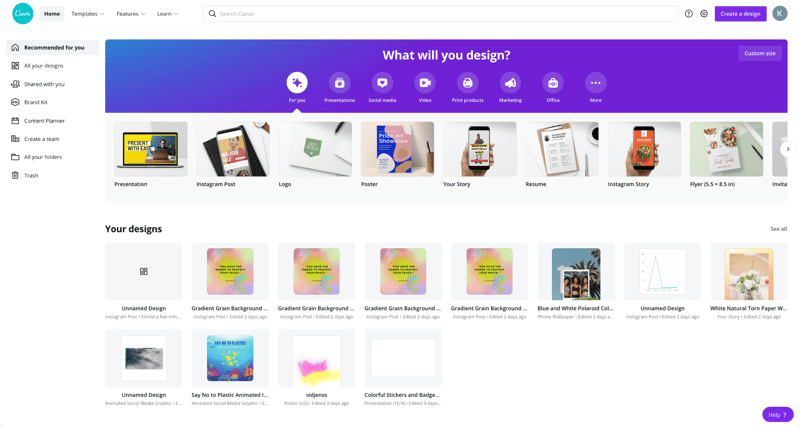
Begin by choosing the type of post you want to create or searching for something more specific. Search by social network name, for example, to see a list of templates by post type on each network.
Templates
Next, you will be able to choose a template. Templates come ready to go, with customizable photos, text, and additional elements.
You can start your design by choosing a template, searching for a template, or working with a blank template.
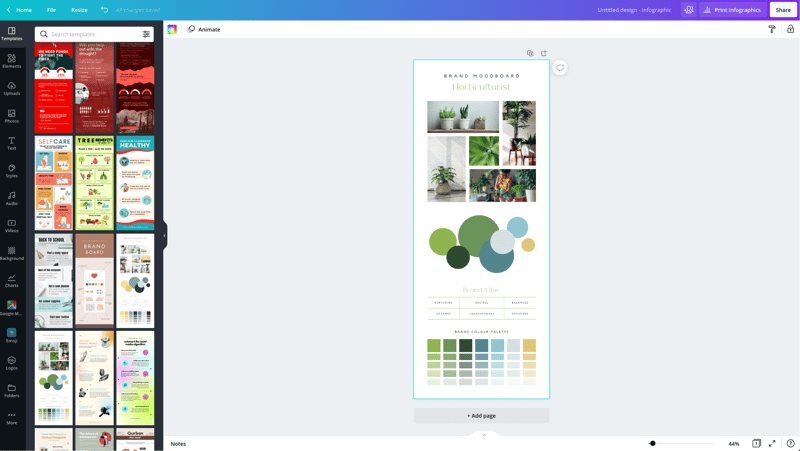
Canva has a lot to choose from, so start with a specific search. If you’re in the horticulture business, you’ll find plenty of templates for a variety of post types just by searching for plants.
You may not find the perfect template, and that’s ok. Remember there are plenty of ways to customize any template. So choose the best fit and move on to Elements.
Elements
Inside the Canva designer, the Elements tab gives you access to lines and shapes, graphics, photos, videos, audio, charts, photo frames, and photo grids. You can use the search box on the Elements tab to search everything on Canva.
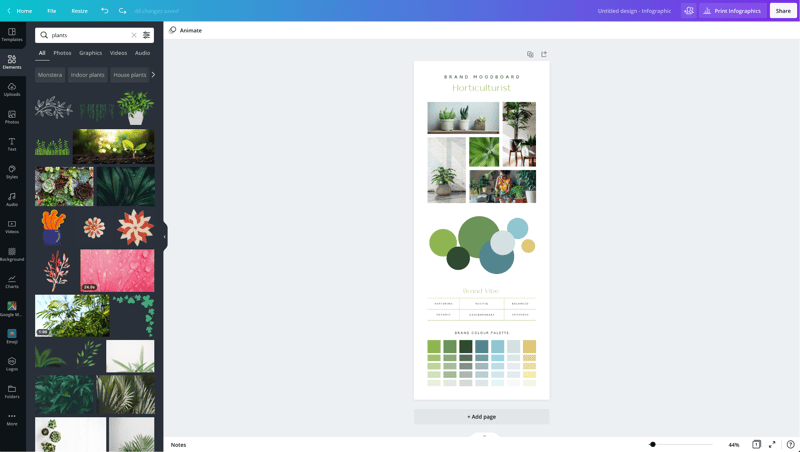
Again, Canva has a large library of elements to choose from, so be specific in your search query. You may also want to search in the following tabs to see various elements separately in the search results.
Photos
The Photos tab allows you to choose from millions of free, paid, and Pro-only stock photos.
You can replace photos on your templates to create a new look or to match a particular template to your industry.
Alternatively, you can use photos from another stock photography site or your own photos. Simply upload them in the Uploads tab.
Once you choose a photo, you can use Canva’s photo editing features to add filters, adjust the photo’s settings (brightness, contrast, saturation, etc.), crop, animate, and change the transparency.
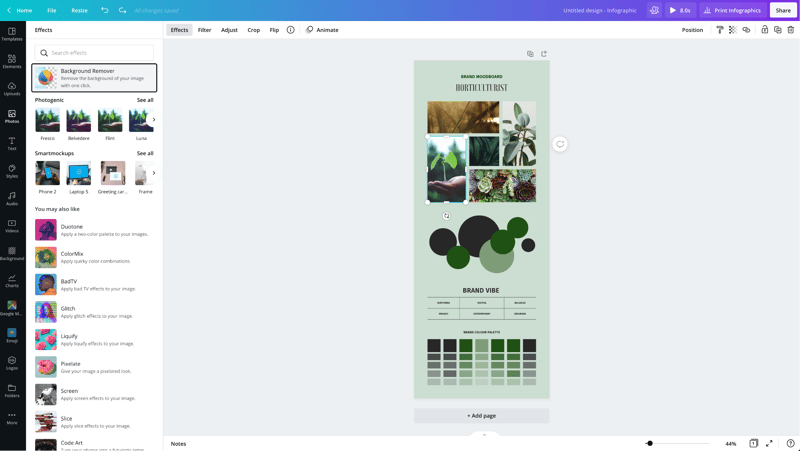
Canva Pro subscribers have access to the Background Remover. This will remove backgrounds from stock photos in the Canva library as well as photos you upload to the Uploads tab.
Canva has also introduced Magic Studio, a suite of AI-powered tools including text-to-image generation, background removal, and AI-assisted writing.
Text
The Text tab allows you to add headings, normal text, and fancy graphical text to your design.
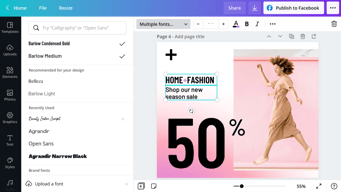
When you click on the text on a template, you’ll see options to adjust the font, font size, color, format, spacing, text effects (like shadows), and change the transparency.
Canva Pro subscribers can set brand fonts via the Brand Kit or the Styles tab. Enterprise-level controls will ensure that your team keeps visual content on brand.
Audio
Creating an animated image or video? Search for audio elements to add to capture user’s attention in social news feeds.
Alternatively, if you want to use audio from another stock site or your own audio tracks, you can upload them in the Uploads tab.
Video
Want to create video content? Choose from thousands of free and Pro-only stock video clips. You’ll find videos that range from a few seconds to two minutes long.
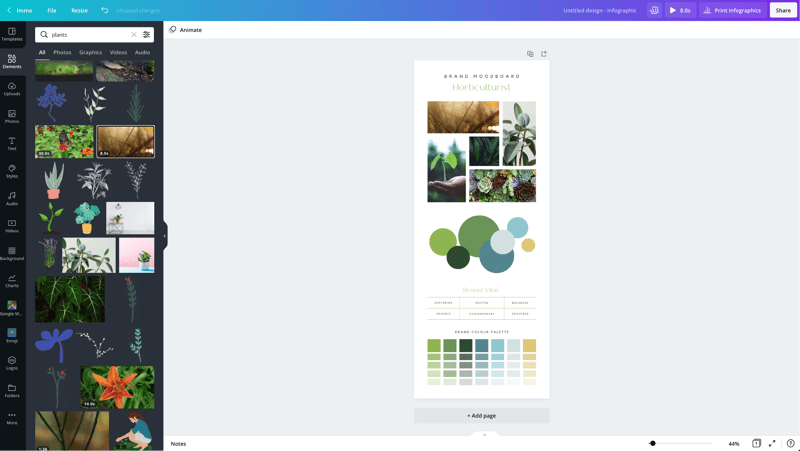
Similar to photos and audio, if you want to use videos from another stock site or your own videos, you can upload them in the Uploads tab.
Once you choose a video, you can use Canva’s video editing features to trim the video, flip it, and change the transparency.
Backgrounds
In the Background tab, you’ll find free photos specifically geared to act as backgrounds on your designs. Change out the background on a template to give it a more custom feel.
Styles
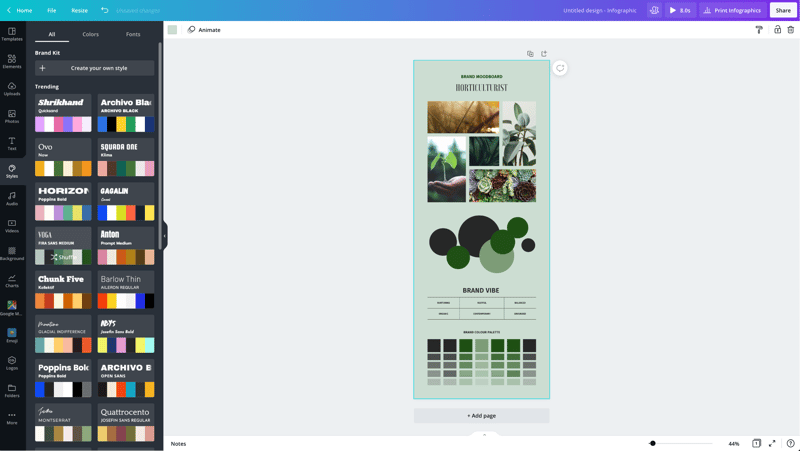
The Styles tab allows you to change the look and feel of your template quickly with different color palettes and font combinations. If you have a Canva Pro subscription, you can upload your brand’s custom colors and fonts to keep designs on brand.
Logos
If you have a Canva Pro subscription, you’ll have a Logos tab. Here, you can upload variations of your brand logo to use throughout your designs.
You can also create logos with Canva. Note that you can’t trademark logos with stock content in them.
Publishing with Canva
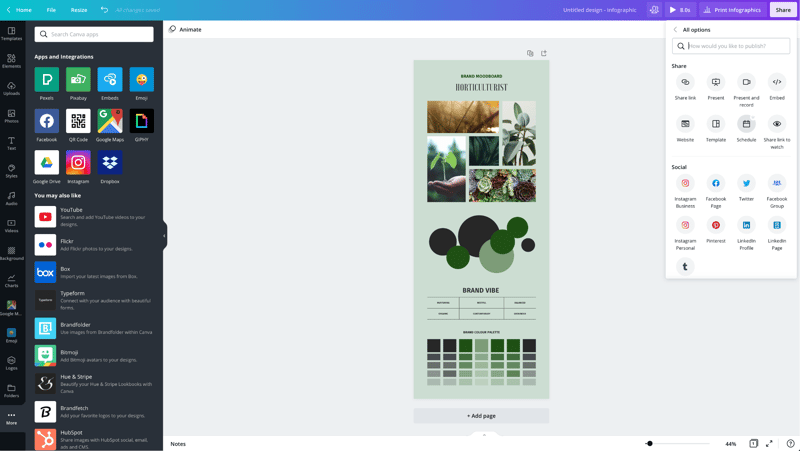
Free users of Canva can download their designs or share their designs to multiple platforms including Instagram, Facebook, X, LinkedIn, Pinterest, Slack, and Tumblr.
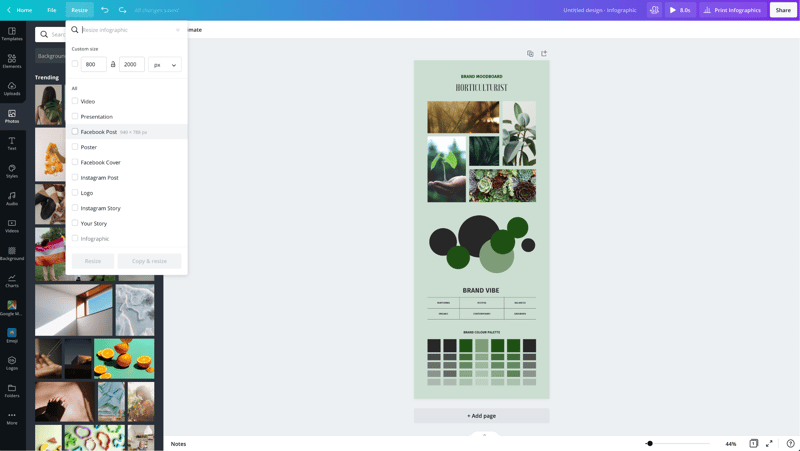
Canva Pro subscribers can use the Magic Resizer to create multiple post formats from one design. For example, you can start by designing an Instagram post. Canva’s Magic Resizer can resize it for posts on other networks, Stories, Reels, and other formats.
Canva Pro subscribers can also use Canva’s Content Planner to schedule updates to up to eight profiles/accounts on Instagram, Facebook, X, LinkedIn, Pinterest, Slack, and Tumblr.
Canva Teams
Canva Pro subscribers can work in teams to improve the visual content workflow. Designs can be created inside Canva and sent to the appropriate team members for approval. Teams can make comments, edits, revisions, and keep track via the version history.
Canva Print
If you create a design for offline marketing, Canva has a Print division to compete with companies like VistaPrint. They will print your designs on banners, wall art, mugs, t-shirts, business cards, stickers, invitations, cards, flyers, and more.
Canva Print is perfect for any business that wants customers to do some word of mouth marketing for them. Create designs people would want to stick on, wear, etc. Hand out business cards that people want to keep and share.
Canva Apps
Canva offers their own mobile app on the Apple and Google Play stores. Canva has earned a 4.9 out of five stars from over 3 million Apple users and a 4.7 out of five stars from over 188,000 Google users.
With that said, the mobile app doesn’t have all of the features you’ll find on the desktop browser version. Fortunately, you can access most of them via a mobile browser by going to the Canva website and bypassing the app.
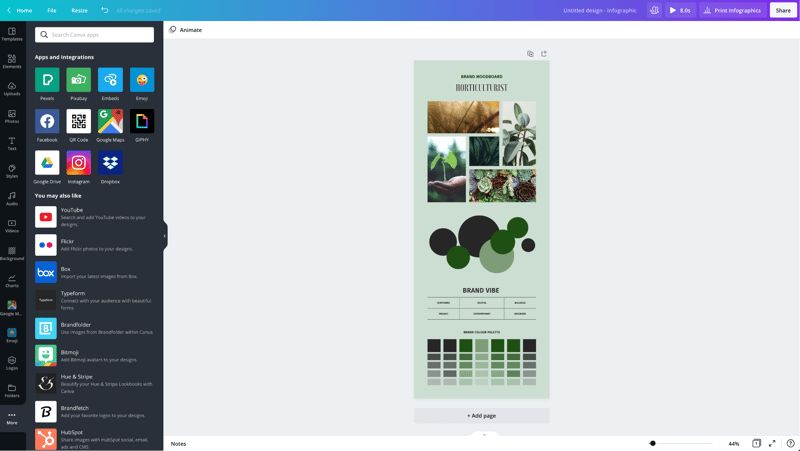
In addition to mobile apps, Canva has apps and integrations that allow you to access elements from third parties. You can add maps from Google Maps, Emojis, photos from Google Drive and Dropbox, YouTube videos, Flickr photos, Bitmojis, and other popular visual content elements.
Canva Pros and Cons
Review networks like TrustRadius allow people to leave specific pros and cons about their Canva experience. Amongst the over 500 reviews, here are some of the highlights from the pros and cons users have identified.
-
Pros :
-
An easy to learn and use interface
-
It allows people with limited graphic design skills to create professional graphics
-
Tons of templates so you never have to start from scratch
-
Branding kits to keep teams matching the brand colors and fonts
-
Ability to create visual content on the go
-
Templates that cover a wide variety of uses and networks
-
The ability to search for royalty free images, video, and audio without another service
-
Cons :
-
Seemingly basic elements (graphics, shapes, etc.) and features are Pro-only
-
Elements that fall outside of the design area are tricky to retrieve
-
Newer features (like Canva presentations) need work
-
The UI can be cluttered
-
Users of Adobe tools may find Canva features limited
-
Would like the ability to work with vectors, especially on logos
-
No analytics when sharing designs
-
Expensive enterprise pricing
-
The artboard could be larger
-
Everyone has access to templates/elements, meaning your graphics may not be as unique
Canva Alternatives
If Canva doesn’t sound like the right fit for you, you may be interested in trying the following Canva alternatives.
Adobe
Adobe has a suite of tools for beginner to advanced level graphic designers, photo editors, and video makers. One tool, Adobe Express, is a Canva-like tool that makes it easy to create social graphics and videos. They offer a free plan and paid plans with premium features.
Those with graphic design skills may prefer tools like Lightroom and Photoshop for photo editing, Adobe Illustrator for vector graphics, or Adobe Premiere Pro for video editing. Alternatively, you can get access to all Adobe tools through the Creative Cloud All Apps plan.
PicMonkey
PicMonkey is a Canva alternative that boasts better photo editing features and no hidden fees for premium templates or elements. With that said, PicMonkey does not offer a free plan. Their pricing starts at $7.99 per month for basic features.
VistaCreate
VistaCreate (formerly Crello) is a free graphic design tool that is similar to Canva. It includes thousands of templates and features like the photo background remover and brand kits. The app on the Apple store has an average rating of 4.7 stars from over 600 users.
Piktochart
Piktochart is a graphic design tool that focuses on infographics, presentations, and reports. Their goal is to help you turn data-heavy content into a compelling visual story. They offer a free forever plan plus pricing for premium features starting at $24.17 per month.
GoDaddy Studio
If you are a GoDaddy customer, you can access their free tool, GoDaddy Studio. This tool gives you access to thousands of customizable templates.
Similar to Canva, no design skill is necessary to create professional graphics. The app on the Apple store has an average rating of 4.8 stars from over 94,000 users.
Canva FAQ
Q: Is Canva for free?
Yes, Canva does have a free plan that you can choose to create professional designs.
Q: Does Canva have a watermark?
No, Canva does not place a watermark on your finalized images. You will only see a watermark on copyrighted stock elements in the Canva library unless you purchase the media or a Canva Pro or Enterprise subscription.
If you see a watermark on a previous design, it is because you had a Pro subscription and used a Pro-only template or element.
Q: Can I use Canva for free for my business?
Yes, all free elements included in the Canva free subscription can be used for commercial and non-commercial use.
Q: What is Canva good for?
Non-designers can use Canva to design a wide variety of visual content for online and offline marketing. They include social media graphics, presentations, business cards, reports, infographics, and much more.
Q: Is Canva better than Adobe Photoshop/Illustrator?
Canva markets itself as an easy to use design tool for non-designers. Adobe Photoshop and Illustrator are geared towards intermediate to advanced level photo editors and graphic designers.
Q: Is Canva good for making videos?
Yes, Canva offers an easy to use video tool for visual content creators who aren’t video experts.
Q: Is it worth paying for Canva?
Definitely, when you consider the number of Pro-only templates and elements. You can always start with the free version or cancel after the 30-day free trial if you’re unsure about the platform.
Q: Can I trademark a logo created in Canva?
Yes, unless it has any stock elements in it.
Q: Can I sell content created in Canva?
Yes, if it doesn’t include unaltered Canva media. You can read more about licensing, trademarks, and commercial usage of Canva content here.
Useful Canva Resources
Canva offers several free resources for designers.
- If you need to do simple edits, Canva has a free photo editor.
- Canva’s Color Wheel allows you to preview what colors go well together.
- The Palette Generator will generate a set of colors from an image you upload.
- The color meanings and symbolism guide can help you find the right meaningful color palette for your brand.
- The design size guide gives the current best sizes for graphics on social media, video, presentations, and more.
Additional Resources
If you want to five even deeper into graphic design, Adobe offers some insightful free guides as well. There are tips for various design types (tattoos, backgrounds, newsletters, logos, etc.) and use of graphic design principles, colors, and symbols.
Canva Review: Conclusion
Overall, Canva is an excellent solution for creators who need visual content. If you’re an experienced graphic designer, you will find their platform lacking in customization and other features – particularly vectors. But if you don’t have a lot of design experience, you’ll find Canva easier to use than advanced graphic design tools like Adobe Photoshop or Illustrator for most projects.

Compare Canva with other popular tools in the same category.
I love the eye-appealing features of the templates, including the typography. I also really appreciate the free templates and how beautiful they are as well.
I wish there were more free templates because I absolutely love nearly all of the designs.
I am cutting down on time by using the pre-made layout of the templates. I recently designed a flyer for an event and received many compliments on the design.
Canva does a bunch of things right. The image filters are cool, the inspirations from other designers are nice and the fonts are amazing. The controls for each are intuitive and easy to master. Love love love Canva!
No drop shadows! And we can't lock a graphic in place. This would be a great addition to Canva.
We love using Canva to create graphics of all sorts for our clients.
Not only is this tool super user-friendly, but even the free version is robust. It is SO easy to make professional quality graphics - perfect for social media and email marketing. You can upload your own graphics and add a brand identity to your account for quick and easy corporate branding. Canva's UX makes achieving high-quality graphics accessible to even beginner marketers.
That it doesn't integrate with Sprout Social or Hootsuite - if it did that'd be a dream! Can't wait to see if Canva is going to dive into the video editing world and include features similar to Adobe Spark (but better).
Perfect for personalizing our social media channels and blog posts. This tool not only creates quality product but I can do it quickly so I don't waste time on design. As a single person department, that's huge.
There's great stock images that can be used and pre-existing templates make coming up with ideas easy!
There is an addition cost to some images, but there are also other options available for images
We are able to use Canva with ease to create images that are high quality without the cost of a graphic designer.
What I like best is that I can design any kind of stuff, such as personal posters, birthday cards and even beautiful and static video presentations, all of this with extreme ease. It´s such a delight that I can choose from hundreds and hundreds of themes and templates, and add any kind of photograph or illustrations from Canva´s collection in order to complete a super pretty piece of art. I´m speaking seriously, Canva will be a life saver for anyone who needs images for any púrpose (everybody needs images!).
What I dislike is that Canva tries to lure you by saying that you´ll have access to thousands of images and illustrations for free when you subscribe to their paid membership. Nonetheless, after subscribing, you realize that, even if you´ve already paid for your subscription, you still have to pay one dollar for most of those supposed free images for premium users; these images aren´t expensive (one dollar a piece) but I thought that everything was included for premium users.
I can design any type of images and graphic material for my clients. Very often my acquaintances ask me to create a cover for their shirts or a poster for their walls, and I can make all of these with the help of Canva. If I didn´t have Canva, I think I´d be completely lost, as I´m not particularly good at designing from scratch, but Canva has turned me into a "professional designer".
You wanna create blog,poster,animation,website and have no designing experience,go to canva you can do all the same with so many photographs,designer fonts and all these you can do just by drag and drop and above all it also comes in free version.
I have used canva but have not found any flaw in it.But some suggestions like importing psd's ,web themes and photos which maybe directly integrated into canva which might make it more fascinating.
We develop small posters for which we don't use photoshop because using canva you can simply drag and drop and create your work with thousands of designer fonts and designs which are already there.
I love how easy it makes designing high quality pieces. There are templates for social media banners, infographics and invitations, or you can choose custom dimensions. There's plenty of free stock photography and there's a paid option to import aspects of your brand, such as fonts and logos to maintain a consistent look.
There are occasional bugs in the system, but overall I rarely have issues with it.
Canva is great when you don't have access to the full Adobe creative suite. It's very easy to learn, and the free version offers many helpful tools.
I like that I have a large range of templates as my starting point for creating my designs. They have a huge range of templates from infographics to brochures. It is also extremely easy to edit this templates with my own creativity.
It is very difficult to fault Canva as it is a wonderful platform, however, a few more templates that aren't premium would be useful.
Canvas helps our business make things more visual. I can quickly create beautiful graphics to explain our designs which makes our brand more visual.
I love the option of using the templates as well as the ease of the program Photo uploading is super easy and the option to use stock photography makes it even better.
I dislike that I have to pay for stock photos, and I wish that it was easier to change a document size while editing.
I am able to create one of a kind graphics quickly
I´ve used many types of design software, and I can really tell you that Canva is one of the best out there. What´s really comandable is that designing anything can be as easy as selecting a template, dragging it into the white sheet on the left, change the text of the template, and that´s about it. I haven´t seen any other software out there like this. There´s another thing I really enjoy: I have access to thousands of images (that would cost me hundreds of dollars in any other site) and all of them are for free as a user of Canva.
I don´t like at all that, at times, when I add a new image inside my design, it becomes really big and my design moves a bit. I think there should be an option to select the size and position of the image I add before it´s automatically added. One last thing I don´t like a all is it´s price, because maybe if Canva decreased the price to around $9.90, they would get a ton more loyal customers. Other than those complaints, I love using Canva.
I can design anything my clients ask for. Many times, I get messages from people who want designs for shirts, book covers and even restaurant menús, and I can tackle all of these when I use Canva. What my clients don´t know is that it takes me literally under 5 minutes to have their designs ready, and they pay me as if I had spent days doing that task! I hope they never get to know the software I´m using
I absolutely love the free templates. They provide a good landscape for what I want to do, but give me ownership and freedom to design things how I want them.
I wish they had clearance templates! I know most of them are cheap anyways, but when you do multiple it can add up.
We have been able to engage more students with the captivating designs!
Where do I begin? I have used Photoshop and Illustrator, Pages, Word and Powerpoint - and Canva is all of those mixed into one. I create social media images, powerpoint slides, flyers, brochures, promotional materials, and more all in this one program. It is the easiest program I have ever used and provides the BEST layouts and templates. I also love that when you purchase a photo, it is only $1. All the photos are the same price. They are not trying to price-gouge you. I recommend this product to others almost every single day.
I wish there was a way to search easier through other public creations for ideas. I also wish there was a way to copy and paste only one element from one design to the next. Also would like to see a built-in photo editor (although they do offer filters).
This program has not only saved us thousands of dollars from needing to hire an outside graphic artist, but it has also saved us hundreds in software costs! Everything I create on Canva looks professional and solid - and many people think that a paid graphic designer made it. Love the fonts, love the customization abilities, and how fast it is to create something.
What I love about Canva is that I can do my design in a very fast and simple way. It is very simple to make my designs look professional without it costing me a lot of work to do them. It has many templates and predesigned designs that I can use, besides the design of the page is so attractive that I do not want to ever leave. My designs, brochures and notices now have a higher quality effect thanks to this great tool.
I like all the features of Canva, without a doubt it is one of the best software to make designs, but I would like to add that I would like to have more availability of templates, funds or sources to the basic accounts since most are for premium accounts or They charge you for the use of each one and that limits your design possibilities. Of rest I like all its content.
It has served as a springboard for my business to go much further, as now my notices and brochures have attracted the attention of many more investors and thus increased the performance of the company. It has made my work much easier, since I can do everything necessary for advertising and image in a fast and efficient way.
what I like about Canva is that the platform is so beautiful and cute that it helps you open your imagination to create the thing you want to create. It's free and it comes with a lot of free stuff and elements. It's easy to start with and you can use it immediately without having to learn something first.
I don't think there's something I dislike about Canva, because it has so many great things that I love and appreciate about this program. I can't think of anything I might dislike.
It has helped me to do a lot of work in here. With Canva, I have opened my mind and can create a lot of imagines and make them look professional.
Cheap (or free) for small (micro) businesses that are looking to elevate their design without hiring a designer. Great templates for social media graphics, flyers etc.
It isn't Adobe Creative Suite... the functionality is of course limited if you are trying to create sophisticated design projects or work outside of the templates they've provided.
Professional social media graphics and marketing graphics... without the expense (or time) of a graphic designer.
It includes many free templates, visual elements and photos, it is really easy to use, it is easy to maneuver and understand. Working in Canva is incredibly easy with the available design templates and how to implement images, text or other design.
The free version is very limited. I've had issues with saving syncing. It's difficult to organize files within Canva, only two folder int free account.
I have used Canva for my own company and for the companies of my clients, I use it when I want to make quick designs. It's easy to use and graphic templates help make brand marketing material very easy. I use it mainly for brochure design material, e-mail logos, social media banner and illustrations for presentations.
It's a free program to use, and unlike other programs, many of the free aspects are truly useful and worth using. Its design work is incredibly easy with the layout templates that are available. Canva does make your work look professional and neat - even if you're not a marketing genius.
I wish there were a search function when looking for templates or themes, save multiple brand profiles and Canva can be slow to load at times.
You can make several design of anything, such as brochures, CD catalogs, presentations and infographics according to our needs. Great to have a platform that includes all the options and font icons that it provides. It can really help you to make one of some necessary design that looks very professional. With Canva, it really improves the wealth of information shared throughout the organization.
Canva makes creating media easy with its simple drag and drop design and huge amount of customisation.
I find that the teamwork aspects can sometimes cause issues and either slow things down or need a restart.
I'm solving the need of making fast graphic design material for clients, especially mock ups.
Canva is a quick solution for our social media graphics without a graphic designer. Its easy to use, has amazing templates and you can store your brand!
Its limiting in the fonts and that you cant bold/format/style within the same text box and you cant create a table
It lets our graphic designers focus on larger scale projects while keeping our social media in brand.
Full of free samples, easy to use even if I don’t deal with graphics
There is nothing particular I dislike for the use I do
I prepared my personal cards and some leaflets
I love the ability to customize infographics to fit your own needs and look.
I wish there were more free templates and icons.
Bringing life to some quick training
They have many preloaded designs and you don't have to be a design expert to create something worth using.
Sometimes the tools are a little wacky and don't do what I want them to do.
Creating promotional materials
I like how easy it is to use. It is very simple to put together beautiful graphics. Its great for making something really fast.
As someone who has worked alot with the Adobe suite, the simplicity is a good and bad thing, there are definitely things that are easier about the Adobe suite in comparison to Canva. Like adjusting the size of the graphic easily, you have to pay for the upgraded version to do that I believe and I don't currently do that.
I think it is simple and easy to use so it solves that problem. It also is nice to have pre made templates when you are not wanting to create everything from scratch.

The thing I love most about Canva is the customizability. With hundreds of colors, backgrounds, icons, accessories and templates, Canva is the perfect design studio for those who need graphics on a budget.
One thing I don't like about Canva is that teammates cannot work on the same graphic at once. If you have more than one user logged into the same account, your project may glitch, reload or not save your work! This is devastating, time consuming, and inefficient.
Reaching MORE interested and potential customers is a daily business challenge. With Canva, you can create graphics to go with any social media piece, internal comms message or even external communication designs. Its crucial to be able to engage the viewer/reader/interested party in as many ways as possible, and Canva allows you to do this. Eye catching shareables and informative infographics can almost double engagement if done right.
I love the different templates, ease of use, and download options. I have created email banners, product listing images and even invitations using Canva. I found it to be simply the best tool for designing on a budget or for just a quick small project.
While I like that I can add multiple pages to a Canva design, I dislike that each page remains the same size dimensions. I would like to work on one design concept and create pages in different sizes so I can test a design out in differet size layouts. I also dislike that I can't create project folders under the free version, but I guess I need to pay up for that added feature.
A graphic designer is not always readily available for a small quick design project that we need right away. Sometimes we just need to create a quick email banner ot image for a website and we dont want to wait for a designer to get back to us and charge us for every small edit we need. Canva is quick, easy and provides many template ideas with nice fonts to use as a starting point for any design.
If I had to choose one word: SImplicity. Canva is really easy to get started with and doesn't require a whole lot of training if you're planning on utilizing simple images that you want to use for your personal webpage and/or business use cases. I'm enjoying how easy it is to design images as a noob to any type of photo editing.
I feel that I'm limited on the amount of design types to choose from. I'd like to see more web design work accessability say to a WordPress or Weebly, whichever type of website designing tools that you may utilize. But hey, it's a free product - I''m not that mean!
I'm getting a lot of help to create images that ideally I wouldn't in a million years be able to design myself. This tool is allowing me to easily and quickly create custom designs and images that I can utilize on a website, social media platforms, and my emails. Thank You Canva!
I absolutely love the fact that so many of the templates are free. They have amazing designs for absolutely any project, from personal baby shower invites to business pdfs.
Every once in awhile, it get glitchy while saving and will move all my text boxes over to the right. I have not determined if it is my wifi connection or a canva glitch.
It makes creating pdfs, business expectation guides, and freemiums extremely efficient and simple. It is very easy to use. I used to believe I was not creative enough to create beautiful documents/pds/photos. Canva proved me wrong!
There is a lot of things that I love about Canva, as a person that don't have any experience in the design area with Canva it looks like I do have experience. The software is visually beautiful in addition to being very complete and diverse as it offers many free design tools, with which you can work without any problem, and the tools that aren't free are very cheap too. When I register the first time, Canva gave me a tutorial on how to use the software, and it was of great help since I was starting and did not know how to use it. Previously I had problems with other software designs because they were very complicated, but since I discovered Canva design for me became easy and fun.
When using Canva in other devices, it can become slow or have some issues with other options. For example from the mobile some of the tools do not appear or have problems when you want to download the design. What makes the experience from other devices somewhat limited.
In my work Canva helped me at the time of wanting to create fast designs, to give some information or promote something. Also to post on social media, change our logo or create icons. We have been recognized by the customers thanks to the originality of our designs, making us stand out above competition.

Canva lets me design amazing pdf's for my courses. It lets me create beautiful graphics for social media. And it has so many templates and designs to choose from that are all free! Even their paid ones are a nominal fee so if there is a graphic I really like I will go ahead and get it. One of my favorite features is the branding board. It means I never have to enter my brand color codes ever again! Super easy for me.
A lot of the features require and upgrade or don't let you replace the paid items in templates with free elements.
It has made the graphic design portion of my business super easy.

You can create designs such as postcards, letterheads, posters, flyers, banners for your website, among others. Your image gallery is so extensive that you do not need to use custom images. Its web design is attractive and makes designing it a pleasure, also I love that it can be downloaded in various file formats.
It should include a purchase of multiple-use images, as well as having the rule to have the design well aligned. You should also have the loading of custom fonts.
I have made incredible curriculums, as well as the banner for my personal web page. I designed the covers for my business documents with Canva, and I also made presentable brochures for my conferences.