

Unclaimed: Are you working at FreshBooks?
FreshBooks Reviews: 4.5/5 — Highly Rated
FreshBooks is a cloud-based accounting software preferred by numerous small to medium enterprises for its ability to easily manage and streamline finances. Core features include expensive tracking and invoicing, and it also helps improve operational transparency through reporting and time-tracking features.

| Capabilities |
API
|
|---|---|
| Segment |
Small Business
Mid Market
Enterprise
|
| Deployment | Cloud / SaaS / Web-Based, Desktop Mac, Desktop Windows, Mobile Android, Mobile iPad, Mobile iPhone, On-Premise Linux |
| Training | Documentation |
| Languages | English |
FreshBooks Pros and Cons
- 'Lite plan is great for startups (includes 5 billable clients)
- You can track unlimited expenses and send unlimited estimates
- Clients can pay you using credit cards
- Limited invoice customization
- The mobile app could use improvements


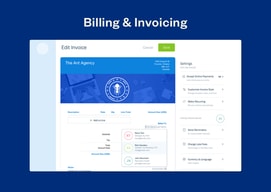
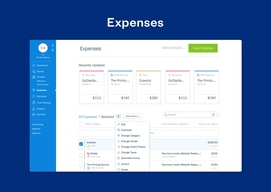
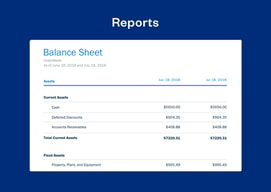
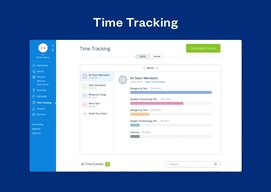


FreshBooks advertises $2.30 a month. The actual price is $23, and the discount lasts three months. Every plan also includes exactly one user, with additional team members at $11 each, so a three-person firm on the middle tier pays $65 a month rather than the $4.30 on the banner. The software is good and well-suited to service businesses — the pricing page just requires arithmetic.
- What it is: Accounting and invoicing software built around service businesses rather than product sellers.
- Best for: Freelancers, consultants, and agencies who bill for time and projects.
- Pricing: Lite $23, Plus $43, Premium $70 per month regular. Select quoted. Extra users $11 each. Verified July 2026.
- The honest catch: Lite allows just 5 billable clients, which most working freelancers exceed.
What Is FreshBooks?
FreshBooks approaches accounting from the invoice rather than the ledger, and that shapes everything. Where QuickBooks and Xero are built around double-entry bookkeeping with invoicing attached, FreshBooks is built around getting paid — proposals, estimates, time tracking, retainers, invoices, and payment collection — with accounting behind it.
For a consultant or agency that bills by project or hour, that orientation is genuinely better. Time tracking feeds invoices directly, retainers and proposals are first-class rather than bolted on, and project profitability tracking on Premium answers the question service businesses actually care about: are we making money on this client.
The trade-off is that it is a weaker general-purpose accounting system. Inventory is essentially absent, and businesses selling physical products will find it thin where QuickBooks is deep.
How FreshBooks Works
- Billable clients are the meter. 5 on Lite, 50 on Plus, unlimited on Premium and Select.
- One user included on every plan. Additional team members cost $11 a month each.
- Time tracking to invoice. The core workflow for service businesses.
- Proposals, retainers, e-signatures from Plus, which is where the plan becomes agency-shaped.
- Project profitability on Premium, tracking costs against project revenue.
- Payments built in. Cards, ACH, Apple Pay, Google Pay, and buy-now-pay-later.
FreshBooks Pricing
Captured from FreshBooks’ US site in July 2026. The displayed figures are promotional; the struck-through prices are the real ones.

| Plan | Regular | Promotional | Billable clients | Users |
|---|---|---|---|---|
| Lite | $23/mo | $2.30 for 3 months | 5 | 1 |
| Plus | $43/mo | $4.30 for 3 months | 50 | 1 |
| Premium | $70/mo | $7.00 for 3 months | Unlimited | 1 |
| Select | Quoted | — | Unlimited | 2 |
Add-ons: team members $11/month each, Advanced Payments $20/month, FreshBooks Payroll $40/month plus $6 per user.

What actually determines your bill:
- The 90% discount runs for three months. After that you pay $23, $43, or $70. FreshBooks discloses this clearly — the struck-through price and “90% Off for 3 Months” label are both on the card — but the large number is the promotional one, and it is what people remember. Budget from the regular rate.
- Five billable clients on Lite is the sharpest constraint. A freelancer with six clients cannot use the entry plan. This is a low ceiling by any measure, and it is the single most common reason people upgrade — not features.
- Every plan is a one-person plan. At $11 per extra team member, a three-person firm on Plus pays $65 a month rather than $43. Count your seats before comparing against competitors that bundle users differently.
- Yearly billing adds a further 10% off, on top of whatever promotion applies.
- Payroll and Advanced Payments are separate. $40 a month plus $6 per user, and $20 a month respectively — relevant if you were treating FreshBooks as an all-in finance stack.
- A 30-day money-back guarantee applies, which is the right way to test whether the client cap works for you.
Who Should Use FreshBooks
- Freelancers and consultants. The clearest case, and what the product is shaped around.
- Agencies billing by project. Proposals, retainers, and project profitability are genuinely well built.
- Anyone who tracks time and bills it. Time-to-invoice is smoother here than in general accounting tools.
- Service businesses without inventory. The absence of stock management is irrelevant to you.
It fits poorly for product businesses needing inventory, where QuickBooks and Zoho Books are far stronger; for teams of several people, where the per-seat add-on stacks up; and for businesses wanting the cheapest compliant books, where Zoho Books undercuts it substantially.
Honest Pros and Cons
Strengths
- Built for service businesses. Time, projects, and retainers are first-class rather than afterthoughts.
- Excellent invoicing. The most-praised part of the product, and the reason most people choose it.
- Project profitability on Premium. Answers the question consultancies actually need answered.
- Broad payment acceptance. Cards, ACH, Apple Pay, Google Pay, and BNPL built in.
- Genuinely easy to use. Approachable for people with no bookkeeping background.
- Clear discount disclosure. The struck-through price and three-month term are both stated.
Limitations
- Five billable clients on Lite. A very low ceiling that forces upgrades on volume, not need.
- One user per plan. $11 per additional seat.
- The headline price lasts three months. After which it is ten times higher.
- Weak inventory management. Effectively unsuitable for product businesses.
- Payroll costs extra. $40 a month plus $6 per user.
- More expensive than several rivals once seats and the regular rate are counted.
FreshBooks Alternatives and How It Compares
- QuickBooks Online is the US default with far deeper accounting and inventory, at a higher price and with repeated increases.
- Xero includes unlimited users on every plan, which is the decisive difference for teams.
- Zoho Books is substantially cheaper and strong if you use other Zoho applications.
- Sage Business Cloud Accounting is the established alternative, particularly in the UK.
- Bonsai targets freelancers specifically, bundling contracts and proposals with invoicing.
For a broader survey, browse our accounting software directory.
The Verdict
FreshBooks is the right shape for service businesses, and that matters more than a feature count. If you bill for time and projects, the workflow from tracked hours to sent invoice to collected payment is smoother than any general accounting package manages, and the proposals, retainers, and project profitability tools on the higher tiers are built for how consultancies actually work rather than adapted from bookkeeping software.
Price it from the struck-through number. The $2.30 on the pricing card is 90% off for three months; the real figure is $23, and Plus is $43 rather than $4.30. To FreshBooks’ credit both are shown clearly on the same card, which is more than several competitors manage — but the promotional price is the one in large type, and anyone budgeting from it will be surprised in month four.
The two structural constraints matter more than the tiers suggest. Lite’s five billable clients is a very low ceiling — a freelancer with six clients is already excluded, which makes Plus the realistic entry point for most working professionals and moves the effective starting price to $43. And every plan includes one user, so a three-person firm on Plus pays $65 a month once seats are added. If you have a team, Xero’s unlimited-user model is the comparison worth running, because that single structural difference outweighs most feature debates at this size.
FAQ
How much does FreshBooks cost?
Regular prices are $23 per month for Lite, $43 for Plus, and $70 for Premium, with Select quoted by sales. FreshBooks was running a promotion of 90% off for three months when captured in July 2026, displaying $2.30, $4.30, and $7.00 respectively. Additional team members cost $11 per month each, Advanced Payments $20, and FreshBooks Payroll $40 plus $6 per user. Yearly billing adds a further 10% discount.
How many clients can I invoice on FreshBooks Lite?
Five. Lite is capped at five billable clients, Plus at fifty, and Premium and Select are unlimited. This is the most restrictive limit in the lineup and the most common reason people upgrade — a freelancer working with six clients cannot use the entry plan at all, which makes Plus the realistic starting point for most working professionals.
Does FreshBooks include multiple users?
No. Every plan includes a single user, with additional team members charged at $11 per month each; only the quoted Select plan includes two. A three-person firm on Plus therefore pays $65 a month rather than $43. If you have a team, Xero includes unlimited users on all its plans and is the more natural comparison.
Is the FreshBooks discount permanent?
No. The advertised 90% discount applies for three months, after which the regular rate takes effect. FreshBooks displays both the discounted price and the struck-through regular price on each plan card along with a “90% Off for 3 Months” label, so it is disclosed rather than hidden — but budgeting from the promotional figure will produce an unpleasant surprise in the fourth month.
What is FreshBooks best for?
Freelancers, consultants, and agencies that bill for time and projects rather than selling products. Its time tracking, proposals, retainers, and project profitability tools are built specifically for service work, and its invoicing is the strongest part of the product. It is a poor fit for businesses needing inventory management, and expensive for teams once per-seat costs are included.

Compare FreshBooks with other popular tools in the same category.

Freshbooks is a God send! I hated keeping track of hours and sending invoices. As a creative professional I'm just not wired for that kind of work. Once I started using Freshbooks I was able to easily track hours and submit invoices--and not to mention sleep better! And come tax time, all my data was organized and ready to go!
I supposed if one were to be nitpicky it would have been nice to have had more invoice templates to choose from. Also, it was a hard to set up multiple rates for the same client depending on what project/task I was working on for them.
I was able to make the financial side of my business effortless. As for benefits, I had more time to spend making money and sleeping. It really was a no-brainer solution for me as I was starting out on my own.

Easy to use, nice interface, mobile app as well as website, time tracking and billing by project and client, options for different payment methods, easy branding of invoices and client interface, sends out reminder notices
wish there were a few more report options or that you could further customize.some of the existing. tracking
Quick professional billing for clients and ability to get paid electronically
It's simple, you don't need any background knowledge to handing your profit-loss and send invoices.
Free option only allows 3 clients at a time.
Managing my income and expenses - as well as sending invoices and estimates to clients.
FreshBooks has everything I need to manage my small business accounting and makes everything so easy.
My business is very small and I don't use nearly everything FreshBooks has to offer. I wish there was a less expensive subscription for businesses like mine. The iPhone app also rarely works for me.
I use FreshBooks to manage time tracking, projects and invoicing. I can easily track hours each month, create an invoice, send invoices, and monitor when invoices have been paid.
I liked its ease of use, recurring billing and ability to track all sorts of things.
I haven't found anything I dislike about it yet.
Solving bookkeeping, billing, tracking revenue

Everything is very easy to use. And I can get paid in different ways. I can select if I want a customer to pay via PayPal, Authorize.net, Braintree, or their credit card processing. Keeps track of my hours and the differant rates for different clients. Also the recurring invoices are really nice so I don't even have to think about sending invoices
I'm very happy with Freshbooks, noting really to complain about.
Accounting, invoicing, time keeping, payment and expense tracking
Has a fully-functional mobile app that works on my iPad and android phone. Eazy to update billable time. Run invoice reports Cost
I don't have anything I dislike about freshbooks
Client billing and time management
I love the interface! I also love the "diamonds" that help you learn how to use it. It's very easy to use, and has great help/support.
I honestly can't think of anything I dislike about Freshbooks
Invoicing, expense tracking
I like the ability to automate invoicing online and do not have to rely on a professional accountant to manage the process. For a startup, it is a great tool. Automatic emailing and statements
Not being able to enter expenses in Naira is frustrating.
I can quickly and easily generate invoices, track expenses, notify clients I've received payment, and even generate invoices on the go.
I like the user friendliness. It’s easy to navigate and to learn to use.
I dislike some of the glitches with the software. For example, my time sheet would go back to when I started with the company I work for and not automatically load to present date.
We use it to track our time spent on client files and to bill clients.
invoicing with FreshBooks is a snap. Unpaid invoices are easy to view and keep track of.
The tablet app misses some of the features of the desktop site.
The at-a-glance profit and loss statement and other reporting is helpful and keeps me from transferring all of the info to Excel. There is also integration with credit cards and bank accounts to keep track of expenses.

The ability to track time and clearly see how much time I have available on a project.
They don't have the ability to create a schedule C.
N/A
This software focuses on one thing and gets it done perfectly: Making invoices. No crazy features that a small business owner would never use. Just a simple UI that produces a professional invoice. It is also nice to be able to email the client right out of the software. No saving PDFs and writing up emails to send invoices.
I find the UX to be a bit clunky with adding payments manually. Clients send me checks so I have to go login, find them, create a payment, etc. I wish I could just click "PAID" or something more simple. Also I've not been able to figure out how to easily duplicate an invoice.
Getting paid. Clients react quickly and send checks when they see the professional invoices.
I love the ease of use and how much time and energy it saves me when it comes to my accounting needs. Freshbooks is the new age and should be considered the standard for accounting software. Any small business owner should take the time to do this. Lightyears ahead of Quickbooks. It really consolidates all the "money" areas of the business into one place, making your life endlessly easier.
There is little to dislike. This has been a hugely valuable tool that has saved me countless hours! I wish that I had taken the time to learn about FreshBooks before now.
They are incredibly nimble. The few items that I did have issues with about use, I emailed support about, and literally everything I have ever suggested to them about their platform, they have implemented very quickly afterwards, and even contacted me to alert me of the changes. They are awesome!!!

With Freshbooks you can create a great professional image of the company. Another great feature of Freshbooks is the availability of Support Tickets. Your customers will be able to send requests to "support" asking for clarifications and you can close them when the issue is solved.
Nothing. During the time we were using Frashbooks for our purposes everything was good. The system really helped us with invoicing.
Еще одной замечательной особенностью Freshbooks является наличие Support Tickets. Ваши клиенты смогут направлять запросы в "службу поддержки", а вы сможете их закрывать, когда проблема решена.
that I can invoice and have it linked to my PayPal account and I can restrict PayPal to not accept credit card payments in the invoice system. very important since I am a small business with few clients so they understand I need to keep fees down.
there's nothing I don't like about it. It imports all my bank account info automatically only improvement would be if they could so the same with credit card charges.
invoicing and expense tracking and sorting.
I like that although Iʻm not the primary person using the software, I still am able to have access to the different parts of it. I also like being able to see how much time Iʻve spent on each client and essentially know where I could better focus my time. The other thing I like is the ability to do monthly billing, weekly, and daily if necessary!
What I do not like is the the "who has done what" is not broken down in to billable versus on-going clients. I also do not enjoy the fact that you have to enter in things manually sometimes. It seems silly that something that you do every week isnʻt able to stay saved for the full amount of time youʻre entering your hours - if you do so like I do, at the end of the billing cycle, as opposed to daily.
We had issues with people not being able to view invoices we sent from the previous software. When we got this, not only are we able to see when they view it but how many times and resend if need. Another issue we had was too many people were doing things that were not getting billed for because only one person was entering information. As such, weʻd miss out on crucial client billing situations - especially ones that were and are commission based. Allowing the company to have several users has greatly helped with this problem.

It's very easy to use, an invoice is generated within a few minutes of logging in.
Updated app doesn't natively integrate with Paypal.
Invoicing and reporting of income/expenses.

I love how easy it is to time my work and record it for invoicing. I also like how you can see when your client has reviewed or paid your invoice.
I don't really dislike anything about it, but it would be nice to be able to customize my invoicing more in the free version.
I'm solving my need for quick and easy invoicing. It's also been super easy to see how many hours I spend working on specific projects.
It's very quick and easy to track projects, time, clients, and time spent on particular skills (which is great when you wear a lot of hats).
I wish the mobile app was more robust... some of the invoicing features that are useful on desktop are missing, and review of unbilled time is missing.
I use FreshBooks for invoicing clients as a freelance graphic designer. I also use it to track expenses and keep an idea of what types of tasks I spend most of my time on. It's quick and easy to use, clean and professional, and makes it very easy to get paid.
-easy to use -good iphone app -easy admin -perfect mix of power and simplicity for small business -good integration with bank
-needs better quoting system -needs more configurable dashboard with more information and summaries available -"NEW" version still needs some tweaking
-all accounting, invoicing, expenses..basically day-to-day accounting. All of it!
Freshbooks is great because as a small business owner, I need something to be simple! It auto syncs with my bank account and makes invoicing clients easy.
My CPA prefers another platform, so he had trouble confirming.
I am able to invoice and receive online payments through paypal, and keep all expenses together.

I love that you can add different clients and have preferences for each of those clients. Each client has a dropdown and everything is automatic. I also loved that you could really organize all of your invoices in one secure place.
There was not much that I disliked! I had a problem once with my account and the staff at FreshBooks were very attentive, timely, and fixed my issue immediately.
I needed a place for my invoices for my personal business. I was creating weekly invoices and needed a cleaner look rather than an excel file, but something that still had all of that same customization. FreshBooks was excellent for that.
Freshbooks makes it easy to send professional looking estimates, bills, and year end reports. It's intuitive and was easy to set up and integrate my logo. When clients get a bill, it links to PayPal for easy payment which I appreciate. It's been a great fit for me for the past 4 years.
I can't think of anything I do not like. Sometimes I find my message from Freshbooks does not get opened- it comes from FB rather than you. I have learned to tell clients to expect an invoice from Freshbooks which helps.
My marketing business allows small businesses to meet potential clients. It's a side business and allows me to work from home and care for my family.
Easy to track progress throughout the month. Enjoy seeing a snapshot of where we are at in invoicing and collections.
Doesn't allow for as detailed tracking as I need for projects that are being worked on. We combine Freshbooks and Harvest for this reason. It works well for us.
Super easy and fast to get paid on work we have done for our clients. We have seen faster collections and an increase in revenue since switching to e-mail invoicing.

Easy to understand, get information, invoice and track payments and hours without steep learning curve. The tone of communications with the company is informative, relaxed, helpful and valuable. The CEO wrote an ebook and shared it and it was inspiring and helpful in reframing how we talk about and think about our services and pricing.
not all my banks sync with it - my local bank has not updated to provide access. Would prefer to pay less fee to accept online payments.
Easy invoicing and tracking payments - the timing of project per calendar is a great discipline for tracking actual time involved for each project. This has enabled tracking and billing of all different types of clients, products, and services as we scale up and down on our offerings.
That it is cloud based. The reports are easy to read. And I especially like that both me (non-accounting entrepreneur) and my bookkeeper like it and understand it.
It doesn't link to the old BaseCamp 2.0 that I am still using.
This makes invoicing super easy. I can track everything. And I recently started using the pay by credit card option.
I love that estimates are easily converted to invoices. Recurring invoices are automatically sent to clients and it's easy for them to allow auto-billing. I also like that I can see when a client views an invoice.
I don't have anything that I dislike. They serve all of my needs and more.
I am able to easily handle the billing portion of my business. It's easy to know who has not paid and to follow up on those payments with the automatic late invoice notification.
Ease of use! I can access it anywhere in the world on any platform, create invoices and receive payments with ease. Keeping track of client information is key as well!
I dislike the inability to send contracts via freshbooks like services like 17hats does. There are no auto-reminders/due dates for invoices - which can be a little annoying.
Taxes were always a mess and now it's easy for my accountant to access and help with filing.
This software is unbelievably easy to use, I love everything about it. I took at shot at using QuickBooks and it was a complex disaster. I don't have time for that, I'm a marketer and not an accountant! Freshbooks was the exact opposite - streamlined, clear, clean, and simple. I'll never give it up!
Don't dislike a darn thing. I love this program.
FreshBooks allows me to bill my clients professionally without having to manually create billing sheets. I can receive payments, track expenses, and it makes taxes (shudder) so much easier!