
Unclaimed: Are you working at Keap?
Keap Reviews: 4.3/5 — Solid Choice
Formerly known as InfusionSoft, Keap is an all-in-one, cloud-based sales, and marketing software option offering customer relationship management (CRM), marketing automation tools, and eCommerce features. Keap is the preferred platform for small businesses that rely on the platform to streamline sales and manage customer experiences in a single suite. Using Keap, users can segment contact, manage and track customer interaction, send emails, and create tailored campaigns with personalized communication triggers. Users can also use Keap to manage eCommerce with inventory management features, payment gateways, and purchase fulfillment features.

| Capabilities |
API
|
|---|---|
| Segment |
Small Business
Mid Market
|
| Deployment | Cloud / SaaS / Web-Based, Mobile Android, Mobile iPad, Mobile iPhone |
| Support | 24/7 (Live rep), Chat, Email/Help Desk, FAQs/Forum, Knowledge Base, Phone Support |
| Training | Documentation |
| Languages | English |

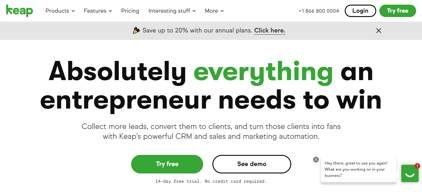

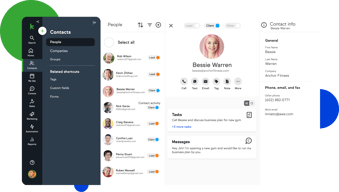
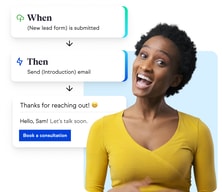
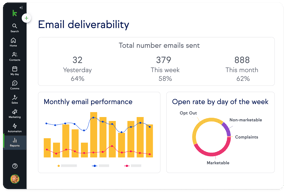
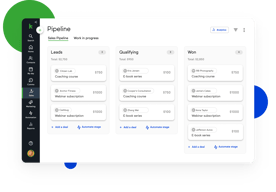
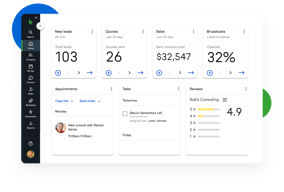





Keap bundles CRM, marketing automation, email and text, landing pages, payments, and appointments into a single plan at a single price, which is either exactly what you want or considerably more than you need. For small service businesses that would otherwise stitch together five tools, the consolidation is genuinely valuable. For everyone else, $299 a month plus a mandatory implementation fee is a lot to commit to.
- What it is: An all-in-one CRM and marketing automation platform for small businesses, formerly called Infusionsoft.
- Best for: Established small service businesses, coaches, agencies, and franchises that run genuine multi-step automation and want one vendor instead of five.
- Pricing: One plan starting at $299/month billed monthly, including 2 users and 1,500 contacts. Additional users are $39/month. Verified on Keap’s pricing page in July 2026.
- The honest catch: Implementation is mandatory and charged separately, starting around $500, and Keap holds a 4.1/5 on Capterra, the weakest independent score of any major CRM we have reviewed.
What Is Keap?

Keap started life in 2001 as Infusionsoft and spent two decades as the default marketing automation platform for small businesses that had outgrown basic email tools. It rebranded to Keap in 2019, and in October 2024 was acquired by Thryv Holdings for $80 million. The Keap logo now carries an “A Thryv, Inc. Brand” mark.
That ownership change is worth weighing. Thryv sells its own small-business platform, and acquisitions of this kind can go several ways over a few years: continued independent investment, gradual convergence with the parent product, or maintenance mode. None of those outcomes is knowable yet, but a buyer signing a multi-year commitment should ask directly about the roadmap.
Keap’s current strategic bet is simplification. Rather than tiered plans, it sells one plan containing the entire platform: CRM, automation, email and text marketing, sales pipeline, landing pages, payments, appointments, and reporting. The pricing page states the position plainly, promising an end to feature-based plans.
The independent picture is the weakest of any major CRM in this category. Keap holds roughly 4.1 out of 5 on Capterra across about 1,297 reviews. Reviewers praise the automation depth and criticize complexity, cost, and, notably, past price increases delivered with short notice.
How Keap Works
Keap’s real differentiator is automation depth, and understanding that explains both its appeal and its learning curve.
- Campaign Builder. A visual canvas for multi-step, branching automation sequences. Trigger on a form submission, wait, branch on whether an email was opened, assign a task, send a text, charge a card. Few tools at this price handle sequences of that complexity, and this is the reason long-time customers stay.
- CRM and pipeline. Contact records, lead tracking, and a sales pipeline. Competent rather than remarkable, and clearly secondary to the automation layer.
- Email and text. Broadcast and automated email plus SMS. Text is an add-on, priced in volume tiers, with the entry tier included.
- Payments and invoicing. Quotes, invoices, and card processing built in. For a service business currently running a separate payments tool, this is a real consolidation win.
- Appointments and landing pages. Booking and simple page building, adequate for straightforward use and not a replacement for dedicated tools.
The pattern is consistent: Keap is excellent at one thing, automation, and acceptable at the eight things around it. Whether that trade is good depends entirely on whether you would otherwise pay separately for those eight things.
Keap Pricing
Keap prices on users and contacts rather than features. Figures verified on Keap’s pricing page in July 2026.

| Item | Cost | Notes |
|---|---|---|
| Base plan | From $299/month | Includes 2 users and 1,500 contacts, entire feature set |
| Additional users | $39/month each | No feature difference between users |
| Additional contacts | Scales with volume | Priced via the calculator on the pricing page |
| Implementation | From ~$500 one-time | Mandatory, covers migration, setup, and strategy sessions |
| Text marketing | Entry tier included, then $24–$279/month | Overages around $0.015 per text and $0.01 per voice minute |
The parts that matter most:
- Implementation is required, not recommended. Keap’s position is that guided onboarding produces better outcomes, and there is a defensible argument for that given the platform’s complexity. It is still a mandatory cost, starting around $500 and rising with package scope, and it belongs in any first-year comparison.
- $299 is the floor, not the average. That figure covers 2 users and 1,500 contacts. A five-person business with 10,000 contacts pays materially more once extra users at $39 and contact tiers are added.
- Contacts, not just users, drive the price. This is the crucial difference from seat-priced CRMs. A small team with a large list can pay far more than a large team with a small one, so model your actual contact count.
- Text messaging is metered. Tiered plans plus per-message overages, which is normal for SMS but easy to underestimate.
- Price increase history is a genuine risk. Multiple Capterra reviewers report significant increases delivered with short notice, with at least one describing a resulting exodus of long-standing customers. Ask about price protection before signing.
A free trial is available without a credit card, but it is limited: a 25-email sending cap, no payment processing, and no text messaging. That is enough to explore the interface and not enough to test the automation properly.
Who Should Use Keap
- Established small service businesses. Coaches, consultants, clinics, home services, and agencies with a real customer lifecycle to automate. This is the intended buyer and the value case is strongest here.
- Businesses currently paying for four or five separate tools. If you are running a CRM, an email platform, a scheduler, a payment tool, and a landing page builder, consolidation can be close to cost-neutral while removing integration overhead.
- Teams with genuinely complex automation needs. Campaign Builder handles branching logic that simpler tools cannot, and this is Keap’s clearest technical advantage.
It is a poor fit in three cases. Startups and solo operators testing an idea should not commit $299 a month plus implementation. Teams that only need a CRM are paying for seven modules they will not touch, and Pipedrive or HubSpot will serve them better. And businesses without the appetite to learn a complex tool should take the reviews seriously: complexity is the most consistent criticism, and the mandatory implementation package exists precisely because self-serve onboarding does not work well here.
Honest Pros and Cons
Strengths
- Automation depth at a small-business price. Campaign Builder genuinely handles complex branching logic that most competitors in this bracket cannot.
- Real consolidation. CRM, email, text, payments, appointments, and landing pages in one system removes a meaningful amount of integration work.
- One plan, no feature gating. You are not upgraded into paying for a feature you already assumed you had, which is a refreshing contrast to the tier-gating common elsewhere.
- Payments are built in. Invoicing and card processing inside the CRM is a real advantage for service businesses.
- Two decades of domain experience. Keap understands the small-business customer lifecycle well, and it shows in the templates and campaign structure.
Limitations
- The weakest independent rating in its category. 4.1/5 on Capterra is a meaningful gap below the 4.5s that competing CRMs achieve, and it reflects real friction rather than noise.
- Complexity is the defining complaint. Reviewers repeatedly describe needing training or outside consultants to use the platform properly.
- Mandatory implementation fee. From around $500 on top of subscription, unavoidable.
- Expensive entry point. $299 a month is several times what entry-level CRMs charge, and the all-in-one bundle only pays off if you use most of it.
- A history of steep price increases. Reported by multiple reviewers as arriving with short notice. This is the single most important thing to raise with sales.
- Ownership uncertainty. The 2024 Thryv acquisition makes the long-term roadmap harder to predict.
- A restrictive trial. 25 emails, no payments, no text, which makes it hard to evaluate the thing you are actually buying.
Keap Alternatives and How It Compares
- HubSpot Sales Hub has a genuinely free tier and a cheap Starter plan, with strong marketing tooling. Its own Professional tier carries a $1,500 onboarding fee, so compare total first-year cost rather than headline price.
- Pipedrive is dramatically cheaper if what you actually need is a sales CRM rather than an automation platform.
- ActiveCampaign is the closest comparison on automation depth, generally cheaper, with a lighter CRM and no mandatory implementation fee. For many Keap evaluations this is the head-to-head that matters.
- GetResponse covers email marketing, automation, and landing pages at a fraction of the cost, without the CRM depth or payments.
- Zoho CRM paired with other Zoho apps delivers comparable consolidation for considerably less, with a steeper configuration curve.
For a wider view see our guides to the best CRM software and the best marketing automation software.
The Verdict
Keap is a capable platform with a narrow but real sweet spot. If you run an established small service business, you already do genuine multi-step automation, and you are currently paying for several tools that Keap would replace, it can be a sound consolidation with automation depth that is hard to match at this price.
Outside that profile it is difficult to recommend without qualification, and the independent scores say so. A 4.1/5 across nearly 1,300 Capterra reviews is a clear signal, and the complaints are consistent rather than scattered: it is complex, it is expensive, and some customers have been hit with sharp price rises. The mandatory implementation fee is defensible given the complexity, but it is still a cost that competitors do not impose.
If you are evaluating Keap, do three things. Price it with your real user and contact counts rather than the $299 headline. Ask directly about price protection, given the documented increase history. And compare it honestly against ActiveCampaign, which is the closest match on automation depth at a lower cost and with no implementation fee. If Keap still wins after those three checks, it is a defensible choice. If it does not, the alternative was always the better answer.
FAQ
How much does Keap cost in 2026?
Keap sells a single plan starting at $299 per month, which includes 2 users and 1,500 contacts. Additional users cost $39 per month each, and pricing rises with contact volume. A mandatory implementation package starting at roughly $500 is charged separately, and text messaging beyond the included entry tier is priced in volume tiers from about $24 to $279 per month.
Does Keap require an implementation fee?
Yes. Keap requires a paid implementation package, starting at around $500 and rising depending on scope, covering data migration, automation setup, strategy sessions, and integrations. It is not optional. Keap’s rationale is that guided onboarding produces better outcomes, which is credible given the platform’s complexity, but it should be included in any cost comparison.
Is Keap the same as Infusionsoft?
Yes. Keap is the current name of the product formerly called Infusionsoft, rebranded in 2019. Many third-party review pages still use the Infusionsoft name, which is why Capterra’s Keap reviews live under an Infusionsoft URL. Keap was acquired by Thryv Holdings in October 2024 for $80 million.
Does Keap have a free trial?
Yes, with no credit card required, but it is restricted: a 25-email sending cap, no payment processing, and no text messaging. That is enough to explore the interface but not enough to properly test the automation capabilities that are the main reason to buy Keap, so plan your evaluation accordingly.
What is the best alternative to Keap?
ActiveCampaign is the closest comparison for businesses that want Keap’s automation depth at lower cost and without a mandatory implementation fee. If you only need a sales CRM rather than an automation platform, Pipedrive or HubSpot Sales Hub will cost substantially less.

Compare Keap with other popular tools in the same category.

Small businesses often can't afford the likes of Salesforce and Marketo but they need marketing automation to convert leads effectively. Infusionsoft is the best all-in-one CRM/marketing automation software for the starting price of $199/month.
The analytics tracking is not ideal, however, you can input a lead source and there is ROI reporting. If you want complete analytics with the original source for paid advertising and organic search tracked, you just need to add Wicked Reports.
Most small businesses wonder why their advertising isn't working when the real problem is that they aren't converting the leads they get. I have seen businesses grow by 30% or more in one year by capturing and nurturing leads in Infusionsoft. I use Infusionsoft for my own marketing and I've experienced even more growth than some of my clients have.
All in one solution - from a campaign builder to a shopping cart, it has it all.
CRM is a little cluncky but it gets the job done.
Centralization of information is key. One login gets me a lot of analytics about my business. We have saved time which equals saving money.
I like the functionality like CRM, Pipeline management, Tasks, Agenda, Appointments, but most of all the Campaign Builder and Broadcasts.
It takes some time to get used to the system. In the beginning it might seem complicated.
We know have a system that we USE because we LIKE using it. We therefore have all customer, prospect and lead data in one place. And we use it for our bi-weekly emails and nurture campaigns.
Campaign builder workflow is best in class. CRM simplicity rivals any of the larger, more expensive options
Limited storefront features - for large ecommerce business models, it's important to use a third party solution.
Lead Generation Nurture and close Marketing & Salesforce Automation Simplified online orders/ecommerce Onboarding and Customer experience Upsell / Resell Automation
Bringing all clients' information in one place
Email customization is not the greatest
Following up on clients and leads. Like campaign triggers
It is a great software to build funnels and take your small business to the next level.
There are some smaller bugs that are hard to identify.
It is easy to build a long time running campaigns that help your new leads to convert to customers.
It's a great CRM and Much, much more!!!!
There is very little that I don't like....
Staying in touch with both our clients and our referral partners all at the same time, from the same program...and it's all automatic.
Very happy with Infusion Soft. The best CRM.
Should have a better user interface. The best CRM.
Managing 1000+ new clients per month in our CRM system
Infusionsoft is a great client management system that allows you to engage your database on a very consistent basis. You can basically build whatever "campaign" you want. I'm looking forward to it allowing my personal training in to be the absolute best in the Washington, DC metro area!
the product itself does take sometime to figure out, once you get it, the tools and systems are limitless.
It's solved my consistent client communication and drip marketing issues. I know I can get quality emails, landing pages, etc. for different things I'm doing with my personal training business in Washington, DC.
I like how the software is so straightforward. It's, of course, complicated as it has so many tools in it, so you need the time to understand it, but in the end, it's really worth it. The support is just perfect! I love them a lot. They are always there for us and help with everything. Infusionsoft is always ready to improve and innovate. Every month we get an update about what is developed to make our lives easier. They listen to their partners and users. And put their heart into their goals of helping small businesses succeed.
It's a little bit complicated, even though it's straightforward as I wrote it above. Highly recommended to hire an Infusionsoft Certified Partner to help you make the most out of your software, set you up everything and teach you about the ins and outs of the software. Then you can manage it yourself easily and get the best return on your investment.
Infusionsoft helps to automate many things, and it's amazing. You can plan your whole business marketing far ahead and automate it. It's perfect for fixing follow-ups. Helps the sales team or person to know where to put their focus and just do their job with less manual work. It saves time and energy. You can even automate your coffee delivery. :D It has marketing, sales, CRM, e-Commerce platforms with referrals. I'm focusing on hoteliers, hospitality business owners & managers. They can get more returning guests with well-built campaigns. Build a better relationship, more referrals and pay less third party commissions. That's loads of value in one software.
Infusionsoft's automation possibilities are amazing. It goes way past simple platforms like aweber, mailchimp, constant contact and even activecampaign. You can take a contact all the way from optin forms to fully tagged and segmented marketing campaigns and finish the job with an order form waiting for their credit card all in one piece of software for a reasonable cost. Then, you can keep them happy afterwards and even offer other products to them in a fully automated way and save yourself tons of time. Selling products, either digital or physical, is a way to create a passive income which is income not based on your time. This is the true path to wealth. IMHO. Infusionsoft helps you do this.
There is a definite learning curve to Infusionsoft. Because of this, there is usually an up-front cost involved so you have someone there to hold your hand through the initial learning phase. The user interface is not very intuitive but I understand that the company is working on a simpler interface for the regular peeps who are not married to their computers.
Instead of hiring lots of VA's, I am spending time to automate various things that require my time. I am also creating marketing automation to bring people into an online training system AND am using it to better provide engagement of the students in an automated way.
I really like the email broadcasts and campains the best. It is an awesome way to keep us connected with our customers
Few things in the market place do not go great with the products we sell. It is very picky and I hate we can not link to LinkedIn yet
Constant communication with interested customers. WE are able to stay in contact with the people who matter and the people who are ready to buy or who are interested in buying and be able to tell who is who.
I love the customer service. Not only is everyone committed to mutual success, but feedback is taken to heart and made into actionable changes. Every update that gets pushed out makes something a little easier.
There are a lot of different ways to accomplish the same goal (applying a tag for a contact, as an example). It can get confusing when establishing processes or training internally.
Previously, we had no real lead follow up or drip email campaign. While we're still building the foundations of these programs, it's easy to see that our communication with our customers will not only increase, but will be optimized.

The automation saves me so much time and has more than doubled my business.
Sometimes it feels like the product development is slow.
Marketing and scaling.
We like being able to access our customer data base anywhere anytime and keeping updated notes for everyone
Having a hard time with integrations and having to go through 3rd parties to complete the integrations
We offer solutions to ceiling issues, and lighting
The sales automation is the one thing I like the best. I left a lot of money on the table because I had no system. Now I can simply push a button and voila! I want for the money to come in.
The learning curve is intense and very intimidating.
The software has cut my staff numbers down. It has replace 3 workers. It's reduced my time commitment in half. It's tracked all details of a client and transaction which would previously be lost.
I loved the campaign feature and how it integrates with the customer records. Great set up for multiple people within a company. Easy to use, very intuitive overall.
There are some tricky parts about getting campaigns to run and adding new customers. Thankfully tech support is always available to troubleshoot.
It is easy to nurture prospective and current clients. Tagging keeps messaging relevant and focused.
Marketing Automation to segmented groups of people is essential in any business.
Development has been slow in previous years - but is now really coming along on a monthly basis.
Better communication with our clients as well as more streamlined sales funnels.
I like the versatility of Infusionsoft provides for our company. We do all of our marketing automation through Infusionsoft, our sales pipeline management, payments and collections, employee performance metrics, new customer education, customer satisfaction surveys, customer referral programs and a host of other valuable tools to help us operate at peak performance. We have been using Infusionsoft for many years and it has truly become the technical hub of our company's operations! Many of our prospects and customers have complimented us on our automation and frequently ask us to duplicate our own systems for their own use based on their experiences! We have also developed great relationships with the professionals and service providers at Infusionsoft HQ. I think they are the finest company I have ever had the pleasure to work with... How can you not be grateful to a company that has provided a platform that directly attributed to your success? They are great!
Years ago, the learning curve on Infusionsoft was far harder than it is today and there were not nearly as many provided resources from infusionsoft compared to what we celebrate today. I am glad I stuck in there and learned to rock the system to it's fullest!
Lead Capture, Lead Follow up, Educational Automated Sales Funnels, Ecommerce payments, Reporting, Sales Pipeline systems, Referral Programs, Testimonial collection, customer satisfaction surveys, new customer education, newsletters, the list goes on and on.. The benefits are that we have combined nearly all the necessary technologies our company uses to a single and powerful system. It is convenient and has allowed us to expand our creativity in regards to how we do business. I cannot express the strides we have made as a small business due to Infusionsoft. What our infusionsoft system does for us could not be duplicated or replaced with 5 additional full time employees in any proximity to the efficiency that it provides. That is a ton of savings!
I enjoy the integration with Outlook, as well as, the simplicity of tracking leads through our sales cycle.
The Notes text area is really small, and not expandable. It is difficult to file through a lot of notes in such a small area.
We are able to track our Marketing efforts in a more efficient manner. Also, being able to keep tabs on how interested our leads become helps my sales team pinpoint where to direct their immediate efforts.
the automation & my rep Jason Esterline!
Some of the training with in I S ~ doesn't answer the questions , they need to be short and specific oriented
follow up billing communication
What I love about Infusionsoft is the seamless integration with my sales team. The way I can have leads flow into their pipeline and from there control the communication throughout the pipeline automatically!
I do wish that the interface for creating the emails and landing pages was a little more intuitive. For example, I wish that I could insert a PDF and have a preview populate that links to the original PDF. I also have run into some limitations when building campaigns, for example I was trying to build an internal form to save time with emails that I am constantly sending out. There is just one piece of information that changes each time. So I created the form with the thought that once submitted it would send the email to a list of people, but that isn't possible.
We have an incredibly lazy sales team, so by automating mundane activities, it has helped increase their sales without them having to do too much.
I like the endless possibilities this software can create. I have been using Infusionsoft since 2008 and every year I seem to come up with new and innovative ways to connect with my customers in each of my 3 businesses and create phenomenal experiences for them as they interact with my companies.
I wish we could select the option to have the duplicate record checking go by date of birth and first name. That would make a HUGE difference for one of my companies.
Business 1 is a coaching program for children - in that business we are cutting admin labour costs by 60% because we can use Infusionsoft to do online registration, billing, send receipts, and then email reminders to parents as well as the evaluation. All of this used to be done by the front desk staff manually - one by one for each child and we register about 350-450 kids every session which is a 3 month term. It works wonders for keeping parents informed about upcoming class sessions and summer camps. Business 2 & 3 are in the mortgage industry where most people begin to shop online. Infusionsoft has been vital to our ability to capture and educate leads which builds the vital trust required for them to choose to do business with us.
The ease of use when creating campaigns and email templates.
The initial learning curve for all of the campaign mechanics
Marketing, List Building, Payment Automization
Steve Sharp has been an amazing asset in helping us get this program started for our company. The personal service and advice is exceptional. I would recommend this service to everyone. It's a great way to engage and re-engage with clients.
Nothing as of yet, have had no issues with the service or product.
We are able to touch base with clients on a large scale and keep them interested in us.
Powerful, all-inclusive email/marketing/sales automation. Great help center and supportive community.
Some of the more technical items are not always intuitive
Automated email followup, customer and prospect tracking

Easy to set up and get all elements in place. The campaign builder sets it apart from others. Value is great compared to other options. Staff training is easy and adoption curve is quick.
Shopping cart is limiting for those with lots of products.
Marketing automation and online sales. Lead generation and internal process automation.
Infusionsoft has streamlined my business and put more structure into my business.
There is a bit of a learning curve, but I had used it with some of my other clients. And once you really commit to learning Infusionsoft - it really isn't that difficult.
The biggest thing is streamlining our systems and processes (automatically). But spending time on the front end pays off in dividends and has easily cut 15 - 20 hours a week off of stuff I was doing manually.
I love the simplicity of the system. It gives me the ability to do email marketing and manage my contacts.
The email builder could be a little bit better with changing fonts, pasting and copying, etc. More of the formatting and making the email actually look good.
We've been able to start up email marketing which has been a huge help to our back end process. Also, we've been able to keep our customers engaged in our service.
InfusionSoft has a commitment to helping customers succeed and continually improve. Recipe for success. It permeates everything they do.
With many features brings a high degree of possible complications in using the software. Billing is a complicated animal that requires a lot of time investment and can cause confusion.
Automation in the business means you can be more scalable.