

Unclaimed: Are you working at Keap?
Keap Reviews: 4.3/5 — Solid Choice
Formerly known as InfusionSoft, Keap is an all-in-one, cloud-based sales, and marketing software option offering customer relationship management (CRM), marketing automation tools, and eCommerce features. Keap is the preferred platform for small businesses that rely on the platform to streamline sales and manage customer experiences in a single suite. Using Keap, users can segment contact, manage and track customer interaction, send emails, and create tailored campaigns with personalized communication triggers. Users can also use Keap to manage eCommerce with inventory management features, payment gateways, and purchase fulfillment features.

| Capabilities |
API
|
|---|---|
| Segment |
Small Business
Mid Market
|
| Deployment | Cloud / SaaS / Web-Based, Mobile Android, Mobile iPad, Mobile iPhone |
| Support | 24/7 (Live rep), Chat, Email/Help Desk, FAQs/Forum, Knowledge Base, Phone Support |
| Training | Documentation |
| Languages | English |

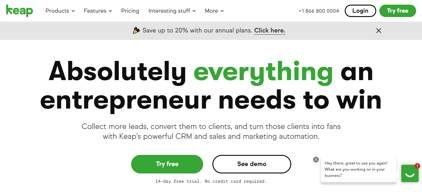

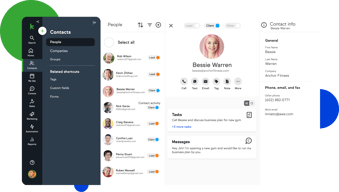

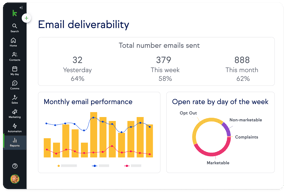
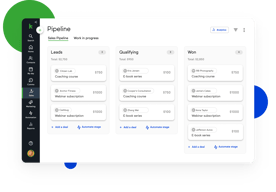
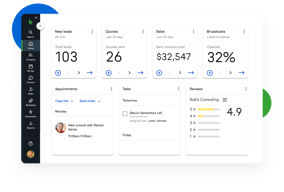





Keap bundles CRM, marketing automation, email and text, landing pages, payments, and appointments into a single plan at a single price, which is either exactly what you want or considerably more than you need. For small service businesses that would otherwise stitch together five tools, the consolidation is genuinely valuable. For everyone else, $299 a month plus a mandatory implementation fee is a lot to commit to.
- What it is: An all-in-one CRM and marketing automation platform for small businesses, formerly called Infusionsoft.
- Best for: Established small service businesses, coaches, agencies, and franchises that run genuine multi-step automation and want one vendor instead of five.
- Pricing: One plan starting at $299/month billed monthly, including 2 users and 1,500 contacts. Additional users are $39/month. Verified on Keap’s pricing page in July 2026.
- The honest catch: Implementation is mandatory and charged separately, starting around $500, and Keap holds a 4.1/5 on Capterra, the weakest independent score of any major CRM we have reviewed.
What Is Keap?

Keap started life in 2001 as Infusionsoft and spent two decades as the default marketing automation platform for small businesses that had outgrown basic email tools. It rebranded to Keap in 2019, and in October 2024 was acquired by Thryv Holdings for $80 million. The Keap logo now carries an “A Thryv, Inc. Brand” mark.
That ownership change is worth weighing. Thryv sells its own small-business platform, and acquisitions of this kind can go several ways over a few years: continued independent investment, gradual convergence with the parent product, or maintenance mode. None of those outcomes is knowable yet, but a buyer signing a multi-year commitment should ask directly about the roadmap.
Keap’s current strategic bet is simplification. Rather than tiered plans, it sells one plan containing the entire platform: CRM, automation, email and text marketing, sales pipeline, landing pages, payments, appointments, and reporting. The pricing page states the position plainly, promising an end to feature-based plans.
The independent picture is the weakest of any major CRM in this category. Keap holds roughly 4.1 out of 5 on Capterra across about 1,297 reviews. Reviewers praise the automation depth and criticize complexity, cost, and, notably, past price increases delivered with short notice.
How Keap Works
Keap’s real differentiator is automation depth, and understanding that explains both its appeal and its learning curve.
- Campaign Builder. A visual canvas for multi-step, branching automation sequences. Trigger on a form submission, wait, branch on whether an email was opened, assign a task, send a text, charge a card. Few tools at this price handle sequences of that complexity, and this is the reason long-time customers stay.
- CRM and pipeline. Contact records, lead tracking, and a sales pipeline. Competent rather than remarkable, and clearly secondary to the automation layer.
- Email and text. Broadcast and automated email plus SMS. Text is an add-on, priced in volume tiers, with the entry tier included.
- Payments and invoicing. Quotes, invoices, and card processing built in. For a service business currently running a separate payments tool, this is a real consolidation win.
- Appointments and landing pages. Booking and simple page building, adequate for straightforward use and not a replacement for dedicated tools.
The pattern is consistent: Keap is excellent at one thing, automation, and acceptable at the eight things around it. Whether that trade is good depends entirely on whether you would otherwise pay separately for those eight things.
Keap Pricing
Keap prices on users and contacts rather than features. Figures verified on Keap’s pricing page in July 2026.

| Item | Cost | Notes |
|---|---|---|
| Base plan | From $299/month | Includes 2 users and 1,500 contacts, entire feature set |
| Additional users | $39/month each | No feature difference between users |
| Additional contacts | Scales with volume | Priced via the calculator on the pricing page |
| Implementation | From ~$500 one-time | Mandatory, covers migration, setup, and strategy sessions |
| Text marketing | Entry tier included, then $24–$279/month | Overages around $0.015 per text and $0.01 per voice minute |
The parts that matter most:
- Implementation is required, not recommended. Keap’s position is that guided onboarding produces better outcomes, and there is a defensible argument for that given the platform’s complexity. It is still a mandatory cost, starting around $500 and rising with package scope, and it belongs in any first-year comparison.
- $299 is the floor, not the average. That figure covers 2 users and 1,500 contacts. A five-person business with 10,000 contacts pays materially more once extra users at $39 and contact tiers are added.
- Contacts, not just users, drive the price. This is the crucial difference from seat-priced CRMs. A small team with a large list can pay far more than a large team with a small one, so model your actual contact count.
- Text messaging is metered. Tiered plans plus per-message overages, which is normal for SMS but easy to underestimate.
- Price increase history is a genuine risk. Multiple Capterra reviewers report significant increases delivered with short notice, with at least one describing a resulting exodus of long-standing customers. Ask about price protection before signing.
A free trial is available without a credit card, but it is limited: a 25-email sending cap, no payment processing, and no text messaging. That is enough to explore the interface and not enough to test the automation properly.
Who Should Use Keap
- Established small service businesses. Coaches, consultants, clinics, home services, and agencies with a real customer lifecycle to automate. This is the intended buyer and the value case is strongest here.
- Businesses currently paying for four or five separate tools. If you are running a CRM, an email platform, a scheduler, a payment tool, and a landing page builder, consolidation can be close to cost-neutral while removing integration overhead.
- Teams with genuinely complex automation needs. Campaign Builder handles branching logic that simpler tools cannot, and this is Keap’s clearest technical advantage.
It is a poor fit in three cases. Startups and solo operators testing an idea should not commit $299 a month plus implementation. Teams that only need a CRM are paying for seven modules they will not touch, and Pipedrive or HubSpot will serve them better. And businesses without the appetite to learn a complex tool should take the reviews seriously: complexity is the most consistent criticism, and the mandatory implementation package exists precisely because self-serve onboarding does not work well here.
Honest Pros and Cons
Strengths
- Automation depth at a small-business price. Campaign Builder genuinely handles complex branching logic that most competitors in this bracket cannot.
- Real consolidation. CRM, email, text, payments, appointments, and landing pages in one system removes a meaningful amount of integration work.
- One plan, no feature gating. You are not upgraded into paying for a feature you already assumed you had, which is a refreshing contrast to the tier-gating common elsewhere.
- Payments are built in. Invoicing and card processing inside the CRM is a real advantage for service businesses.
- Two decades of domain experience. Keap understands the small-business customer lifecycle well, and it shows in the templates and campaign structure.
Limitations
- The weakest independent rating in its category. 4.1/5 on Capterra is a meaningful gap below the 4.5s that competing CRMs achieve, and it reflects real friction rather than noise.
- Complexity is the defining complaint. Reviewers repeatedly describe needing training or outside consultants to use the platform properly.
- Mandatory implementation fee. From around $500 on top of subscription, unavoidable.
- Expensive entry point. $299 a month is several times what entry-level CRMs charge, and the all-in-one bundle only pays off if you use most of it.
- A history of steep price increases. Reported by multiple reviewers as arriving with short notice. This is the single most important thing to raise with sales.
- Ownership uncertainty. The 2024 Thryv acquisition makes the long-term roadmap harder to predict.
- A restrictive trial. 25 emails, no payments, no text, which makes it hard to evaluate the thing you are actually buying.
Keap Alternatives and How It Compares
- HubSpot Sales Hub has a genuinely free tier and a cheap Starter plan, with strong marketing tooling. Its own Professional tier carries a $1,500 onboarding fee, so compare total first-year cost rather than headline price.
- Pipedrive is dramatically cheaper if what you actually need is a sales CRM rather than an automation platform.
- ActiveCampaign is the closest comparison on automation depth, generally cheaper, with a lighter CRM and no mandatory implementation fee. For many Keap evaluations this is the head-to-head that matters.
- GetResponse covers email marketing, automation, and landing pages at a fraction of the cost, without the CRM depth or payments.
- Zoho CRM paired with other Zoho apps delivers comparable consolidation for considerably less, with a steeper configuration curve.
For a wider view see our guides to the best CRM software and the best marketing automation software.
The Verdict
Keap is a capable platform with a narrow but real sweet spot. If you run an established small service business, you already do genuine multi-step automation, and you are currently paying for several tools that Keap would replace, it can be a sound consolidation with automation depth that is hard to match at this price.
Outside that profile it is difficult to recommend without qualification, and the independent scores say so. A 4.1/5 across nearly 1,300 Capterra reviews is a clear signal, and the complaints are consistent rather than scattered: it is complex, it is expensive, and some customers have been hit with sharp price rises. The mandatory implementation fee is defensible given the complexity, but it is still a cost that competitors do not impose.
If you are evaluating Keap, do three things. Price it with your real user and contact counts rather than the $299 headline. Ask directly about price protection, given the documented increase history. And compare it honestly against ActiveCampaign, which is the closest match on automation depth at a lower cost and with no implementation fee. If Keap still wins after those three checks, it is a defensible choice. If it does not, the alternative was always the better answer.
FAQ
How much does Keap cost in 2026?
Keap sells a single plan starting at $299 per month, which includes 2 users and 1,500 contacts. Additional users cost $39 per month each, and pricing rises with contact volume. A mandatory implementation package starting at roughly $500 is charged separately, and text messaging beyond the included entry tier is priced in volume tiers from about $24 to $279 per month.
Does Keap require an implementation fee?
Yes. Keap requires a paid implementation package, starting at around $500 and rising depending on scope, covering data migration, automation setup, strategy sessions, and integrations. It is not optional. Keap’s rationale is that guided onboarding produces better outcomes, which is credible given the platform’s complexity, but it should be included in any cost comparison.
Is Keap the same as Infusionsoft?
Yes. Keap is the current name of the product formerly called Infusionsoft, rebranded in 2019. Many third-party review pages still use the Infusionsoft name, which is why Capterra’s Keap reviews live under an Infusionsoft URL. Keap was acquired by Thryv Holdings in October 2024 for $80 million.
Does Keap have a free trial?
Yes, with no credit card required, but it is restricted: a 25-email sending cap, no payment processing, and no text messaging. That is enough to explore the interface but not enough to properly test the automation capabilities that are the main reason to buy Keap, so plan your evaluation accordingly.
What is the best alternative to Keap?
ActiveCampaign is the closest comparison for businesses that want Keap’s automation depth at lower cost and without a mandatory implementation fee. If you only need a sales CRM rather than an automation platform, Pipedrive or HubSpot Sales Hub will cost substantially less.

Compare Keap with other popular tools in the same category.

Keaps is great for your first CRM...if you're a small business and don't plan on growing rapidly.
Keaps lacks Support and many features that any growing business requires. All emails sent through the CRM were instantly marked as spam. Their template builders also were ugly to use.
Keap helps consolidate notes and does the basic jobs of a CRM system. For the price, it does everything that a much pricier multi-integrated CRM system would do. It combines email marketing, lead tracking, and notes.

Options galore. Dashboards. Customization etc.
Too many options. Confusing and challenging to learn.
Organizing company information. Management. Etc. yes benefiting.
Infusionsoft has all the components we wanted in a CRM - ability to track touchpoints and data about customers and prospects throughout their journey, AND the ability to automate drip campaigns and marketing messaging.
We had a lot of difficulty with our import, and wound up spending a LOT of time onboarding and cleaning up our data. Every contact has tags attached, but in order to send an email broadcast, we have to create a whole separate tag just to attach it to the email. Automation has been a difficult process, and support has been underwhelming.
We were hoping to bring together our CRM needs and our marketing automation needs in one place. It has been helpful to see past marketing communication and the status of various opportunities in our pipeline.
Infusionsoft does everything you'd expect and more; this is both convenient and overwhelming. It's very easy to integrate with virtually any other service you use via Zapier, whether that be a Wordpress website, a reputation management platform, etc.
While Infusionsoft does everything you'd imagine and more, onboarding is a big time commitment, and may still leave you feeling overwhelmed due to the sheer robust nature of the platform.
At its most basic level, Infusionsoft allows us to capture leads, tag them appropriately, track their lead scores and overall engagement, and communicate with them. It also allows us to plan these communications strategically and automate email campaigns.
I like that the HTML can be easily edited in the webpage.
I dislike that they don't have an online library for graphics uploading.
We are trying to send emails to large lists. We have realized that the benefits are the analytics provided after an email send.
Infusionsoft effectively manages our customers' data, and we rarely have any issue locating customers and utilizing their information. API integration was the main reason we selected Infusionsoft.
The process of pulling data for analytics is tedious and has many roadblocks. I have very limited options for what segments I can pull simultaneously, and there are so many errors that all data must be audited. This program is terrible from an analytics standpoint.
Mainly, Infusionsoft is used to track financial information and process payments. Beyond this scope, Infusionsoft is largely ineffective.
Extremely comprehensive - lots of stats, great for segmenting users almost any way you can think.
Very expensive compared to other similar systems. No direct integration to Shopify - needs Revenue Conduit at a further cost to link to Shopify. Extremely complex, difficult to use, does not link into other Shopify tools.
Was using Infusionsoft to communicate with our email database of customers and sponsors, but had to work through an agency. Now moved to Klaviyo and much happier!
I love the notification portion and the followup but I have a problem with linking facebook business ads to the campaign
linking facebook business ads to the campaign
I am getting good leads but would like to have a better understanding of the system
Great campaigns that we were able to set up and run consistently and it was fairly easy for our admin to do.
Very hard to find people. You can’t just scroll through the lists. Totally confusing could never work it by ourselves, had to get someone to do it for us.
It is great to run email campaigns to keep in touch with cold leads.
Automation is simple to use and easy to navigate
Basics not done correctly such as the my day / calendar. That is about 15 years out of date. No color codes on your calendar, it jumps on your task list back to page one every time you click on a contact. Simple mistakes that when you mention it, they do nothing about.
none that another system couldn't do the same.
I love the simplicity of the interface. It's intuitive and I can navigate easily.
It can be hard to find some reports, and the campaign builder is too complex.
CRM, marketing automation, drip campaigns
The ability to track so many different things, including campaigns and also works as a CRM. I like the support available - if I ever didn't know how to use it, which was almost always, then there was support on the website I could look at to get some help.
It's super complex, so it takes some time to get in to. I find it to be a very complicated software but thankfully there are lots of tutorials and help pages! Also, it's SO expensive to get, especially the upfront initiation fee, so it's not realistic for small businesses to use.
We wanted to make a new marketing campaign and since we were a small business, we didn't really have the tools. This allowed us to fill that gap!
The user interface is relatively friendly and some of their advisors useful.
Some of their advisors don't have a clue about customer service or Infusionsoft itself. There is also no way to give negative feedback if you want to. I asked for a way and the gave me the email address of a manager who never replied to my email. Sometimes they also take a lot of time to come back to you and miss deadlines. They had told me that they will get back to me within 48 hours and I heard back from them 10 days later...
Email communication
I love the campaign builder. You basically create a sequence of events (send an email, give them a call, etc.) by dragging icons onto a timeline and putting timers and event triggers in between. It allows me to handle leads automatically. It also allows me to create new customer nurturing campaigns. It's very visual and easy-to-use, plus it works! It was by far the most elegant system I tested.
Unfortunately there are many things that I dislike. Infusionsoft offers to import your data from any other CRM, however they really just import the "C", i.e. the contact information. All the history and notes are lost. You can pay to do a custom import, but they will just put all your history and notes into one big section and they become pretty useless. Also, I just can't believe they don't offer responsive emails... seriously? It's an email marketing system, how can they be so behind? I was able to create a custom CSS responsive email and plug it into Infusionsoft. Since I'm not a programmer and was able to do it, why can't they? Third, the customer service is kind of a joke. They send me surveys, I fill them and indicate that I've been unhappy and then nobody follows up with me. :/ Fourth, the CRM search window isn't very good. It only works well if you know the contact's first name. You have to go into a query if you want to search on anything else, which is really time consuming. Fifth, if a customer signs up for a demo AND a newsletter, the system creates duplicate contacts. So the customer gets spammed by two email campaigns and I have to go through a de-duping step once a month. I wish the system was smart enough to just merge two identical leads--and if it is, I have never found information on how to make it work.
We are trying to scale our business and Infusionsoft has helped us follow up with leads, nurture new customers and send a monthly newsletter (which would not be responsive had we not created our own workaround).
Its much cheaper than most market alternatives. It has a good e-mail marketing platform.
Its lead nurturing and lead scoring capabilities are terrible and the e-mail templates can consistently break. Not built for companies that want to scale.
Not provided
Ability to create. I have to keep typing because they require I have minimal characters in order to leave a review.
Limited amount of fields I can create. There is no ability to pull back after deletion. Keap managament does not value clients or relationships. Stop controlling my data input. If I want to leave a short review then let me leave a short review. OMG!
Customer service improvement. Need more customizable boxes
KEAP is designed to follow internet leads and convert them to customers. It was not suited for maintaining relationships with existing customers. We were very excited about the demos and recommendations not when it came to using it as a CRM it was way short of what we needed and we canceled after the first counseling session.
Mostly the way the cancellation was handled. We paid initial fees and cancellation fees which I thought were not warranted given the lack of understanding of our business and how much of a misfit this was for what we were trying to do. We never heard from the original account executive addressing any concerns we had and only got routed to a closer who made a self-assessment that they had no responsibility for it. It's only money but it was also a couple of hours time arguing with their " loss mitigation" person. A horrible experience. More detail ... I spent the better part of the weekend between signing up for Keap and our first meeting with the coach Dawn to make sure I was prepared myself. If you look at the account I added contacts and went through the entire outline to be in the best position to get this project going right away. In the demo process with Colin everything looked really really good and I was assured that I had an opportunity to try it out in our environment to make sure everything worked within our company the way we expected it. The focus and the demos was all the great things Keap does but I didn't think to try and test some pretty basic things that we rely upon on a daily basis. I was assured by Colin that if there were issues we could unwind this thing. I'm certainly not interested in paying for Keap and unable to use it. I'm also not interested in trying to wrap Keap around our current CRM at this point. Well I lost that battle simply because they had my credit card ... It's Only Money but it was also a dozen hours time ...
None. It failed miserably. Clients we have have a primary and a partner and we could not send emails to both parties at the same time. Some incredibly basic things it wouldn't do and there was not a solution so we would have to retain our existing CRM. Made no sense to us at all.
The platform was OK and had a lot of potential but the company itself was terrible.
The company itself was terrible. We were a consulting partner with them, so we sold their platform, and in those interactions, we found that the company had questionable ethics and was cheating us and being unfair
Keap helped us solve the need for a CRM that can track all customer activities as well as help generate new leads by marketing to them

It is a robust platform that works if you have large amounts to manage
It is not user friendly. It is hard to view flows and information
At the moment, not much. It's cost me more time than it saves
We like the beginner workshops, they are great.
The transfer did not correctly pre-populate the phone and email fields into KEAP from our prior CRM, but we did not fully realize this until the old software was removed. Now we have over 500 client files to fix (update) from old paper files before we can attempt any mass campaign. The cost per seat for my 3-5 seats is prohibitive when we must manually check and change every clients' profile in KEAP. What a rough start. Costly labour to redo
None yet, we are MILES behind where we were with our previous CRM/email software.
It is a robust CRM so I was provided a coach. They outsource their coaching which I found odd. My coach was condescending, talked down to me, and laughed at me while I was just trying to learn the automation functions to create a simple funnel. I believe they have made improvements in customer service (in-house customer service is very helpful and kind.) However, the application has major flaws. Trying to use the mobile app I found the app buttons are completely unresponsive. I think the app is overloaded. We were excited about the SMS for the business and customer communications. But if it doesn't work and is frustrating then why would I hand this function off to a busy team? It's a nope!
outsourced coaching and mobile app, Landing pages are also majorly glitchy when you publish them.
trying to use it as a CRM for a newsletter, landing pages, SMS communications, and email automation.
My company does email marketing and direct mail via Keap at no cost. I like that.
I found it hard to get visibility into my contacts. I couldn't easily pull up a list of contacts and their e-mail and addresses, for example.
I wasn't looking to solve any problem. My corporate marketing group uses Keap to do email and direct mail marketing.
It has some great features and interactions.
It's extremely annoying to use almost all the time. Company records aren't automatically created when you enter a company name. Information doesn't sync easily between companies and contacts within those companies, automation is painful to build and doesn't always function properly. Overall, just not user friendly and there are better options out there for marketing automation
Marketing automation.
Once you figure out the system (on your own) it can be helpful.
You need to figure it out on your own. It’s extremeley over complicated for what it does.
Organizes website
The product is fairly easy to use, standard feature sets and easy automation. Good integration with Wordpress.
1) The billing department is nearly useless. I switched my company from a single account spanning three countries to two separate accounts after discussing options with Infusionsoft billing/accounts. We agreed to keep pricing the same, and split up the users across the two accounts (and actually reduced the users to keep the pricing the same). That was five months ago and we are still getting double billed. 2) Infusionsoft made the strategic move from trying to be in the enterprise market to the SMB market. That's totally understandable, but they left all of their enterprise level/legacy clients behind without much effort to continue providing services, updates, etc.
Email automation, automation, CRM management.
We completed a trial version of New Infusionsoft and it was extremely user friendly and had most of the functionality we required for our small business in Australia. We were excited and keen to get started.
The basic feature of cc and bcc emails and an email template library did not exist. We were assured that these features were there but just not visible on our trial version. After asking for proof, I received screenshots showing this function. I enquired why it did not look like my trial version and was told that after I signed up it would all be visible. The moment I signed I determined this was not the case and emailed to ask what I was doing wrong but received no response. After speaking with our allocated coach I was told that the New Infusionsoft did not have the functions I had been assured were. The coach arranged for us to be switched over to Infusionsoft Classic. Unfortunately, from a user perspective, I felt this fell far short of the trial version I had spent many hours testing. I found it to be clunky and was less than impressed. Without having imported any data or set anything up I contacted my rep outlining the problem. Again, no response. I sent emails requesting if and when this functionality may be available - still willing to proceed if it was imminent. Again, no direct response. I sent another email requesting a cancellation of my account. Again no response. For two weeks I have had no direct response to my request only a one line email requesting I suggest a time for a call. After attempting to schedule calls on a number of occasions, no-one can be bothered to actually make a call to me or respond to my emails requesting a cancellation of the account. The service levels are totally unacceptable. Being a global company, surely they should be able to service multiple time zones without delaying 4-5 days between communication.
Despite have been billed for the first month and the onboarding we have not even bothered to set it up or book our coaching sessions. My view is that if Infusionsoft is willing to mislead customers before they sign up and then ignore their questions once the deal is signed, this is not a company that I want to do business with.
this has the bare basics for companies that don't have a larger sales team nor complex sales cycles that need to be tracked
reporting isn't as flexible so it can be a challenge to customize the tool
this is a CRM tool so it is best used for tracking leads from the first touch to a closed deal.
I have been impressed with the amount you are able to do and how much support you have to make your idea a reality.
The secondary support struggles at times.
Internal processes and sales automation
The email automation UI is intuitive !!!
General navigation is Unnecessarily complex
Employee communications, customer communications automations
Thought of systematizing and automating my business
Support horrific, no accountability or responsibility and implementation a bear, without outside help Likely impossible
Trying to automate processes, marketing, funnels, nurture campaigns etc