

Unclaimed: Are you working at Linguix Business?






Linguix Business Reviews: 4.5/5 — Highly Rated
Linguix Business is a cloud-based writing platform designed specifically for businesses. It uses advanced AI algorithms to check your writing for grammar, spelling, punctuation, and style, making it an ideal solution for companies who want to ensure their communications are professional and error-free. Linguix Business also includes features like team collaboration and a content library. Combined with its AI-powered writing suggestions, Linguix Business streamlines the writing process and helps businesses to communicate more effectively.


| Capabilities |
AI
API
|
|---|---|
| Segment |
Small Business
Mid Market
Enterprise
|
| Deployment | Cloud / SaaS / Web-Based, Desktop Chromebook, Desktop Mac, Desktop Windows, Mobile Android, Mobile iPad, Mobile iPhone |
| Support | 24/7 (Live rep), Chat, Email/Help Desk, FAQs/Forum, Knowledge Base, Phone Support |
| Training | Documentation |
| Languages | English |

Compare Linguix Business with other popular tools in the same category.
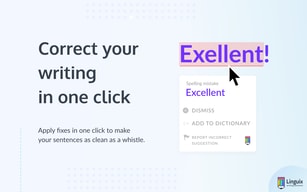
I like that it emphasizes more on rewriting for clarity or for better word choice than grammar. In copywriting, that's so essential. I also appreciate the Chrome extension as well as the actual product. Linguix also has a very cool style guide that allows for the whole team to write copy that aligns with a business's branding.
I really wish it had a word and character counter. It would be very useful for ads, especially since Instagram has a 2200-character limit. Also, Grammarly seems to catch mistakes that it misses. Grammarly also gives synonyms and suggests the tone of voice of a phrase or sentence, features that Linguix lacks.
It helps a lot of rewrite my copy for clarity and different angles. It supplements Grammarly and is a nice lifetime paid product to have in case Grammarly ever decides to shutdown its free tier. I believe it can replace Grammarly after more development on robustness and features.

It is one of the best tools that we have used for writing important documents for our company, it provides us with an assistant with artificial intelligence technology that helps us deliver projects, tasks and articles without spelling or grammatical errors, it also offers us courses to improve writing and debugging repetitions.
I have not had problems because it has shown to be an excellent manager to improve writing through a completely automated process, it provides us with words that help us to make longer sentences and, in this way, saves us a lot of time.
It helps us do writings to share them through various social networks or websites. helps us learn from our mistakes through a set of grammar It provides us with paraphrased texts with clear and native writing. It helps us eliminate spelling, punctuation and grammar errors.

I am impressed. The suggestions are superb and work very well. I was a bit skeptical, but it works very well. Now I can write without troubles, because I know they are helping me in the background. Also, they correct space typos and things that can help keeping the text clean and concise. Also, they offer a "my dictionary" that is a great feature where you can save words to learn. This is also a downside.
I've not found any difference from the “my language level” selector. I tried to change it but didn't saw any difference in the software. I would love to have a space where I can “save” words. Not only the dictionary, but something similar to duolingo, where i the learning process is a bit more gamified. I mean, i know that's not the core of your product, but a learning system is a important thing to improve our English skills. It would be great having some video classes, to learn not only about the spelling, but grammar structure, the hardest part of learning english. It's nothing hard to implement but it could make your product the future of language learning. Also, please, think about other languages as well. Spanish would be a great opportunity.
I'm typing e-mails and social media posts all the time. English is not my main language, so is very common leaving some mistake here and there on my e-mails. Thanks them I can chill now.
It is very fast and the edits are great. I find it less disruptive to my workflow.
My only gripe was a login issue a few days ago that seems to have sorted itself out. Other than that, it has been an amazing journey so far!
It allows me to create my content without disrupting my thought process. It has made writing enjoyable!
Linguix is great for spelling errors, and helps simplify wordy complex sentences for me as I'm typing.
Some of the common phrases I use are flagged, but I am able to send a correction suggestion in with that.
Great grammar editor for my blogs, emails and sales copy.
Linguix is great for writers. The interface is easy to use and I like that it works on various platforms, such as this one, so you've covered no matter where you write.
It's an up-and-coming piece of software. I don't dislike that and they have been GREAT about taking feedback, but it's not as polished as some other tools yet. Still, it was good enough for me to switch from Grammarly and I'm sticking with it.
Typos, communication errors.
It's easy to use, intuitive, and works without any actions on my part. I love that it automatically recognizes spelling and grammar issues anywhere I type, and in any browser window. It's super helpful with long-form content editing in the browser. (I even used it when writing this review)
I haven't found anything yet that I dislike about the tool. It works seamlessly in the background when I am working on content and is a helpful and intuitive editor.
Linguix keeps my communication clear and grammatically correct and works seamlessly in the background while I am working on content. It's a great solution for anyone who creates or edits content in an internet browser.
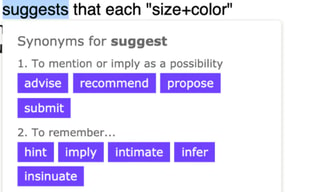
One of the most helpful things about this software is how quickly and identifies misspellings, suggests grammar adjustments, and even has a built-in dictionary and thesaurus.
The software is still relatively new, so there are some functionalities that aren't crucial but would be nice. They will likely come as the software team continues to develop this product.
My corporate emails and presentations have been free from error thanks to Linguix Business.
The best part about using Linguix for my business is that I've been able to catch many writing errors that I would have never been able to otherwise. The snippet feature is great for repetitive phrases too.
No plagiarism checker available, unlike some competitors. However, Linguix does offer more than basic spelling and grammar checking. It offers suggestions to improve writing and I like the option of readability scoring.
My business communication is more professional, now that I have a "second pair of eyes" looking over my work with Linguix. While I have a good change of the English language, it's amazing how many errors are normally overlooked in daily writing.
It's a handy tool installed on Google Chrome that checks all of my writing for spelling and grammatical errors
Some of the extension features activate on pages that I don't need them for, and it's confusing to figure out how to prevent that
Linguix checks my writing as I type to help me communicate clearly and professionally
I am not a native English speaker, but generally, I use it more than my native language. I don't want to make spelling errors, typos, or grammatical errors. On social media, those are not a big deal, but in business communiqués, they can be devastating. Linguix acts as my very own proofreader. I had a language test during set up and regularly feed the system unique words to streamline my experience. And I am seeing good feedback. It can now catch the actual errors with a lot more accuracy.
I sometimes get wrong grammar error prompts. Its not a big deal ignoring them, but it distracts me while I am writing. Also, I miss features like selecting the tone of the text, business or casual etc, that are provided by one of the competitors of Linguix.
It has definitely made my team better writers. We don't have to double and triple-check each email before it goes to the client. And we appear more professional and polished too.

I use Linguix personally and professionally. It has been helpful in my business communications especially with the installation of its chrome extension which draws my attention to, and highlights wrong spellings and/or grammar when detected. The ease of use is definitely something to reckon with.
While I love the software, I still proceed with care as I've noticed that sometimes it doesn't detect or recommend correctness for wrong spelling or grammar. I'm sure it's a glitch in the software and should be looked into. Even though I have a Business plan, I find myself comparing correctness in Grammarly to ensure it's absolutely correct (to which 95% of the time, it is correct).
It helps me ensure the correctness of my language, tone, and spelling, which I find quite useful. It also ensures that my communication is of the highest business communication standard.
I appreciate the clean interface and refreshing aesthetics. It is non-intrusive while working on projects.
nothing as of yet and it is a newer product
Spelling and grammar in a digital world are key components and if you cant convey a message clearly and correctly, you wont be in business very long!
I like how easy the interface is - You literally login and will know how to use it instantly
There is nothing I dislike so far - I have used Grammarly and ProWritingAid but Linguix is the best alternative to Grammarly
Our problem was using paid grammarly for all our employees will be costly and linguix business has a better pricing model and we find that it function in par with grammarly so that was a quick and easy switch decision
Love the browser extension which lets Linguix work on basically any platform accessible via browser. Time saving and innovating. Its very simple to use and gives suggestions along with access to an online dictionary. It also gives prompts for correction at the end of every character field.
That it can't work with standalone text editors and email clients. This is a major drawback, which I hope will be addressed by Linguix soon enough. Their product roadmap seems promising though.
Grammar checks, punctuation, spelling and context have all become easier to correct with this automated tool that tracks your writing. A must-have app if you want to avoid sending our poorly proofed documents.

1. Speed: Speed of suggestion is amazing, faster than Grammarly. 2. Snippets: this one is my favourite feature. I often have to do repeated texts to my clients and team members. Before Linguix I'll have to paste it from the Windows Clipboard or the sticky notes but now getting them right into my text editor is just a shortcut away. 3. Secret Mode: We often share our account/computer with our friends and family, if you use the secret mode you won't have to be worried about anything that is auto saved and left in your account. 4. Beautiful UI and choice of colours, colours are energetic and eye catching. Overall, I find UX amazing. No matter what I see Synonyms, Style, Statistics all are easy on the eye. Dashboards are beautiful and informative; they give writing insights about everything that makes you feel confident. 5. Templates: IMHO this feature alone is worth the price, I often search for email templates, and read them all and design one for each occasion and it consumes a lot of time. Linguix comes here for the rescue with their cool templates feature, you can use and customize existing templates or create your own that can be inserted anytime right from the Linguix. 6. In my knowledge, I think Linguix is the only writing assistant that not only focuses on writing but also your writing productivity and who doesn't like productivity tools for their team?
1. No plagiarism checker. 2. No markups in Linguix document editor, this is something I feel is important. 3. Does not work with sites using iframes. 4. No desktop application. 5. No outlook integration. Having mentioned, Linguix is new and I believe these all stuff will come eventually as everything is present in their roadmap.
Along with the grammar corrections, snippets are extremely helpful. We use it for support emails, business proposals and blog posts.
Linguix works as a plugin directly in my browser (Opera mostly), I don't have to open Linguix up, it's just their in the background checking and suggesting changes to my text.
There is no native macOS for operations outside the browser (Such as MS word)
Emails are critical in having correct spelling / grammar. I now prefer to write my emails on the web-based version of outlook rather than the desktop version to take advantage of Linguix. Everything I type into the browser is checked with Linguix so it's working for me when I blog, chat, social media, interact on forums. It's brilliant.
Aside from spelling and grammar checking within almost all web based typing scenarios, the killer advantage for me is the snippets. These allow instant pasting of regularly used sentences, paragraphs or whole pages of text.
Not a lot to dislike, though on some rare occasions it seems that the app wasn't working on some pages. A refresh of the page seemed to fix that, if it ever arose.
Accuracy in spelling and grammar helps to maintain credibility in the minds of my customers. Also, avoiding time wasted with repeatedly writing common email answers.

Linguix brings everything to the table that it's competitor does, plus some amazing features. The UI is definitely preferable and very clean, with a color scheme and Google Chrome plugin that works on even more sites and areas then Grammarly. The snippets feature is absolutely amazing and replaced the clunky chrome extension I had before. Since it utilizes hotkeys, this is another amazing time saving tool that Linguix has added to my arsenal. Using hashtags or hotkeys I can instantly add a block of text that was extremely well thought out instead of writing the same thing poorly because it's the thousandth time I wrote it out. Not to mention that Linguix comes in at about 30% of the price of Grammarly, switching was a no brainer for me.
I wish the mobile keyboard could be a bit more fleshed out. For example, autocorrect instead of having to go down in the traditional way. However, the rate in which Linguix is developing new features and improving existing ones kind of negates these problems. Secondly, I do occasionally have issues with the editor icon popping up TOO much. There are some forms and web-apps where Linguix tries to come in and help but I have to turn it off because it breaks the experience. These moments are far and few in between, however, this is probably my biggest gripe with the software in it's current state. The easiest solution here really boils down to putting the mobile features aside until they hash some more stuff out.
For Copywriting, Linguix is absolutely priceless because it helps me make sure the text is flawless and the message is exactly what I need visitors to see when we're paying for each set of eyeballs on the landing page. Emails, Customer Support, Repetitive Tasks. The main benefits are coming off even smarter than I really am aha, writing is a weakness and Linguix really fills in the gaps. One thing that I have really got a HUGE benefit out of is the snippets feature.

I do daily radio commentaries and a weekly newspaper column. My needs are simple. I didn't want a complex editing solution that required a steep learning curve. Linguix did everything I needed immediately. By using its suggestions, I've corrected a few things that I was doing out of habit. One more thing, I know I've just scratched the surface with this product, that there is much more I can utilize. Since my current requirements are handled so well, I can take my time to learn more.
I haven't found anything that is a downside.
Most people tend to write like they talk, and over time that grows into a habit. For me, it may sound good on the radio, but the same style may not work in print media. Linguix makes suggestions that I can at least consider, when working on a newspaper article. I also like the clean layout as to what areas the app wants me to check — spelling, grammar, punctuation, typos, etc.
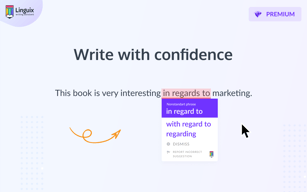
Linguix will offer alternative phrasing for certain words and phrases. It also helps remove redundancy in my writing, and Linguix makes me more aware of it. I tend to use phrasing like, “It's pretty awesome!”, instead of saying “It's awesome!”
Linguix also activates when I'm editing code, and the input field gets a little overwhelming with the number of recommended corrections.
I'm a teacher, and I send lots of emails to students and colleagues. Linguix helps me sound like I know what I'm talking about all the time.

I have noticed when I first got it that I still liked Grammarly better, and thought that Grammarly did a better job of correcting spelling and grammar, but as time went on I am now noticing that Linguix is truly starting to show off and bet Grammarly. All the time now Linguix is faster than Grammarly, and it most of the time picks up more/better than Grammarly. I am truly impressed with how fast and how serious the creator is taking the team at Linguix.
I wish it included plagiarism, but to be honest the creator does say that is an option one day in the near future. I also wish it would work on desktop apps on windows and it would also be nice if they had a mobile version. I have heard they are working on the mobile version, and I am sure they are working on the desktop, but I haven't personally heard anything about it. I wish it worked with WordPress better.
The more I use Linguix the less I use Grammarly. Linguix is faster, and usually gets more misspelling/grammar mistakes. Linguix is just getting better everyday also. The creator is great at fixing bugs, and making the product better. I would be interested in anything he has for sale in the future.
Chrome extension is very helpful when you're writing an article or composing an email
I didn't really have any issues. I remember a few times when the Linguix Snippet shortcuts didn't work but it's not a big deal and I can always access them by going to my Linguix account.
I live in Canada but English is not my mother tongue. Nevertheless, I write blogs and emails constantly all day long. Linguix Chrome extension catches most of my typos really easily but what is more important, it helps me correct the punctuation and even suggests when I am not using the articles correctly (a/an/the).

I do daily writing on social media for my business. There are a number of times I feel pretty confident with my grammar but always want to double check. I’ve used other tools but they weren’t always that great about catching mistakes or perfecting the grammar. When Linguix came along and stated its ease of use I wanted to give it a try. I’ve been using Linguix for over a month now. It does a great job of correcting any mistakes I make and using the right syntax. It has been a tremendous help for quickly proofing documents and blog posts. I can’t recommend this product enough!
Nothing at this point. It works as expected and they are constantly updating.
No problems to speak of. The main benefits I am seeing is how easily it catches even small mistakes with grammar or punctuation. One click and it’s automatically fixed. There are a few words it may not recognize like personal names that are spelled correctly but don’t show up in their database but that is about it. It is so simple to use that anyone who writes consistently is going to need this tool. I believe it works better than Grammarly. I hope to use this product even more as I am working on a book project and believe that will help with a lot of the proofing that needs to be done. It’s also nice you can break the text into subjects and save it in Linguix for future use.
Easy to use Set up and forget Great price
Nothing to be honest Although I heard some say that the competition had a plagiarism checker
Ensuring my emails are grammatically correct but also allowing me to check any text I wish

Linguix Business is user-friendly and alerts me to errors that other writing assistants miss.
No mobile checker app for Android or iOS
I'm a content marketing writer. Linguix helps me proofread my work to ensure there are no mistakes.
Very simple to use software. I do a lot of writing and editing, so I would say I'm a potential power user. This was recommended to be as a Grammarly alternative at a much better price. I recently switched over and then never looked back.
I write for both American and Australian audiences. It would be good to easily switch between the two.
Less grammatical errors, fewer spelling mistakes and faster editing.
Very happy with the product. We had Grammarly for a few months but since we switched to Linguix, our writing is better, as in my opinion Linguix as a tool is better in many ways compared to other solutions in the market. I do not have any regrets for buying it, and would definitely recommend it to anyone who needs a grammar spell check add-on.
There is nothing about this product that I do not like. It is fine.
Writing articles, emails, creating english content for our websites. It is very helpful for when you really need to make sure you spell correctly especially for a business email or an important article.
It is simple to use and it works great! I use it every day and it helps me so much.
There isn't anything I can think of that I don't like it is like "Set it and forget it" it just tells you to fix things .
I am a horrible writer and my grammar is not very good so it helps me look professional and not make common mistakes, typos and grammatical errors.
Linguix is a product that works either within the application or via my Firefox browser to help me write as close to perfect in prospecting for new business, and staying in contact with my clients.
Just like any software as a service, users have to make sure that they go through the training on how to use the product, keep learning, and share their views on what would make the product better. The Linguix team is constantly working on improving the product, and requesting user feedback.
The problems I am solving is the ability to utilize technology to help me write 10X more effectively, and efficiently. I've been using Linguix for three months, and this product has made my job so much easier.