

Unclaimed: Are you working at Pipedrive?
Pipedrive Reviews: 4.2/5 — Solid Choice
Pipedrive is a web-based sales CRM platform that provides users full visibility of all active sales pipelines. It’s best known for its interactive user interface that displays detailed progress stages for every deal, along with key details an actionable items. The platform was specifically built using activity-based selling-methodology. Its mailing system also seamlessly integrates with major email service providers.
Pipedrive is also often used as CRM of choice in Venture Capital and Sales tech stacks.

| Capabilities |
API
|
|---|---|
| Segment |
Small Business
Mid Market
Enterprise
|
| Ease of use |
Beginner
Intermediate
|
| Deployment | Cloud / SaaS / Web-Based, Mobile Android, Mobile iPad, Mobile iPhone |
| Support | 24/7 (Live rep), Chat, Email/Help Desk, FAQs/Forum, Knowledge Base, Phone Support |
| Training | Documentation, In Person, Live Online, Videos, Webinars |
| Languages | Dutch, English, French, German, Italian, Polish, Portuguese, Spanish, Turkish |
Pipedrive Pros and Cons
- Straightforward and intuitive user interface
- Unlimited custom fields for collecting customer information
- Easily track deals, values, and win probabilities
- Access custom reports to track recurring revenue
- Examine individual sales calls, emails, and demos
- Limited functionality for bigger businesses
- Problems with list separation







Pipedrive Review: Does This Popular CRM Live Up to the Hype?
Sales reps need to be able to juggle a lot of information—especially on high-velocity teams where they’re dealing with 400+ leads per month. How do they manage?
By using a reliable sales CRM to help them manage the work better.
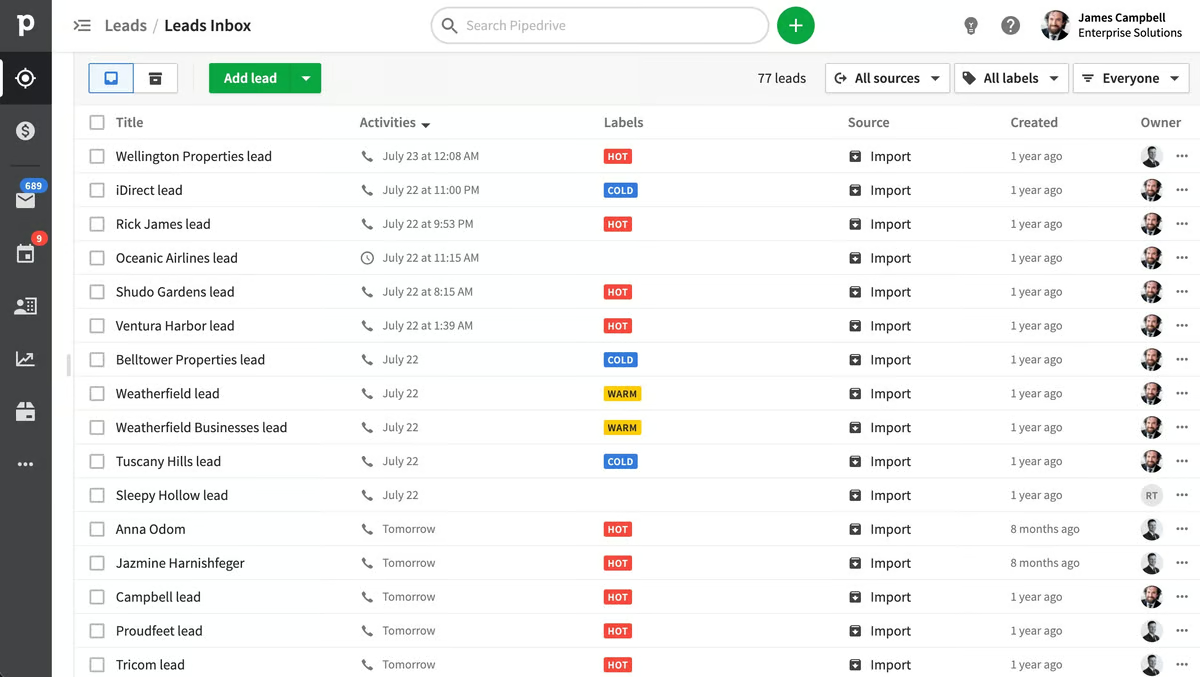
One of the more popular CRM options out there is Pipedrive—but does it live up to the hype? In this Findstack review, we’re taking a deep dive to answer that very question.
What is Pipedrive?
Pipedrive describes itself as “the first CRM designed by salespeople, for salespeople”.
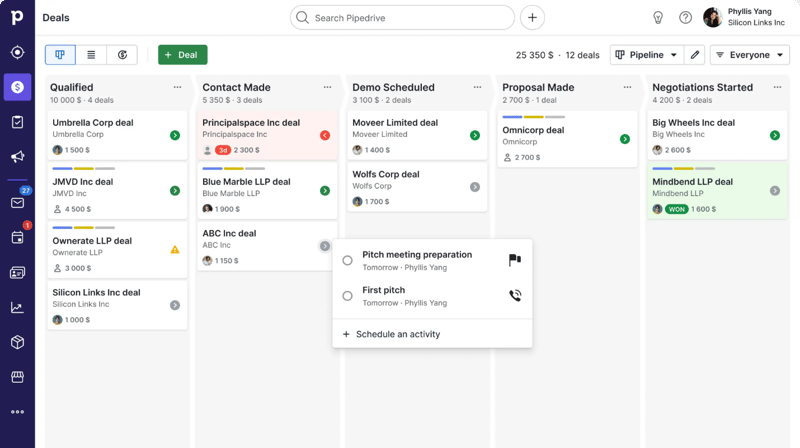
While it probably isn’t the first, the rest is true—it’s a CRM specifically designed to fit a sales team’s unique needs and processes. The software is designed to help teams better manage their sales pipelines, making it easier to track leads and opportunities, manage customers, and automate busywork—all in one place.
Getting Started with Pipedrive
Getting started with Pipedrive is a super easy process. Before diving into the tool’s actual features, there are only really three things you need to do:
- Set up your pipeline stages. Stages are fully customizable, so they can reflect the specific process you have in place.
- Add deals and contacts. You can add deals and contacts manually, import them via a CSV file, or import them from another tool.
- Invite your team and set access controls. You can invite users to the platform via bulk email invitations. You can also choose which team members will have access to certain data points.
Once you’ve completed these three steps, it’s time to start exploring the platform.
Pipedrive Key Features
Sales Pipeline & Deals
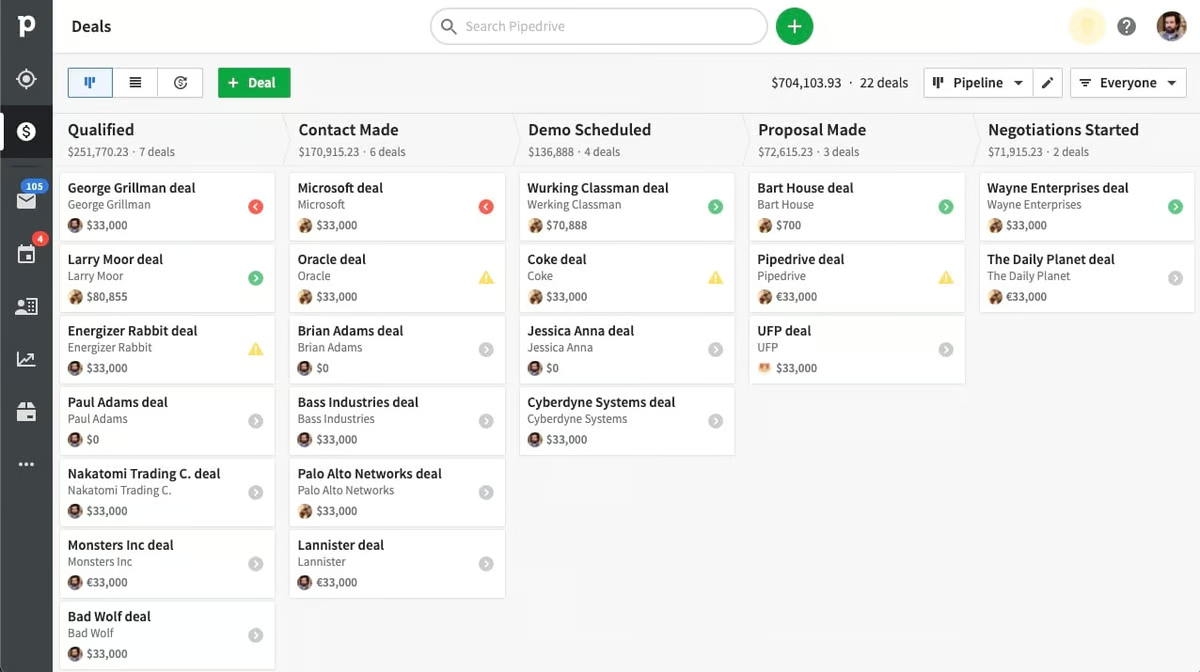
Pipelines and deals are Pipedrive’s (and every other sales CRM’s) bread and butter. They’re visual representations of your sales process, including stages, deal flow, and the status of your current deals.
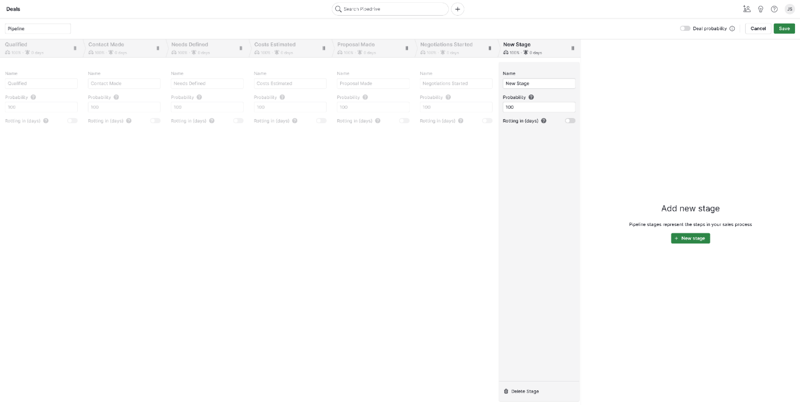
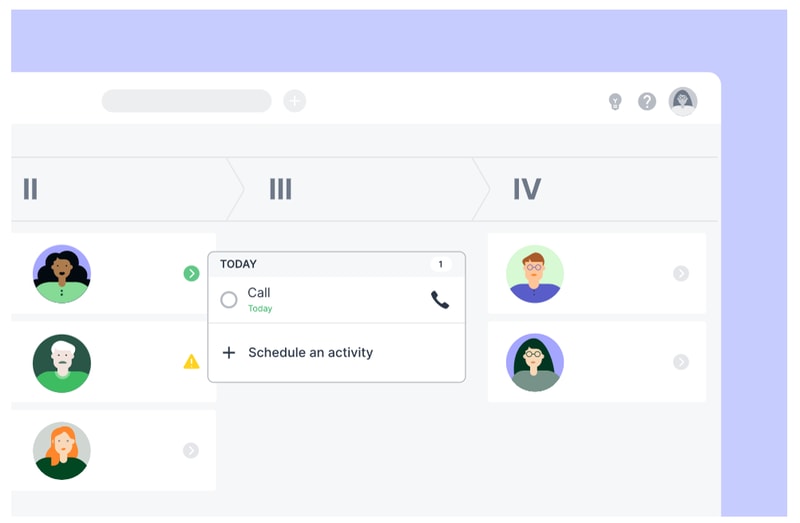
In Pipedrive, pipelines are completely customizable. You can easily add new stages to the pipeline and adjust the order of stages by dragging and dropping—just click “Edit Pipeline” in the upper right-hand corner.
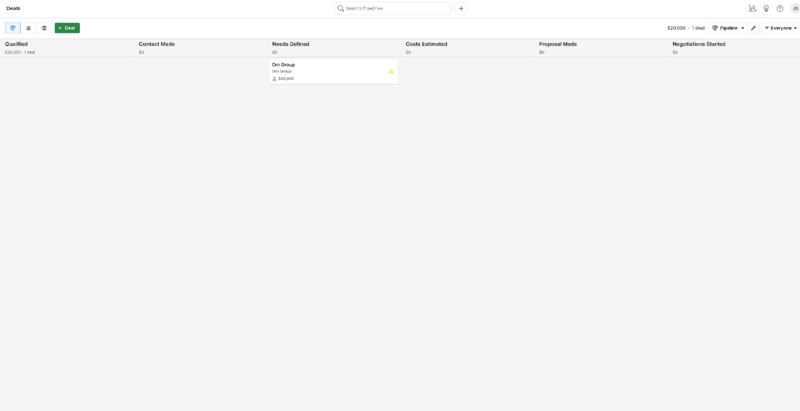
You can also easily add new deals and view existing ones from the pipeline view. The option to review every deal’s details is especially useful and accessible simply by clicking on it in the pipeline. This includes:
- Contacts
- Labels
- Notes
- Products
- Communication history
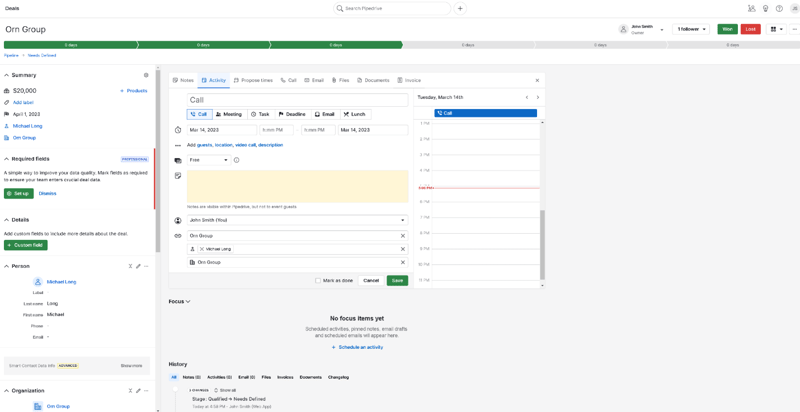
You also have the option to define custom fields for your deals. These can either be marked optional or required—perfect for helping your sales team prioritize key pieces of information in their talks. The “Deals” tab is also where your team will write notes, schedule sales activities, and track availability.
Communication Tracking
Pipedrive’s communication tracking features are great.
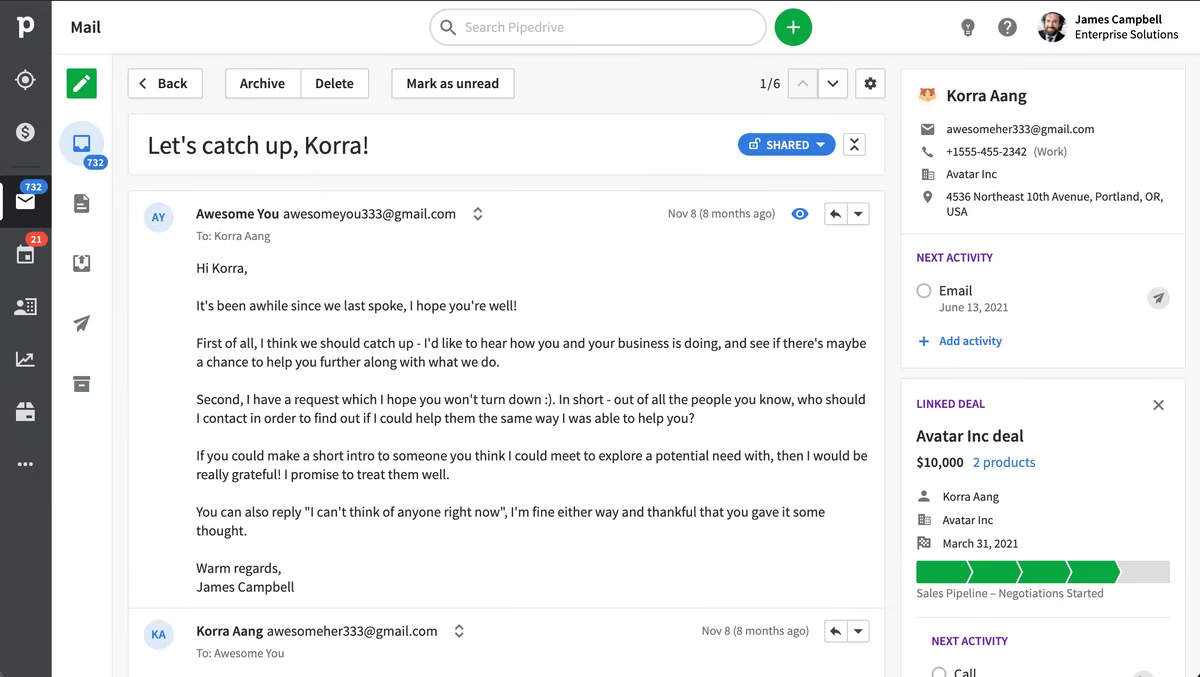
For starters, the underlying organizational system is super intuitive—contacts are organized by dividing them into “people” and “organizations”. You can then link these to the deals they’re associated with and easily check your history of calls, emails, and activities with any of your contacts or deals.

Pipedrive’s email inbox is sales-focused and super intuitive, too. It has a ton of features that speed up the process of managing and sending emails, including:
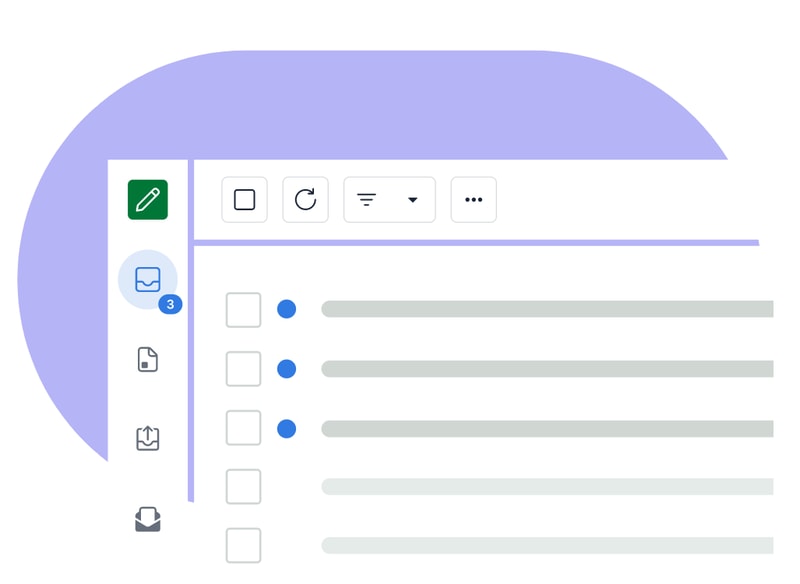
- Email synch
- Email tracking
- Email distribution groups
- Email scheduling
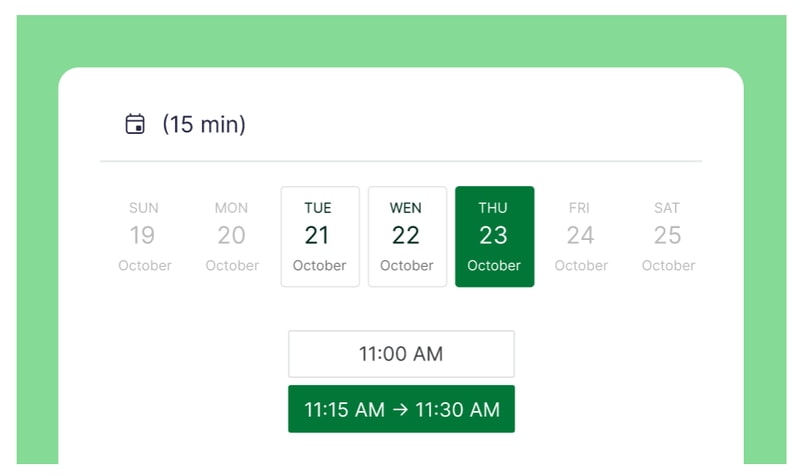
There’s also Scheduler—a feature that helps you set up meetings without annoying back-and-forths by sharing your availability and letting invitees book time slots that work for them. You can also automatically set up video calls for scheduled time slots on Zoom, Microsoft Teams, and Google Meet.
Last, but (definitely) not least, Pipedrive integrates with a ton of great phone tools, so you can place calls from within the platform. This makes it easy to track your activity, record data, and even automate certain call-related processes—but more on automation in a moment.
Automation
One of Pipedrive’s main selling points is its automation features. There are quite a few to unpack here, but there are two main types:
- Sales automations
- Workflow automations
Sales automations are features designed to help you optimize your business’ sales process. Take Sales Assistant, for example—this automation tool creates custom behavior-based cards with performance tips, notifications, and progress updates for each team member on your roster. It also notifies everyone affected by changes to settings and deals, so no one’s left wondering where their recent deals went.

Smart Contact Data is another sales automation tool that pulls in data from sources like LinkedIn, Google, and X to help you get a better understanding of your contacts.

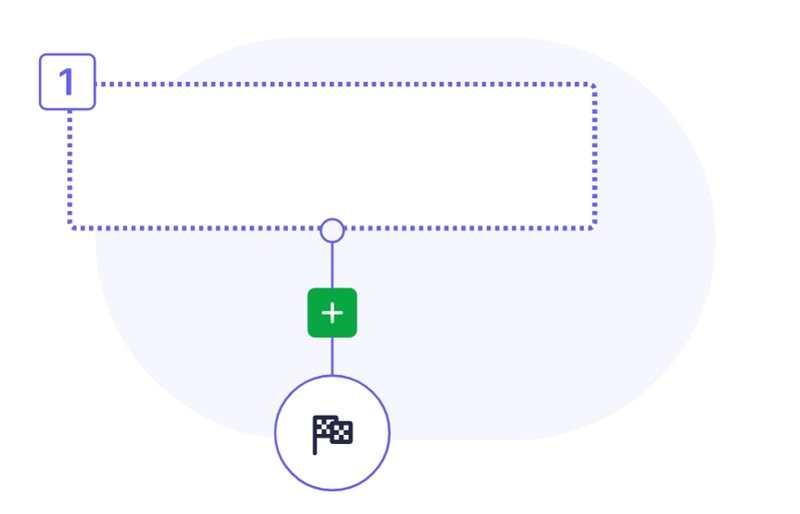
On the workflow side, Pipedrive’s Automations let you create custom actions and processes that are triggered automatically when a certain action is taken (e.g., when a deal changes pipeline stage). These are great for cutting down on admin work and freeing up your team to focus on bigger and better things (like actually closing deals).
Insights & Reporting
Finally, it’s time to talk about Pipedrive’s reporting features.
Starting with the basics, Pipedrive’s sales reports are totally customizable. You can track whatever data points you need, and cut out the ones you’re not s interested in. Plus, there are a few pre-built reports you can use, including:
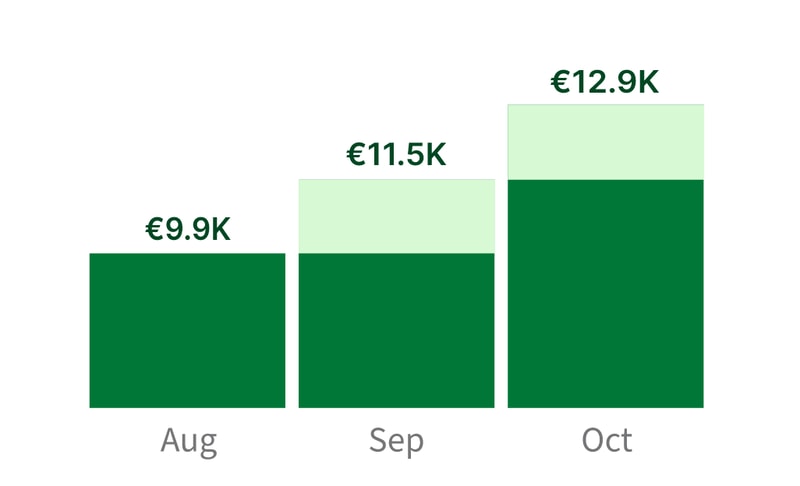
- Revenue forecasts
- Performance reports
- Conversion reports
Pipedrive’s Insights dashboard is great, too—you can turn all your data and metrics into beautiful, interactive charts and graphs that are easy to read (and share).
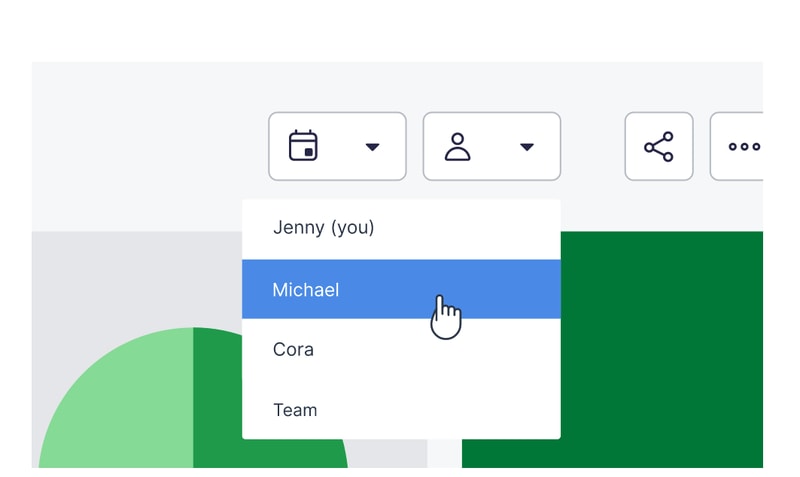
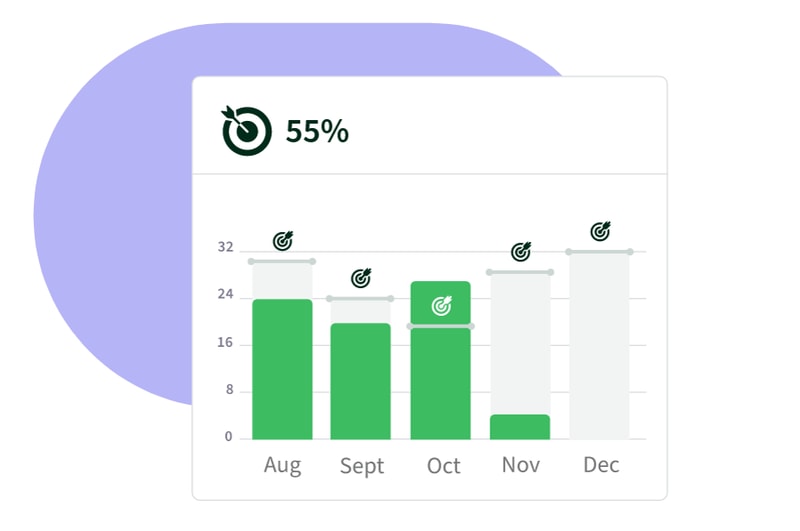
If you want to set goals for your team, Pipedrive has you covered there, too. You can create goals based on deals or activities, and specify them by adding key details like assignees, types, pipelines, durations, and intervals.
Oh, and if you’re looking for even more customization, Pipedrive has an open API. That means you’re free to build custom integrations that meet even the most specific of reporting requirements.
What Makes Pipedrive Stand Out from Other Platforms?
Time-Saver
Pipedrive is one of a select-few CRMs that genuinely feels like it’s saving you time. Its automation features and intuitive interface make it easier to manage contacts, deals, emails, calls, and activities—all without having to manually enter every single piece of data.
Visualization & Reporting
It always helps to see information presented visually—and that just so happens to be an area where Pipedrive excels. From the visual pipeline to the Insights dashboard and interactive reports, Pipedrive is packed with features that make it easier to interpret your data.
Impressive Integrations
Pipedrive’s Marketplace is massive. At the time of writing, there are more than 300 integrations available. Plus, the listed tools range from video calling platforms to lead generation tools, so you’re sure to find something that fits your needs.
Pipedrive Pricing
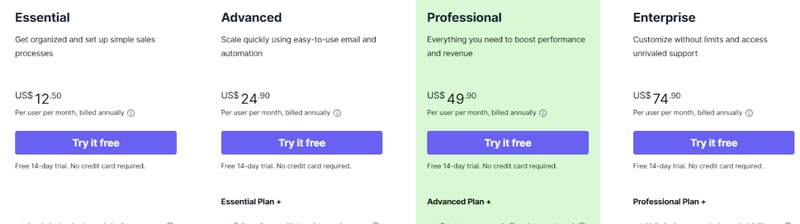
Pipedrive has four paid plans that you can choose from.
- _ Essential _ includes lead, deal, calendar, and pipeline management, simple data import and customization, and 24/7 support with over 300 integrations.
- _ Advanced _ offers all the features of Essential, plus full email synch with templates and scheduling, group emailing with open and click tracking, and customizable automations with an in-depth automation builder.
- _ Professional _ includes all the features of Advanced, plus the ability to create, manage, and eSign documents and contracts, revenue projections, forecasts, and enhanced custom reporting.
- _ Enterprise _ includes all the features of Professional, plus unlimited user permission and visibility settings, additional and heightened security preferences, an implementation program, phone support, and no feature usage limits.
See Pipedrive pricing for current rates.
Still on the fence? Don’t worry—all four plans come with a 14-day free trial. No credit card required.
It’s not all good news, though. In addition to the plans, you’ll also need to think about which add-ons you need. Quite a few great features (e.g., Scheduler) are pay-walled behind pricey add-ons that don’t come packaged with the base plans.
Pipedrive Pros & Cons
Pros
- Highly customizable pipelines and fields
- Highly visual dashboards
- Massive selection of integrations
- Easy-to-use automation builder
- Extensive reporting capabilities
- Affordable paid plans
- 14-day free trial (no credit card required)
Cons
- No free plan for light users
- Automations not available on the Essentials plan
- The add-on system increases the cost dramatically
- No ticketing system and spotty customer support
What’s the Verdict?
Pipedrive is one of the top sales CRMs for a reason—a few reasons, actually. It packs in a lot of features designed with sales teams in mind, and most features are executed well.
The only real downsides are the result of the company behind the product, not the product itself. If you can overlook them, you’re in for a great experience.
Overall, Pipedrive’s well worth considering if you’re shopping for a CRM—but it isn’t even close to the only option.
If you haven’t found the CRM you’re looking for, Findstack can help. We’ve compiled a list of the best CRMs (complete with reviews and comparisons), all in one place. Start browsing for your new CRM today!

Compare Pipedrive with other popular tools in the same category.
Ease of use. It's very intuitive. Uploading contacts is quite easy. I love the email intergration that links your prospect/customer emails directly to their account profile.
I would like to add multiple labes to prospects & accounts. I would like to add color fonts so that certain important prospect/client details stand out quickly.
Keeps me organized so that I am maximizing revenue.

Its user-friendly interface has facilitated the development of goal-based marketing automation. It helps me a lot in maintaining fruitful partnerships and exceptional lead follow-up. The fact that Pipedrive can increase revenue through sales management is, in my opinion, its best feature. As for Pipedrive, I couldn't be happier with it. Among its many features is the ability to screen and monitor customers.
Technical support is the only aspect that could be improved. Sometimes, questions go unanswered.
With Pipedrive, we do sales planning with a focus on management and quality across the board. Advertising automation and intrusive marketing through social media and email have generated a lot of sales for us. Development and marketing teams find it quite easy. If you're looking to manage leads and automate your entire sales process in one place, Pipedrive is perfect.

All the info integrated, the visual aspect, the dashboard, how easy is to use, and all the integrations that save us so much time!
I do not remember of anything that I disliked, nevertheless, there are features that could be improved
Pipeline management, deal management and client management.
We will be able to track KPIs from a sales side and know where things are with our projects. Integrations for the most part.
Being able to track KPIs for projects. And some of the packages are one size fits all. It should be a little more alacarte if you will. More so than it is now. Other that no big dislikes.
Sales tracking and operations pipeline tracking
You can easily track your deals in the CRM.
Task reminder system, import data system.
Deals tracking and filtering contacts by different keywords
Probably the thing I lik emost about pipedrive is that it is intuitive. I don't have to read through hours of training, etc., to understand what things are and how they work. It works as you'd expect it to. I'm brand new and I know there are things I'm not taking advantage of yet but overall, it's a great piece of software so far.
Haven't found anything yet that I would call a negative.
Tracking leads from the time the come in to their completion and encouraging following a systematic approach to closing business.
I like the self-service product that Pipedrive is
There is a lot of manual task that you have to do if you are not in a upper plan
Centralize customers data
ease of use: I was implementing the Pipedrive system for a client, and it was very easy.
Some functionality is only available in tiers that are not actually suitable for you
loss of deals, better and clearer tracking of deals and leads
1. Easy to use and implement 2. Big range of useful tips 3. Makes the process of selling and deal control simple 4. All-in-one system (calls, emails, pushes etc.)
1. The price 2. Long time to wait for support reply
1. Helps to control and track the deals 2. Helps to create a sequence of deals for reaching out

Pipedrive CRM is an excellent tool for managing sales processes and keeping track of customer interactions. With its intuitive interface and robust features, Pipedrive makes it easy to stay organized and efficient when dealing with a large volume of leads and deals.
One common complaint is that the reporting and analytics features could be more robust, and the mobile app could be improved with more features and better functionality. Additionally, while Pipedrive offers a range of integrations with other tools, the difficulty to set up integrations or find the specific integration I need.
Pipedrive CRM is designed to help businesses solve various sales-related problems and challenges. Some of the key issues that Pipedrive can help address include the following: 1. Lack of organization: Pipedrive provides a centralized platform for managing sales activities, helping businesses stay organized, and ensuring that nothing falls through the cracks. 2. Inefficient sales processes: Pipedrive is designed to streamline the sales process, making moving deals through the pipeline easier and faster. 3. Poor communication: Pipedrive's email integration helps ensure all communication with customers is logged in one place, making it easy to reference past conversations and ensure nothing is overlooked. 4. Difficulty tracking performance: Pipedrive's reporting and analytics features provide valuable insights into sales performance, helping businesses identify areas for improvement and optimize their sales processes
The best feature is the simplicity right "out of the box" and overall customizability of the platform. It's ability to interface so many different platforms to make the whole pipeline matriculation process is handled with incredible ease. Customer service is responsive and is handled primarily through email, but Pipedrive is very accommodating and willing to create a deal that will truly present value.
The only critique I really have is that you cannot remove default fields that are prebuilt into a profile. Some are not useful to our overarching purposes and really can be overlooked, but if that aspect was customizable it would really improve the overall experience.
It is managing the sheer volume of applicants that we are tracking towards a successful closing from a recruiting perspective.
I like that all of my prospect are in the correct time timeline and help to get best follow up
anything, I would say that everthng is perfect
whe I add new client is easy and friendly, I can share my work with my teammembers
the notes and follow up sections and the business card scanner integration
would like the mobile section to be slightly more robust
record keeping and organization
We have been using Pipedrive as our CRM for only a couple of months now and we are all loving it. It was easy to implement and it's easy to use. Pipedrive is intuitive and doesn't have dozens of screens you don't need like other bloated CRMs. We are trying out new features and apps weekly and so far it has been a time saver and is allowing us to do a better job of managing our contacts and sales funnels. Each time I have had a question customer service has been fantastic.
Nothing yet! We've had some questions as we set things up but nothing that I dislike at all.
Managing and track both our teams, their contacts, sales funnel and our clients as a whole.
It is allowing me to customize CRM to fit my specific sales process, which is a best feature for me.
There is nothing to be dislike yet as I am getting benefits of using it.
Earlier I have insufficient sales process and it was not easy to manage everything with the Excel so Pipedrive is helping me to fulfill my sales processes.
Visual Sales Pipeline: Pipedrive provides a visual representation of the sales pipeline that allows users to easily see the status of each deal and prioritize their sales efforts accordingly. Customizable Sales Process: The software allows users to customize their sales process to match their specific business needs and sales workflow. Sales Reporting: Pipedrive provides detailed sales reports and analytics that allow users to gain insights into their sales performance and identify areas for improvement. Integration: Pipedrive integrates with a wide range of third-party tools and applications, including email clients, calendars, and marketing automation software. Mobile App: The Pipedrive mobile app allows users to access their sales pipeline and manage their deals on the go, making it easier to stay on top of their sales efforts.
Steep Learning Curve: Users may find the software complex and difficult to learn, especially if they are not familiar with sales management software. Limited Customization: While Pipedrive offers some customization options, users may find that they are limited in terms of branding and design.
Lack of visibility: Pipedrive provides a visual representation of the sales pipeline, allowing users to easily see the status of each deal and prioritize their sales efforts accordingly. Inefficient sales processes: Pipedrive allows users to customize their sales process to match their specific business needs and sales workflow, making it easier to streamline and automate tasks. Poor communication: Pipedrive's integration with third-party tools and applications, including email clients and calendars, can help improve communication and collaboration among sales teams. Ineffective reporting: Pipedrive's detailed sales reports and analytics can help users gain insights into their sales performance and identify areas for improvement.
Having the information available, in a history format (notes, emails, calls, etc.). I don't need to remember stuff, when somebody calls, I can go to Pipedrive and see in seconds where that deal is at, the latest interactions. Setting up reminders & followups, reserving time directly on my calendar. Seeing what other team members are doing, reports on the operation.
Automatic minimization of itens/Notes/pics in the history of a deal.
Management of contacts, all information is kept in Pipedrive. Pipeline of deals, all data related to specific deals is kept in the same platform, in an easy to access and easy to share between teammembers or when somebody leaves the team. Scehduling activities and not leaving contacts unanswered.
how clear and easy it is to use, easy to add new functions
nothing, it is very simple and quick to use
Keeping all the date which is easily shared between all the team members
Everything in one place about customers, organisations and timeline of what has been happening with the account. Everything is time stamped so easy to check back on what has been done when. Rollout to the team was quick and easy, with good customer support and really easy to integrate with current systems. We use this every day across the team, for all our quotes and follow ups every week. There's lots of features to integrate with systems we already use, and the potential for customisation is huge.
Personally, there needs to be some more variation in the animations when a deal is won! Other than that, it's a great system.
We use Pipedrive to organise our quotes and pipeline - some things that make it great is easy to track and schedule follow ups, easy to see overall pipeline value and each stage value, and the different stages make it easy to see what is going to be an order soon.
My favourite thing about pipedrive is being able to have everything in one place I can set activities against my deals and tasks on other employees ! that i can make my own filters on my deals page so i can see what stages my current deals are at
To be fair there isnt much i dislike about pipedrive! it would be nice to be able to tag people in acitivities where i've made a call instead of then having to write a note to say read my previous call activity
It is helping with time management which enables me to make the most of my time and plan my activites ahead
The ability to keep all our sales processes in one place, with live updates for our field sales team
The products section needs some work, The lower subscription levels lack some fundamental functions and can be out of reach for smaller businesses and teams.
Pipedrive has reduced the need for a considerable amount of spreadsheets we used to use, and significantly improved performance reviewing
Simple to use - makes my life so much easier - especially monitoring follow up's
Being able to see all your accounts that you are assigned in one place
creating deals and montoring accounts
Our company has sales reps all across the US and we can use one system but have data organized based on each property location. Insight is a wonderful tool to see tons of different trends and metrics.
Not as much customization as we'd like to have. There are certain features that would make Pipedrive even more beneficial if we could limit it to certain users or pipelines.
Sales tracking, goal tracking, data management, document & contract generation.
Simple to use, fast speeds in the browser and the mobile app is just as good.
Would be nice to be able to choose the features you want only (ie. create your own 'bundle' without having to upgrade to the most expensive package. This is an issue with most CRMs in my view.
Keeping us in top of Leads and conversion rates, making our sales process manageable and keeping the team focussed/on track.
Support was excellent throught the integration, contact data upload and management, it also have lots of documentation to help understand its workflow. Sotware is easy to use, offer automation, forcasting, intigrations and scalling capabilities. Overall a great tool.
I am bit learner for now so I am not sure I am commenting it right, but the custom feilds didn't worked as per my expectation. The data flow and its intigration to analytics is bit tricky.
Pipedrive is my contact box and one stop app for email outreach and further management.
Its useful as you can look at the big picture, so i can see all my deals on one page and where each is up to. You can make ammendments to different parts meaning you can make it easier to each user in different ways.
Sometimes it can lag a little and buffer, and not all the deals show on the home pipe drive page, you have to keep refshing this to be able to see all the deals in the collum.
organisation.
The activities which are really helpful in organising my day.
That it doesn't link with other internal systems.
Time saver
Very simple and easy to ready and gives clear overview of where my leads are up to.
That it doesn't directly talk to our ERP system
Loosing buinsess by following up
I love how customisable it is, the insites tab is super helpful
I'd like more reports on the subscription
streamlined a lot of processes
It's intuitiveness, as it makes my life a lot easier, knowing everything is noted and it's in sync with my google calendar to ensure I don't miss a beat
Very pricey, would love to have more members of the team use it, but it cost too much, there needs to be some form of a bundled rate.
tracking calls and it gives us opportunities to record and listen for training purposes, and it makes taking notes a lot easier.