

Unclaimed: Are you working at Smartsheet?
Smartsheet Reviews: 4.4/5 — Solid Choice
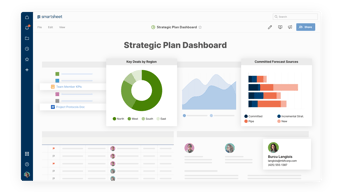
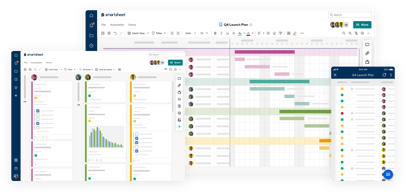
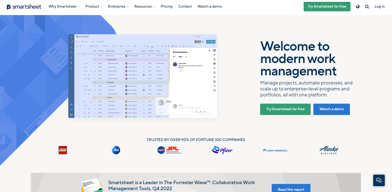
Priding itself as the trusted work management platform of over 90% of Fortune 100 companies, Smartsheet is a modern work management software that enables businesses to manage projects, automate processes and workflows, and scale up to enterprise-level portfolios and programs. It offers a robust set of views, dashboards, reports, and workflows to track and capture project plans, schedules, and resources. Smartsheet easily integrates with a number of third-party apps and software to allow teams to integrate the platform into their current way of working. Enterprise-grade, it’s one of the most secure work management software in the marketplace, giving managers and IT teams visibility and granular control over data and access.

| Capabilities |
API
|
|---|---|
| Segment |
Small Business
Mid Market
Enterprise
|
| Deployment | Cloud / SaaS / Web-Based, Mobile Android, Mobile iPad, Mobile iPhone |
| Support | 24/7 (Live rep), Chat, Email/Help Desk, FAQs/Forum, Knowledge Base, Phone Support |
| Training | Documentation |
| Languages | English |
Smartsheet Pros and Cons
- Data-driven automation for more efficient workflows
- Easily customizable platform
- A highly visual solution makes task tracking easier
- Critical task management features help drive productivity at scale
- Reliable automation of critical business processes for team and projects
- No time tracking feature
- Doesn’t offer an auto-save option
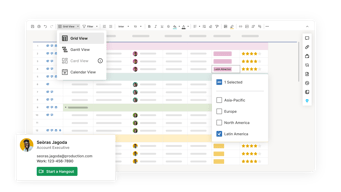
- Limited calendar view
- No time tracking feature







Compare Smartsheet with other popular tools in the same category.
simple and easy to gets and so many feature to learn
sometimes slow update,laggy if have many data process
problems smart sheet solve in our company is a centralize data .
Smartsheet impresses with it's intuitive interface. As it's a cloud based system, we can access from anywhere and update the data in realtime. This helps us to connect with our teams while working remotely. It has a number of good features like excel like data validation, conditional formatting etc. It can be integrated with other third party tools very efficiently. As we are using this as the project management tool the frequency of use is quite often. The base line is this is a complete package from process automation, project management.
It becomes laggy when bigger data is accessed. Price is little higher side for small businesses. Learning the software for the new users is tricky but worth of spending time.
Firstly it saves so much time as it is cloud based and the whole team can connect and collaborate in real-time basis. No need to check the different mail trails. Auto alert feature makes the job much easier for the project managers to manage the tasks.
Smartsheet has revolutionised the way that we manage projects. From the user friendly UI which is losely based around a user favourite (Excel), to the way it has seemlessly integrated into our working day. Within the last 6 months we have implemented Smartsheet to allow all stakeholders within our projects to see at a glance exactly what is going right, or wrong within a project. As a team we get chased on our projects less frequently now and we have dozens of collaborators using Smartsheet on a daily basis.
There are some limitations with regards to forms and limited logic, as well as being able to have dynamic drop down options displayed, but all in all, Smartsheet is ever evolving and they appear to listen to user feedback.
Smartsheet provides real-time access to important data that needs to be shared throughout the business. This has improved communications and has helped to focus our daily/weekly stand-ups.
The collection of information through forms that can be tailored for each process.
I am having difficulty figuring out how to create a dashboard with the information I want to display.
Smartsheet provided a process for the collection of data through individual forms to track the grant limited submission process. Instead of clogging up my email box, this provides a method of collecting and tracking the information.
We like the we are able to collect information and data needed for our jobs from the field.
All the capabilites of creating sheets are not as user friendly as they could be
Smartsheet is helping us gather and keep all data we need from the jobsites. With this data we are able to make our company more efficient. We are also able to hopefully grow our business with more accurate data.

The customization and project organization.
Limitations or ease of importing information.
Organizing and assigning tasks.
I was doubtful when it was first mentioned, that it could accomplish the things that we needed . It has successed beyond my imagination and we have not rolled out ALL the capablities yet !
The only thing I would like is for it NOT to dup[licate a name if we accidentally add the name in twice .
The sales reps know what and when everything is happening, with the clients so it has reduced email and phone calls
Among other things, smartsheet helps me to simplify most complicated processes with some level of specialization that is very difficult to beat. In my multitasking moments when handling several jobs, the application really comes into its own, enabling me to arrange assignments appropriately and keep everyone up to date within my group of stakeholders. The provision of the Gantt chart has also been very important to me because it allows for viewing of schedules easily as well as support in making the right decision. It makes planning collaborative and enables everybody to align with the time lines and objectives.
A downside to smartsheet, in this case lies on the process of learning how to use the interface. At first, they were amazingly good until you became used to it. The initial clarity and onboarding could well have been greatly enhanced by adequate supporting and guidance.
Smartsheet helped in tackling the headache of project reporting as well as workflow automation leading to a reduced demand for manual entry and review. Its makes for effective cooperation since everybody remains updated on the most recent progresses; this has proved exceptionally resourceful in preserving the projects speed and timely completion.
It has become an everyday use in my capacity of coordinating software development teams in our company’s IT department. Since then using this application to manage projects and tracking has become so much organized. We have been able to test new software features because of the manner in which Smartsheet lets for simultaneous collaboration. The system is flexible in terms of application and fits our project management practices. Every team member would be able to work with customized applications that are related to specific tasks in Smartsheets.
Yet, the never ending “upsell” may prove itself as one of the disadvantages; each proposed advance functionality appears to require additional expense. Bundling of features also can mean buying a full license which is usually costlier but includes more elements than just what we need.
The problem of project fragmentation is solved by smartsheet; it allows to centralize tasks and information so that the volume of confusion decreases. Our productivity is greatly increased, since that time we had been taking for coordination is put into development. This is evident in our effective project schedules and fewer inter-departmental misunderstandings.

Auto trigger and auto send notification to the user
Limited rows and columns only available in smart sheet
No coding skills required and data shuttle benefits me
Smartsheet has so many great features - while we have only leveraged a portion of the robust offerings thus far, knowing we can continue to evolve and improve is valuable. It's easy to use, has a robust knowledge base / learning / help center and being cloud based offers quick access and updates via their app while on the go!
Having used Smartsheet over the last 5 years are various orgs the one small thing that I've found a bit clunky (for my use cases) has been some of the logic in the forms. It may simply be that I'm pushing the limits and expecting results to be as easy as other tools/software that are specifically used for forma and direct data collection.
We were using a variety of spreadsheets and forms to track and manage tasks, files, timelines and more. We also would collection information and feedback using other tools (and yes, lots of emails)! Smartsheet has allowed us to streamline communications, automate workflows and generally better organize our projects.
Smartsheet has helped me manage various projects and I can tell you, their collaboration feature is excellent. Visibility of project statuses has significantly increased due to the capacity of Gantt charts to trace progress and alerts. In particular, I appreciate being able to comment on a task, which makes communication much easier. Likewise, the forms feature has also contributed a lot in the collection of data from various individuals. Truly, this has made better teamwork across the board.
Smartsheet may not prove so easy to grasp for people who are used to Excel, which is rather intuitive. It is also difficult to set formulas, especially Time function and I have tried to register events simultaneously across different timezones adequately.
My role has immensely benefited from the solution to tracking of different project timelines by smartsheet. I need to quickly be able to flip through recent sheets and tabs as I’m always on top of deadlines and critical tasks.
Smartsheet is excellent in fostering collaboration, especially in the course of project timelines. The “mobile version,” as I constantly move, makes life easy for me, as I can always keep up to date and be a profesional. I really appreciate the way it makes communication easier; reminders and updates are sent to my email so that I don’t miss anything. It is pretty impressive how one can simply add attachments and comment on the task without leaving it.
Nevertheless, Smartsheet can be very complicated when wanting to copy or update a new sheet, a process that is too complex. Furthermore, for a university-related project, the free version’s limitation on functionality and budgets were really irritating.
Smartsheet helps to overcome the problem of tracking projects and collaborating with team members, which is important for app development. This has greatly lowered the emails that used to be going back and forth.
Love the reports that generate the simplicity is refreshing
learning how to manuever through making sheets.. but I am new to smartsheets
proof of data, organized data
Smartsheet allows me collect a large amount of project data in one place. The ability to add custom fields makes navigating my data much easier and it has improved my ability to coordinate mutliple projects at one time. The ability to customise by colour adds a useful visual identifier too. Being a cloud tool makes it easily accessible regardless of my location and ensures I always have vital project data to hand when I need it. It's a great collaboration tool as I am able to share sheets with mutiple colleagues so that we have access to live data at the same time and can keep up to date. I use it daily and would recommend it as an easy to use, practical tool.
If you have a large number of columns, it can be hard ot navigate even when using full screen mode.
Smartsheet solves the problem of keeping track of multiple in-flight projects at the same time. It also avoids the problem of visibility when mutiple personnel need to view the same data.
It is easy to use, the changes made are immediately visible to all interested parties. I use it every day and luckily I haven't had to contact Customer Support yet.
Since I cannot use any other way to log in than user and password, it is a pity that the application will not remember these data.
Immediate communication of all interested parties.
For a seasoned accountant juggling multiple databases, I believe the infrastructure in Smartsheet is quite robust. The spreadsheet functionalities are excellent such that I can create the dynamic reporting without intensive programming. Dashboards are quick to setup. They allow one to glance at complex projects in an almost life changing manner. Using Smartsheet, I can organize data as never before, enabling streamlining the work flow and making my work more efficient.
On the other hand, the platform could do with flexible guardrails. Changing a few elements can have a knock-on effect which compromises my data integrity which is not what I want for precise reporting.
A case of smartsheet as a solution to disorganization of project data for clarity that results in time savings. It’s helping me by reducing the manual hassle in generating reports and letting me do what is really valuable – developing dependable apps.
Without a doubt, the outstanding characteristic of Smartsheet is the capacity to colaborate on multiple assignments with my colleagues. It enables us to share information effortlessly but at the same time, it guarantees permission levels, the integrity of data across the company. It is super amazing because every one of us can see the updates on the project at any given time.
Nonetheless, Smartsheet has two or so features that one may find it a bit cumbersome to implement. Furthermore, the visual aspect is not exactly in keeping with the functional aspect of MSP which our management does not enjoy when considering project milestones.
Smartsheet has really played a role in solving the problem of tracking our project and coordination between cloud-based tasks. This has been a significant benefit particularly in streamlining our workflows, time management and reducing overhead.
Smartsheet are very convienent to use, how you store the file and details
none, all the functions are good and excel
storing the data and files
The automated workflows in Smartsheet is my favorite part of this system because it makes task management process so simple. I do not have to send out mails for task updates anymore. It is done automatically, thereby saving me time that I would have spent doing it manually. By default, new tickets can be automatically assigned to the correct users when they are created to ensure that no ticket slips through the cracks.
However, Smartsheet may get slow sometimes especially when dealing with much analytical data. The performance can be sporadic at best with random hang-ups and re-loads, which seems worse with a less than optimal connection to the Internet.
This is Smartsheet resolving the issue of task assigning and tracking. It is very useful as it eliminates the need to key in and chase up. Efficiency is crucial to my job, given that moving the workflow fast and quickly is imperative for meeting tight deadlines.
Smartsheet is one of the best rather than other apps .it's very frendly and smoothly working .
It's very use ful but some it's anonymous error has been show then you must need to refresh the account.it will working properly
I used this app for my marketing data basses add .it is very smooth and lovely

The flexibility of the platform and all the templates that are available by use cases. The one I use the most is Marketing dashboards.
Not exactly a dislike but it took some time to get used to the functionality initially.
Working with internal and external stakeholders for managing our own events as well as participation to external industry events
I appreciate how Smartsheet closely resembles Excel and efficiently allows for timeline modifications. This platform helps me efficiently handle intricate complex tech projects, that include more than one team that may otherwise be more challenging to manage using JIRA.
I have faced challenges while trying to seamlessly integrate Smartsheet in three different organizations. From my experience, the major issue is its inability to function independently and it falls short in comparison to JIRA when it comes to managing development projects.
- Complex projects management - multiple teams, multiple stakeholders, etc - On-the-fly planning easily - Gantt is the best I used - Outfacing Customers planning - Make it very easy to define standartizations
All of the automation you can create, the notifications. There are so many options to help you stay organized with less work. It's easy to get started with one of the templates. We have used it in multiple departments within our company which has helped to make us more efficient.
I currently have not run into any dislikes. I am continuing to explore the sheets and it's capabilities.
It is helping us stay organized and work better together as an organization. It allows everyone to see where we are on a certain task or project which allows someone to jump in and know where best to jump in when someone is out.
In general, there are so many things I love about Smartsheet - it is easy to learn and provides a ton of options to support our work. I love that it is easy to make dashboards, gnatt charts, reports, workflows and reminders - it has been an effective tool to provide insight into projects, give our team clarity about their work and support our business stakeholders.
Like with any SaaS tool, there are limitations or items I wish we had the ability to change. For example - I would love a way to add some sort of workflow on a dashboard export. Right now, to provide project statuses, i have to take screenshots and copy/ paste into an email. I would also like to continue enhancements on reports that can build charts and graphs. For example - being able to do a stacked bar graph based on two groupings of the data versus only one.
Smartsheet helps our team clearly understand their work and enables project updates accross multiple projects in a single document via report instead of multiple. I have also been able to create a series of dashboards and reports for various stakeholders to clearly see the work that we're doing to support their teams.
Smartsheet has allowed me automate what what used to take multiple emails and filters to track each email between departments. Also having it on smartsheet has eliminated having to search for all the emails due to having it on the online spreadsheet in one place visible to the teams. I like how easy it is to cusomize each automation including notifications and Forms that sync with smartsheet.
There are so many features including the dashboards that I would like to use but don't have the time to figure how to use it to it's full capacity.
The biggest problem smartsheet solved for me was allowing me to back out of being the middle man between departments by automating the communication. Also, it has solved the problem of losing track of what needed to be done in an email chain.
Incredibly easy to use with options to set it up just the way you want. We use it daily and it gives us an overview that we cannot get from other programs.
Live updates on changes when there are more of us in the same project.
Gives us an overview of open projects. And gives us an easier overview of how far the project is.
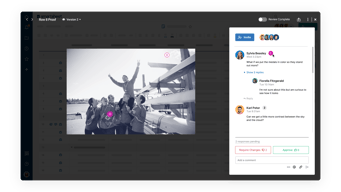
The ability to collaborate and update items in real time is fantastic. The 'latest comment' feature is also great to help minimize logs from being too long, but where you don't want to lose out on the history of data.
Would like to have a little bit more ability to format content within a cell, rather than limiting the cell format to all of the content within the celll. For example, if I have an action item log and there are multiple steps required to complete a task, it would be great to list out each of the steps in one cell that could be checked off (i.e. apply 'strikethrough' formatting to text as steps are completed).
Smartsheet eliminates the headache and confusion that sometimes comes with file sharing or processes involving "checking out" a file. This usually limits a file to being updated by one user at a time, or becomes too confusing for users who aren't the most tech-savvy.
I use Smartsheet for my organization's project plans. The best features, for us, are the many ways to cross-collaborate right on specific tasks with the discussion and attachment feature on each row. We also really like the app to have multiple sheets opened at the same time in one place.
It doesn't have the ability to hide rows and create tabs.
Efficiently cross-collaborating and the number of back and forth emails on one task.
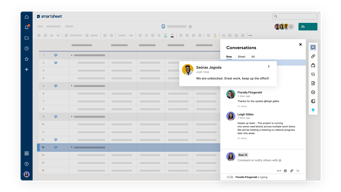
I have been using SmartSheet for a while now, and I must say that it has become an indispensable tool in my daily work routine. What I like most about SmartSheet is its remarkable versatility. It's not just a project management tool; it's an all-in-one solution that can adapt to various tasks and projects, making it highly efficient for both individuals and teams. One of the aspects I find most helpful about SmartSheet is its intuitive interface. From the moment you start using it, you can tell that the developers truly understand the needs of their users. Creating and customizing sheets, reports, and dashboards is a breeze, and the drag-and-drop functionality makes organization seamless. This simplicity doesn't compromise on its capabilities. SmartSheet offers an impressive range of functions, such as automated workflows, conditional formatting, and data validation, which enable you to automate repetitive tasks and maintain data accuracy. The upsides of using SmartSheet are numerous. First and foremost, it's a cloud-based platform, which means you can access your sheets from anywhere, at any time. This flexibility has greatly improved collaboration within my team, as we can work on projects simultaneously, ensuring real-time updates and a centralized source of truth. Additionally, SmartSheet integrates seamlessly with popular tools like Microsoft Office, Google Workspace, and even third-party apps through connectors and Zapier. This integration capability enhances our productivity and streamlines our workflow. One standout feature is the Gantt chart view, which is incredibly useful for project managers. It offers a clear visualization of project timelines, dependencies, and critical paths. This feature alone has made project planning and tracking more efficient and less error-prone. I also appreciate the automated notifications and reminders, which help keep everyone on track and ensure that deadlines are met. SmartSheet's collaboration tools, such as commenting and sharing, make teamwork a breeze. You can tag team members, attach files, and have in-depth discussions within the platform, reducing the need for endless email threads or separate messaging apps. Overall, SmartSheet has improved the way I manage projects and data. It's a powerful, user-friendly, and highly adaptable tool that can cater to a wide range of needs. Its cloud-based nature and seamless integrations make it a top choice for modern professionals looking to enhance efficiency, collaboration, and organization. I highly recommend SmartSheet to anyone in search of a comprehensive project management and data organization solution.
SmartSheet is a powerful tool, but there are a couple of aspects that may not appeal to everyone. One is the initial learning curve, which can be a bit steep for new users. However, the effort invested in understanding the software is well rewarded. Another area for consideration is pricing, which might be on the higher side for some users, particularly smaller businesses or individuals. Despite this, the benefits SmartSheet brings to your workflow are worth the cost. Occasional performance issues with larger datasets are also worth noting, but they don't detract from the tool's overall value. In short, SmartSheet is a valuable tool with minor quirks in terms of learning curve, pricing, and occasional performance hiccups. These considerations aside, it greatly enhances productivity, collaboration, and organization.
Smartsheet solves problems related to project management, task tracking, collaboration, data organization, and workflow automation. This benefits meby improving efficiency, accuracy, and decision-making in their work.