

Unclaimed: Are you working at Smartsheet?
Smartsheet Reviews: 4.4/5 — Solid Choice
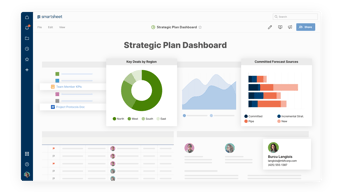
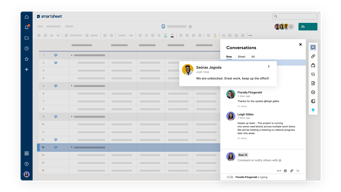
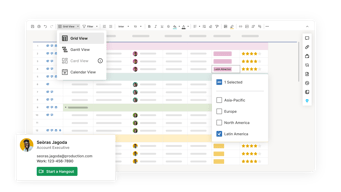
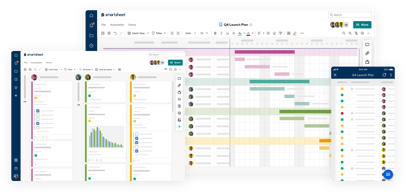
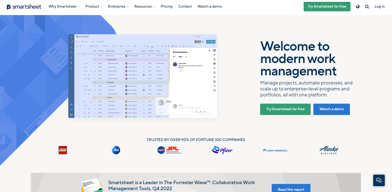
Priding itself as the trusted work management platform of over 90% of Fortune 100 companies, Smartsheet is a modern work management software that enables businesses to manage projects, automate processes and workflows, and scale up to enterprise-level portfolios and programs. It offers a robust set of views, dashboards, reports, and workflows to track and capture project plans, schedules, and resources. Smartsheet easily integrates with a number of third-party apps and software to allow teams to integrate the platform into their current way of working. Enterprise-grade, it’s one of the most secure work management software in the marketplace, giving managers and IT teams visibility and granular control over data and access.

| Capabilities |
API
|
|---|---|
| Segment |
Small Business
Mid Market
Enterprise
|
| Deployment | Cloud / SaaS / Web-Based, Mobile Android, Mobile iPad, Mobile iPhone |
| Support | 24/7 (Live rep), Chat, Email/Help Desk, FAQs/Forum, Knowledge Base, Phone Support |
| Training | Documentation |
| Languages | English |
Smartsheet Pros and Cons
- Data-driven automation for more efficient workflows
- Easily customizable platform
- A highly visual solution makes task tracking easier
- Critical task management features help drive productivity at scale
- Reliable automation of critical business processes for team and projects
- No time tracking feature
- Doesn’t offer an auto-save option
- Limited calendar view
- No time tracking feature








Compare Smartsheet with other popular tools in the same category.
I love to use Smartsheet to keep track of all aspects of our projects. Having the Smartsheets in place allows us to share information easily across multiple departments and allows for everyone to make their updates as needed. The live updates combined with the automations that you can establish, greatly reduce the need to constantly ask for updates company wide.
The only thing that I wish I could do with Smartsheet is set up an automation to copy a cell instead of copying the entire row to a new sheet.
Smartsheet is helping us solve many issues in obtaining the correct data in a timely manner. Having users shared to the sheet and corresponding dashboards allows for everyone to access what they need and they can be sure that the information they are seeing is up to date.
Smartsheet form and automation features have been invaluable in making our processes more efficient. I use Smartsheet daily and I have very rarely experienced technical difficulties. It has been easy to implement for processes/data collection inside of our organization and with our volunteers and partners. Anytime I have had an issue, customer support has been helpful.
Having even more integrations with outside products would be great.
Smartsheet provides a space for us to collect data for publications, webinars, volunteer schedules, conference planning, and more. It makes it easier for everyone in the organization to access the data and for us to build processes using the automation features.
Smartsheet’s most unique feature for me is the ability to smoothly juxtapose the ease of a spreadsheet interface and the power of project management tools. The simplicity in use is very much so; with only minor clicks, one can easily move from different data view and also set up dashboards which is very vital in the management of various tasks all at once. The automations are very useful, they save me a big deal of time by improving the workflow. The ability to integrate multiple components like charts, reports, project timelines within a single dashboard is something that I find tremendously useful. This increases our team’s productivity immensely, considering smartsheet’s versatility in this regard.
However, it may be costly particularly on scaling your project in order to foster growth. They are powerful devices that however might be hard for a beginner and establishing the system is time consuming process.
Smartsheet has helped us solve complicated project co-ordination issues in the development cycle. It has added some form of clarity to our project tracking that we have never had before. This concise outlook has been very vital in eradicating duplication of tasks and ensuring we have met our roll-out dates in time.
The forms keep our teams incredibly productive.
Organizing all sheets is not always intuitive.
We had a very unorganized way to manage clients in onboarding before Smartsheet was introduced to us. We have since streamlined that process and opened it up to other teams to ease client management.
Of all the things I like about Smartsheet, its flexibility is the thing I like the most. In regards to workflows and sheets, such ability to customise would be a game-changer for a DevOps professional. In addition, Smartsheet excels in collaboration and its real-time updates ensure that the entire team is synchronized. Automation features, which saves hours by streamlining repetitive tasks while integrations with other tools means our performance data gets directly into Smartsheet for comprehensive management and analytics.
However, Smartsheet learning curve is very steep. Features are complex that require considerable training, thus, in the absence of technical skills, one would not fully take advantage of customization.
Smartsheet is solving the issue of project management silos by integrating different processes that are critical in the DevOps environment.
Helps keep your organization on the same page.
You have to go one by one and delete....
Great way to reach out to customers in one lump. Customers can submit the information and it will automatically update on the spreadsheet.
Smartsheet has what I find most attractive about it; by automating processes, the platform makes project management simple even if everyone is remote.ancer code: Integration is on point, one can link it up with several tools that we use and the move becomes seamless. Timelines are quite complicated things, especially if you work with multiple contractors like in my case. However, Smartsheet makes them more transparent for me and my team. In particular, this software cuts short on the manual update processes and provides us with lots of convenience since we take much less time on the same. Definitely, I would advise Smartsheet to friends seeking an upgrade on project supervision and cooperation.
However, Smartsheet could be complicated while configuring complex projects for the negative aspect. Sometimes customising views and reports to suit particular needs takes too much of my time.
The smartsheet program has helped us address collaboration problems with our team members. It has drastically cut down on this process of sending e-mails “this way” and “that,” thereby making timely and truthful sharing of data at all times achievable. As a result, our productivity surged up because we were able to optimize projects in a more transparent way.
I like the communication features like the comments and "activity". Being able to have a time stamp is better than most other systems. Also, being able to move things to different sheets saves me so much time (as well as the Zapier integration).
I need to learn more about workflows - I've tried doing a template and looking up training, but am not finding a fluid system for my needs - yet. Again, I need more time to dive in and really explore my options with the features.
Distributing and tracking leads generated. This has also allowed me to create marketing for drip systems.
Smartsheet is agile and has capabilities to handle multiple projects.
Glitches on some occassion but overall it has been smooth UI.
Collaboration and visibility provides better forecase and budgeting ease.
It's a super easy product to use for project tracking. I can also link information from other smartsheets within the company. I manage projects for 4 different offices the smartsheet makes it a smooth process.
I can't say if there is something that 's not helpful, because you can create your own smartsheet. You make it the way you need to help with managment.
I manage incoming projects for 4 different offices. This helps me track, manage, and distribute projects throughout the company. I can easily find out when the project is due to the client, I know where the project is sitting as far as development, and all the details of the project.
Ability to stamp smartsheets which helps
Inability to do certain functions (excel)
Ability to use it to share a sheet cleanly and update them in live time
Very helpful in generating reports and monitoring sales production
none that I can think of so far. very productive tool
it solves our daily monitoring of sales
Easy to implement the concepts to increase the productivity
There is no disadvantages in the tool ..
Cost analysis report and work force management tracking and time sheet
The level of collaboration potential is immense. Elimination of teams to follow up with individuals for updates, eliminating the need for weekly status by posting live status. Secure through integration with my organization's O365
Sometimes, there are Smartsheet (AWS hosted) latency issues faced by the team.
Elimination of MS Project and Project Server. Viewers dont need another MS product to colloborate in project schedules. Elimination of slide decks when you can view live status. Reduction of Project and Program managers and coordinators since the tool can send reminders and gather information automatically.
This has simplified our methods to communicate among staff with different projects and to have things done for certain deadlines. We have incorporated Smart Sheets into our everyday work.
It takes some time to learn all the options and how to set automations up.
All people involved in the project are able to see what the status is on what we are working on.
Super easy to install and access. No need for complicated integrations with Sharepoint (yes, last time I used MSProject, it was server based). I can't believe I'm saying this, but it makes MSProject seem heavy and overloaded. Most orgs honestly don't need the full functionality of MSProject - it becomes overhead and busywork.
For a long time, Smartsheet did not have what I considered to be table stakes features, such as baselining. Now it does, so now I complain that I can't compare multiple baselines :-)
Mostly classical scheduling and resource allocation/management
I pitched Smartsheet to our office due to its ease of use for everyone involved. Once we rolled it out, there were minimal hiccups with implementation. Some of our office staff are less "computer savvy" and others are more advanced but that didn't matter as everyone felt it was straightforward and user-friendly. The program is rather intuitive and if you have worked on any type of spreadsheet, you'll LOVE Smartsheet. Having the ability to share documents throughout a project and in meetings is extremely beneficial. The majority of our staff uses it every day, for various reporting and data usage. I like the ability to use formulas within the sheets and providing dashboards to the rest of the management team.
The formulas can be a little tricky. If you are used to using Excel, you can start to figure things out but when building dashboards, you need to know where you are pointing the data to and how to tweak the formula to produce the results you are looking for.
As a group, we depend on Smartsheet to organize our current project from start to finish. We utilize sheets for job schedules, job tracking, estimator tracking, sales tracking and reporting, marketing calendars and marketing budgeting.
Intuitive UI and Easy breakdown structure.
Some occasional glitches when you have lot of rows
Project collaboration
The automations! It has saved my team and I so much time. I love how user friendly it is.
Wish it had more features like excel, but other than that no complaints.
It is autmating simple tasks and giving us back some time
Smartsheets is amazingly versatile and can be utilized as a tool for a multitude of project types. It is a very useful survey tool and tracking tool especially during accreditations. Smartsheets simplifies standardization and allows for felxible reporting mechanisms. I have utilized Smartsheets as a tool for managing accredcitation for the Emergency Management Accreditation Program while I was the Accreditation Manager for ca state level ewmergency management agency
The least helpful/I dislike about Smartsheets is that it is very time consuming to build out the items you may need for a project.
For me personally Smartsheets is concolidating quite a bit of information into one area and that information is shareable to whomeever needs to see it.
It allows all my coworkers and I to be able to share and edit the same data
It sometimes does not load on the first try
The ability to quickly share data

I love the automation pieces which allow you build in actions for fast, efficient, SOPs. For example we created a smart sheet that would alert us on Monday every week via email if the date attribute on a user we input has passed a certain threshold.
The horizontal scroll bar dissapears when you are navigating sheets and the only way to scroll horizontally is to hold the shift key and scroll with the mouse button.
Smartsheet allows us to efficiently lay out comprehensive work flows that enhance our speed and efficiency when dealing with notoriously manual/tedious tasks.
I love that Smartsheet can be whatever you need it to be. For me, it's where I plan and schedule my yearly marketing plans including emails, social media posts, events, holidays, etc. I've been using Smartsheet for about 6 years now and I love how user friendly it is and how easy it makes my yearly planning. So user friendly in fact that I've never had to contact customer service for help, it's all very self explanatory. Very reasonably priced as well!
I have no dislikes about Smartsheet, it's worked consistently for me for almost 6 years.
It's keeping all my marketing plans in one safe place rather than in multiple calendars and schedules. I can put everything I need into it and update it as needed.

Smartsheet help our organisation with amazing details report and dashboard with filter.
As of now no change required in smartsheet application.
Track your plan and provide timely report and dashboard with required detail.
Ease of use and diverse functionality for use from spreadsheets to intake forms to surveys to project management. I really like the multi-function aspect.
Couple of functionality items like cell merging and filtering. The ability to merge cells is annoying and makes it more difficult to create a good layout. The filter function is tedious. I would be nice for it to function more like excel's filter function.
Collaboration and information sharing. Workflow and task management and requests for marketing support. The diverse functions of how Smartsheet can be used help keep tasks and project moving and accounted for.
It's an efficient way to manage the chaos of growing your business. Their technical support team provides the most responsive and helpful answers to our questions.
They have a limited number of records per sheet (i.e. 20,000 records/rows) although I believe they are addressing this. It would be nice to include some of the add-on features (i.e. Pivot, Work App, Etc.) in the base application.
We've only been using Smartsheet for a short time, but we've been able to organize our Safety Certifications for staff. We're in the construction industry and safety is an essential aspect of our organization. We now have visibility into Safety by job site that is available to team members. In the past, we kept this in a spreadsheet that we weren't confident was updated with the most recent information. This now address both the certication status and is also used to help effectively manage our training session to keep our team properly trained and certified.
Excellect manangemet dashboards can be easily created and visualization is effective
Limited number of cells within a sheets is a dislike from me
Business requriements on wrokapps are being resolved for the betterment of process, lots of functional formulas are being enabled helps process improvements.
Smartsheet offers real-time collaboration features that enable team members to work together seamlessly. Smartsheet is ideal for project management.
Pricing and Learning Curve for New Users.
Smartsheet greatly improves communication within our organization.
My team has used Smartsheet daily for over 10 years to seamlessly manage, track and allocate projects and tasks. Information that was once spread across multiple Excel sheets and hidden in emails is now centrally accessibly from anywhere. Up to date information is easy to view at a glance as the sheets can be conifgured through contact fields to only show each user the information they need right now. This also makes it easy for users to update their progress on their allocated tasks. Reports and forms allow members from other teams to submit and monitor the requests they send us, removing the need for countless messages and calls.
Sometimes I'll have a feature or workflow in my mind that it isn't possible to implement in Smartsheet due to limits in what the logic and automation features are capable of.
Smartsheet allows us to manage a large number of projects concurrently, and to allocate their varied tasks to team members. Stakeholders from other teams can also see live how the projects are progressing. This has cut down on the frequency of other communication and WIP meetings, freeing up more time to actually work on the projects themselves.
User Friendly, convenient to use. Im not the most tech savvy so its great for me!
Nothing, I enjoy using Smartsheet! Easy to train others on!
Time management and focus.