
Unclaimed: Are you working at Webflow?
Webflow Reviews: 4.4/5 — Solid Choice
Webflow is a visual no-code and low-code platform for designing, building, hosting, and managing websites. It combines website design, CMS, hosting, ecommerce, AI-assisted content, and AEO features, with add-ons for analytics, optimization, and localization.

| Capabilities |
AI
API
|
|---|---|
| Segment |
Small Business
Mid Market
Freelancer
Enterprise
|
| Ease of use |
Advanced
|
| Deployment | Cloud / SaaS / Web-Based, On-Premise Linux |
| Support | 24/7 (Live rep), Chat, Email/Help Desk, FAQs/Forum, Knowledge Base, Phone Support |
| Training | Documentation, Live Online |
| Languages | English |
Webflow Pros and Cons
- Strong visual control and design flexibility without coding.
- Built-in hosting, security, and backups reduce maintenance.
- Webflow University provides learning resources.
- Clean code output and good performance on standard sites.
- Steep learning curve.
- CMS and ecommerce capabilities may be limited for complex needs.
- Some users report slow performance on larger projects.
- Pricing can be difficult to predict once seats, bandwidth, and add-ons are included.

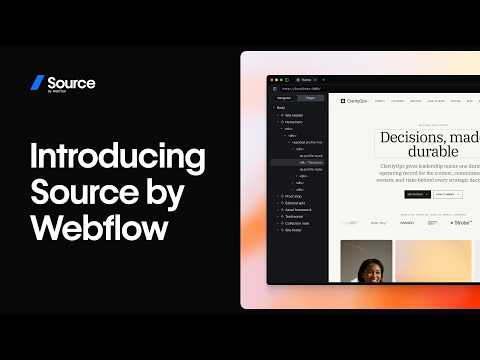








Webflow Review: Is This the No-Code Website Builder You’ve Been Searching For?
The world of low and no-code tools is finally starting to take off. More people now have access to tools that help empower creators to bring their ideas to life, even with limited coding knowledge, and turn them into functional websites, apps, and more.
One such tool leading the pack is Webflow—largely considered one of the best no-code solutions available today. So, does it really live up to the hype?
Let’s find out.
What is Webflow?
Webflow has since expanded with AI-powered design assistance, built-in localization, and Webflow Optimize for A/B testing.
Webflow is (among other things that we’ll cover later) a no-code website builder.
It allows people with no coding experience whatsoever to create beautiful, interactive websites quickly and (relatively) easily. In just a few clicks, drags, and drops, you can have a professional-looking website with all the bells and whistles you could want—from parallax scrolls to e-commerce and beyond.
How Webflow Works
Webflow is what’s known as a “visual website builder”. It’s a system that translates the building blocks of websites (HTML, CSS, and JavaScript) into a visual, drag-and-drop interface that’s more intuitive for beginners.
When you create a website from scratch in Webflow, you’re presented with a blank canvas. From there, you can drag and drop elements to build up your website—buttons, images, text boxes, forms… anything you need. You can also use integrated design tools to tweak the look of your website, add animations and interactions, or preview your work.
When you’re happy with your design, just hit “publish” and your website will go live.
Webflow Key Features
Designer
Designer is where the magic happens, so to speak. This is the interface you’ll use to build your website from the ground up—adding elements and customizing them to your liking.

To add elements to your pages, navigate to the “Add” tab at the top of the left-hand menu and drag the ones you want onto the page. You’ll find a bunch to choose from, including (though not limited to):
- images & videos
- text boxes
- buttons
- forms
- carousels
- CAPTCHAs
- Search bars
You can also add pre-built page layouts like columns, galleries, nav bars, and feature lists from this tab—great for getting the basic structure of your website up and running quickly.

Once you’ve got the elements in place, you can click on them to use Designer’s tools on the right-hand menu to tweak their look and feel. You can change background colors, fonts, borders, and more with just a few clicks.

Every element and setting in Webflow’s Designer falls under a heading that more-or-less describes what it is (or does), but the sheer number of options may still be intimidating for beginners. Luckily, there’s a decent tutorial that walks you through the basics when you create your first site.
Interactions
Interactions and animations are little details that add a ton of life to your website. In Webflow, you can use Interactions to do pretty much anything, including:
- moving
- fading in/out
- scaling
- skewing
- rotating
- toggling visibility
- and more
You can also use a pretty wide array of triggers to set off these interactions—things like first and second clicks, movement, and page scroll. These triggers, combined with the extensive range of actions available in Interactions, make Webflow feel super powerful—even for complete beginners.

Adding these interactions is pretty simple, too. Just click on an element, click on the “Interactions” tab in the top right corner of the design menu, click the “+” symbol, and choose your trigger(s) and action(s). There’s also a handy feature here that will optimize your website by deleting unused or conflicting Interactions.
CMS
Not all website builders offer a CMS, but Webflow does. With a CMS (content management system), you can create and manage content without any code—which is great for content-heavy websites like blogs.
To use the CMS, you just need to populate “Collections” (think of them as categories) with content in the form of “Items”. These Items could be blog posts, products on an e-commerce store, or just about anything else you can think of.

For every Item, you can link data fields that help Webflow make your content fit within the structures you build. There are templates for common content types like blog posts, which include fields for author, main image, title, and more.

Then, when you want to display your content on the site, just pick an element and link it with the Collection you want to show. For example, linking a “Blog Post” Collection with the columns layout is an easy way to create a blog post showcase.

Ecommerce
As a standalone system (without add-ons or plug-ins), Webflow’s Ecommerce feature is decent—but far from the best.

Starting with the good, setup is very easy. The e-commerce system is essentially the same as the CMS system we covered above. You start by creating Collections for “Products” and “Categories” and populating the Items within with thumbnails, photos, price points, descriptions… whatever data points you need. These Items and Collections can then be dragged and dropped wherever they need to go.
While Webflow has continued to improve its ecommerce capabilities with additional integrations and payment options, larger e-commerce businesses may still find the feature set more limited compared to dedicated platforms.
SEO
Last but not least, Webflow offers a few useful SEO tools that are worth mentioning. One of the most useful is the ability to automatically generate metadata using fields from your CMS Collections (e.g., [Brand] | [Product]). This will save you a ton of time if you’re consistently publishing new content within an existing structure.
There’s also a solid 301 redirects management system that makes it easy to migrate old URLs and web pages to new homes.

Finally, the site audit feature can help you identify and fix common SEO issues like broken links, missing alt tags, and poor loading speed.
What Makes Webflow Stand Out From Other Platforms?
Visual Focus
Webflow is focused on design and aesthetics. It’s something the tool does much better than most of its competitors.

Just take a look at the Made in Webflow page—the designs there are much more distinctive, dynamic, and unique than you typically see with no-code website builders. That’s all thanks to Webflow’s impressive visual styling features, like the Interactions mentioned earlier.
Of course, this does come at the cost of beginner-friendliness. Creating a good-looking website is harder with Webflow than it is with simper tools like Squarespace. It’s just that the creative ceiling is higher for those who know what they’re doing.
Educational Resources
On a related note, Webflow is one of the best-documented website-building platforms out there.
Webflow University is filled with lessons, tutorials, and full-on courses that help you learn how to use the tool. There’s also a wide-reaching community of Webflow users on YouTube and Reddit who regularly post guides and answer questions.
And last but not least, there are tons of no-code boot camps and programs that focus on Webflow specifically because of the freedom we talked about above. So, to summarize, there are plenty of options when it comes to learning Webflow.
No Need For Plug-Ins & Add-Ons
One of the biggest advantages of Webflow is that it doesn’t require any plug-ins or add-ons—it’s a standalone platform. That means you don’t need to worry about compatibility issues, third-party security risks, or learning a completely new system just to add a missing feature.
Plus, the platform’s robust feature set means you don’t have to worry about running into any roadblocks with your project. It’s all there… if you know where to look!
Webflow Pricing
Webflow’s pricing depends on whether you’d like to create a standard website or an e-commerce-enabled website.
There are quite a few plans for both:
Standard Websites
Webflow offers a free Starter plan plus paid tiers including Basic, CMS, Business, and Enterprise, each with increasing CMS items, form submissions, bandwidth, and content editors.
eCommerce Websites
Webflow offers Standard, Plus, and Advanced ecommerce tiers with varying product limits, CMS items, and transaction fees.
See Webflow pricing for current rates and plan details.
Webflow Pros & Cons
Pros
- Impressive design and functionality freedom
- Easy drag-and-drop design
- UI is well signposted
- Excellent educational resources
- No need for plug-ins or add-ons
- Great template library
Cons
- The steep learning curve may scare off some users
- Higher price than competing tools
- E-commerce features are underdeveloped
- Technical SEO capabilities are limited
What’s the Verdict?
Webflow is without a doubt one of the best no-code website builders out there. It’s also likely the most comprehensive—with features ranging from hosting to e-commerce. However, this power comes with a price—namely, a steep learning curve.
If you’re curious about the Webflow alternatives out there, Findstack has your back. With in-depth reviews, product comparisons, and use cases, Findstack makes it easy to find the right tools for your business.
Start browsing today and find your dream stack!

Compare Webflow with other popular tools in the same category.
I appreciate the amount of customization available in typography on the platform. More specifically, being able to change the leading and tracking of a block of text down to a single pixel.
I dislike the limited number of pages you can build out for your website. No matter what plan you have, your maximum number of pages is 100. This issue is most troublesome when launching new products and dedicating individual pages to them versus displaying multiple on a splash page.
Image placement on any specific page is highly customizable. Similar to the typography options, I can move images of products around without putting too much thought into how it may disrupt the rest of the page or break links. Preventing breaking links is very important for keeping my website's navigation experience as effective as possible with the tools available.
It's easy to login and to hit save or publish on new content.
It doesn't look great, it's hard to navigate, it's easy to make mistakes, it's dark and not as intuitive as other CMS platforms, which feel more like document editing and I prefer that.
We had to transition away from Hubspot, mostly for cost reasons, but also the tech stack was changing and Webflow provided a better integration with Pardot and SFDC.
I like that Webflow is visual and can be used without coding. It is an easy application to understand and you can basically get started immediately upon opening the program.
I do not like the high monthly price point for hosting and getting rid of the advertisements.
Webflow definitely solves basic web needs. It can do the very simple to more complex.
I like that you have full and total control of every element on the page, from the sizes of different boxes and icons to the links each will take you to. The colors, the organization and the ability to create something entirely yours from scratch to ensure your design stands out and is unique.
The software takes an incredibly long time to figure out and get the hang of. There are youtube tutorials which can be helpful but the look of the designer can be daunting at first.
I am enjoying the endless possibilities of designs and the full control you have as a web designer without having to CODE!
The ability to design at will without the headache of coding.
If you have little to no experience in development, this tool can be challenging. Extremely robust tool with some serious knowledge discovery. Takes more time to learn than it does to create. Can also get very pricey with all the upgrades.
It allows designers to develop.
easy to use, well organized, customized for different kinds of websites
I dont have enough have control over certain sections that are difficult to edit without code expertise. For example, we have a custom map on our website that only our designers can edit.
able to send out important info, can easily integrate all marketing initiatives to website
Various Templates available for users. There are lot of images and fonts to choose from
Interface could be better with easy to use for customers and more features
Trying to make website.
Decent website builder + SEO optimizatio
Missing critical features. The fact that you have to temporarily take your website down just to add a collaborator (and that you only discover this after paying for a business upgrade) is insane.
N/A see my answers above
The code that is generated for developers is really helpful. My dev team said they really liked the code that was produced.
Seemed almost too dev focused, by making designers work in a very web design world, utilizing div's and other web elements. It limited the design freedom a little if someone wasn't well versed in HTML and CSS and was more of a visual designer.
Prototype creation

It's easy to create pages and screens with components and pages.
When publish all changes go together, also there is no history of versions to undo or change.
We have our main website hosted on Webflow showcasing our company's products and services.
Great, robust platform with lots freedom for development.
Customer Service and support are virtually non-existent. The worst customer support for one of the most expensive platforms of its kind.
So many. Customer service and support are virtually non existant. Benefits are that if you can code, you can make just about anything. The key is YOU, not webflow.
Websites look really well polished and clean
You have to know code to use the platform
None. I stopped trying to use it.
Good if you want to learn more about coding as a designer. Easy to login from anywhere and also you’re able to look at others websites and code to see how they did designs. Good learning tool. Also good tutorials.
With tools like sketch and invision studio that have a much better design focused interface, I feel like webflow bogs you down if you are a designer that isn’t as well versed in coding.
Currently trying to eliminate needing to be so heavily dependent on adobe products as well as cut down on mock-up softwares.
It gives you the creative freedom to create a site and has many functions
It's really hard to learn when you know about it , have to watch too many tutorials
Hard to learn to use
I honestly can't think of anything. its awful.
The UI, UX, functionality, editor, designer
I guess its a website and we need one
Nothing, literally nothing. I use it very oftenly, everyday. It makes my life so frustrating.
- It is a terrible tool. There are bugs, showing all the time, even if the content is staged properly. - It stops working in the middle of loading the content and VERY often it deletes hours of work. - It doesn't work, when two people are logged in, in the same time. - Any change to design, like button, FAQ section, really small things have to be coded. So I have a contact with code, all the time. Even if, I am a Content Specialist not Front-end developer. - It simply makes my work 2000 times harder than any other solution. I worked with WordPress and Storyblok and there are lightyears further than webflow.
It doesn't benefit me, it makes my life hell.
Nothing, this platform sucks all around. Customer service sucks, platform sucks, university is useless. I scheduled a meeting to meet with a webflow expert and they never showed up. They didn't even email me at all about the meeting. Completely horrible platform
Everything about webflow is just horrible, custome service is horrible, platform and user experience is horrible, as a fellow web designer who has been doing designing websites for 4 years, I do not recommended using this platform, stay clear from here and choose wix or showit. This website is also bad with responsive designs, it doesn't do what you want it to. They also lock you in for a whole year when MOST of the better platforms do provide you a partial refund. Stay clear from this platform and don't even try learning how to use it. It's a waste of time. It's expensive for no reason at all, you're paying the price because of the hype not the experience. STAY CLEAR GO TO WIX OR SHOWIT
They haven't solved anything for me, if anything it caused more frustrating and time wasted.

Webflow was sold to us as this incredible platform, with amazing features, and abilities like being able to display Lottie files, and was oversold, quite frankly. In order to set up e-commerce, you have to pay for a plan, and then to add insult to injury, you have to upgrade that plan in order to add your clients to it. It's not ideal for a client who might be computer illiterate.
It's far too expensive, and limited to be priced as is. You end up shooting yourself in the foot because after you've wasted all this time building out a website, your client can't even go view it without jumping through several hoops.
It was supposed to add some aesthetic functionality to my clients website, especially a scrolling feature I wanted to implement. However, the e-commerce limitations and overall clunkiness of the back end as far as usability for a less tech savvy client is abhorrent.
Technical features that gives you the power of code
Support takes forever to respond Too many bugs when using the system such as integrating GA and Intercom The product is very unintuitive to use for first-timers
Launching the company marketing website
1. Robust functionality for no-code application 2. Large community of builders 3. High-quality 'how to' content
Non-existent support. If you have any issues that cannot be resolved independently, you are essentially helpless. Their support is abysmal -- among the worst I've ever seen. It seems emails for non-enterprise customers (and yes, contact is only reachable via email) are routed to 'front line' support that are only trained to find and refer customer to what appears to be relevant material in their public product documentation only, but have no training on more complex issues. Responses are also very slow relative to competitors. Each response took no less than 24 hours. If your webflow website is a core component of your business, you cannot afford to lose access or experience critical issues for days at a time; by using this product, that IS the risk you take.
It is a great way to get started quickly without having to hire a genuine software engineer, but it should be avoided for mission-critical or more complex applications. It seems best for landing pages.
It was good when we started But the designer has become a pain for us now
gets stuck when publishing you lose all your data Site layout breaks from time to time Mobile version is never what the designer shows
It was helping us manage better but it is not working for us now. Support team never solves any problem Tickets always go unanswered

No-code features for fancy separate landing page design.
I've been a Webflow customer for three years until we started our content marketing efforts. If you are building a business blog, knowledge base, or something other based on their CMS — it's a disaster. Even you have any SEO goals — WebFlow is the worst chose you can make. Webflow's CMS editor functioning like from '95: - You have to compress images manually. - No 'table' support or you have to write a code If you need additional features like a table of contents, you can do it manually or add some JS that will slow down your page. Unfortunately, their support forum is overwhelmed with user requests to make some simple tweaks, and the replay is always the same: "it's not supported. Use that code snippet". - their editor keeps crashing while working with large content. I've already lots my work twice for the last day. - No SEO tools at all, like you may have with Ghost or Webflow. Unfourninatly we have a significant cost to migrate from Webflow to WordPress.
Website building and support. Benefits — only for landing page design.
It's not very expensive and I believe it's a month-to-month payment, which is nice to not be locked in.
You can't have multiple users logged in at the same time so people are always getting kicked out, if you aren't a skilled web development person it's extremely confusing to use. It doesn't integrate with Marketo which is a huge pain in the butt. I wouldn't sign up for this again.
We use it to host our marketing site. I haven't seen any significant benefits.

I guess the upside is it's easy to get started. That's about it. But the time you save getting started will pale in comparison to the time it will take to migrate off of it once you realize how bad Webflow is.
I keep getting logged out for no reason (time expired). It is very time-consuming! It doesn't save my changes. And if I save my changes early (just in case), I get redirected away from the page I was editing. There are too many missing features, especially for SEO, which are all available on Wordpress. The CMS is very limited and difficult to use. It randomly redirects me to the home page. I have to keep navigating back to the edit screen and find the right page again, and again. You can't have more than one page open at a time??? I try to edit a Page and it says I'm editing a Template This is maddening! It is literally the worst CMS I have ever used.
Client uses it. No benefit. I'm going to try talking them into migrating.
Nothing. Everyone should refuse to use Webflow
Update a little feature - it always takes not less than 8 hours. When you change something, it changes ten more times. I am not a newbie to Webflow and know how to use styles. Please never use Webflow.
Webflow generates new problems for me. Thank you, Webflow.
The university is easy to navigate and I like that the software uses automatic templates for meta details so you don't need to create them from scratch. The website we built on Webflow also looks excellent.
I would really challenge Webflow's choice to market this software as web design without a developer as although you don't technically need to code to manage it, it's extremely complicated and you still need a developer to manage it. We moved our website to Webflow on the basis that we (the marketing team) could manage it ourselves and wouldn't need to log a ticket with a developer every time be wanted to create a new page. Unfortunately, the opposite has happened: I am completely dependent on developers for even the smallest of changes to our website. I can see that it's a good web software and I don't like to leave negative reviews but I do think it's important to warn other Marketing teams from making the same mistake we did.
The design that our developer was able to create is more sophisticated than our previous site and it look great.

- It's cheap. - Honestly as a marketer, this is the worst web building and hosting service I've ever used. I've heard it's simple from a development standpoint, but severely lacks the functionality you need to do anything remotely advanced.
The blogging interface is buggy and really challenging to use. There are so many small things you can't do that makes getting a blog post live tedious and incredibly frustrating. For custom code (inserting a table, styling a paragraph, etc), you can't see what it looks like UNTIL IT'S PUBLISHED. So basically you have to hope for the best. When trying to do a bulleted list, you can't highlight the different lines and add bullets - you have to skip down a line, start the bullets, then backspace each one into its own line. When inserting an image, if you don't have text on the next line, there's a line break between images and the next line that can't be removed. There's no where to reuse already uploaded images, so you keep having to reupload again and again. There's no way to see a staged blog post if you're not logged in. But worst of all, if you're in the editor and you open another URL on your It's these small but incredibly frustrating things that make blogging a nightmare. So I've heard developers love it, but it severely lacks the functionality you need to do anything advanced or complex. Every time we try to integrate a marketing service onto our website, we run into a 100 issues of "Webflow currently doesn't support this." Head over to their "wish list", and you'll see how much it lacks.
It's cheap web hosting, so we're saving money, but limited in what we can actually do using the platform.
At the beginning, I was impressed with all the website templates.
- Takes a very long time to learn how to use - Webflow offers very little support for customers in navigating their tool, and charges for training - It just doesn't make sense, you have to google how to do seemingly basic actions and the suggestions are hit or miss - Because there is no support other than articles, when there is a software bug or you are stuck - you are totally on your own (which can be very stressful when this is a site that your customers are using regularity)
I was solving the problem of not having a website. I have honestly not realized any benefits, I've only realized how poor the tool is.
design elements are decent. my designer guided me to webflow.
everything about how to manage your account their pricing was designed by a clown who purposely wanted to confuse you so you don't give them more money. honestly my dev team and i were just laughing at it - its a joke the amount of steps you have to go through (including taking your site down) to collaborate with someone you are working with is insane support is not good at all
building a website
It could help somone do quick edits without really knowing code
Hard to customize mobile views when doing mobile layouts
Coding quickly without deep knowledge