Unclaimed: Are you working at GoToWebinar?
GoToWebinar Reviews: 4.3/5 — Solid Choice
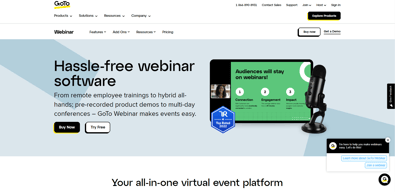
Best known as the world most popular webinar and webcasting tool, GoTo Webinar is an easy-to-use solution that allows users to host webinars, virtual conferences and events. The platform comes with robust features and integrations that allow users to engage with audiences to drive business growth.
| Company | LogMeIn, Inc. |
|---|---|
| Year founded | 2003 |
| Company size | 1001-5000 employees |
| Headquarters | Boston, MA, United States |
| Social Media |

| Capabilities |
API
|
|---|---|
| Segment |
Small Business
Mid Market
Enterprise
|
| Deployment | Cloud / SaaS / Web-Based, Desktop Mac, Desktop Windows, Mobile Android, Mobile iPad, Mobile iPhone, On-Premise Linux |
| Support | 24/7 (Live rep), Chat, Email/Help Desk, FAQs/Forum, Knowledge Base, Phone Support |
| Training | Documentation |
| Languages | English |
GoToWebinar Pros and Cons
- Hosts automated webinars
- Option to simultaneously host organizers and panelists
- Capable of hosting webcasts
- Provides webinar analytics and exports
- Integration with GoToMeeting
- Costly compared to other alternatives
- Basic plan only accomodates 100 webinar attendees
- Requires presenters and participants to download specific software to be able to use platform






GoTo Webinar is one of the longest-running webinar platforms, and it sells reliability at scale rather than the newest features. If you are running regular webinars for hundreds of attendees and the cost of a technical failure is high, that track record is what you are paying for. If you are running your first webinar for forty people, it is an expensive way to do it.
- What it is: Webinar and virtual event software with registration, automated email sequences, polls, Q&A, analytics, and attendee-facing simplicity.
- Best for: Marketing, training, and enablement teams running webinars regularly at 500+ attendee scale, particularly in enterprise and regulated environments.
- Pricing: Reach $59/month and Elevate $103/month billed annually ($69 and $129 monthly). Complete is custom. A 7-day free trial, no free plan. Verified on GoTo’s pricing page in July 2026.
- The honest catch: Cloud recording, arguably the most basic webinar feature there is, sits on Elevate rather than the entry plan. For most buyers that makes $103/month the real starting price.
What Is GoTo Webinar?

GoTo Webinar launched in 2006 as part of the Citrix GoTo family, later spun out into GoTo as an independent company alongside GoTo Meeting, GoTo Training, and the LogMeIn products. That two-decade history matters more here than in most software categories, because a webinar fails publicly and in real time, and buyers with an audience watching tend to weight reliability above feature count.
The product is built around a straightforward loop: create a registration page, drive signups, send automated reminders, run the event with engagement tools, then follow up with recordings and analytics. It does that loop well and has done it for a long time. What it does not do is compete on innovation with newer platforms that ship more aggressively.
The independent ratings are respectable but not uniformly glowing, and the gap between them is instructive: 4.5 out of 5 on Capterra across 2,073 reviews, but roughly 4.2 out of 5 on G2 across about 801 reviews. Reviewers consistently praise attendee-side ease and large-audience handling, and consistently raise cost and occasional audio and video problems.
How GoTo Webinar Works
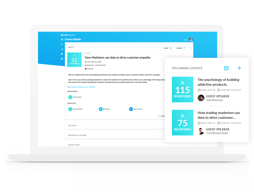
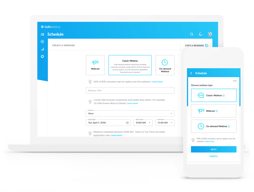
- Registration and promotion. Custom registration pages, automated confirmation and reminder emails, and source tracking so you can see which channel produced which registrants. The email automation is mature and is the part marketing teams rely on most.
- Running the event. Presenter tools, screen sharing, polls, surveys, live Q&A, and handouts. Attendees join without installing anything, which reviewers repeatedly call out as a genuine advantage with non-technical audiences.
- Recording and reuse. Cloud recordings on Elevate and above, plus the ability to run a recording as a live event, which is the simulive pattern used for repeatable demand-generation webinars.
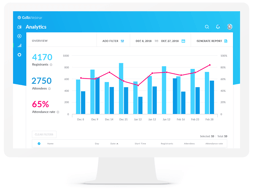
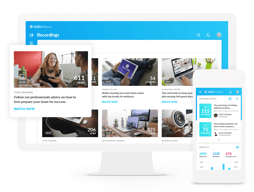
- Analytics. Attendance, engagement, and drop-off reporting, plus registration source tracking on the Complete tier, with integrations into HubSpot and Salesforce that reviewers describe as reliable.
- Scale. 500 participants on Reach, 1,000 on Elevate, and up to 3,000 on Complete, with live streaming to unlimited attendees at the top tier.
In 2026 the notable additions are AI summaries and transcripts on Elevate, and breakout rooms. Both are useful, though neither is unique at this price point any more.
GoTo Webinar Pricing
Pricing is per organizer seat and gated primarily on participant count. Figures verified in USD on GoTo’s webinar pricing page in July 2026.

| Plan | Annual (per mo) | Monthly | Participants | Key additions |
|---|---|---|---|---|
| Reach | $59 | $69 | 500 | 1 organizer seat, reporting and analytics, automated reminders and follow-ups, polls and live Q&A, mobile hosting |
| Elevate | $103 | $129 | 1,000 | Branded webinars and custom URLs, cloud recordings, AI summaries and transcripts, recordings as live events, breakout rooms |
| Complete | Custom | Custom | 3,000 | Custom organizer seats, live streaming to unlimited attendees, paid events and certified training, GoTo Meeting license, registration source tracking |
The things that change the calculation:
- Cloud recording starts on Elevate. This is the single most important detail in the pricing. Recording a webinar is table stakes, and putting it on the middle tier effectively makes $103/month the entry price for most buyers rather than $59.
- Branding also starts on Elevate. Custom URLs and branded webinars are not on Reach, which matters if the webinar is a marketing asset representing your company.
- Annual billing saves 14% to 20%. Reach drops from $69 to $59 and Elevate from $129 to $103, so the discount is larger on the plan most people need.
- Per-organizer, not per-attendee. Reach includes one organizer seat. Multiple hosts running independent webinars means multiple seats, which climbs quickly.
- There is no free plan. The trial is 7 days with no credit card required, which is short. Plan the webinar you want to test before you start the clock.
Who Should Use GoTo Webinar
- Teams running webinars as a regular programme. The registration, reminder, and follow-up automation is genuinely mature, and it is the difference between a webinar that fills and one that does not.
- Organizations with large or non-technical audiences. No-download attendee joining and proven handling of 500 to 3,000 participants are real strengths.
- Enterprise and regulated buyers. A long track record, established security posture, and reliable HubSpot and Salesforce integrations matter when procurement is involved.
- Training and certification teams. Paid events and certified training on the Complete tier, plus the sibling GoTo Training product, cover a use case most webinar tools ignore.
It is a weak fit for solo creators, small businesses running occasional webinars, and anyone whose priority is marketing-funnel features like evergreen automated webinars. In those cases you are paying enterprise prices for capabilities you will not use, and the alternatives below serve you better.
Honest Pros and Cons
Strengths
- Reliability at scale is the core proposition. Two decades of running large events shows in a platform that handles hundreds of attendees without drama.
- Attendees do not need to install anything. Repeatedly praised in reviews, and it directly reduces the number of people who register but fail to attend.
- Mature email automation. Registration, reminders, and follow-ups are well built and are the operational backbone of a recurring webinar programme.
- Solid integrations. HubSpot and Salesforce connections are described as seamless by reviewers, which matters for lead routing.
- Simulive. Running a recording as a live event is a genuinely useful pattern for repeatable demand generation, though it requires Elevate.
Limitations
- Expensive relative to the category. The most common complaint in independent reviews, especially from small businesses. Competitors deliver comparable core functionality for less.
- Recording is gated to the middle tier. Hard to defend, and it materially changes the real entry price.
- Occasional audio and video problems. Some reviewers report technical issues serious enough to have driven them to competitors. Not universal, but it appears often enough to note.
- Limited branding and customization. Reviewers want more control over branding and more editing options for pre-recorded content.
- A 7-day trial is short. Barely enough to plan, promote, and run a real webinar, which is the only meaningful test.
- Fewer marketing-funnel features. Evergreen and automated webinar funnels are weaker here than in tools built specifically for that job.
GoTo Webinar Alternatives and How It Compares
- Demio is the strongest comparison for marketing teams. Browser-based, cleaner interface, better suited to demand generation, and generally cheaper.
- Livestorm is browser-based with a genuinely usable free tier and strong analytics, and it appeals to teams that find GoTo’s interface dated.
- WebinarJam targets marketers and online sellers, with strong funnel and evergreen features through EverWebinar, at the cost of a busier interface.
- ClickMeeting is a lower-cost, flexible European alternative worth comparing if data residency matters.
- Zoho Meeting is dramatically cheaper and adequate for straightforward webinars, particularly if you already use Zoho.
- Zoom Webinars is the default comparison for organizations already standardized on Zoom, and often wins on price and familiarity alone.
For a fuller comparison, see our guide to the best webinar software.
The Verdict
GoTo Webinar is a dependable, well-integrated platform that earns its place with organizations for whom a failed webinar is a serious problem. The registration and email automation is mature, attendees join without friction, and large audiences are handled without incident. The 4.5/5 Capterra rating across more than 2,000 reviews reflects a product that does the fundamentals well.
The pricing is the sticking point, and specifically the decision to put cloud recording on the middle tier. Once you accept that Elevate at $103/month is the realistic entry point, GoTo Webinar is expensive against a field where Demio, Livestorm, and ClickMeeting deliver comparable core functionality for less. The honest answer is that you are paying for reliability and enterprise-readiness, and whether that premium is worth it depends entirely on what a failed event would cost you.
If you run a serious, recurring webinar programme in an organization that cares about vendor stability and Salesforce integration, this is a defensible choice. If you are a small team or a creator building a marketing funnel, Demio or WebinarJam will serve you better for less money. Whichever way you lean, plan your test webinar before starting the 7-day trial, because it is too short to waste.
FAQ
Is there a free version of GoTo Webinar?
No. GoTo Webinar offers a 7-day free trial with no credit card required, but there is no permanent free plan. Paid plans start at $59/month billed annually. If a free tier is important, Livestorm offers one with limited attendee and duration caps.
How much does GoTo Webinar cost in 2026?
Reach is $59/month billed annually or $69 billed monthly, and supports up to 500 participants. Elevate is $103/month billed annually or $129 monthly, and supports up to 1,000 participants. Complete is custom priced and supports up to 3,000 participants with live streaming to unlimited attendees.
Does GoTo Webinar record webinars?
Yes, but cloud recording is only available on the Elevate plan and above, not on the entry-level Reach plan. Since recording is a basic requirement for most webinar programmes, this effectively makes Elevate at $103/month the practical starting tier rather than the advertised $59.
How many attendees can GoTo Webinar handle?
Reach supports up to 500 participants, Elevate up to 1,000, and Complete up to 3,000, with the option to live stream to unlimited attendees on the Complete tier. Participant capacity is the main dimension the plans are gated on.
What is GoTo Webinar best for?
Organizations running webinars as a regular programme at meaningful scale, where reliability, mature registration and reminder automation, and CRM integration matter more than the newest features or the lowest price. It is particularly well suited to training, enablement, and enterprise marketing teams.

Compare GoToWebinar with other popular tools in the same category.
Nothing. I was late because I assumed it work "just work". Boy was I wrong.
Doesn't support Firefox, forces you to use Chrome (strike one) because it claims there's no audio in Firefox. Well, there's no audio in Chrome (strike 2). I had to call in (long distance (strike 3) to be able to hear.
Problems to solve? Tell my bosses to stop using this and to go Hangouts instead.
The software worked fine for hosting webinars and it integrated with HubSpot.
Compared to alternatives in the market, GoToWebinar is expensive and did not provide value to our organization. When they were acquired by LogMeIn last year they unilaterally changed their terms of service to lock clients into 12 month auto-renewal terms. We switched away from their service because we found a better solution in Zoom and they auto-renewed our account without notice to our firm. There service team took 4 weeks to respond to an initial inquiry around the auto-renewal and has not been helpful in resolving the situation. For a comparable cost to what we paid for a single user license of GoToWebinar we were able to switch to a single Zoom Webinar license and roll out Zoom meetings to 10 of our users. This wasn't feasible with the combination of GoToMeeting/GoToWebinar.
We used GoToWebinar to host monthly marketing webinars for our business. The service worked okay although we found the cost to be excessive relative to other providers in the market.
The platform was easy to navigate once you were using it.
As an administrator, the launcher caused problems for not only myself but also our attendees. One day the launcher would work, and the next day it wouldn't. This decreased our attendance significantly. We are no longer customers, and I actually still have problems as a user when I attempt to watch other organization's webinars.
We switched platforms to smooth the user experience. Benefits with GoToWebinar were limited. The platform was very frustrating.

The ability to lead capture and automate the registration/followup process.
It is very expensive so if you aren't using it all the time, it doesn't justify the cost.
I initially began using it to regulate the attendees being only those who have signed up. I have since found better solutions.
Nothing positive about it. This has been very disappointing.
Besides the system wide failures, the company doesn't reimburse you when this happens. It is unacceptable. We were in the middle of major meeting, that we had been planning for months and the audio system failed. unapologetic and refused to refund us.
zero. Use another solution.
It's unfortunately hard to pinpoint something useful about the software.
We often have audio issues. A good 10-40 minutes to begin each conference call is dedicated to issues with GoToMeeting. When sharing a screen, it is difficult to read and impossible to resize on the receiver's screen. We are basically looking at a small window and there is no understandable way to resize the screen.
Communicating with remote or geo-graphically far clients and internal colleagues.
This was one of the 1st video conferencing software systems I used, so it was a bit sentimental.
Video/sound lag. Even though we had no where near the maximum numbers of users, the quality of the video and audio broke up and disconnected as if there were too many users.
We used the product for class and faculty meetings. Ultimately, we switched to Zoom.