

Unclaimed: Are you working at Keap?
Keap Reviews: 4.3/5 — Solid Choice
Formerly known as InfusionSoft, Keap is an all-in-one, cloud-based sales, and marketing software option offering customer relationship management (CRM), marketing automation tools, and eCommerce features. Keap is the preferred platform for small businesses that rely on the platform to streamline sales and manage customer experiences in a single suite. Using Keap, users can segment contact, manage and track customer interaction, send emails, and create tailored campaigns with personalized communication triggers. Users can also use Keap to manage eCommerce with inventory management features, payment gateways, and purchase fulfillment features.

| Capabilities |
API
|
|---|---|
| Segment |
Small Business
Mid Market
|
| Deployment | Cloud / SaaS / Web-Based, Mobile Android, Mobile iPad, Mobile iPhone |
| Support | 24/7 (Live rep), Chat, Email/Help Desk, FAQs/Forum, Knowledge Base, Phone Support |
| Training | Documentation |
| Languages | English |

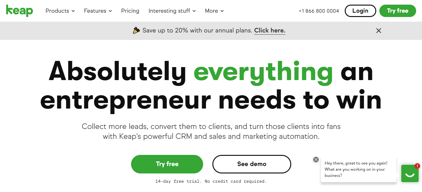

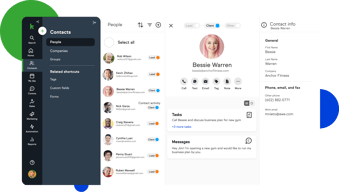

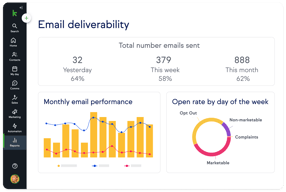
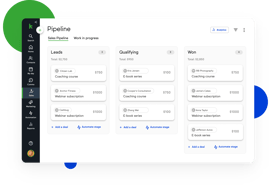
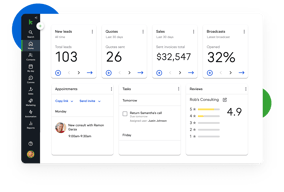





Keap bundles CRM, marketing automation, email and text, landing pages, payments, and appointments into a single plan at a single price, which is either exactly what you want or considerably more than you need. For small service businesses that would otherwise stitch together five tools, the consolidation is genuinely valuable. For everyone else, $299 a month plus a mandatory implementation fee is a lot to commit to.
- What it is: An all-in-one CRM and marketing automation platform for small businesses, formerly called Infusionsoft.
- Best for: Established small service businesses, coaches, agencies, and franchises that run genuine multi-step automation and want one vendor instead of five.
- Pricing: One plan starting at $299/month billed monthly, including 2 users and 1,500 contacts. Additional users are $39/month. Verified on Keap’s pricing page in July 2026.
- The honest catch: Implementation is mandatory and charged separately, starting around $500, and Keap holds a 4.1/5 on Capterra, the weakest independent score of any major CRM we have reviewed.
What Is Keap?

Keap started life in 2001 as Infusionsoft and spent two decades as the default marketing automation platform for small businesses that had outgrown basic email tools. It rebranded to Keap in 2019, and in October 2024 was acquired by Thryv Holdings for $80 million. The Keap logo now carries an “A Thryv, Inc. Brand” mark.
That ownership change is worth weighing. Thryv sells its own small-business platform, and acquisitions of this kind can go several ways over a few years: continued independent investment, gradual convergence with the parent product, or maintenance mode. None of those outcomes is knowable yet, but a buyer signing a multi-year commitment should ask directly about the roadmap.
Keap’s current strategic bet is simplification. Rather than tiered plans, it sells one plan containing the entire platform: CRM, automation, email and text marketing, sales pipeline, landing pages, payments, appointments, and reporting. The pricing page states the position plainly, promising an end to feature-based plans.
The independent picture is the weakest of any major CRM in this category. Keap holds roughly 4.1 out of 5 on Capterra across about 1,297 reviews. Reviewers praise the automation depth and criticize complexity, cost, and, notably, past price increases delivered with short notice.
How Keap Works
Keap’s real differentiator is automation depth, and understanding that explains both its appeal and its learning curve.
- Campaign Builder. A visual canvas for multi-step, branching automation sequences. Trigger on a form submission, wait, branch on whether an email was opened, assign a task, send a text, charge a card. Few tools at this price handle sequences of that complexity, and this is the reason long-time customers stay.
- CRM and pipeline. Contact records, lead tracking, and a sales pipeline. Competent rather than remarkable, and clearly secondary to the automation layer.
- Email and text. Broadcast and automated email plus SMS. Text is an add-on, priced in volume tiers, with the entry tier included.
- Payments and invoicing. Quotes, invoices, and card processing built in. For a service business currently running a separate payments tool, this is a real consolidation win.
- Appointments and landing pages. Booking and simple page building, adequate for straightforward use and not a replacement for dedicated tools.
The pattern is consistent: Keap is excellent at one thing, automation, and acceptable at the eight things around it. Whether that trade is good depends entirely on whether you would otherwise pay separately for those eight things.
Keap Pricing
Keap prices on users and contacts rather than features. Figures verified on Keap’s pricing page in July 2026.

| Item | Cost | Notes |
|---|---|---|
| Base plan | From $299/month | Includes 2 users and 1,500 contacts, entire feature set |
| Additional users | $39/month each | No feature difference between users |
| Additional contacts | Scales with volume | Priced via the calculator on the pricing page |
| Implementation | From ~$500 one-time | Mandatory, covers migration, setup, and strategy sessions |
| Text marketing | Entry tier included, then $24–$279/month | Overages around $0.015 per text and $0.01 per voice minute |
The parts that matter most:
- Implementation is required, not recommended. Keap’s position is that guided onboarding produces better outcomes, and there is a defensible argument for that given the platform’s complexity. It is still a mandatory cost, starting around $500 and rising with package scope, and it belongs in any first-year comparison.
- $299 is the floor, not the average. That figure covers 2 users and 1,500 contacts. A five-person business with 10,000 contacts pays materially more once extra users at $39 and contact tiers are added.
- Contacts, not just users, drive the price. This is the crucial difference from seat-priced CRMs. A small team with a large list can pay far more than a large team with a small one, so model your actual contact count.
- Text messaging is metered. Tiered plans plus per-message overages, which is normal for SMS but easy to underestimate.
- Price increase history is a genuine risk. Multiple Capterra reviewers report significant increases delivered with short notice, with at least one describing a resulting exodus of long-standing customers. Ask about price protection before signing.
A free trial is available without a credit card, but it is limited: a 25-email sending cap, no payment processing, and no text messaging. That is enough to explore the interface and not enough to test the automation properly.
Who Should Use Keap
- Established small service businesses. Coaches, consultants, clinics, home services, and agencies with a real customer lifecycle to automate. This is the intended buyer and the value case is strongest here.
- Businesses currently paying for four or five separate tools. If you are running a CRM, an email platform, a scheduler, a payment tool, and a landing page builder, consolidation can be close to cost-neutral while removing integration overhead.
- Teams with genuinely complex automation needs. Campaign Builder handles branching logic that simpler tools cannot, and this is Keap’s clearest technical advantage.
It is a poor fit in three cases. Startups and solo operators testing an idea should not commit $299 a month plus implementation. Teams that only need a CRM are paying for seven modules they will not touch, and Pipedrive or HubSpot will serve them better. And businesses without the appetite to learn a complex tool should take the reviews seriously: complexity is the most consistent criticism, and the mandatory implementation package exists precisely because self-serve onboarding does not work well here.
Honest Pros and Cons
Strengths
- Automation depth at a small-business price. Campaign Builder genuinely handles complex branching logic that most competitors in this bracket cannot.
- Real consolidation. CRM, email, text, payments, appointments, and landing pages in one system removes a meaningful amount of integration work.
- One plan, no feature gating. You are not upgraded into paying for a feature you already assumed you had, which is a refreshing contrast to the tier-gating common elsewhere.
- Payments are built in. Invoicing and card processing inside the CRM is a real advantage for service businesses.
- Two decades of domain experience. Keap understands the small-business customer lifecycle well, and it shows in the templates and campaign structure.
Limitations
- The weakest independent rating in its category. 4.1/5 on Capterra is a meaningful gap below the 4.5s that competing CRMs achieve, and it reflects real friction rather than noise.
- Complexity is the defining complaint. Reviewers repeatedly describe needing training or outside consultants to use the platform properly.
- Mandatory implementation fee. From around $500 on top of subscription, unavoidable.
- Expensive entry point. $299 a month is several times what entry-level CRMs charge, and the all-in-one bundle only pays off if you use most of it.
- A history of steep price increases. Reported by multiple reviewers as arriving with short notice. This is the single most important thing to raise with sales.
- Ownership uncertainty. The 2024 Thryv acquisition makes the long-term roadmap harder to predict.
- A restrictive trial. 25 emails, no payments, no text, which makes it hard to evaluate the thing you are actually buying.
Keap Alternatives and How It Compares
- HubSpot Sales Hub has a genuinely free tier and a cheap Starter plan, with strong marketing tooling. Its own Professional tier carries a $1,500 onboarding fee, so compare total first-year cost rather than headline price.
- Pipedrive is dramatically cheaper if what you actually need is a sales CRM rather than an automation platform.
- ActiveCampaign is the closest comparison on automation depth, generally cheaper, with a lighter CRM and no mandatory implementation fee. For many Keap evaluations this is the head-to-head that matters.
- GetResponse covers email marketing, automation, and landing pages at a fraction of the cost, without the CRM depth or payments.
- Zoho CRM paired with other Zoho apps delivers comparable consolidation for considerably less, with a steeper configuration curve.
For a wider view see our guides to the best CRM software and the best marketing automation software.
The Verdict
Keap is a capable platform with a narrow but real sweet spot. If you run an established small service business, you already do genuine multi-step automation, and you are currently paying for several tools that Keap would replace, it can be a sound consolidation with automation depth that is hard to match at this price.
Outside that profile it is difficult to recommend without qualification, and the independent scores say so. A 4.1/5 across nearly 1,300 Capterra reviews is a clear signal, and the complaints are consistent rather than scattered: it is complex, it is expensive, and some customers have been hit with sharp price rises. The mandatory implementation fee is defensible given the complexity, but it is still a cost that competitors do not impose.
If you are evaluating Keap, do three things. Price it with your real user and contact counts rather than the $299 headline. Ask directly about price protection, given the documented increase history. And compare it honestly against ActiveCampaign, which is the closest match on automation depth at a lower cost and with no implementation fee. If Keap still wins after those three checks, it is a defensible choice. If it does not, the alternative was always the better answer.
FAQ
How much does Keap cost in 2026?
Keap sells a single plan starting at $299 per month, which includes 2 users and 1,500 contacts. Additional users cost $39 per month each, and pricing rises with contact volume. A mandatory implementation package starting at roughly $500 is charged separately, and text messaging beyond the included entry tier is priced in volume tiers from about $24 to $279 per month.
Does Keap require an implementation fee?
Yes. Keap requires a paid implementation package, starting at around $500 and rising depending on scope, covering data migration, automation setup, strategy sessions, and integrations. It is not optional. Keap’s rationale is that guided onboarding produces better outcomes, which is credible given the platform’s complexity, but it should be included in any cost comparison.
Is Keap the same as Infusionsoft?
Yes. Keap is the current name of the product formerly called Infusionsoft, rebranded in 2019. Many third-party review pages still use the Infusionsoft name, which is why Capterra’s Keap reviews live under an Infusionsoft URL. Keap was acquired by Thryv Holdings in October 2024 for $80 million.
Does Keap have a free trial?
Yes, with no credit card required, but it is restricted: a 25-email sending cap, no payment processing, and no text messaging. That is enough to explore the interface but not enough to properly test the automation capabilities that are the main reason to buy Keap, so plan your evaluation accordingly.
What is the best alternative to Keap?
ActiveCampaign is the closest comparison for businesses that want Keap’s automation depth at lower cost and without a mandatory implementation fee. If you only need a sales CRM rather than an automation platform, Pipedrive or HubSpot Sales Hub will cost substantially less.

Compare Keap with other popular tools in the same category.
the functionality and ease of use - its very user friendly, and great user experience
I've not yet come across any downsides as yet
running campaigns and keeping in touch with my customer and database
The ease of tracking and usage. I like how the system emails reminders to clients automatically.
After I go to opportunities, I then have to research the lead instead of just going back to lead information.
Client workflow and getting back to clients on questions and the sales process.
The three training sessions were more than enough to set up the CRM, interact with the tool while a trainer was present, and then use ongoing.
We are satisfied with the tool. It works without failures, does what it advertises, and was quick to become familiar to the team.
Our ability to house our customers in one place and create branded communications is really easy. The software is intuitive and practically walks you through the steps.
I have to say Keep Pro & Infusionsoft are truly essential when it comes to creating a scalable business. After signing up it has replaced nearly all of my software for invoicing, email funnels, sales crm, quoting etc. The amount of stuff you can automate is truly incredible when you properly learn how to use this powerhouse software. Works perfectly with Zapier too. I have set up an extremely complicated and advance sales funnel for my own agency and it works like a charm. One of my favourite funnels I made: once a contact accepts quote, invoice is automatically sent and once it is paid they're automatically sent 5 onboarding emails.
To be honest it is quite expensive for Infusionsoft, but when you look at the amount of time it saves it's actually a steal.
Client onboarding is as simple as the client paying the first invoice. I have clear systems in place. I have an incredible marketing funnel for my agency behind the scenes.
Does it all, and it’s incredibly flexible.
The only thing I didn’t like was the learning curve... but honestly with all of their quick support, community and tutorials I was rarely left without support!
ALL OF THEM! Client contact, updates, nurturing, recognition, follow up, pipeline management, reputation, engagement, profitability... you name it.

Keap is easy to use and intuitive to navigate.
I have not found a drawback using Keap as of yet.
Benefits include mass email campaign with statistics to see the open rate, opt out and bounced emails.
This platform allows a beginner to start building simple yet meaningful campaigns within minutes. As their skillset improves over time they are rewarded with real scalability that allows for super complex multi-faceted and automated marketing campaigns. Everything works together like you would expect it to. Unlike solutions provided by Salesforce that buys up companies to expand the toolset but poorly integrates them. Infusionsoft aka Keap doesn't cost thousands just to set up basic functionality.
Reporting features are geared toward less ambitious marketers. You have to spend some time export data from multiple reports in xls format to get everything you need in one place.
Lead capture, management, nurturing, reporting, and forecasting. I was able to improve lead quality with better forms and conversion through the automation of many sales touches. Expensive leads never fall through the cracks.
Infusionsoft multiplies my efforts by whatever number I may have. Instead of needing another hundred hands, Infusionsoft lets me use one set of hands to tend to everyone simultaneously. We are the One and the Many. I am one person, one company, with a data base of many. I am one Infusionsoft partner in a crowd of many. The only way to be able to make an impact on the many is to have a group impact. With Infusionsoft, I have that…and more. And with their tech support, even if my learning curve is a bit broader than I wanted, their staff is there to reach down and pull me up to the levels I strive for.
As a graphic designer, I feel hampered by the new Broadcast feature. I like nestling images into copy. Now I must put images atop or beneath copy. This distances my point from its illustration. As a teacher, I bow my neck at this restriction.
With all the workshops and programs that I offer, it is hard to keep the information coming in a steady stream to my data base. I have used the power of Infusionsoft to take this OFF my list of concerns. Thank you very much.
Flexibility to customize and create the perfect systems for my business. I also have two businesses and I love how I can use it for both!
Nothing really! I wish there were more done for your templates and campaigns specific to real estate.
I automate literally every aspect of my business!!!
Every call, text, note, etc is saved for post review.
Nothing at all. It comes together very well indeed.
Amazing retention of contacts

How versatile this program is. It does everything. It's easy to learn as well.
It's a lot to learn, but I believe that as I pace myself I will learn Keap and will utilize all of the aspects of it.
Group texting, keeping track of tasks. The benefits are they keep everything in order.

Keap is a no-code CRM tool that allows small businesses to align marketing & sales activities. It offers widely used features and functionality supported by higher end marketing automation tools.
Keap lacks interoperability with widely used no-code Content Management Systems for small businesses that need to publish marketing content on their company website or blog. It also lacks integration and support to optimize published landing pages for search (SEO).
Keap helps small businesses increase and track prospects through its CRM functionality. It helps us perform lead acquisition and retention for prospecting.
The automation process of email marketing is super easy using Infusionsoft. The many different ways you can "tag" contacts helps track ROI on different campaigns and ensures only certain communications get sent to the contacts within that specific campaign. It's easy to build landing pages, pull reports, and track your metrics.
Infusionsoft doesn't give you the options to include an "update your preferences" link in the email marketing portion. They only offer an "unsubscribe" link, which unsubscribed the contact from all communications, rather than allowing them to choose which type of communications they want to stop.
We are solving the problem of not previously tracking our ROI on organic campaigns from email marketing. We have realized that quite a bit of our business comes from our email list, and tagging contacts is helping us keep track of those!
I love the overall ease of use of the whole platform. I enjoy the tagging functionality as well as the ability to create custom fields. Also every time I call every employee is very helpful. I have worked with many different CRM in my working years and I have found Keap to be the most robust and well rounded of all of them.
the emails that go out sometimes end up in junk mail and I wish you could move some of the custom fields to the main screen instead of having to tab over. More custom fields would be awesome if there was a way to do that even if it were an add on option. I also wish there were some additional trainings on some of the campaigns that are created by other people. Often it is just a template and then I have to figure out how to best use it.
I do all of my monthly marketing through Keap and I have realized it helps me stay better organized. Tagging helps me to parcel out the different types of customers I work with as well. We are about to add some users and it will be nice to have better organization and communication between all of our team members moving forward as well.
During my first month, I booked 25+ new customers and had more than 200 leads.
Is not as easy to use as other platforms but the tools are so much better.
Prospecting new leads, closing sales, booking new clients.
Infusionsoft offers a robust platform to accomplish many things under one umbrella. I find colleagues outside my organization fumbling with 3 or 4 separate systems, trying to connect them all into one cohesive whole. Infusionsoft offers everything in one place.
The financial / email reports can be a bit cumbersome to pull up.
We offer a streamlined path from registration to view to funnel to purchase and delivery. It's nice to be under one roof.

The automation Keap provides, simplifies my thoughts and turns my business systems into automation
Nothing it’s a great product. I don’t have any challenges with Keap
I’m spending less time in my business operations and I’m able to focus on R&D
It is super easy to use and is so powerful
Sometimes there is so much power you don't know where to start, but there is nothing I do not like.
Keap helps small businesses get organized and simplify following up with customers. The automation is Key.
I like its flexibility to provide me everything I need for my business. The training and support has only got better and better too.
Being in the UK, we still cannot integrate it directly with Text messages but that is coming soon.
Set up dashboard for Sales Funnel. Taking payments online in advance so no more credit being provided. Stopping the leak in my marketing and sales funnel
Keap is easy to use, but also incredibly flexible and powerful. You can start off automating simple things and expand as you go.
I would like Keap to have more powerful e-commerce / billing automation features.
Keap helps us capture leads, follow up with prospects via email, sms, snail mail, etc, and keep track of our sales pipeline. It helps us warm up our prospects and allows the sales team to really focus on those that want to engage.

I love the ecosystem. There are really helpful people in the facebook group as well as other groups, and tons of integrations from the partner ecosystem.
I wish Infusionsoft was a bit better with B2B. Everything is so contact-centric that it's a bit difficult to keep track of all interactions with a company, as opposed to a person.
Holy crap. This is a huge list. Infusionsoft does SO much, and if there's a particular feature you need that Infusionsoft doesn't have, you can find an integration for it. We're using Infusionsoft with AppointmentCore, Graphly, and LeadPages (although the new landing page builder might replace LeadPages). So... lead gen, autoresponder, nurture, sales pipeline management, sales rep management, dashboards, lead source ROI tracking, customer communication... our business revolves around Infusionsoft.
The best part about Keap is how customizable it is. We run a sales room of over 100 salesmen and Keap handles all the back end automation that happens thousands of times each day.
About .001% of the time it does not do what I want it to do.
I am automating tasks that used to be done manually or not at all. We are customizing the experience for every lead/customer, but doing it on an automated, consistent basis.

I love that I can build a million-dollar machine for myself and my clients that help to create a consistent experience of excellence for our customers.
The user interface is getting better. The ease of use factor has been challenging in the past.
Creating continuity of experience for customers, ultimately increasing customer happiness and profitability.
You can text your clients in real-time, you can automate your workflows, you have a business line, and you can send as many emails as you want. It's the perfect CRM for any business needs.
The mobile app can be better, more user friendly.
I am able to manage my clients and communicate with anyone interested in our business!
It is so flexible that you can very easily customize it to fit your needs. The Campaign Builder is a very in-depth tool that allows you to segment leads and customize nearly every part of the customer experience with the timing of emails, reach-outs, hard copy mailings, and much more. You can also use the custom widget tool to create lists for lead segmentation and track those lists in real-time. We use this for our sales pipeline and to keep the total client experience documented.
A bit of a learning curve, it takes a bit to figure out how to do everything. If you want to use InfusionSoft to it's fullest, you need to have some training or read up on all of its features. Additionally, there are sometimes glitches or tags that won't tag, etc. However, the staff has always been very responsive to any issues in the past.
We track our entire sales pipeline in InfusionSoft. Our new clients are entered as contacts using a webform and we use the Campaign Builder along with tags to move them through the pipeline. We also segment the leads using tags and have slow-drip campaigns set up for repeat engagement. We also have other software integrated, such as Formstack, Docusign, and others.
The campaign builder is a great way to automate your marketing
I wish the duplicates function was less manual. I wish the system had the ability to recognize a duplicate and not create an additional one. Also, I wish the email broadcasts were more in-depth.
Nuture and grow leads. Automate processes and marketing.
Keap’s campaign automation features rock
Some integrations with Keap can be difficult or high maintenance.
Eliminating manual actions, automating email marketing and follow up with clients; their customer support is excellent!
I've been with my company for almost 6 months now and we use Keap to automate our emails, including email alerts to our members and our newsletter. It allows you to send out important emails without worrying about if you're going to forget.
When I first began using it, it took some time getting used to the platform. While I consider myself to be pretty technologically advanced, there is a bit of a learning curve. I also do wish that there was more personalization with the emails to give them a little bit more pizazz.
We're solving automation with our clients and our readers, all with the click of a button.
Keap truly is a centralized location for just about everything you need to run your business. I liked having my contacts, my invoices, my quotes, my marketing automation, and even a phone number all in one place! I never had to leave the web version or the app on my iPhone to get things done. And then when they released the phone portion of Keap, it literally is the BEST way to put everything into one place.
I'm a freelancer, and with the pandemic and business slowing down, the price of $100 was too much for me each month. Unfortunately, I had to find something cheaper. I wish that Keap was just even $25 cheaper. I would have been able to Keap (pun intended) it then, however, the price was pretty non-negotiable. I also didn't like the fact that they have a huge signup fee, which they say is used to pay the coach that you get when you sign on. These coaching sessions were a little long and honestly could have been done via youtube videos. Then I wouldn't have to pay the sign-on fee, but I understand these people have to make money too. And the last thing I didn't care for was the year-long commitment that you had to sign. I think contracts in this type of industry are archaic and unnecessary, especially when you are dealing with a product that helps small businesses like myself.
I was able to get rid of having to use 10 different apps or web apps to run my business. Keap definitely gets the concept of making ONE place where you can run your business from. I loved that! This way I could keep track of the entire sales process in one place instead of having to write my proposals in one program, then send my invoices in quickbooks, and then do my marketing automation in a third program. Zapier can help link some of these programs and software together, but not as seamlessly as having it all in one central location.
I appreciate the tasks to keep us on track with getting in touch with contacts to book new appointments, as well as for checking in with current clients to keep them moving along.
We have some trouble with spam, which we are aware Keap is working hard to stop. It is easy enough to delete, but can be annoying at times.
We have some clients who start the process but then stall out. Since we have a high volume of clients we work with, Keap helps us to remember who needs to check-up call to keep thing moving for them.