

Unclaimed: Are you working at ClickUp?
ClickUp Reviews: 4.7/5 — Highly Rated
More than just a task management tool, ClickUp is a 360-degree productivity suite that offers functionalities that expand and scale together with a business’ evolving needs. With more than 15 views and over 35 apps, it allows teams of all sizes from across different disciplines to set strategic project goals, manage workflows, collaborate, iterate and optimize, and track progress. There are unique features for every team such as bug tracking and reporting (engineering), sales automation (sales and marketing), and employee onboarding (HR) just to name a few. ClickUp comes pre-loaded with templates that can be utilized out of the box while offering rich customization options.

| Capabilities |
API
|
|---|---|
| Segment |
Small Business
Mid Market
Enterprise
|
| Deployment | Cloud / SaaS / Web-Based, Desktop Mac, Desktop Windows, Mobile Android, Mobile iPad, Mobile iPhone |
| Support | 24/7 (Live rep), Chat, Email/Help Desk, FAQs/Forum, Knowledge Base, Phone Support |
| Training | Documentation |
| Languages | English |
ClickUp Pros and Cons
- Customizable dashboards
- Features and functions best suited for solopreneurs and small teams
- Comprehensive freemium plan
- Built-in chat feature for both private and public communication
- Offers extensive features with the option to customize under the free plan.
- Onboarding process can be complicated
- No built-in video conferencing feature
- Additional customizable features will require an annual fee
- Platform can easily overwhelm new users


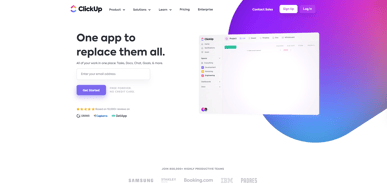
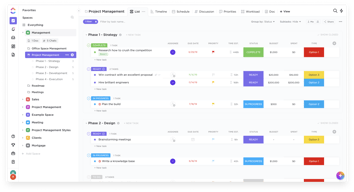






In the realm of project management tools, ClickUp has emerged as a comprehensive solution that caters to a wide range of users. From freelancers managing their own tasks to large corporations coordinating complex projects, ClickUp aims to simplify and streamline the process. But does it deliver on its promise? In this review, we’ll take a close look at ClickUp, dissecting its features, user interface, support, and pricing structure. Our goal is to provide an unbiased and thorough examination of this software, helping you decide if it’s the right fit for your needs. So, without further ado, let’s delve into the world of ClickUp.
What is ClickUp?
ClickUp is a cloud-based productivity platform that aims to centralize all your work and tasks in one place. It’s a comprehensive project management tool designed to help individuals and teams plan, organize, and collaborate on projects.
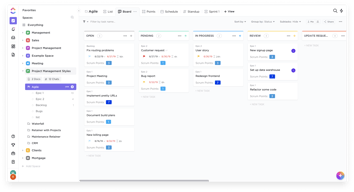
The software offers a wide range of features including task management, time tracking, goal setting, document sharing, and more. It also provides multiple views for project tracking such as list view, board view, and Gantt chart view, allowing users to customize their workspace according to their preference.
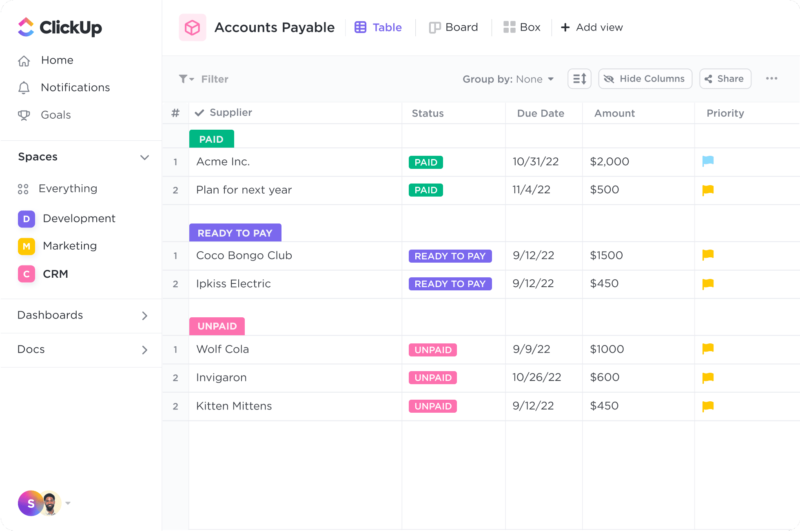
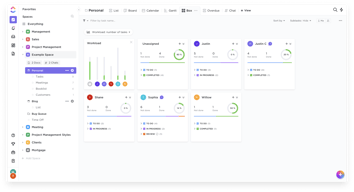
ClickUp Dashboard
ClickUp’s target users range from freelancers and small businesses to large corporations. It’s designed to be flexible and adaptable, catering to different industries and project types. Whether you’re managing a marketing campaign, developing software, or planning an event, ClickUp aims to provide the tools you need to keep your project on track.
In essence, ClickUp is more than just a project management tool. It’s a productivity platform that seeks to eliminate the need for using multiple, disjointed tools by providing a unified, all-in-one solution.
ClickUp Core Features
ClickUp is packed with a variety of features designed to enhance productivity and streamline project management. Here are some of its core features:
- Task Management : ClickUp allows users to create, assign, prioritize, and schedule tasks. You can also set dependencies between tasks, making it easier to manage complex projects.
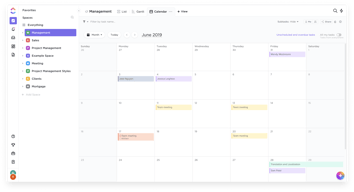
- Multiple Views : ClickUp offers several views for managing your projects, including list view, board view, box view, Gantt chart view, and calendar view. This allows you to visualize your tasks and projects in a way that suits your working style.
- Time Management : ClickUp includes time tracking features, allowing you to monitor how much time is spent on each task. It also includes scheduling and capacity management features, helping you to plan your time effectively.
- Collaboration Tools : ClickUp facilitates team collaboration with features like real-time chat, comment assignment, document sharing, and in-app video recording. These features make it easier for teams to communicate and collaborate on tasks and projects.
- Customizable Workflows : ClickUp allows you to create custom workflows that match your team’s processes. You can set up statuses for tasks and move them through different stages as they progress.
- Integrations : ClickUp integrates with a wide range of other tools, including Google Drive, Slack, GitHub, and more. This allows you to bring all your work into one place, reducing the need to switch between different apps.
ClickUp Pricing Plans
ClickUp offers a variety of pricing plans to cater to different user needs. Here’s a breakdown of their tiered pricing structure:
ClickUp offers Free, Unlimited, Business, and Enterprise plans — see ClickUp pricing for current rates.
The Free plan is a great starting point for small teams or individuals who want to try out ClickUp’s basic features. The Unlimited plan offers more flexibility and customization options, making it a good choice for growing teams. The Business and Enterprise plans offer advanced features and increased automation, making them suitable for larger teams or businesses with complex project management needs.
ClickUp has since launched ClickUp Brain, an AI assistant integrated across the platform for writing, summarization, and project insights.
Remember, it’s important to choose a plan that aligns with your team’s size, budget, and requirements. You can always start with a lower-tier plan and upgrade as your needs evolve.
ClickUp Competitor & Alternatives
ClickUp competes with tools like monday.com, Trello, and Asana. Each tool has its own strengths and weaknesses. ClickUp stands out for its wide range of task display views, real-time chat, and in-app video recording features. However, other tools like monday.com and Asana also offer robust features, although they lack real-time chat and in-app video recording. Trello, on the other hand, is a more budget-friendly option, but it lacks time tracking and budgeting tools.
ClickUp FAQs
Is ClickUp’s free plan really free?
Absolutely! ClickUp’s free plan is indeed free, with no hidden costs or strings attached. This plan offers a robust set of features including unlimited tasks, unlimited members, and up to 100MB of storage. It’s a great option for individuals or small teams who are just getting started with project management software.
While the free plan does have some limitations compared to the paid plans (such as storage limits and access to premium features), it still provides a comprehensive toolset for managing tasks and projects. So, you can definitely start using ClickUp for free and then decide if you want to upgrade to a paid plan as your needs grow.
What does project management software do?
Project management software is a digital tool that helps teams plan, organize, and manage tasks. It facilitates collaboration, scheduling, resource allocation, and progress tracking, making project execution more efficient and streamlined.
Bottom Line – ClickUp
ClickUp is a robust and versatile project management tool that can significantly benefit businesses of all sizes. Its comprehensive features for task management, collaboration, and project tracking make it an excellent choice for teams aiming to streamline their workflows and enhance productivity. While it has a rich feature set, it’s designed with user-friendliness in mind, making it accessible even to those new to project management software.

Compare ClickUp with other popular tools in the same category.

Lo que mas es las opciones que te da de guaradar documentos, y opciones de incluir archivos. El hecho de mandar tareas via mail es muy productivo, y no estar continuamente metiendote con la tarea
Lo complicado que es llas celdas, el realizar varios diseños, terminé creando muchos perfiles y no me ha resultado nada sencillo
La aplicacion de movil tardo mucho en actualizarse, y luego las tablas no son faciles. Lo he utilizado mucho para guardar info

Simple, facil de usar, la integracion con gitlab.
Lentitud al agregar las horas, al cambiar de estado los tickets.
Organizacion de proyectos y seguimiento de tareas

Clickup provides all of the fundamental tools needed to run a successful project from beginning to end. The integrations make this platform useful as well. Your average project can be managed without interruption with Clickup.
Clickup was okay. Overall, it is a solid project management system. However, the interface via ClickUp was overstimulating and cluttered. It was hard for me to find simple things - which made me start the process of switching my Project Management System.
Clickup helps solve many workflow problems especially as it relates to managing a project from beginning to end. Their Kanban approach helps to keep all projects in focus.

- Multiple task views - Easy collaboration with team - Document storage - Timely tracking of the task - Seamless integration - Powerful automation - Customised dashboard - Visualised reporting
- It lags sometimes - Difficult to create new tasks - Takes too much time to load the app - Confusing navigation - Missing progress bar - Features not organized
It is solving our daily task management as well as long-term project goals. As we operate remotely, It saves us a lot of time and increased the performance of our team members with the transparent management of the tasks.
I like that I can choose how I want to track the progress of our projects. I like that surveys can be created. I like that my teams get notified via email.
It looks too complicated to use at first esp. for users who have no background in proj. mgt. Surveys don't have a checkbox where we can create rows and columns.
Managing tasks and team deliverables. Notification is important.
I like the UI and it's really helpful. We can easily managing the timeline also can easily manging the project really flexible to use.
1. Loading progress when open the program. The connection is fine but loading progress really takes a few minutes. 2. Adding task when the task is so many is difficult because we have to scroll to the below part and sometimes we need to move it to the part that we have to set in to the close row with the close task. 3. Attaching picture on the description need to be smaller resize, not into full page of description. 4. When opening the picture in the description we can easily drag the picture. 5. Measuring manually or the progress of the project. We need to can decide indikator of the progress to automatically set the progress percent.
Problems that solved with Click-Up is to set timeline also the benefits is i'm easily adapt in to it.
So many ways to filter and sort. Able to export easily to Excel for reporting purposes
Previously could add subtasks to lists that the parent ticket is not in with a Business Account. But now that functionality requires Business Plus plan
Work Planning for engineering: frontend, backend and back office

The Mobile ClickUp is very User friendly and intuitively can be done,
but also it don't have Jira's flexibilities, as Jira has a lot of Integrations with different platforms and environments
I am QA engineer and I am working with tickets, so from the mobile side, it is very user friendly, but as web, I prefer Jira as it has more integrations
I have been using ClickUp as my primary project management tool for a few months now. I have used just about every major tool there is like ClickUp, and I would say it is the best tool for a free plan. Many of these tools have such complex layouts and are not easy to navigate, and ClickUp does a good job of their layout and being able to navigate quickly. I love the time tracking function and how you can have tasks within tasks. A lot is expandable to see more, and you can write notes about each item, etc. It's definitely powerful enough and has great automation tools. It does everything any other tool does and does it well. If you're looking for a free tool, I'd say this is the best option right now.
It has a lot of technical errors for me. Sometimes I can't get pages/tasks to load at all (even after trying multiple devices, browsers, etc., and my internet is working just fine). I'd say about 70% of the time, they take a long time to load even though I have gigabit internet, and it's been incredibly stable. This really slows down my work and makes using the platform very frustrating when I'm just trying to open a task but can't. While I think ClickUp is the best free plan, outside of free plans, I personally wouldn't use it. The layout is good; however, I feel Monday.com is better; it runs more smoothly for me, their layout is better and easier to navigate for me, I've found it to be much easier to customize to exactly what I need, and some other minor things like that. And I have the same amount of time on both platforms, so it's not like I'm just used to one platform more.
I haven't been using this for day-to-day tasks, it's a bit too cumbersome for that. I use this pretty much only to track projects right now for web and graphic design. I can keep track of client notes, my notes, comments, etc. through the comments window. I can also keep track of subtasks and see where each task is, if it is dependent on another task, waiting on a client, etc. I tried using this for our prospecting (which MOnday.com did an excellent job with, it was just too expensive), but it didn't really work very well. So I just keep it to design projects, and it's working okay so far. Not the best, but it works.

Beautiful design and intuitive interface
Gets very time consuming to maintain on a daily basis. The granularity can be a bit over the top and becomes high maintenance.
Team collaboration. Project management and task tracking for a team of 50 plus.

Clickup is really robust and very customizable for any sort of job or company or task or project. If you've been searching for a project management software for very long, this set of features is probably what you've been looking for. When I first got it, I was absolutely in love with it for being able to handle anything I used it for.
This software has amazing features and is very customizable for any sort of workflow; HOWEVER, since adding on more and more features, it has gotten to be so buggy to the point where it is essentially unusable at times. You add a task, and it doesn't show up, so you add it again, and then you have two. You move a task to a new column on your Kanban board and it shows back up where it was. I don't know if it's the codebase itself or the servers where it's all hosted, but it truly does become impossible to use for days at a time. IF it did everything it's capable of, it would be hands down the best project management available. As it is right now, it's hard to recommend. I would gladly take half as many features if it were actually reliable. It's extremely frustrating to see them constantly adding "new things" when the current version is so difficult to use.
I am keeping track of multiple active projects. And using the templates for tasks is great because most of my workflow is the same stuff over and over. It's also really easy to share progress with clients.
it is on the powerful side for sure. can customize and reuse content, smart power toys, and fields..
It is complex. a big learning tool. if you look for a better Trello, this is not it. And the mobile app is even worse, almost not usable. this is for desktop use cases.
Can track many projects, todos, tasks, or content in many flexible ways. Contractor bigs and remodeling project was my use case. once you create a template and workflow, it has value.. but if you are not ready to invest the time, a simple google sheet will give you 60% of the value with 1% of the effort.

Look and feel of the dashboard and different views like Table and Mid Map
Problems: I can´t create new tasks on the mobile. I can´t create reports like pivots.
I have all projects in one tool. I can also see them all on my mobile. And finnaly, I can quickly navigate thru all lists.
I like that clickup is a platform that all users of a program or project can access. It's an all-in-one one-stop-shop to help manage tasks and communicate effectively.
I'm not too fond of the format that Clickup is in. It isn't "user friendly" and takes a while to get used to efficiently navigating your tasks.
It's a great place to drop tasks, notes, and feedback for clients and participants of a project.

It gets you hyper-organized. If you like every aspect of your day, projects and tasks organized, ClickUp is for you.
If you dislike huge learning curves, ClickUp is definitely not for you. Even watching the video tutorials, you don't just automatically pick up how to do things. You have to check back several times to kind of remember what all you can do.
I haven't used it much. That's just because the first day using it, I spent two hours trying to set up my first day and I couldn't figure it out and I had so much to do, that I just threw in the towel.
Essentially, ClickUp pulls in project and task management, documents, time tracking and other important functions needed to run a business (or in our case, agency) into one programme. That's their USP over other players in the market.
However, with so many features, there comes a downside. ClickUp seems to launch or update features without fully testing them, resulting in bugs and data inconsistencies. As an agency that tracks their time per out, allowing for correct time estimates and time tracking data is imperative to our planning and bottom line. We have also experienced major issues with notifications not coming through, ClickUp support has had the bug detail for 4+ months and still has yet to fix this.
It's an absolute time saver!
I like how customizable ClickUp is. I have complete control over how to manage my tasks and checklists while also given the option to view them the way I prefer it.
I found ClickUp a little confusing at first. Visually, it was hard for me to locate certain features. It took some time to get started with ClickUp. Once I got the hang of it, I enjoyed using the platform.
I have more time in my day now that I've been using ClickUp. ClickUp works great for managing and delegating tasks. ClickUp keeps me on track with projects and to-do lists throughout my day.
The platform integrates seamlessly with other programs such as Slack, Gmail and GDrive, and Pipedrive (through Zapier). The customer support won us over as they were available to answer any questions and helped us migrate over from our old platform! Trisha, our sales rep, was top-notch and made our small company feel special!
We have spoken to support about getting a repository set up for all attachments within a workspace so that all clients can access them through one area.
Other than the attachment repository within workspaces, we don't have any other items of possible improvement. Our staff members love the easy-to-customize views for all tasks and the workflow hierarchies I can customize for each client!
There is SO MUCH you can do with ClickUp. Coming from Asana, I was quite surprised at the available features. The UI is solid, and I genuinely enjoy my time using it. I really can't think of anything I wish it were able to do. It's pretty feature-rich, and new updates seem to come out every week.
This perspective may be a one-off type of experience, but no matter what I do, it seems extremely slow and responsive at times. Sometimes I find myself having to reload the page or even walk away for a few minutes while it loads. I understand there is so much going on with the platform, but I wish it were more snappy.
Team management, content scheduling, saving workflows, organizing new projects, and much more. I mean, read the features off the website; the options are endless. I do feel that I am underutilizing the available features, but I only have so much time in the day.
comments go directly to the app or email
it is harder to keep track of work by the hour. it seems that employees if they do not have full control cannot turn the timer off on their own.
an overview of tasks and the time when they must be completed
I think it is the best task management tool I have seen so far.
There are a lot of bugs and the server response is not very good.
I use ClickUp to manage all my daily tasks, both professional and personal.
Recurring tasks are great. Addition of commands is also great.
Less customizable than Notion. Not all I do is task-driven, and Notion serves me better in this regard. I am a team of one, so the inbox, sharing and assignment features have no use for me.
I am a Notion user. I wanted Clickup to work for me, but not everything I do is task-centered. I love the recurring tasks, which Notion struggles with. The availability of so many user-created Notion templates far exceeds the Clickup library.
Organize and there are many options that are offered.
Confusing and the help guides are completely useless.
None, being used as work planner.
Colour scheme Layout collaboration options
sometimes feels like theres too much on a page
replaces multiple trello board
Quick loads and switching between sections
Documents are buggy........................
Wiki + tasks connection
I can create subtasks.I also like that I can make things long-range or sprint goals.
There are a lot of features that I feel like I need to use a tutorial to even know about. It feels like it’s very complex but most of it isn’t apparent.
I’m using it as a simple homework tracker. It has been easier to break my work down than pen and paper or just the syllabus.
The 'endless' possibilities with respect to views.
- No Whitelabel solution. I'd love to implement ClickUp as a structural part of my communication with my clients, but I am not going to do that before there is a Whitelabel/non-branded solution. - The fact that there is no REAL CRM-option: So basicly have a high level Client bord and attach folder/lists to these clients. - The bright colorscheme. We're a design and marketing agency. I'd love (the option) for a more neutral colorscheme espacially when we're going to use it in our client communication.
- Nothing much really. Yet... at least. I see great potential in ClickUp but the missing parts are holding me back in further implementing it in my business.
integration with many apps is a very important for me
too complex to work. Scree full is not easy to work
many apps work very well in ClickUp, work like hub
Our organization is new to project management software. I like that with ClickUp our team is communicating more efficiently. This is especially important during the pandemic as we are working in office and at home.
I wish ClickUp were more intuitive. Some days I feel inundated with notices. And I never feel I am using the software to the maximum efficiency.
In the past my coworkers contacted me in multiple ways and details were often lost. It is much easier to communicate issues and not have duplicate requests. My team can also see when I am overloaded.
Once set up, it is a handy tool for multiple project management.
So-called 'tips' appearing all the time - seriously, stop it! Clickup is way too naggy. Navigation is often a bit confusing, it is not organised in any logical manner.
Sadly I don't have access to one of the most useful views, which is GANTT. I am unable to demonstrate the benefits to my organisation. I am still setting up a usable view system. This takes AGES to do, but I did successfully manage to do it in my previous role. However, the templates were better when not populated with fake tasks - it is really annoying to have to remove them all.