

Unclaimed: Are you working at Smartsheet?
Smartsheet Reviews: 4.4/5 — Solid Choice
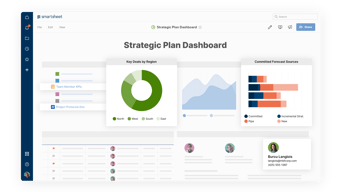
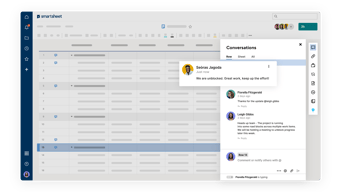
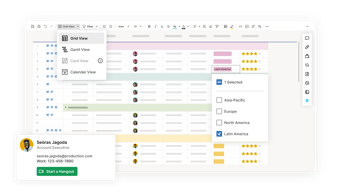
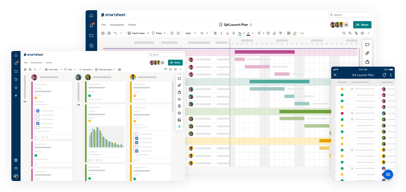
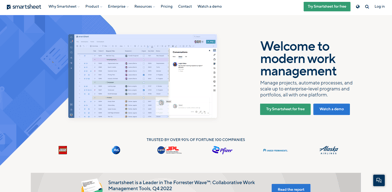
Priding itself as the trusted work management platform of over 90% of Fortune 100 companies, Smartsheet is a modern work management software that enables businesses to manage projects, automate processes and workflows, and scale up to enterprise-level portfolios and programs. It offers a robust set of views, dashboards, reports, and workflows to track and capture project plans, schedules, and resources. Smartsheet easily integrates with a number of third-party apps and software to allow teams to integrate the platform into their current way of working. Enterprise-grade, it’s one of the most secure work management software in the marketplace, giving managers and IT teams visibility and granular control over data and access.

| Capabilities |
API
|
|---|---|
| Segment |
Small Business
Mid Market
Enterprise
|
| Deployment | Cloud / SaaS / Web-Based, Mobile Android, Mobile iPad, Mobile iPhone |
| Support | 24/7 (Live rep), Chat, Email/Help Desk, FAQs/Forum, Knowledge Base, Phone Support |
| Training | Documentation |
| Languages | English |
Smartsheet Pros and Cons
- Data-driven automation for more efficient workflows
- Easily customizable platform
- A highly visual solution makes task tracking easier
- Critical task management features help drive productivity at scale
- Reliable automation of critical business processes for team and projects
- No time tracking feature
- Doesn’t offer an auto-save option
- Limited calendar view
- No time tracking feature









Compare Smartsheet with other popular tools in the same category.
works like excel, easy to use, collaboration is good.
can't link issues together, task assigning clunky.
Collaboration
I honestly did not have a very good experience with Smartsheet. It worked fine, but was a clunky experience compared to Google sheets.
Sharing was difficult. Changes made by other users were not shown in real time. I found the user interface to be less intuitive than I'd like.
Smartsheet is useful as an online spreadsheet app. It works well enough, but it is not as smooth or intuitive as other solutions
It has good functions for Analyzing data and creating graphs.
The tool has limitation. Not suitable for Adhoc and complex analysis.
Data analysis
I like organized information, and I love excel. I love how multiple people could access and adjust. Reminded me of a Google Doc.
I still felt limited. Maybe I just prefer more control over a document.
Project management. Event management.
Easy collaboration with others within the org.
Missing some basic features needed to process and handle data.
Misc sheets stored everywhere.
The timesheets are easy to use but I don't like how it puts in estimated time for hours you haven't worked yet.
Finding documents is not easy and the user flow is poor. I don't have any solutions.
It consolidates work across teams in one place but the UI is messy so it can feel cumbersome at times.
Working with other teams and other processes makes this a secure tool. I like the collaborative nature of the tool.
I need to save after EVERY keystroke? Stop it. I struggle to understand why we need another excel
Helping work between several groups.
Smartsheet has a mostly responsive and intuitive UI that should come naturally to anyone familiar with generic spreadsheet apps like Google Sheets or MS Excel. There are some nice advanced features like calculations based on working days.
A lot of the more advanced configuration is hidden or located in a place that isn't intuitive. The aforementioned working day calculation I stumbled upon randomly, despite looking for it at length previously. I'd like to see more automation features, too.
I use smart sheet for managing projects like upgrades and migrations and it allows our teams to gauge the project's overall progress at a glance and track progress. This is something we can easily communicate to shareholders.
There is sufficient detail on the logs and easy to create logs
It is hard to track changes made to logs ...
it is allowing us to list all the issues we have with projects in the business
Smartsheet is easy to use and a great place to share documents internally.
It can be really frustrating to get data back out of smartsheet or integrate with other products.
It allows us to make data available publicly on our website and be maintained by multiple users within our organization.
Ease to attach files to rows. That's it.
Smartsheet is a bad hybrid between a spreadsheet and a task management software. It just plays both roles very poorly. Monday.com is way better at task management, and Excel is unarguably the best spreadsheet option out there. Support at Smartsheet is deficient if not null. Their automations and integrations are basic, their add ons are expensive and disfunctional (I tried Data Shuttle, useless and unintuitive). Make yourself and your company a favor. Avoid Smartsheet.
We tried using it for Task and Project Management, but then discovered Monday.com which is substantially superior. We are currently using it as an online spreadsheet for calculations that involve multiple sheets, but are looking for alternatives.
Allows for collaboration between a number of individuals and groups along with various custom reporting possibilities. Easy to format and enter data. We use it mainly as a scheduling tool.
It's a glorified spreadsheet that we provide data entry on as a user. Collaboration is all done behind the scenes by the administrator. Multiple reports are scattered and not found in one single location.
Creates a common formation for project management that all users can easily populate and update while not customizing to their specific personal needs or requirements.
Smartsheet has good automation features and formulas.
Terrible customer service. There is no transparency on pricing. They will charge you based on your face. We are an enterprise company with an enterprise plan with a few add ons they don't keep to their agreed prices and always make problems with trials and all types of manipulations.
It is an excellent management platform for tracking and following tasks and data.
Functions: Most useful functions for us are those who support the collaboration. E.g. Automations --> used for wrong user inputs etc. The tool has also a great integration in other tools like Power BI (Connectors) Our Sheet admins also likes the summarize functions very much - they said it is great to have one place where all relevant informations are collected and presented together. Usage: All in all the tool had a great overview and deliveres a perfect user experience. Though there are so many different functionalities, due to the tabs and the great overview it was easy to find anything you need. What we also like very much is the design and the colors. The tool had a very beautiful look and feel and our users like to work with it very much. And also perfect for our and probably many other customers is the customization probabilities: you can send emails or trigger field-warnings etc. in many different scenarios, much better than many other tools can do.
there are some greater distinctions regarding license topics: We´ve had some premium licenses and some standard end users. For example Version History / Activity log wasn´t available for everyone - that would have been perfect for us. Also IFTTT integration for some topics would bee nice. But apart from that there is nothing that we dislike.
used for organizational wide shared sheets and colaboration work for different use cases. As well as a data basis for some reports in Power BI. Also very great for is was the Automations functionality: Sending Users automatic email notifications when a Smartsheet was edited, or some inputs are wrong etc. We also use the template apps for some predefined projects or campaigns.
The ability to send automated notifications. also dashboard functions as well as the ability to review stuff within a calendar view.
The filtering and ability to rearrange and sort data.
its not doing anything that Excel cant do. We had it implemented by someone who doesn't actually know how to use it. we could do with a lot of training to learn how to use it properly
UI is pretty nice, allows for pretty simple graphs.
Cost, product is very very over priced. The feature set you get for the price you spend is just not enough. Lacking simple things like Single Sign on, without spending WAY too much.
Giving some teams an easier shared Excel sheet to work with customers.
I am honestly not a fan. There's nothing about it that feels like an advantage over other spreadsheet tools. It seems to have nice graphing & charts, but it takes a lot of work to figure out how to use them.
It isn't intuitive to navigate. From what I understand, things like pivot tables are modules that are only available for purchase and not included. It's not easy to color code things. Another issue I just noticed is that it's telling me there's a new version of Smartsheet available and that I need to refresh. I refresh & get the same message. Over and over and over. It's a web-based tool. Why does it not refresh itself?
I am so sorry to say this, but I've used Smartsheet in two different companies now and wished they'd just use a standard spreadsheet. I cannot figure out what the benefit of using Smartsheet over another spreadsheet solution is. It feels like it's harder to navigate but has fewer tools.
The automatic date calculation is helpful
Date calculations are not intuitive and easy to mess up.
Have used for Project Management, since it's a SaaS its easy to access from anywhere.
It is nice having all project plans from the team in one place.
It takes a long time to get s project plan set up how you want it, even if you use a template.
Having each project plan and status visible to leadership.
Indentation of data within columns is excellent. More rigidly typed data can be better than unstructured cells in a typical spreadsheet like google sheets or excel. Collaboration is better than excel but worse than google sheets.
Collaboration - it LOOKS like online collaboration like google sheets, but in practice, it is easy to step on each others' changes. If one user is changing things, those things don't show up on another user's view, so you can't, say, have five editors working on a sheet together in a meeting. We work in this collaborative way often, and Smartsheet makes that difficult. A bigger problem, though, is with the premise of the Gantt chart view. My organization uses these charts for scheduling projects. This use leads to misleading results because the Gantt views are not correctly resource-aware. If I set up task dependencies, the Gantt view will auto-compute dates. These dates don't understand things like team capacity. Either you can have perfectly serial execution (each team can only be assigned ONE thing at a time) or parallel (each team or resource can have ANY number of things at a time). Neither of these dates is correct, but because the tool generates PRECISE dates, people seeing the chart will assume that they are correct as written. The tool leads our organization to make mistakes in a way that a different tool would not.
We use Smartsheet primarily for scheduling projects. When the project schedule is well maintained and vigilantly policed for changes and problems, the schedule is very clear. When not as well maintained, the schedule is misleading.
Provides a shareable space to note upcoming tasks and items to be completed. I also like that it shows items in red if they are overdue.
I find it a bit clunky to use or modify. Project plans rarely stay static, and adjusting the dependencies can be a tricky web to untangle. At that point, it's not saving me time.
In my daily work, I work with clients and external partners. This gives everyone a high-level view of what to expect and who is accountable for tasks.
It's decent as a project management tool, cool color schemes
A lot. It's just not intuitive to the user. Unfortunately, most of us are "Excel Trained" in the sense that it created a foundation for spreadsheets and formulas. Of course, there is a disparity between Excel and Smartsheets in the sense that they are two different products, but I feel that it is so foreign like a language I never heard of. Make writing formulas as easy as excel and replicate many of those tried & true key formulas.
The organized data source that we can trust like our bible where multiple collaborators can work towards the same goal for a project, but with different responsibilities. It's good for collaborating but if you have any sort of data tables to input or manipulate like a BI system, forget it.
Different project management charts according to each person's preference, connection with Gmail to email notifications when prompted.
Felt like this would all be possible on Monday.com or Google Sheets in a sense. Smartsheets felt like an in between the two platforms that I don't think we particularly needed.
Onboarding new employees through Smartsheet has been helpful in ensuring multiple team members can stay on top of what's been done and what's next.
Smartsheets feels like an outdated tool for modern times. The UI is clunky, it is challenging to share projects, and the design is not current. I would prefer to use a free project management tool vs Smartsheets.
UI Design Permissions Slow Collaboration
We used Smartsheets for project management and collaboration for HR projects yet it was not user-friendly and our partners rarely used.
Smart sheet has been a helpful tool for our Brand Sales team to create a database that is used by every sales and marketing team member at ViacomCBS. It's a resource for everyone to have bookmarked in their tool bar that links to other important and helpful documents hosted elsewere.
While our brand sale's use of smart sheet has been extremely helpful, our company also has access to Google Drive which I believe is a duplicative tool. Everything that our teams are using smart sheet for can be done in google drive and it would be very helpful for everyone across the company if we could use one system and not both.
Our Brand Sales team uses this to host all important documents, trackers, schedules ect in one place for everyone across the company to access. It's easy to navigate.
Atleast team members are able to report on what they are working on in a project
Using Smartsheet is expensive and it lacks time tracking feature which is very important in project management
Sharing of files and documents within a team is possible
key things: sheet to sheet linking, ease of sharing, reports and dashboards that link from sheets, ability to import source data to form dynamic sheets. definitely a great alternative for a PM team that wants to get away from local files or project plans that do not provide great visibility. also keeps us having to manually report out of powerpoint or excel on an ongoing basis. the true power of the product comes together with being able to centralize via permissions through the sharing capabilities while also provisioning via single sign-on.
The true powered automations come at a high price, making it tough to start out of the gate with all the needed features you need for a successful implementation. in our experience, sales have been terribly slow to get started with licensing and onboarding. We had multiple calls to arrive to the conclusions that price model for anything other than enterprise licenses (i.e. data uploader, pivot tables, control center) was out of our range. if you plan to do add-ons, basically plan like for like to each dollar of services for every dollar of the add-ons.
- Delivering project management functionality of project templates, dashboards and reports. - Additionally, supporting program and portfolio views and shared centralized area. - Establish a common intake form and position ourselves for further automation and capability. - Getting files out of legacy check-in / check-out into a more robust and collaborative user experience.
It was easy to use if you have basic skills with excel or word. It is user friendly.
Like I said before, it is souped us version of excel. You can do many of the same things with google sheets that can be linked to forms.
I have not benefited from using smartsheet no more than I would have using excel.

Smartsheet has a lot of functions and logic built in. It can easily organize and keep projects and tasks together.
It feels difficult to use design and layout wise. The user experience is not very intuitive.
We were organizing projects across our team and assigning tasks, requests, etc.
Flag task for team and ability to upload documents
Difficult to enter detail in small cells
Organization