

Unclaimed: Are you working at Freshdesk?
Freshdesk Reviews: 4.4/5 — Solid Choice
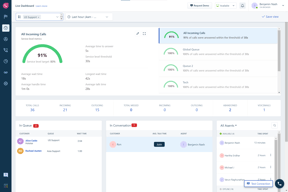
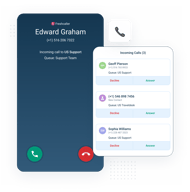
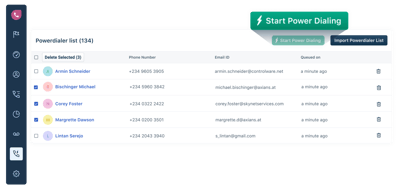
Freshdesk (formerly Freshcaller) is a cloud-based solution to improve a business’s customer service experience in the most cost-efficient way possible. With Freshdesk, users can deploy a flexible and smart contact center in a few steps, with zero phone hardware. Powerful features include multi-level IVRs, business hours, and holiday settings to help your agents manage call volumes without compromising your customer experience.
| Company | Freshworks |
|---|---|
| Year founded | 2010 |
| Company size | 5001-10,000 employees |
| Headquarters | San Mateo, California |
| Social Media |

| Capabilities |
AI
API
|
|---|---|
| Segment |
Small Business
Mid Market
Enterprise
|
| Deployment | Cloud / SaaS / Web-Based, Mobile Android, Mobile iPad, Mobile iPhone |
| Support | 24/7 (Live rep), Chat, Email/Help Desk, FAQs/Forum, Knowledge Base, Phone Support |
| Training | Documentation |
| Languages | English |
Freshdesk Pros and Cons
- There’s a free plan available
- Freshdesk uses powerful Freddy AI for its conversational chatbot
- You get access to high-quality website widgets like forms, personalized content, and click detection
- Some key features like AI are only available on the most expensive plan.







Freshdesk includes the first 500 Freddy AI Agent sessions on every plan, including the €17 entry tier. Additional sessions cost €45 per hundred, which values that inclusion at roughly €225 per plan — and its sibling product Freshchat includes none at all, charging from the first session. If you are choosing between Freshworks products, that difference is worth more than the feature lists suggest.
- What it is: Freshworks’ help desk — ticketing, shared inbox, knowledge base, and an AI agent.
- Best for: Support teams wanting email-led ticketing with AI deflection included rather than metered from zero.
- Pricing: Growth €17, Pro €52, Enterprise €84 per agent monthly on annual billing. Verified July 2026.
- The honest catch: There is no free plan on the current pricing page — only a 14-day trial.
What Is Freshdesk?
Freshdesk is the ticketing half of Freshworks’ customer service line: email and shared inbox, a customer portal and knowledge base, threads and tasks, roles and permissions, and analytics. Freshworks reports more than 74,000 businesses across its products.

The 2026 lineup is built around AI deflection. Every tier leads with the Freddy AI Agent and its 500 included sessions, and the tier descriptions are framed in AI terms — “launch AI-powered service over email”, “scale AI-powered service”, “deliver enterprise-grade, AI-powered service”. Freddy AI Insights is the Enterprise addition.
The 14-day trial runs on Enterprise rather than on the plan you intend to buy.
How Freshdesk Works
- Priced per agent, per month, with annual billing shown by default.
- 500 Freddy AI Agent sessions are included on every tier.
- Additional AI sessions cost €45 per 100 across all plans.
- Day passes cover occasional agents at €2, €7, or €12 by tier.
- Freddy AI Copilot is a per-agent add-on — €29 annually, €35 monthly, on Pro and above.
- No free plan is shown; the trial gives Enterprise access for 14 days.
Freshdesk Pricing
Captured from Freshdesk’s pricing page in July 2026 in euros, reading both billing toggles.
| Plan | Annual | Monthly | AI sessions | Day pass | Key additions |
|---|---|---|---|---|---|
| Growth | €17 | €20 | 500 included | €2 | Ticketing, portal, knowledge base, analytics |
| Pro | €52 | €63 | 500 included | €7 | Multilingual, routing, SLAs, custom dashboards |
| Enterprise | €84 | €101 | 500 included | €12 | AI Insights, skill-based routing, sandbox, audit logs |

What actually decides your plan:
- The included AI sessions are the quiet value. 500 sessions on every tier, with extras at €45 per hundred, means Freshdesk bundles roughly €225 of AI deflection into a €17 plan. Freshchat, the same company’s messaging product, includes none and meters from the first session. If AI deflection is part of your plan, Freshdesk starts from a much better position.
- Growth to Pro is a 3.06× jump. €17 to €52 per agent, with nothing in between. What it buys is multilingual support, intelligent routing, multiple SLA policies, custom dashboards, and external collaborators — real capabilities, but a large step for a small team that only needs one of them.
- There is no free plan on the page. Only a 14-day trial, and that trial runs on Enterprise, so what you evaluate is not what you will buy. Freshchat, by contrast, has a free tier for up to ten agents. Within one vendor’s line-up, that is a striking difference.
- The annual discount is smaller than advertised. The toggle says “SAVE 20%”, but €20 monthly against €17 annually is 15%, Pro is 17.5%, and Enterprise 16.8%. Still worth taking; just do not budget from 20%.
- Day passes are well designed and get expensive. €2 on Growth, €7 on Pro, €12 on Enterprise. Against the annual seat rates that puts break-even at roughly 8.5 days a month on Growth, 7.4 on Pro, and 7 on Enterprise — past about a week, buy the seat.
- Freddy AI Copilot is a separate per-agent charge at €29 on annual billing or €35 monthly, and only from Pro. It is distinct from the AI Agent whose sessions are included.
Who Should Use Freshdesk
- Email-led support teams. The clearest case — ticketing, shared inbox, and a knowledge base at €17 an agent.
- Teams deploying AI deflection. 500 included sessions per plan is a genuinely generous starting allowance.
- Existing Freshworks customers. Freshchat, Freshsales, and Freshservice share billing and data.
- Businesses with seasonal cover. Day passes at €2 on Growth are cheap for occasional agents.
It fits poorly for ecommerce support, where Gorgias’s store integrations and ticket-based pricing fit better; for teams needing a free tier, which Freshdesk no longer publishes; and for small teams needing routing or SLAs, given the threefold step to Pro.
Honest Pros and Cons
Strengths
- 500 AI Agent sessions included on every tier, worth roughly €225 at the published rate.
- A low entry price at €17 per agent for full ticketing.
- Day passes for occasional agents, which few help desks offer.
- Consistent add-on pricing, published rather than quoted.
- Part of a full suite if you already run Freshworks.
- A 14-day trial on Enterprise, so you see the top tier first.
Limitations
- No free plan on the current pricing page.
- A 3.06× jump from Growth to Pro, with nothing between.
- The 20% annual claim overstates it — 15% to 17.5% in practice.
- The trial runs on Enterprise, not the plan you will buy.
- Freddy AI Copilot costs extra and starts at Pro.
- Routing and SLAs require Pro, which many small teams will need.
Freshdesk Alternatives and How It Compares
- Freshchat is the same company’s messaging product, with a free tier for ten agents but no included AI sessions.
- Gorgias prices by ticket rather than by agent and is built specifically for ecommerce.
- Zoho Desk is the closest like-for-like competitor on price and breadth.
- HubSpot Service Hub suits teams already inside HubSpot, with costs rising as hubs are added.
- LiveChat and Tidio are chat-first rather than ticket-first.
- Zendesk is the enterprise incumbent Freshdesk has always positioned against, at higher cost.
For a broader survey, browse our help desk directory.
The Verdict
Freshdesk’s entry plan is better value than it first appears, and the reason is buried in a single line on the card. Every tier includes the first 500 Freddy AI Agent sessions, and additional sessions are priced at €45 per hundred — so a €17 plan arrives with roughly €225 of AI deflection already in it. Compare that with Freshchat, from the same company, which includes no sessions and charges from the first one, and the difference is substantial for any team planning to let AI handle routine tickets.
Two things to establish before you commit. The current pricing page shows no free plan — only a 14-day trial, and that trial runs on Enterprise, so you will evaluate features you are not buying and then choose a tier blind. That is a change worth noticing if you remembered Freshdesk as the help desk with a free tier; its sibling Freshchat still has one for ten agents, which makes the absence here more conspicuous.
And the step from Growth to Pro is threefold — €17 to €52 per agent — with nothing in between. What Pro adds is genuine: intelligent routing, multiple SLA policies, multilingual support, custom dashboards. But a five-agent team that needs only SLA policies is looking at €260 a month instead of €85, which is a large price to pay for one capability. Work out precisely which Pro feature you need before assuming the upgrade is inevitable, take annual billing (the saving is 15% to 17.5%, not the advertised 20%), and if you have occasional cover use the €2 day passes rather than full seats up to about eight days a month.
FAQ
How much does Freshdesk cost?
Captured in euros in July 2026: Growth €17 per agent per month billed annually, Pro €52, and Enterprise €84. On monthly billing those become €20, €63, and €101. Every tier includes the first 500 Freddy AI Agent sessions, with additional sessions at €45 per 100. Day passes cost €2, €7, or €12 depending on tier, and connector app tasks are €80 per 5,000.
Does Freshdesk have a free plan?
Not on the current pricing page. It shows three paid tiers and a 14-day free trial, and that trial gives you Enterprise access rather than the plan you are likely to buy. Freshworks’ messaging product Freshchat does still offer a free tier for up to ten agents, so if a free plan is what you need, that is where to look within the same suite.
How many AI sessions does Freshdesk include?
The first 500 Freddy AI Agent sessions are included on every plan — Growth, Pro, and Enterprise alike. Beyond that, additional sessions cost €45 per 100, which is the same rate Freshchat charges from its very first session. At that rate the included allowance is worth roughly €225, which materially improves the value of the €17 entry tier.
Why is Freshdesk Pro three times the price of Growth?
Pro adds multilingual helpdesk, custom dashboards and reporting, intelligent routing, multiple SLA policies, and external collaborators. Those are substantial capabilities, but they arrive together at €52 per agent against Growth’s €17, with no intermediate tier. For a small team needing just one of them, the upgrade is expensive — so identify the specific feature driving the decision before assuming Pro is necessary.
Does Freshdesk’s annual billing save 20%?
Not quite. The toggle advertises 20%, but the published figures are €20 monthly against €17 annually on Growth — a 15% saving — €63 against €52 on Pro at 17.5%, and €101 against €84 on Enterprise at 16.8%. Annual billing remains worth taking on every tier; the saving is simply a few points below the badge.

Compare Freshdesk with other popular tools in the same category.
The new admin UI is clean and efficient. I like how the sections are organized. It's intuitive.
The difficulty to customize the templates of the front office. The difficulty to use as a Saas tool for serverless websites.
We want to help our app users with a knowledge base and make it easier for our agents to update the content and rearrange it.
Freshdesk is a good solution for customer care in SMEs. It is easy to onboard new users on it and can do more (with intelligent routines) if needed. The system automation and the management of related tickets are good features.
Some routines have limited options, which make it hard to fully customize them.
Freshdesk helps us to offer fast and reliable customer service on all our channels - and no customer would ever get overlooked.
1) Easy communication and tracking.
Tracking is difficult.Can be more organised
Software
Very simple to use and user friendly. Had (what I thought) would be a major issue, called the CS team. Answered the call immediately, understood the issue and fixed the problem in minutes. very impressed
often get multiple tickets for the same issue based on "fwd", "re:" etc being in the subject, if the ticket is opened directly in the system or emailed in.
Support Ticketing system
a lot of features that makes sense compared to our previous ticketing system. simple things like bcc and email campaigns
the spam filter needs a lot of work, we are constantly having to deal with filtering these out
cost and scalability
Slack integration in the Mint version is not as expected
Mint version not allowing us to change the requester when pushing a ticket from slack to Freshdesk. I've had a forum ticket opened for months asking for the update as this is a showstopper for us. Nothing updated so far.
Helpdesk, Customer Self - Service
I found it more user friendly and updates were also easy
The constraints at some point of ticket
Day to day operations. It helps find gaps
Easy to use. Clients like the interface
Cannot customize work flow as much as I
Providing our clients with a way to interact with our support team. The clients like the interface and ease of use.
Easy to use from an agent and system admin point of view
Limited text formatting, current options are not so easy to use
Ticketing, inbound and outbound emails for customer service and also complaints
Managing incoming and ongoing tickets is easy on a per agent level
the left and right arrow keys switch between tickets when I would like to do alt+left to navigate backwards in my history
Its an easy way to manage our support desk for all of our customers
The ability to filter tickets by status Customer Survey Leaderboard Viewing tickets assigned to each Agent
New Mint Freshdesk GUI (When typing reply, cursor jumps to the start of the reply).
The management of customer queries, responding to customers in the quickest time frame possible.
Freshdesk does the expected job with minimal hassle and allows you to get running very quickly. The day-to-day workflow of managing tickets is streamlined and pleasant to work with. Ticket search remains perfectible but has significantly improved.
Some common operations like quickly applying actions per ticket, mass-modification or changing the values of custom ticket fields remain a bit tedious. Automation features (Observer & co) are a bit awkward but are usable.
We managed to achieve a very good support level
Easy to use and support team is responsive to problems when they occur. The multi-product features allows us to customize to our products and allows help desk agents to support multiple products.
Mint version has lost features from old style. Chat has improvement opportunities to be realized.
Improved responsiveness to customer questions and problems.
I like the intuitive functionality of the platform. I'm able to segment, organize, and edit fairly seamlessly. Tickets don't seem to get lost in the shuffle as much as other platforms.
The little bugs that seem to be plaguing the platform, such as the cursor jumping to the heading of my tickets randomly. Also, more long-term analytics for reporting would be great.
Segmentation of tickets, the ability to categorize tickets for reporting metrics later on. We use this to see what kind of tickets we are getting more readily than we could before.
Keeps track all the incidents. We can approve tickets using this. Also the priority and overdue is help us to improve our service
Nothing specifically. But in the latest mint version we are not able to use the custom apps. Hope you guys will comeout with a solution.
Approving the transports.. Previously we need to use a separate software for this
How the agent catered a remedy to my specific issue. Not just a link to an FAQ.
The platform itself may not be self explanatory to create auto-responses for all users.
Time saving and organization.
The look and feel of the GUI is nice. It takes some getting used to but once you get comfortable it's pretty great to use.
There's some strange limitations with things like ticket merging, and we've got an ongoing issue with duplicate tickets being created for the same issues, but other than that I'm liking it.
We've been able to better track our ticketing. There are still some features we're figuring out how to use, but what we have so far seems good.
Intuitive UI, useful templates, excellent customer support
Initially, I didn't like the fact that all of our customers needed to create Freshdesk accounts in order to view their tickets, but Freshdesk support helped me overcome this obstacle by using public URLs.
Bridging the gap between customer feedback and our developers.
The ease of use in handling the product. Freshdesk consists of various features like Team Inbox, SLA Management,Agent Collision Detection and Custom Ticketing but out of all these Agent collision Detection was the best.
Although almost all its features were quite good but still there are some lacunae to fill like the calling feature that they don't have can be incorporated into it.
We are able to address our customer queries and also track the conversations while assigning/auto assigning the tickets to our customer service reps. The benefits include our customer churn rates have been reduced by over 20 percent.
Only have it for 4 days in use but till now meets my expactions. I like the gamification a lot where you can give your agents rewards. But as I said, i do not use it that long.
It is rather strange that if you once selected your primary language you are not able to change them anymore
Ticketing and Knowledge Base (internal and external)
The organization of categories was good.
The search engine could be improved. I can’t always find what I’m looking for.
I used Freshdesk as an independent contractor. The contractor forums were on Freshdesk. Any question or problem could be addressed and answered.
Easy was to make and track work requests.
Wish it could allow for recurring due dates.
Tracking and analysis work requests. The “Upload Screenshot” button below is not working. Couldn’t upload.
Ease of Use technical support SLA Management Mobile app Ticket search
Poor support can't modify the Ticket Summary we can't have an option as not ticket and not be in on hold tickets
technical support
Fist of all I'd like to praise Freshdesk for their communication and support. It's very easy to reach them, and all the conacts we very knowledable helpful! Regarding the system: I like the reporting tools. Intuitive and very in-depth - if necessary.
Our team had some issues with smaller UI related issues, some of which are supposed to be fixed with the upcoming update. Some of them seem to be related to firefox, and seem to work fine on Chrome, something to keep in mind? Our biggest issues were related to our multi-language set-up. One the one hand the language detection doesn't work for us. On the other hand some features, e.g. CSAT survey, simply don't support more than one language.
We've improved our reporting a lot. More data, easier to access, more automized reports. The tagging-feature helped us track groups of cases more efficiently.
My favorite thing about freshdesk is that they are constantly making improvements and have a wide variety of options to customize your account.
While they have customer service that responds quickly, their customer service is very hard to communicate with. It often takes them a while to even recognize what you are trying to get resolved. They can also be a little snippy.
Freshdesk is what we use for our Customer Service team. Freshdesk has great reporting for phones.
The best thing about Freshdesk is the ease of managing my tickets. I can easily respond within the application and update, merge or bulk edit multiple tickets.
When merging tickets, it can sometimes be difficult to follow the newly created thread. When I reply outside of the system from my email client, sometimes it seems the additional copied recipients are dropped. I will have to log into freshdesk directly to reply to all original recipients. It's only a mild inconvenience, as I can usually respond easier from my email client.
It is providing a ticket queue for software requests. It gives a consolidated point of issue intake.
It's very simple and easy to setup/use. A lot of really cool features come out of the box. The ticket management, is also very intuitive and fast.
The API can be kind of tricky to use. It could use more documentation for clarity's sake. I also wish it stored information based on the first response/first updated time and person of a ticket, and there isn't
We use it for our main support system. It is easy to maintain, there are cool features coming out every couple months or so, and we've found that a lot of our newer people can be trained on it in very little time.
- easy use of the tool - the flexibiilty of making fields
- the non flexibility for reshaping dashboard and how the content looks like ex. broadcast other info in the general layout, adding other KPI's in the dashboard, etc ...
customer satsifaction by measuring our service performance
It's relatively simple and easy to use. Easy to create and interact with queries. Visually alright, though a little less "fluff" content would be nice. Overall, nice software,
A number of buggy UI issues (e.g., on the client side, their search bar's text input gets all garbled and odd). Also, no way to display more than 30 tickets at a time - would prefer a more tabular way of displaying more tickets without having to export to Excel.
Easy way to track communication with clients - through easily referable tickets - rather than email address. Good way to keep track of high volume communications.
Being web based allows no hardware costs.
Linked issues should also exist without a tracker.
Created some categories for issues and now we can measure where problems are occuring more often. Also works as KB