Unclaimed: Are you working at GoToWebinar?
GoToWebinar Reviews: 4.3/5 — Solid Choice
Best known as the world most popular webinar and webcasting tool, GoTo Webinar is an easy-to-use solution that allows users to host webinars, virtual conferences and events. The platform comes with robust features and integrations that allow users to engage with audiences to drive business growth.
| Company | LogMeIn, Inc. |
|---|---|
| Year founded | 2003 |
| Company size | 1001-5000 employees |
| Headquarters | Boston, MA, United States |
| Social Media |
| Capabilities |
API
|
|---|---|
| Segment |
Small Business
Mid Market
Enterprise
|
| Deployment | Cloud / SaaS / Web-Based, Desktop Mac, Desktop Windows, Mobile Android, Mobile iPad, Mobile iPhone, On-Premise Linux |
| Support | 24/7 (Live rep), Chat, Email/Help Desk, FAQs/Forum, Knowledge Base, Phone Support |
| Training | Documentation |
| Languages | English |
GoToWebinar Pros and Cons
- Hosts automated webinars
- Option to simultaneously host organizers and panelists
- Capable of hosting webcasts
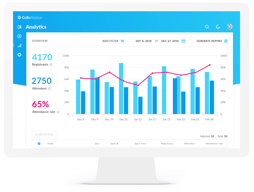
- Provides webinar analytics and exports
- Integration with GoToMeeting
- Costly compared to other alternatives
- Basic plan only accomodates 100 webinar attendees
- Requires presenters and participants to download specific software to be able to use platform

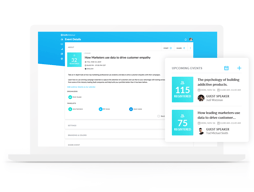
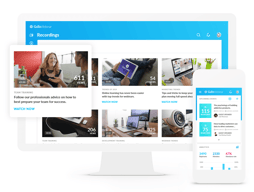
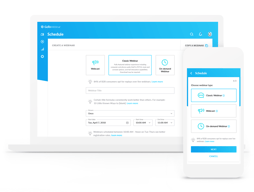





GoTo Webinar is one of the longest-running webinar platforms, and it sells reliability at scale rather than the newest features. If you are running regular webinars for hundreds of attendees and the cost of a technical failure is high, that track record is what you are paying for. If you are running your first webinar for forty people, it is an expensive way to do it.
- What it is: Webinar and virtual event software with registration, automated email sequences, polls, Q&A, analytics, and attendee-facing simplicity.
- Best for: Marketing, training, and enablement teams running webinars regularly at 500+ attendee scale, particularly in enterprise and regulated environments.
- Pricing: Reach $59/month and Elevate $103/month billed annually ($69 and $129 monthly). Complete is custom. A 7-day free trial, no free plan. Verified on GoTo’s pricing page in July 2026.
- The honest catch: Cloud recording, arguably the most basic webinar feature there is, sits on Elevate rather than the entry plan. For most buyers that makes $103/month the real starting price.
What Is GoTo Webinar?

GoTo Webinar launched in 2006 as part of the Citrix GoTo family, later spun out into GoTo as an independent company alongside GoTo Meeting, GoTo Training, and the LogMeIn products. That two-decade history matters more here than in most software categories, because a webinar fails publicly and in real time, and buyers with an audience watching tend to weight reliability above feature count.
The product is built around a straightforward loop: create a registration page, drive signups, send automated reminders, run the event with engagement tools, then follow up with recordings and analytics. It does that loop well and has done it for a long time. What it does not do is compete on innovation with newer platforms that ship more aggressively.
The independent ratings are respectable but not uniformly glowing, and the gap between them is instructive: 4.5 out of 5 on Capterra across 2,073 reviews, but roughly 4.2 out of 5 on G2 across about 801 reviews. Reviewers consistently praise attendee-side ease and large-audience handling, and consistently raise cost and occasional audio and video problems.
How GoTo Webinar Works
- Registration and promotion. Custom registration pages, automated confirmation and reminder emails, and source tracking so you can see which channel produced which registrants. The email automation is mature and is the part marketing teams rely on most.
- Running the event. Presenter tools, screen sharing, polls, surveys, live Q&A, and handouts. Attendees join without installing anything, which reviewers repeatedly call out as a genuine advantage with non-technical audiences.
- Recording and reuse. Cloud recordings on Elevate and above, plus the ability to run a recording as a live event, which is the simulive pattern used for repeatable demand-generation webinars.
- Analytics. Attendance, engagement, and drop-off reporting, plus registration source tracking on the Complete tier, with integrations into HubSpot and Salesforce that reviewers describe as reliable.
- Scale. 500 participants on Reach, 1,000 on Elevate, and up to 3,000 on Complete, with live streaming to unlimited attendees at the top tier.
In 2026 the notable additions are AI summaries and transcripts on Elevate, and breakout rooms. Both are useful, though neither is unique at this price point any more.
GoTo Webinar Pricing
Pricing is per organizer seat and gated primarily on participant count. Figures verified in USD on GoTo’s webinar pricing page in July 2026.

| Plan | Annual (per mo) | Monthly | Participants | Key additions |
|---|---|---|---|---|
| Reach | $59 | $69 | 500 | 1 organizer seat, reporting and analytics, automated reminders and follow-ups, polls and live Q&A, mobile hosting |
| Elevate | $103 | $129 | 1,000 | Branded webinars and custom URLs, cloud recordings, AI summaries and transcripts, recordings as live events, breakout rooms |
| Complete | Custom | Custom | 3,000 | Custom organizer seats, live streaming to unlimited attendees, paid events and certified training, GoTo Meeting license, registration source tracking |
The things that change the calculation:
- Cloud recording starts on Elevate. This is the single most important detail in the pricing. Recording a webinar is table stakes, and putting it on the middle tier effectively makes $103/month the entry price for most buyers rather than $59.
- Branding also starts on Elevate. Custom URLs and branded webinars are not on Reach, which matters if the webinar is a marketing asset representing your company.
- Annual billing saves 14% to 20%. Reach drops from $69 to $59 and Elevate from $129 to $103, so the discount is larger on the plan most people need.
- Per-organizer, not per-attendee. Reach includes one organizer seat. Multiple hosts running independent webinars means multiple seats, which climbs quickly.
- There is no free plan. The trial is 7 days with no credit card required, which is short. Plan the webinar you want to test before you start the clock.
Who Should Use GoTo Webinar
- Teams running webinars as a regular programme. The registration, reminder, and follow-up automation is genuinely mature, and it is the difference between a webinar that fills and one that does not.
- Organizations with large or non-technical audiences. No-download attendee joining and proven handling of 500 to 3,000 participants are real strengths.
- Enterprise and regulated buyers. A long track record, established security posture, and reliable HubSpot and Salesforce integrations matter when procurement is involved.
- Training and certification teams. Paid events and certified training on the Complete tier, plus the sibling GoTo Training product, cover a use case most webinar tools ignore.
It is a weak fit for solo creators, small businesses running occasional webinars, and anyone whose priority is marketing-funnel features like evergreen automated webinars. In those cases you are paying enterprise prices for capabilities you will not use, and the alternatives below serve you better.
Honest Pros and Cons
Strengths
- Reliability at scale is the core proposition. Two decades of running large events shows in a platform that handles hundreds of attendees without drama.
- Attendees do not need to install anything. Repeatedly praised in reviews, and it directly reduces the number of people who register but fail to attend.
- Mature email automation. Registration, reminders, and follow-ups are well built and are the operational backbone of a recurring webinar programme.
- Solid integrations. HubSpot and Salesforce connections are described as seamless by reviewers, which matters for lead routing.
- Simulive. Running a recording as a live event is a genuinely useful pattern for repeatable demand generation, though it requires Elevate.
Limitations
- Expensive relative to the category. The most common complaint in independent reviews, especially from small businesses. Competitors deliver comparable core functionality for less.
- Recording is gated to the middle tier. Hard to defend, and it materially changes the real entry price.
- Occasional audio and video problems. Some reviewers report technical issues serious enough to have driven them to competitors. Not universal, but it appears often enough to note.
- Limited branding and customization. Reviewers want more control over branding and more editing options for pre-recorded content.
- A 7-day trial is short. Barely enough to plan, promote, and run a real webinar, which is the only meaningful test.
- Fewer marketing-funnel features. Evergreen and automated webinar funnels are weaker here than in tools built specifically for that job.
GoTo Webinar Alternatives and How It Compares
- Demio is the strongest comparison for marketing teams. Browser-based, cleaner interface, better suited to demand generation, and generally cheaper.
- Livestorm is browser-based with a genuinely usable free tier and strong analytics, and it appeals to teams that find GoTo’s interface dated.
- WebinarJam targets marketers and online sellers, with strong funnel and evergreen features through EverWebinar, at the cost of a busier interface.
- ClickMeeting is a lower-cost, flexible European alternative worth comparing if data residency matters.
- Zoho Meeting is dramatically cheaper and adequate for straightforward webinars, particularly if you already use Zoho.
- Zoom Webinars is the default comparison for organizations already standardized on Zoom, and often wins on price and familiarity alone.
For a fuller comparison, see our guide to the best webinar software.
The Verdict
GoTo Webinar is a dependable, well-integrated platform that earns its place with organizations for whom a failed webinar is a serious problem. The registration and email automation is mature, attendees join without friction, and large audiences are handled without incident. The 4.5/5 Capterra rating across more than 2,000 reviews reflects a product that does the fundamentals well.
The pricing is the sticking point, and specifically the decision to put cloud recording on the middle tier. Once you accept that Elevate at $103/month is the realistic entry point, GoTo Webinar is expensive against a field where Demio, Livestorm, and ClickMeeting deliver comparable core functionality for less. The honest answer is that you are paying for reliability and enterprise-readiness, and whether that premium is worth it depends entirely on what a failed event would cost you.
If you run a serious, recurring webinar programme in an organization that cares about vendor stability and Salesforce integration, this is a defensible choice. If you are a small team or a creator building a marketing funnel, Demio or WebinarJam will serve you better for less money. Whichever way you lean, plan your test webinar before starting the 7-day trial, because it is too short to waste.
FAQ
Is there a free version of GoTo Webinar?
No. GoTo Webinar offers a 7-day free trial with no credit card required, but there is no permanent free plan. Paid plans start at $59/month billed annually. If a free tier is important, Livestorm offers one with limited attendee and duration caps.
How much does GoTo Webinar cost in 2026?
Reach is $59/month billed annually or $69 billed monthly, and supports up to 500 participants. Elevate is $103/month billed annually or $129 monthly, and supports up to 1,000 participants. Complete is custom priced and supports up to 3,000 participants with live streaming to unlimited attendees.
Does GoTo Webinar record webinars?
Yes, but cloud recording is only available on the Elevate plan and above, not on the entry-level Reach plan. Since recording is a basic requirement for most webinar programmes, this effectively makes Elevate at $103/month the practical starting tier rather than the advertised $59.
How many attendees can GoTo Webinar handle?
Reach supports up to 500 participants, Elevate up to 1,000, and Complete up to 3,000, with the option to live stream to unlimited attendees on the Complete tier. Participant capacity is the main dimension the plans are gated on.
What is GoTo Webinar best for?
Organizations running webinars as a regular programme at meaningful scale, where reliability, mature registration and reminder automation, and CRM integration matter more than the newest features or the lowest price. It is particularly well suited to training, enablement, and enterprise marketing teams.

Compare GoToWebinar with other popular tools in the same category.

Many people can attend online meeting together
Like all features but some times voice breaking during webinar
Sometimes internet problem
We regularly host webinars using GTW and it works well for our needs. We use Hubspot integration and it works great! Also I am glad we can now upload videos to play during live webinars.
The rendering time for the recorded webinars.
Because we regularly host webinars, GTW has been great for what we need it for. Webinars are our biggest lead generator so it all starts with a great webinar hosting platform!

It's the best plateform to organize a webinar through a single link.
User interface may be improved as like ms teams.
It's very easy to setup a webinar and share a link so that maximum invite can be sent and it's very simple to join webinar by using that link.
Liked the ease of access and the chat window.
Quality of audio and noise cancelation needs to be improved
I faced audio and background noise issues which will improve the app sound quality and app uses.

GoTo Webinar is intuitive and easy to create webinars with. We can create events and webinars from the GoTo Webinar dashboard on the web browser, where we can invite users via email. We can schedule the webinars to automatically start at a later date whether it's one-time or recurring. It's easy to implement as it carries over profiles and emails from anyone who's ever used GoToMeeting previously before it was upgraded to GoTo and its products. To ensure a seamless flow of webinars, the application has settings to test your mic and webcam within the dashboard. The webinars are excellent and allow communication across any device or region. You can participate in them using your computer audio or phone call. Webinars make collaborating easier as we can show our screen to all the attendees. You can give keyboard and mouse access to any attendee while showing the screen for any work that requires a collaborative effort. You can show presentations easily and if it's group work, you can change the presenter and give someone else the control to move slides and use interactive features. The interactive features include creating polls and questions with text boxes where the users can leave their answers, which is excellent for surveying and receiving feedback. We can record our webinars with up to 6GB of size by default, but you can increase the limit from the settings if your device has more storage space as GoTo save all the recordings on the computer. The best part about GoTo Webinar is that you can get full analytics for your webinars, showcasing the number of registrants and attendees and the attendance rate for each user. You can have the data exported into a spreadsheet for keeping records of your webinars. GoTo Webinars has a video library where you can upload your recordings or any videos for viewing on the browser or sharing. You can drag and drop your file from your computer or upload them from your cloud drives such as Google Drive, OneDrive, Dropbox, and Box. Similarly, file transfer can also be done through these mediums. Overall, GoTo Webinar is excellent for connecting with a large audience and supporting up to 100 people. Your webinars can be live or pre-recorded, where users can just join and view the session and leave post-session interactions through polls and feedback forms.
For first-time users, setting up a webinar can be complicated. Unlike GoTo Meeting, there's no direct way to download the GoTo Webinar desktop application. You'll have to create and start a webinar from your browser and only then will it prompt you to install and open the application. This process was a little confusing for us at first because there was no explanation for this anywhere and we had to search on Google to find the solution. The interface is also difficult to get used to at first because all the features and settings are bundled up together without much room for navigation. It also has no web browser support, so downloading the application is a must.
We've been using it for webinars since the pandemic started and it allows seamless connections with people around the world, many of whom are clients from Europe and Southeast Asia. For training and collaborating, GoTo Webinars has been perfect, providing an excellent platform to share files, show screens, show presentations, and generate reports based on attendance and interactions. Although implementation could've been a little easier, it's been pretty easy to use since then and setting up live events or webinars is pretty straightforward. We can tick the option to make it recurring so that it automatically does the work of alerting the users for each upcoming webinar.
GoTo webinar allows all the required tools to successfully provide a webinar to an audience, from a minimum of 250 participants to a maximum of 3000 depending on the plan that you purchase. What I do like the most is that it also allows the option to pay on monthly basis or annually with a discount.
GotoWebinar has a lot of options but may cause a little confusion to some users, all the options are a little small and hard to identify at the beginning, but once you get used to where to find the options for recording, answering questions, etc. you are good to go but can be a little challenge for new users for the first time.
Is a little less expensive alternative to creating webinars for an audience and it also provides the necessary tool for them, for example to record the screen, and your face or create a Q/A chat for the audience.
Easy, simple and fast webinar/email setup
Errors - webcam/mic don't work sometimes
Because of covid, we had to move to a more digital first approach, GTW helped in terms of our marketing events
I like that it's easy to set up and that it allows us to work with large groups while limiting what they can see.
Nothing I can think of. We switched to a new product for day to day use and I do miss the bells and whistles of GoToWebinar.
We often need to communicate information with large groups and our customer doesn't want the attendees to be able to interact and GoTo helps us accomplish that. It's also very easy to use and add things like In Webinar polls and surveys.
Using GoTo Webinar allows presenters to require registration, which is necessary in our field in order to send surveys after the completion of the webinar and track our data.
I do not like the fact that it is very difficult to use webcams on this platform. The attendees often want to share their webcams and it is beyond difficult to be able to offer this platform for that.
We have been able to offer training's live with COVID still occurring. This means that our work does not have to stop, but now we can reach even further and save on travel.
The ability to be able to dial in from a standard phone is sometimes easier and more flexible than the VOIP option for MS Teams. It was also easier for our users to adapt to it since they were already using GoToMeeting.
If another user was using the same login, instead of alerting them and rejecting their login, it kicks out the live\current meeting. It was another program for them to start up compared to MS Teams which was already loaded up.
It allows you to broadcast and mute attendees so they do not distract other participants with background noise. It also has dial-in feature for users that are not in front of a computer.
I found the end to end experience very helpful!
It would have been great to allow customers to download the webinars' recordings as not everyone has internet connection all the time.
We wanted to reach out and give education access to many students across and outside the country and this was greatly helped by gotowebinar technology. Students were able to attend live sessions and get access to the recording as well.

Easy to understand and gives you the confidence to interact online.
I really did not see nor notice anything that I would dislike! Although, it would be better if it had public chat...
For Drawings and trimmings. There's great options for trimming and editing webinar recordings...
Ease of use with multiple presenters and presentations
sometimes attendees have difficulty logging in
Training our network of providers and able to "meet"/conference without in-person expenses.
Easy-to-use interface. Can update webinars and go live/end webinars easily.
Need better webcam functions/placement. It would be nice to have small, moveable circles or squares with our webcams instead of taking up a lot of screen
Teaching people important topics in our industry & connecting with prospects
I've had to call the help line so many times. They are always prompt to answer and super helpful to help troubleshoot.
Several times during our LIVE webinar the webcam function has been down. We had to continue the scheduled program without video function. There are many steps to setting up a webinar. It would be nice to have it streamlined some.
Allows us to bring together a large group weekly to learn more from our industry professionals. We have created a great following and received many customers from webinar attendance.
Better, secure, and more administrative controls than we other products like Zoom.
The only downside we have using this product is that students can't also have their cameras on.
Can have up to 5000 users at one time. Better reporting and analytics than others.
GotoWebinar automates critical emails to participants before and after the live session, which helps generate attendees and ensure distribution of the session recording and slides.
The GoToWebinar toolbar is not intuitive for many of my colleagues, which causes issues with handling questions from the audience, turning cameras on and off, etc.
We use this platform to host live informational sessions about organization resources, grants, inspirational case studies, and clean energy topics most relevant in New Jersey. We've been able to use the system to get the word out about opportunities important and useful to our audience. We also use the webinar recordings as a future resource to inform clients about topics.
Great sharing options, the ability to share your screen, a clean version of your screen, a video, launch polls, share documents, answer questions, and engage with the users in the session.
Lack of live transcription (closed-captions). GoToWebinar suggests using the built-in captions in Google Slides or PowerPoint as you're sharing those tools, but if you're not sharing one of those items, you're out of luck, and even if you are, there's no way for users to turn them off who do not need them. Zoom now has live, automated captions, which is a real game-changer. I also wish it had a single calendar sharing option to share your entire upcoming calendar of webinars.
Hosting large events is a lot easier with GTW due to the 3000 attendee limit. It is cost-effective for the solution that it provides us. Attendees often ask if they'll receive a certificate for attending, which GTW delivers automatically.
Easy platform to host large webinars. It has a native API with my marketing automation platform that makes creating custom registration pages really easy.
Unlike other platforms, GoToMeeting and GoToWebinar has not made it easy to change your background. You have to download a 3rd party app called ChromaCam to accomplish this and it often has problems. All of the other platforms make it much easier to change backgrounds very easily!
A great tool for large webinars. The administrator controls are very comprehensive.
GoToWebinar can be accessed through the web browser, users do not need to download any application. It can be used to conduct webinars effectively even with a huge number of participants.
GoToWebinar should have a feature to interact with other participants.
GoToWebinar Platform is used to conduct and attend the webinar in this pandemic situation.
For the most part, it is simple and straightforward to set up and run a webinar using this program. The look of the website is very appealing and makes navigating through each section of the website easy to do. You can quickly access old recordings, and even copy new ones to save time in the set up process.
One of the most significant issues with this program compared to others is that you cannot add a background filter. We use this program for company-wide meetings, and every presenter needs to be in front of a plain background to compensate for this.
We use this for our company-wide meetings once a month, and after I went through setting up and leading one through GoToWebinar, it was easy the second time around. There are many features, such as having attendees automatically muted, accessing questions asked after the webinar, and copying past webinars to save time creating a new one.
I like that GoToWebinar is very intuitive and user-friendly. I've hosted several webinars on GoToWebinar and the platform is easy to navigate for both administrators and presenters.
I had a GoToWebinar disaster recently, in which I hosted a webinar using the phone option and then tried to speak. I didn't realize that my computer had to be on unmute too. (something most people wouldn't realize.) it made for an embarrassing experience.
GoToWebinar allows me to host webinars (either live or in-demand) and send out post-survey questionnaires to webinar attendees.
Most of the users are familiar with this app and have it on their devices. It's a very user-friendly solution with reliable technology for a presenter and participants, so it's easy to run any webinars, training, meetings.
It seems there are no downloads and presentation uploads.
We run trainings about eCommerce and Digital Marketing.
The software works very well - both in the browser and as a download. We generally prefer the download version to invite our customers to webinars with video conferencing. Using a third party software we can make additional restrictions and tests.
Some translations are poor or even non-existent, we hope that this will change in the future, otherwise there may be problems getting into the webinar.
Now that we offer many courses exclusively online and these are important participations with our representatives and customers for further training, we use this software. The video transmission works perfectly, even with many participants there are no problems.
Online audience monitoring tool which helps in strict monitoring of audience, Pre-registration feature which helps in not only allowing relevant audience but also help in storing their details during registration, Hand raise during online webinar which helps the host to completely maintain discipline during webinars, live Chat feature
Major problem with gotowebinar is it's Frequent server issues which results in delay and another major problem is poor customer support. Being a cheap alternative, You can't expect very much in customer support.
Dut to covid pandemic, our major problem was related to conduct monthly sales meetings, learnings sessions, trainings etc. which we have started conducting using goto webinar. Most of time it serves the purpose but as I have already mentioned being a cheap alternative, don't expect much of customer support and services from it. If you are looking for a premium alternative, go with many popular and reputed brands available in the market with price.
The platform is very user-friendly. Many of our members had never used a webcam, but they were able to easily connect and participate in our meetings.
There are some limitations that presented challenges for us. We used the platform so our Association committees and our Board of Directors could meet virtually after our in-person meetings were cancelled due to COVID-19. Everyone had to be able to speak and wanted to be seen, but there are limitations on the number of webcams that can be seen. Also, we had several people participate by phone and unfortunately, you can't mute phone callers, so we heard a lot of background noise during our meetings.
Our board and committees have work that needs to be done even though we cannot safely meet in-person right now due to COVID-19. The platform allowed us to connect and the keep the important work of our Association moving forward.

It has an easy to use interface to set-up webinars and customize the branding. You can easily edit and publish webinar recordings. The live polling feature is awesome! You also have the ability to attach handouts to the webinar, which we have found very helpful.
GoToWebinar does not have the capability for attendees to use the chat function. Only panelists and organizers can use the chat. Additionally, you can only send questions to one panelist.
It has allowed our organization to produce more high-quality webinars for our members during this time when face-to-face meetings are not an option. It is an easy software for our panelists to learn and we have received great feedback from them.
I like the automated email reminders and email follow ups. The recordings are easy to use. Lots of analytics and source tracking options.
No formatting for emails or registration page. I do not like the format that gotowebinar uses, and would like some personalization options. The dashboard is complicated, not intuitive.
We produce webinars about once a month. We share our webinar recordings with clients and prospects.
We've been using this platform to host meetings of 50-100 people during the pandemic. We really like how the organizer is able to run the whole program from their control panel, and the ease of passing presenter control to whoever is speaking. The personalized registration options are great and the post-event reporting and recording is easy to use and very helpful. It's really easy to set up an event quickly and efficiently. This is a good software for prepared/produced programs- it's not designed to host a more conversation-oriented experience, but is a great tool for more one-directional presentations.
It's missing a few functions that would make the experience totally seamless. Right now, participants are assigned the roles of "Organizer," "Panelist," or "Attendee." I wish attendees had a few more privileges, like the ability to join vie webcam instead of just audio. We've had a few instances where a board member wanted to address the committee and currently they can only do so verbally, unless you promote them to "Panelist" permissions. Once you make someone a panelist, you cannot demote them without kicking them out of the meeting- the ability to revert the status back to attendee would be a welcome change. The controls are comprehensive but not super intuitive- this is a platform with a lot of presentation power but you definitely need to put in the work to gain comfort with the controls. We've had a few issues with participants not being able to access the platform due t security firewalls at their organizations, but that's easily resolved by switching to a personal device if needed.
GoTo Webinar has allowed to to transition our usually in-person board meetings to a virtual experience during the COVID-19 Stay-at-Home period. We tested a number of platforms and landed on GoTo Webinar for its more polished look and for the high levels of control given to the organizer.
It was helpful because GoToWebinar allowed me to have access to a training that I wouldn’t have been able to attend during the quarantine.
I didn’t find anything that I disliked about it.
I was able to be more prepared to deal with mental health issues that students face because of the training I received.