Unclaimed: Are you working at GoToWebinar?
GoToWebinar Reviews: 4.3/5 — Solid Choice
Best known as the world most popular webinar and webcasting tool, GoTo Webinar is an easy-to-use solution that allows users to host webinars, virtual conferences and events. The platform comes with robust features and integrations that allow users to engage with audiences to drive business growth.
| Company | LogMeIn, Inc. |
|---|---|
| Year founded | 2003 |
| Company size | 1001-5000 employees |
| Headquarters | Boston, MA, United States |
| Social Media |

| Capabilities |
API
|
|---|---|
| Segment |
Small Business
Mid Market
Enterprise
|
| Deployment | Cloud / SaaS / Web-Based, Desktop Mac, Desktop Windows, Mobile Android, Mobile iPad, Mobile iPhone, On-Premise Linux |
| Support | 24/7 (Live rep), Chat, Email/Help Desk, FAQs/Forum, Knowledge Base, Phone Support |
| Training | Documentation |
| Languages | English |
GoToWebinar Pros and Cons
- Hosts automated webinars
- Option to simultaneously host organizers and panelists
- Capable of hosting webcasts
- Provides webinar analytics and exports
- Integration with GoToMeeting
- Costly compared to other alternatives
- Basic plan only accomodates 100 webinar attendees
- Requires presenters and participants to download specific software to be able to use platform

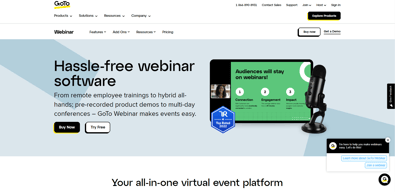
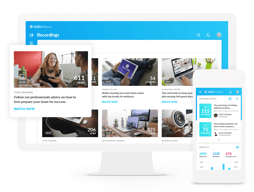
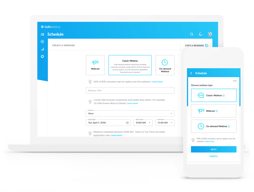






GoTo Webinar is one of the longest-running webinar platforms, and it sells reliability at scale rather than the newest features. If you are running regular webinars for hundreds of attendees and the cost of a technical failure is high, that track record is what you are paying for. If you are running your first webinar for forty people, it is an expensive way to do it.
- What it is: Webinar and virtual event software with registration, automated email sequences, polls, Q&A, analytics, and attendee-facing simplicity.
- Best for: Marketing, training, and enablement teams running webinars regularly at 500+ attendee scale, particularly in enterprise and regulated environments.
- Pricing: Reach $59/month and Elevate $103/month billed annually ($69 and $129 monthly). Complete is custom. A 7-day free trial, no free plan. Verified on GoTo’s pricing page in July 2026.
- The honest catch: Cloud recording, arguably the most basic webinar feature there is, sits on Elevate rather than the entry plan. For most buyers that makes $103/month the real starting price.
What Is GoTo Webinar?

GoTo Webinar launched in 2006 as part of the Citrix GoTo family, later spun out into GoTo as an independent company alongside GoTo Meeting, GoTo Training, and the LogMeIn products. That two-decade history matters more here than in most software categories, because a webinar fails publicly and in real time, and buyers with an audience watching tend to weight reliability above feature count.
The product is built around a straightforward loop: create a registration page, drive signups, send automated reminders, run the event with engagement tools, then follow up with recordings and analytics. It does that loop well and has done it for a long time. What it does not do is compete on innovation with newer platforms that ship more aggressively.
The independent ratings are respectable but not uniformly glowing, and the gap between them is instructive: 4.5 out of 5 on Capterra across 2,073 reviews, but roughly 4.2 out of 5 on G2 across about 801 reviews. Reviewers consistently praise attendee-side ease and large-audience handling, and consistently raise cost and occasional audio and video problems.
How GoTo Webinar Works
- Registration and promotion. Custom registration pages, automated confirmation and reminder emails, and source tracking so you can see which channel produced which registrants. The email automation is mature and is the part marketing teams rely on most.
- Running the event. Presenter tools, screen sharing, polls, surveys, live Q&A, and handouts. Attendees join without installing anything, which reviewers repeatedly call out as a genuine advantage with non-technical audiences.
- Recording and reuse. Cloud recordings on Elevate and above, plus the ability to run a recording as a live event, which is the simulive pattern used for repeatable demand-generation webinars.
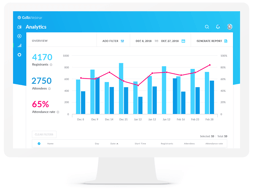
- Analytics. Attendance, engagement, and drop-off reporting, plus registration source tracking on the Complete tier, with integrations into HubSpot and Salesforce that reviewers describe as reliable.
- Scale. 500 participants on Reach, 1,000 on Elevate, and up to 3,000 on Complete, with live streaming to unlimited attendees at the top tier.
In 2026 the notable additions are AI summaries and transcripts on Elevate, and breakout rooms. Both are useful, though neither is unique at this price point any more.
GoTo Webinar Pricing
Pricing is per organizer seat and gated primarily on participant count. Figures verified in USD on GoTo’s webinar pricing page in July 2026.

| Plan | Annual (per mo) | Monthly | Participants | Key additions |
|---|---|---|---|---|
| Reach | $59 | $69 | 500 | 1 organizer seat, reporting and analytics, automated reminders and follow-ups, polls and live Q&A, mobile hosting |
| Elevate | $103 | $129 | 1,000 | Branded webinars and custom URLs, cloud recordings, AI summaries and transcripts, recordings as live events, breakout rooms |
| Complete | Custom | Custom | 3,000 | Custom organizer seats, live streaming to unlimited attendees, paid events and certified training, GoTo Meeting license, registration source tracking |
The things that change the calculation:
- Cloud recording starts on Elevate. This is the single most important detail in the pricing. Recording a webinar is table stakes, and putting it on the middle tier effectively makes $103/month the entry price for most buyers rather than $59.
- Branding also starts on Elevate. Custom URLs and branded webinars are not on Reach, which matters if the webinar is a marketing asset representing your company.
- Annual billing saves 14% to 20%. Reach drops from $69 to $59 and Elevate from $129 to $103, so the discount is larger on the plan most people need.
- Per-organizer, not per-attendee. Reach includes one organizer seat. Multiple hosts running independent webinars means multiple seats, which climbs quickly.
- There is no free plan. The trial is 7 days with no credit card required, which is short. Plan the webinar you want to test before you start the clock.
Who Should Use GoTo Webinar
- Teams running webinars as a regular programme. The registration, reminder, and follow-up automation is genuinely mature, and it is the difference between a webinar that fills and one that does not.
- Organizations with large or non-technical audiences. No-download attendee joining and proven handling of 500 to 3,000 participants are real strengths.
- Enterprise and regulated buyers. A long track record, established security posture, and reliable HubSpot and Salesforce integrations matter when procurement is involved.
- Training and certification teams. Paid events and certified training on the Complete tier, plus the sibling GoTo Training product, cover a use case most webinar tools ignore.
It is a weak fit for solo creators, small businesses running occasional webinars, and anyone whose priority is marketing-funnel features like evergreen automated webinars. In those cases you are paying enterprise prices for capabilities you will not use, and the alternatives below serve you better.
Honest Pros and Cons
Strengths
- Reliability at scale is the core proposition. Two decades of running large events shows in a platform that handles hundreds of attendees without drama.
- Attendees do not need to install anything. Repeatedly praised in reviews, and it directly reduces the number of people who register but fail to attend.
- Mature email automation. Registration, reminders, and follow-ups are well built and are the operational backbone of a recurring webinar programme.
- Solid integrations. HubSpot and Salesforce connections are described as seamless by reviewers, which matters for lead routing.
- Simulive. Running a recording as a live event is a genuinely useful pattern for repeatable demand generation, though it requires Elevate.
Limitations
- Expensive relative to the category. The most common complaint in independent reviews, especially from small businesses. Competitors deliver comparable core functionality for less.
- Recording is gated to the middle tier. Hard to defend, and it materially changes the real entry price.
- Occasional audio and video problems. Some reviewers report technical issues serious enough to have driven them to competitors. Not universal, but it appears often enough to note.
- Limited branding and customization. Reviewers want more control over branding and more editing options for pre-recorded content.
- A 7-day trial is short. Barely enough to plan, promote, and run a real webinar, which is the only meaningful test.
- Fewer marketing-funnel features. Evergreen and automated webinar funnels are weaker here than in tools built specifically for that job.
GoTo Webinar Alternatives and How It Compares
- Demio is the strongest comparison for marketing teams. Browser-based, cleaner interface, better suited to demand generation, and generally cheaper.
- Livestorm is browser-based with a genuinely usable free tier and strong analytics, and it appeals to teams that find GoTo’s interface dated.
- WebinarJam targets marketers and online sellers, with strong funnel and evergreen features through EverWebinar, at the cost of a busier interface.
- ClickMeeting is a lower-cost, flexible European alternative worth comparing if data residency matters.
- Zoho Meeting is dramatically cheaper and adequate for straightforward webinars, particularly if you already use Zoho.
- Zoom Webinars is the default comparison for organizations already standardized on Zoom, and often wins on price and familiarity alone.
For a fuller comparison, see our guide to the best webinar software.
The Verdict
GoTo Webinar is a dependable, well-integrated platform that earns its place with organizations for whom a failed webinar is a serious problem. The registration and email automation is mature, attendees join without friction, and large audiences are handled without incident. The 4.5/5 Capterra rating across more than 2,000 reviews reflects a product that does the fundamentals well.
The pricing is the sticking point, and specifically the decision to put cloud recording on the middle tier. Once you accept that Elevate at $103/month is the realistic entry point, GoTo Webinar is expensive against a field where Demio, Livestorm, and ClickMeeting deliver comparable core functionality for less. The honest answer is that you are paying for reliability and enterprise-readiness, and whether that premium is worth it depends entirely on what a failed event would cost you.
If you run a serious, recurring webinar programme in an organization that cares about vendor stability and Salesforce integration, this is a defensible choice. If you are a small team or a creator building a marketing funnel, Demio or WebinarJam will serve you better for less money. Whichever way you lean, plan your test webinar before starting the 7-day trial, because it is too short to waste.
FAQ
Is there a free version of GoTo Webinar?
No. GoTo Webinar offers a 7-day free trial with no credit card required, but there is no permanent free plan. Paid plans start at $59/month billed annually. If a free tier is important, Livestorm offers one with limited attendee and duration caps.
How much does GoTo Webinar cost in 2026?
Reach is $59/month billed annually or $69 billed monthly, and supports up to 500 participants. Elevate is $103/month billed annually or $129 monthly, and supports up to 1,000 participants. Complete is custom priced and supports up to 3,000 participants with live streaming to unlimited attendees.
Does GoTo Webinar record webinars?
Yes, but cloud recording is only available on the Elevate plan and above, not on the entry-level Reach plan. Since recording is a basic requirement for most webinar programmes, this effectively makes Elevate at $103/month the practical starting tier rather than the advertised $59.
How many attendees can GoTo Webinar handle?
Reach supports up to 500 participants, Elevate up to 1,000, and Complete up to 3,000, with the option to live stream to unlimited attendees on the Complete tier. Participant capacity is the main dimension the plans are gated on.
What is GoTo Webinar best for?
Organizations running webinars as a regular programme at meaningful scale, where reliability, mature registration and reminder automation, and CRM integration matter more than the newest features or the lowest price. It is particularly well suited to training, enablement, and enterprise marketing teams.

Compare GoToWebinar with other popular tools in the same category.

GotoWebinar is the best software I have come across! Excellent in every aspect with top-notch features. We have been using it for 2+yrs for video/audio conferences with customers, colleagues, stockholders. It is one of the best regards to audio/video and media sharing with minimum bandwidth.
There is nothing to dislike about this product. It is excellent software.
We have been using it for video/audio conferences with customers, colleagues, stockholders in our organization. It works well to connect and have uninterrupted service.
Easy for attendees to book dilectly from their website. Budget friendly platform. Ability to capture and play webinars on real-time. Excellent video and audio quality. Worldwide accessibility.
No singe day it has failed our operations.
Excellent in holding and managing live events and video conferencing.
I like how they have many features my company looks for. Like muting all attendees and analytics.
Sometimes in different regions it can glitch, but rarely.
None
Very simple to use compared to many other platforms and also at very reasonable price.
Lack of integration with Linkedin Live. It should allow integrating with Linkedin live
Using it for doing webinars and generating leads in B2B environment

I like how to connect the conference with phone calls, is awesome features
I like it all, it has a great service and I enjoy working with GTW
Creat and schedule online webinar

GoTo Webinar automate event planning and execution. Event marketing promote our brand in real-time.
Everything is perfect on my user end - kudos to vendor success team for quick response whenever I am having issues.
It eradicate all technical overheads involved in webinar creation and scheduling.

GoTo Webinar offers virtual classrooms which makes it seamless and effective to carry out training.
There's no offline access capability to sync data when offline.
Enhance internal and external communications in my organization.

The best part about GoTo Webinar is its easy-to-use Interface. Plus, it integrates with tools like PlusThis, Zapier, Leadpages, which makes things easy when trying to have a good landing page for your Webinar Opt-ins. Also, I like the cloud recording feature that it has.
Nothing that I dislike about GoToWebinar. The only thing I would want from GoTo Webinar is a Free Tier (may be with limited features or attendee counts); not that complaining about thou.
We used GoTo Webinar for our Webinar launches, and it works pretty well.

GoTo Webinar makes it seamless to capture registrant data via customized quizzes.
For 7+ years, all has been well on my end while using GTW.
Create and schedule online webinars. Virtually raising hand improve attendees attention when conferencing.

One great item that it seems no other platform offers is the ability to give more than one person (panelist or organizer) keyboard and mouse control so that the transition between speakers is nearly seamless. This seems so basic, but most other platforms don't have this capability-- but should!
If you are in start mode, waiting to officially begin the live webinar, you cannot allow the presenter to test the PowerPoint polls, etc. one last time without the audience seeing the screen.
We have been able to offer so many live webinars to a vast, international audience! Scheduling the webinars is fast, easy and flexible and the variety of reports is very helpful when reviewing analytics.
GTW is super easy to use for even the most technically challenged! I love that it can easily be accessed on most devices we use daily, regardless of where you are.
I don't believe there is much that doesn't work well on GTW. The only suggestion I would have is to allow for more handouts to be added as well as the ability to upload multiple handouts at a time instead of one at a time. This would be helpful and make my job easier!
Go To Webinar allows my team to easily train users of our website either in a live setting or using the simulive options. This frees up time to work on improving our training material while still providing the needed training to our users. Super convenient!

What is most helpful about using Go to Webinar is that everything just works. The platform is user-friendly and intuitive - Not only can I ask my registrants custom questions, but I can set up automated follow-up emails, edit my recordings before posting a link, track registrants based on a source code, download multiple types of reports, and I've never had a glitch during a live event. There is so much to love about this platform that I could list off another 5-10 features that are just so helpful!
I cannot think of a downside as it relates to using Go to Webinar.
Go to Webinar allows me to mute my audience and give me the upper hand as it relates to responding to attendee questions during the live event. Additionally, the recordings are housed directly within the platform which means I do not need to export them and manage their storage individually. Everything I need to access is available within 1 portal. Additionally, I enjoy having the ability to quickly survey my attendees - getting immediate feedback once the event is over is invaluable. If I'd have to manage this on my own, I'm really not sure how this would be executed since we don't have an easy way of doing this on our own. Additionally, the built-in follow-up emails are great. I can easily insert my copy and simply set the timing for each follow-up email.
The integration with Hubspot allow us to automate most part of our post webinar campaigns and to get all the data in our database. The interface is easy to use
More custimazation during the webinar would be nice to have. Also the reporting part has some limits, you can't report on multiple webinars at once for some reports for example.
We are more efficient as we integrated it with Hubspot. Registration and post-webinar workflows are all automated which makes us more productive.
The fact that I can set a meeting right through the GoToConnect phone application platform. Everything in one place helps save time when you're in a hurry and need to set a quick meeting.
Nothing in particular. It works as it should and have never had connection issues. Overall a great product that we use for quick meetings such as a coffee break room for staff.
Allows our staff to schedule a quick virtual face to face meeting whenever they would like, right through the VoIP phone console. Great way to stay connected while working from home.
The capability to upload documents in the Handouts Tab.
I have had an issue happen 2 or 3 times that I click on start the broadcast and it really has not started.
The above issue was not able to be solved
We have been using Go To Webinar for many years from small training to large groups and it has been quite helpful in putting everything together so we are very organized and one less thing to worry about.
The limited number of participants, but there is the option to upgrade for larger groups.
I wouldn't consider it a problem but it is more of an organizational flow and accessibility for everyone to meet together to discuss whatever it is that we are working on.
Easy to conduct meetings and trainings ..great plaform
Nothing such but there is always scope for important
It's seamless and easy to use plaform for hosting trainings,meetings

The quality of the webinar arranged and people engagement
Nothing such but there js always room for improvement with self analysis
It provides features, integrations and analytics to engage an audience and make such impact that drive audience. The technology's reliable enough which aims many solutions

Let's us keep up with new technologies,softwares,industrial trend and forward vision.
Discrete content sometimes make it difficult to grasp the essence altogether. Need more facts with absolute relevance.
Let's me keep up with new technologies,softwares,industrial trend and forward vision. Learning new upstarts, awareness of new work trends etc.
The most helpful thing GoTo Webinar provides is its ability to have smooth, reliable presentations and a must faster rate than face-to-face meetings. It also compares better than a competitor we used prior because it allows more attendees for a much better price!
Two things that I dislike about GoTo Webinar are the ability to use break-out session rooms and the ability to have multiple users be the super admins on an account.
GoTo Webinar is allowing my company to save money in travel expenses by hosting training webinars for our clients during the pandemic and beyond. We aren't as dependent on face-to face training and the worries of re-scheduling
How it makes it easy to create, schedule and join webinars. Invite participants via shareable links.
I have not yet discovered any flaw when using this solution.
Video, audio and web conferencing. File sharing. Team collaboration. Task management. Event marketing.
Easy to use and navigate. I really like all the extra reporting features.
That you can not have a filtered background.
None that I am aware of at this time.

24/7 support. Ease of use. Great quality. Makes webinars look great.
Nothing. The features are really great and we don't have any complaints.
We used to use Teams. Their producer downs allow for a great experience for the viewer. This does.
Reliability. I NEVER have concerns about the system failing me.
I would like to magnify the size of the control panels. I would like some flexibility with the placement of the webcam in the frame of the presentation.
Mass communication. Zoom doesn't hold a candle to the functionality and ease of use GoTo provides.
Easy to use platform for business webinars.
I find GoToWebinar a really good tool to use with all the automated emails
We don't need to worry about the registrations or follow up once we set it up correctly from the start
I've never had a problem joining a webinar using GoToWebinar on any of my many mobile devices. With so many meetings and webinars scheduled straight after each other, it's nice to be able to check in fast and easily. The screen sharing and sound quality in the webinars I've attended have always been excellent. When compared to some other apps, I haven't had any issues with video or sound cutting off or lagging. Unlike some other services we use that seem to work exclusively within the same organization or are considerably more difficult for users from other organizations to join, GoToWebinar is simple for everyone to utilize.
A better solution is needed for panelists and speakers to decide how their presentations progress while still allowing the administrator to click and look at other things like polls and audio streams. The ability to "whiteboard," share several displays, and so forth, are all things that GoTo does not have, and I do believe that other connectivity systems have these features as well. That would set you apart from the competition in a major way.
Marketing, Product Management, and Sales all use GoToWebinar to keep customers and potential customers up to date on the latest developments in our products and solutions. As a result, we're able to rapidly and easily communicate with customers from all over the world. Using GoToWebinar's polling feature allows us to learn more about our audience and conduct market research.

I think the back end access as an organiser and the options of adding video and poll and the analytical report after the webianr
The control panel at the corner, the question and chat window should be little bigger
GTW solves my problem of automatic survey at the end for attendees and post webinar email to all as well.
We don't always need to login using an account to join a webinar. Just a webinar id is enough.
Slight buffering even when having moderate stable internet connection.
It solves problem of attending webinar, classes and other events efficiently since it allows more members to simultaneously watch the webinar than any other platform available
Everything u need to run a smooth obline webinar is available on this platform
Nothing that was too major. I like everything.
I'm running webinars through this platform to share Educational content with my audience. This was the most user friendly platform both in terms of features and performance.
I like the reporting features of GoToWebinar best. I'm able to export registration reports, analyze attendance and view in-session and post-session questions, polls and survey feedback. This allows us to gain even more insights on our attendees and track our performance across similar events. The reports export to Excel for easy integration to our CRM or further analysis for executive reports.
I'm not in love with the new Virtual Events option. We tested this for some internal training but found that we were unable to promote in-session attendees to the speaker panel. It also was an issue that we needed to reschedule one of our session dates and were unable to. We had to create a new session instead.
Initially, GoToWebinar helped us continue to connect with our customers during the pandemic lockdown. We realized that we were collecting more leads from those events and more information about the leads by using GoToWebinar's survey features and dynamic registration questions. We continue to plan virtual events and are still generating new leads for our sales team.