Unclaimed: Are you working at GoToWebinar?
GoToWebinar Reviews: 4.3/5 — Solid Choice
Best known as the world most popular webinar and webcasting tool, GoTo Webinar is an easy-to-use solution that allows users to host webinars, virtual conferences and events. The platform comes with robust features and integrations that allow users to engage with audiences to drive business growth.
| Company | LogMeIn, Inc. |
|---|---|
| Year founded | 2003 |
| Company size | 1001-5000 employees |
| Headquarters | Boston, MA, United States |
| Social Media |

| Capabilities |
API
|
|---|---|
| Segment |
Small Business
Mid Market
Enterprise
|
| Deployment | Cloud / SaaS / Web-Based, Desktop Mac, Desktop Windows, Mobile Android, Mobile iPad, Mobile iPhone, On-Premise Linux |
| Support | 24/7 (Live rep), Chat, Email/Help Desk, FAQs/Forum, Knowledge Base, Phone Support |
| Training | Documentation |
| Languages | English |
GoToWebinar Pros and Cons
- Hosts automated webinars
- Option to simultaneously host organizers and panelists
- Capable of hosting webcasts
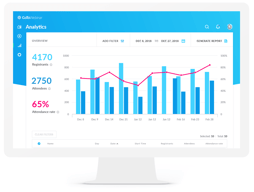
- Provides webinar analytics and exports
- Integration with GoToMeeting
- Costly compared to other alternatives
- Basic plan only accomodates 100 webinar attendees
- Requires presenters and participants to download specific software to be able to use platform







Compare GoToWebinar with other popular tools in the same category.
I mostly like how easy GoToWebinar is to set up and customize. We love the integration with Hubspot, so we can make our own registrations pages and link it straight to GoToWebinar. I also like the reminder emails that are sent, I just wish we could customize them more.
I wish we could brand/customize the registration page a bit more. It's fine, but quite bland. Also, I'd like to customize the reminder emails that go out. We don't use the available follow-up email feature because we do more professional looking ones through Hubspot.
We needed a webinar platform that we could brand, invite registrants easily, see analytics easily, and have a recording we could easily pull for use on our blog. The integration with Hubspot is really great. The reminder emails are helpful to boost attendance, and the followup emails are nice if you don't have another way to send them.
It allowed me to take over the the meeting remotely without being in the office
Nothing it's been working fine for me the times I've used it.
None
I often attend training webinars and group meetings on GoToWebinar. It is a great platform for presenting, screen sharing and group meetings.
I’ve only used it as an attendee, never a presenter, but I’ve never experienced any negatives.
It’s great to see everyone’s faces in a group meetings. So much better than a conference call!

Able to create or attend a meeting with others from multiple locations. Share ideas.
I have not found anything that I dislike currently.
I am able to share ideas or host a training with colleagues. We don't have to be in the same state.

I like that I can see a small preview of what I am showing on my screen. I no longer have to guess or have a colleague test that the visual is working, I can see that directly from the presenter panel.
Reporting could be a bit more useful. The new reporting options don't make it clear how I can run registration vs. attendee reports. But it's all there, just takes a few extra steps now.
I am saving time preparing for webinars - now I feel confident that they will run smoothly without multiple tests. Webinars, in general, are also a great lead generation tactic for us.
Great for trainings. Use this every time I have joined a training from our network
I haven't found something yet that I dislike
I have joined many webinars and trainings using this software and was able to learn a lot from the hosts as they shared their presentations with us. They also recorded and were able to share the recording with us.
I like the ease of use of Gotowebinar on the computer as well as the app which is always right at your fingertips! The software is always easy to use and doesnt require a ton of plug ins. I also like how the application walks you through the scheduling process and even has many templates to help set you up.
The only downside is sometimes having to use the correct browser, however now most of them are supported just make sure java script is updated.
GoToWebinar has been great for work, we use it for conferences but mainly training session. It’s great because the sessions can be live or even pre recorded.
GoToWebinar provides the user with comprehensive tools to engage while learning and training.
I haven’t run into any downfalls while using this program
GoToWebinar has greatly improved the way I collect and retain new information. It makes participating and learning a new topic easier than ever.
I thoroughly enjoy the use of this platform to broadcast material for all participants who decide to join for any upcoming updates or important announcements to be shared with the company. It's a great tool to reach many people at 1 time in a remote place. Also, it's helpful receive feedback through the questions function.
I do not have any dislikes for the platform as it serves its purpose very well.
We are solving the problem of actually knowing our locations are taking time to join and see new material rather than wondering if they got the email overloaded with information causing to stop midway through the email.
Ease of use and ability to have webinars from anywhere on any device or computer.
Sometimes can run a little slow but usually no problems
Easy to get research webinars available in office or at home instead of costly travel to other destinations. Saves money and time and a lot more topics can be found.
I really like the fact that this resource is easy to use when working with clients outside of my company. I do not have to provide many instructions and the user is able to sign up and log on with ease. There are no software downloads that are necessary to get the program running. Also, the features to interact with the customers are very useful.
The new interface for setting up a new meeting was confusing at first, but just took some time to navigate and get comfortable with.
I am easily able to reach out to customers to set up a quick meeting. We have an internal system that we use, but I found that when I send those meetings externally, I do not have the same resources for interaction with the customers or ease to get them logged in and up and running quickly

Easy and effective, user friendly interface which can be learned in an instance. Easy to manage, history of webinars accessible, recording option is a must use!
You lose a little of engagement with Customer if you have a meeting without seeing people in person. You are not feeling emotions, there is no feedback provided while seeing faces and expressions - however we try to have first few meetings in person and then pursue with Webinar meetings.
We are engaged in IT software business and we work mostly with Customers with all country locations. We have meetings, trainings, Customer requirements analysis workshops, development handovers, project meetings, etc. Before GoToWebinar - we did all the stuff above in personal meetings which required a lot of traveling time and cost. According our statistics - last year we did 169 meetings with help of GoToWebinar! (and our company has 56 employees) - which resulted efficiency in terms of costs and most important - time - which we spent on productive work instead of traveling.

We switched to GoToWebinar because service is reliable and the interface is clear and intuitive, leaving little chance for problems during our events.
I don't have any negatives to share. I am happy with the product.
We needed a tool that allows us to host webinars regularly, both to share our screen, but also to hold panel-style events. We needed something cost effective and easy to use, unlike our prior service, Webex, which was neither.

GTW is a plug and play service that allows for virtual meetings, trainings, briefings and more. It is easy to use and highly intuitive while also including more advanced options that allow me to kick up my game. I spend most of my life in meetings and have used many platforms. GTW is still my preferred option for virtual interactions.
I love the polling function but find it can sometimes be slow and difficult for presenters to monitor. I would also like to be able to post handouts after a presentation has been recorded.
I work on national and international issues and GTW allows me to connect across continents.
GoToWebinar is super easy to use. It is extremely simple for other people to run webinars when I am not available. I love that I don't have have to be present for all webinars because other team members are able to figure it out without my constant assistance.
The only downside in my eyes is the price, but at the end of the day it's the best tool I've used so it is worth it.
People are able to run their own webinars without having to pull me away from other tasks in order to trasin them or run them for them.
User friendly Allows multiple participants to meet from different locations
Sometimes the call drops in the middle of the meeting
Remote access
The flow of the software is much easier than some of the other counterparts. Once launching a webinar their are more than sufficient settings that again we don't get on other platforms.
Not able to lock pre-setup webinars, so as when giving access to other not so tech savvy individuals we run the risk of them deleting the webinar by accident.
We are now able to offer the service to our clients effortlessly.
Our company uses GoToWebinar to put on several webinars each month for information and education of our clients. We could not have the reach we have without it. We also use it for one-on-one meetings with clients when our GotoMeeting is already in use. It's been an absolute life-saver for me in particular.
I really don't dislike anything about it, other than that occasionally a customer will not be able to receive the registration confirmation emails and there doesn't seem to be any easy answer to that. I think that's more about email platforms than GTW, though.
I literally would not have my job, as Education Director, without this product. We have been able to offer this educational programming as a true benefit to our clients at a level that no other company in our industry has done.

I like the quality of video, desktop presentation and stability during use. We renewed the subscription 2 years and currently on our 3rd year use. A great product.
Our only dislike is the non-ability to change email notification of registrants.
Training of Volunteer Staff and Students online across the nation.

It is fast and easy to setup and/or copy a recurrent webinar. The data feedback is incredible.
After two years of using this product, we have not found a single thing wrong with it. It has only gotten better.
We are able to reach potential customers all over the world without leaving the office and saving on travel expenses.

We use gotowebinar weekly to reach franchise candidates, educate our franchisees, and inform future customers on new research etc.....We love the platform and it's now thee way to talk directly to people about our programs
nothing. really, maybe ability to upload videos from youtube if I can prove that we own them?
it's keeps my prospects in the loop and allow me to use live presentations to reach other prospects through recorded webinars
I like how easy it is to set up a webinar and how it automatically records and archives for future viewing.
I think it should be standard to show video with sound.
We wanted to add some value to our members by offering weekly free webinars. It’s been the best addition to our value adds.
I use Gotowebinar every day and it is a huge time saver for me it tracks everything I need and it's added to my calendar and my webinars goes smoothly! I love it
I don't really have any major issues that I don't like using gotowebinar
they are great for customers to be able to do their training sessions but we can also use them internally to train and update our own staff
The interface is very well organized. This helps new presenters as well as new attendees easily adopt the tool.
I would like the desktop to stay logged in to my account, show my upcoming webinars without the a web browser. It takes forever to convert the videos locally. MacBook Pro 2017
Using the viewer metrics helps me understand what strategies worked better.
We use these weekly for webinars on sustainability and it's great considering there's a chat window that you can use to ask questions to the presenter. I also like the mute/ unmute function that we utilize to speak on our own experiences.
I don't like the fact that you can't choose to permanently mute yourself. if you mute yourself the presenter can unmute you without your permission
Instead of using conference calls and people individually following with the powerpoint from their respective locations. It eliminates the use of a phone and computer and the technical difficulties on the individual level. It keeps everyone on the same page at the same time.

The ease of scheduling a webinar, the simplicity of running the webinar, and the look of the interface. Allows me to schedule re-occurring webinars, or webinars on the spot. Was able to schedule my first webinar within minutes of signing up without any training needed. I love the graphing of attendance and the ability to record the webinars and share the link. Love the poll option within the webinar as well.
Audio options were confusing at the beginning, but figured it pretty quickly. Would like the viewers to send q&a to other presenters not just the main host.
We hold monthly webinars, to educate our customers on our product, new features, tips and tricks, etc. Mostly use to help with training and retention. People love our monthly webinars.
There are many features that are fun to use and very helpful when using this application: Easy to send invitation, send reminders right up to the hour before start time Switch presenters Record presentations - that can be later referenced Poll the audience Audience can submit questions during the presentation Export participant attendance
I haven't found anything that I dislike. I have used this platform a number of times and am still finding new features all the time. Iniitailly thougt that all participants needed to be muted but found out that this feature can be unmuted allowing for a group discussion. Recommended only if there is a small audience.
GoToWebinar is used quarterly to inform our teams of new product launches, events etc. Used as an information communication tool.
Saves time, money, and did I say time and money!!! Love it, can discuss things get it over and go on with the day. Decisions are made faster and more effective!
Really nothing unless you have a bad connections with you internet.
Time and Money, gets to the decisions quicker and projects get completed a greater and more successful pace!
This has been super easy to use in getting our webinars launched and up
Some of the extra payments that need to be made to use certain features.
Pre-recorded and pre-registered webinars ease of use
With the simple click of a button you can sign up and attend meetings with your company.
It is a bit outdated, sometimes it crashes
Being in a large company that is nationwide, we cannot all be in the same place at once. This fixes that problem