

Unclaimed: Are are working at Smartsheet ?
Smartsheet Reviews: 4.4/5 — Solid Choice
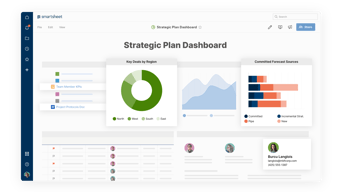
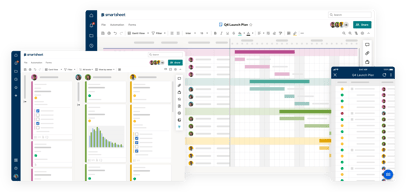
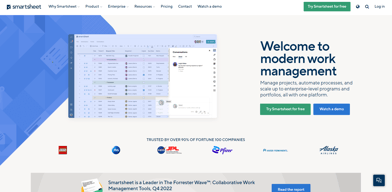
Priding itself as the trusted work management platform of over 90% of Fortune 100 companies, Smartsheet is a modern work management software that enables businesses to manage projects, automate processes and workflows, and scale up to enterprise-level portfolios and programs. It offers a robust set of views, dashboards, reports, and workflows to track and capture project plans, schedules, and resources. Smartsheet easily integrates with a number of third-party apps and software to allow teams to integrate the platform into their current way of working. Enterprise-grade, it’s one of the most secure work management software in the marketplace, giving managers and IT teams visibility and granular control over data and access.

| Capabilities |
API
|
|---|---|
| Segment |
Small Business
Mid Market
Enterprise
|
| Deployment | Cloud / SaaS / Web-Based, Mobile Android, Mobile iPad, Mobile iPhone |
| Support | 24/7 (Live rep), Chat, Email/Help Desk, FAQs/Forum, Knowledge Base, Phone Support |
| Training | Documentation |
| Languages | English |
Smartsheet Pros and Cons
- Data-driven automation for more efficient workflows
- Easily customizable platform
- A highly visual solution makes task tracking easier
- Critical task management features help drive productivity at scale
- Reliable automation of critical business processes for team and projects
- No time tracking feature
- Doesn’t offer an auto-save option
- Limited calendar view
- No time tracking feature









Compare Smartsheet with other popular tools in the same category.
the ease of the functions and sharing capabilities. Easy implementation with Power BI to help track our metrics.
small glitches with the indent/sub-rows feature every now and then
cross-functional work managment and collaboration with team - perpetual tracking of projects and workflow.
Ease of use, and the automation and forms
Using formulas is hard in smart sheets. Formulas
I use smart sheet to conduct monthly staffing. I also use smart sheets for the submission of reimbursements. This allows me to be more productive, especially with automated workflows.
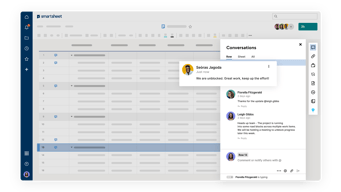
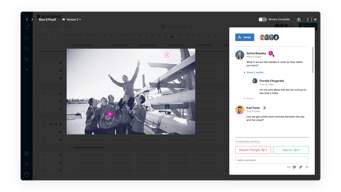
Smartsheet is a fantastic project management tool, that has helped to improve my productivity and the way I collaborate with my team. One of the standout features of Smartsheet is its ability to update in real-time, which allows multiple members of time to access and edit projects at the same time. This has been a game-changer, as it enables us to work quickly and efficently on projects, and ensures documents aren't written over each other. Smartsheet is also a great tool for centralising all of our projects, workflows and trackers into one place, making it easy to access. I log into Smartsheets on a daily basis and all my projects are in one place, which helps me to remember and stay on track with tasks and client work. It's a great tool, highly recomend to businesses looking to save time and improve productivity!
It serves as a comprehensive central database for managing projects. From organising complex events to tracking billing activities, everything can be efficiently handled in one place. The convenience of having all project-related information accessible and organised at our fingertips makes life easier.
Managing event projects means handling a multitude of moving pieces, from guest lists and venues to budgets and timelines. Smartsheet's serves as an all-in-one repository, providing easy access to event project informtation. It's ability to asign deadline dates and project owners for different tasks helps us to identify who is responsible for various tasks within the project and ensure they meet their deadline. We can track progress, which empowers us to manage and adapt to event requirements seamlessly.

Keeps myself and my company organized!!!
It took me awhile to get use to and learn my way around smartsheet but once I did it was great.
Helps with organization and keeping updated on task.
I love that Control Center takes out a lof of manual creation work and allows for consistency across our enterprise account.
I would like to see more customization options for dashboard graphs. I would also like to see some auto-sizing functionality for dashboard widgets.
Consistency, availability, and reducing manual work.
Smartsheet has made keeping track of all of our jobs so much easier. It is easier to collaborate and filter and sort everything by individual user without affecting the entire team.
I don't like that cells can't be merged, but that is a minor gripe.
Smartsheet has solved the headache of keeping a log of all jobs in one place while assigning them to individual team members. We have a better workflow and an easier time tracking workloads.
It has many facilities, several people can access and modify it, many things can be created from one sheet
I find it difficult to perform some functions
I made it easy for us to carry trackers for the entire team
The accessibility. I loved how easy it was to use and I loved the features it had.
I think sometimes it got a little messy but that's probably due to my organization.
It helped my company organize everything in one place and helped all of us see things easily.

The templates are great and that I can share my work with so many people
That you can't have multiple tabs in one sheet.
It is helping to organize our work and keep us on track.
I have to start with recognizing that Smartsheet can be intimidating at first, and that is mostly due to the fact that we wanted a lot of customizations (versus using it as a commercial, off-the-shelf product). We collaborated with a wonderful dev team who helped design all the linkages, formulas, etc. that we required. Over time, we were able to decrease our reliance on the dev team and support and were able to answer our questions ourselves and troubleshoot ourselves. It feels as though the sky is the limit when it comes to Smartsheet and its capablities. I truly use it for everything - goal completion, task / assignment tracking, budget tracking, dashboards and reports, collecting survey data - literally everything. Some things that I consider incredibly helpful are: connector to Salesforce, ability to link resources such as google docs and links into a Smartsheet, collaboration tools that allow for version control, and the help extensive help tools. Customer Support is pretty good - but sometimes it's hard to figure out which help function to use.
The downsides are few and far between, and there is usually a fix for them. One pertains to our use of the Salesforce connector - apparently it reads time as text so we cannot really transfer time data over to Smartsheet clearly. IE - if something reads as "4:30 pm" in Salesforce, it will come over to Smartsheet as text and read something like this: "2023-01-13 00:16:30:00..." Despite Smartsheet Forms looking like a spreadsheet - you cannot do tabs! Everything needs its own sheet (really not a big deal). If you get a lot of customizing and subsequenlty have to change something - it's a tangled web - make sure that you change everything in all of the appropriate places and pay attention to that "ripple effect" of everything you manipulate.
We have increased collaboration, task/project management, and goal completion in concise, comprehensive ways. We have data now that is easy to calculate and find. We can collaborate with complete version control. We have many teams for which it was hard to control avoiding duplicative work and avoiding missed opportunites - this is truly helping us accomplish this.


