Unclaimed: Are you working at GoToWebinar?
GoToWebinar Reviews: 4.3/5 — Solid Choice
Best known as the world most popular webinar and webcasting tool, GoTo Webinar is an easy-to-use solution that allows users to host webinars, virtual conferences and events. The platform comes with robust features and integrations that allow users to engage with audiences to drive business growth.
| Company | LogMeIn, Inc. |
|---|---|
| Year founded | 2003 |
| Company size | 1001-5000 employees |
| Headquarters | Boston, MA, United States |
| Social Media |

| Capabilities |
API
|
|---|---|
| Segment |
Small Business
Mid Market
Enterprise
|
| Deployment | Cloud / SaaS / Web-Based, Desktop Mac, Desktop Windows, Mobile Android, Mobile iPad, Mobile iPhone, On-Premise Linux |
| Support | 24/7 (Live rep), Chat, Email/Help Desk, FAQs/Forum, Knowledge Base, Phone Support |
| Training | Documentation |
| Languages | English |
GoToWebinar Pros and Cons
- Hosts automated webinars
- Option to simultaneously host organizers and panelists
- Capable of hosting webcasts
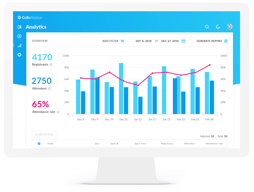
- Provides webinar analytics and exports
- Integration with GoToMeeting
- Costly compared to other alternatives
- Basic plan only accomodates 100 webinar attendees
- Requires presenters and participants to download specific software to be able to use platform






GoTo Webinar is one of the longest-running webinar platforms, and it sells reliability at scale rather than the newest features. If you are running regular webinars for hundreds of attendees and the cost of a technical failure is high, that track record is what you are paying for. If you are running your first webinar for forty people, it is an expensive way to do it.
- What it is: Webinar and virtual event software with registration, automated email sequences, polls, Q&A, analytics, and attendee-facing simplicity.
- Best for: Marketing, training, and enablement teams running webinars regularly at 500+ attendee scale, particularly in enterprise and regulated environments.
- Pricing: Reach $59/month and Elevate $103/month billed annually ($69 and $129 monthly). Complete is custom. A 7-day free trial, no free plan. Verified on GoTo’s pricing page in July 2026.
- The honest catch: Cloud recording, arguably the most basic webinar feature there is, sits on Elevate rather than the entry plan. For most buyers that makes $103/month the real starting price.
What Is GoTo Webinar?

GoTo Webinar launched in 2006 as part of the Citrix GoTo family, later spun out into GoTo as an independent company alongside GoTo Meeting, GoTo Training, and the LogMeIn products. That two-decade history matters more here than in most software categories, because a webinar fails publicly and in real time, and buyers with an audience watching tend to weight reliability above feature count.
The product is built around a straightforward loop: create a registration page, drive signups, send automated reminders, run the event with engagement tools, then follow up with recordings and analytics. It does that loop well and has done it for a long time. What it does not do is compete on innovation with newer platforms that ship more aggressively.
The independent ratings are respectable but not uniformly glowing, and the gap between them is instructive: 4.5 out of 5 on Capterra across 2,073 reviews, but roughly 4.2 out of 5 on G2 across about 801 reviews. Reviewers consistently praise attendee-side ease and large-audience handling, and consistently raise cost and occasional audio and video problems.
How GoTo Webinar Works
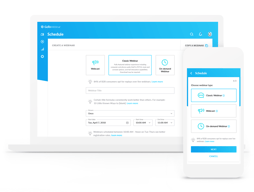
- Registration and promotion. Custom registration pages, automated confirmation and reminder emails, and source tracking so you can see which channel produced which registrants. The email automation is mature and is the part marketing teams rely on most.
- Running the event. Presenter tools, screen sharing, polls, surveys, live Q&A, and handouts. Attendees join without installing anything, which reviewers repeatedly call out as a genuine advantage with non-technical audiences.
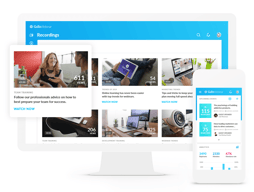
- Recording and reuse. Cloud recordings on Elevate and above, plus the ability to run a recording as a live event, which is the simulive pattern used for repeatable demand-generation webinars.
- Analytics. Attendance, engagement, and drop-off reporting, plus registration source tracking on the Complete tier, with integrations into HubSpot and Salesforce that reviewers describe as reliable.
- Scale. 500 participants on Reach, 1,000 on Elevate, and up to 3,000 on Complete, with live streaming to unlimited attendees at the top tier.
In 2026 the notable additions are AI summaries and transcripts on Elevate, and breakout rooms. Both are useful, though neither is unique at this price point any more.
GoTo Webinar Pricing
Pricing is per organizer seat and gated primarily on participant count. Figures verified in USD on GoTo’s webinar pricing page in July 2026.

| Plan | Annual (per mo) | Monthly | Participants | Key additions |
|---|---|---|---|---|
| Reach | $59 | $69 | 500 | 1 organizer seat, reporting and analytics, automated reminders and follow-ups, polls and live Q&A, mobile hosting |
| Elevate | $103 | $129 | 1,000 | Branded webinars and custom URLs, cloud recordings, AI summaries and transcripts, recordings as live events, breakout rooms |
| Complete | Custom | Custom | 3,000 | Custom organizer seats, live streaming to unlimited attendees, paid events and certified training, GoTo Meeting license, registration source tracking |
The things that change the calculation:
- Cloud recording starts on Elevate. This is the single most important detail in the pricing. Recording a webinar is table stakes, and putting it on the middle tier effectively makes $103/month the entry price for most buyers rather than $59.
- Branding also starts on Elevate. Custom URLs and branded webinars are not on Reach, which matters if the webinar is a marketing asset representing your company.
- Annual billing saves 14% to 20%. Reach drops from $69 to $59 and Elevate from $129 to $103, so the discount is larger on the plan most people need.
- Per-organizer, not per-attendee. Reach includes one organizer seat. Multiple hosts running independent webinars means multiple seats, which climbs quickly.
- There is no free plan. The trial is 7 days with no credit card required, which is short. Plan the webinar you want to test before you start the clock.
Who Should Use GoTo Webinar
- Teams running webinars as a regular programme. The registration, reminder, and follow-up automation is genuinely mature, and it is the difference between a webinar that fills and one that does not.
- Organizations with large or non-technical audiences. No-download attendee joining and proven handling of 500 to 3,000 participants are real strengths.
- Enterprise and regulated buyers. A long track record, established security posture, and reliable HubSpot and Salesforce integrations matter when procurement is involved.
- Training and certification teams. Paid events and certified training on the Complete tier, plus the sibling GoTo Training product, cover a use case most webinar tools ignore.
It is a weak fit for solo creators, small businesses running occasional webinars, and anyone whose priority is marketing-funnel features like evergreen automated webinars. In those cases you are paying enterprise prices for capabilities you will not use, and the alternatives below serve you better.
Honest Pros and Cons
Strengths
- Reliability at scale is the core proposition. Two decades of running large events shows in a platform that handles hundreds of attendees without drama.
- Attendees do not need to install anything. Repeatedly praised in reviews, and it directly reduces the number of people who register but fail to attend.
- Mature email automation. Registration, reminders, and follow-ups are well built and are the operational backbone of a recurring webinar programme.
- Solid integrations. HubSpot and Salesforce connections are described as seamless by reviewers, which matters for lead routing.
- Simulive. Running a recording as a live event is a genuinely useful pattern for repeatable demand generation, though it requires Elevate.
Limitations
- Expensive relative to the category. The most common complaint in independent reviews, especially from small businesses. Competitors deliver comparable core functionality for less.
- Recording is gated to the middle tier. Hard to defend, and it materially changes the real entry price.
- Occasional audio and video problems. Some reviewers report technical issues serious enough to have driven them to competitors. Not universal, but it appears often enough to note.
- Limited branding and customization. Reviewers want more control over branding and more editing options for pre-recorded content.
- A 7-day trial is short. Barely enough to plan, promote, and run a real webinar, which is the only meaningful test.
- Fewer marketing-funnel features. Evergreen and automated webinar funnels are weaker here than in tools built specifically for that job.
GoTo Webinar Alternatives and How It Compares
- Demio is the strongest comparison for marketing teams. Browser-based, cleaner interface, better suited to demand generation, and generally cheaper.
- Livestorm is browser-based with a genuinely usable free tier and strong analytics, and it appeals to teams that find GoTo’s interface dated.
- WebinarJam targets marketers and online sellers, with strong funnel and evergreen features through EverWebinar, at the cost of a busier interface.
- ClickMeeting is a lower-cost, flexible European alternative worth comparing if data residency matters.
- Zoho Meeting is dramatically cheaper and adequate for straightforward webinars, particularly if you already use Zoho.
- Zoom Webinars is the default comparison for organizations already standardized on Zoom, and often wins on price and familiarity alone.
For a fuller comparison, see our guide to the best webinar software.
The Verdict
GoTo Webinar is a dependable, well-integrated platform that earns its place with organizations for whom a failed webinar is a serious problem. The registration and email automation is mature, attendees join without friction, and large audiences are handled without incident. The 4.5/5 Capterra rating across more than 2,000 reviews reflects a product that does the fundamentals well.
The pricing is the sticking point, and specifically the decision to put cloud recording on the middle tier. Once you accept that Elevate at $103/month is the realistic entry point, GoTo Webinar is expensive against a field where Demio, Livestorm, and ClickMeeting deliver comparable core functionality for less. The honest answer is that you are paying for reliability and enterprise-readiness, and whether that premium is worth it depends entirely on what a failed event would cost you.
If you run a serious, recurring webinar programme in an organization that cares about vendor stability and Salesforce integration, this is a defensible choice. If you are a small team or a creator building a marketing funnel, Demio or WebinarJam will serve you better for less money. Whichever way you lean, plan your test webinar before starting the 7-day trial, because it is too short to waste.
FAQ
Is there a free version of GoTo Webinar?
No. GoTo Webinar offers a 7-day free trial with no credit card required, but there is no permanent free plan. Paid plans start at $59/month billed annually. If a free tier is important, Livestorm offers one with limited attendee and duration caps.
How much does GoTo Webinar cost in 2026?
Reach is $59/month billed annually or $69 billed monthly, and supports up to 500 participants. Elevate is $103/month billed annually or $129 monthly, and supports up to 1,000 participants. Complete is custom priced and supports up to 3,000 participants with live streaming to unlimited attendees.
Does GoTo Webinar record webinars?
Yes, but cloud recording is only available on the Elevate plan and above, not on the entry-level Reach plan. Since recording is a basic requirement for most webinar programmes, this effectively makes Elevate at $103/month the practical starting tier rather than the advertised $59.
How many attendees can GoTo Webinar handle?
Reach supports up to 500 participants, Elevate up to 1,000, and Complete up to 3,000, with the option to live stream to unlimited attendees on the Complete tier. Participant capacity is the main dimension the plans are gated on.
What is GoTo Webinar best for?
Organizations running webinars as a regular programme at meaningful scale, where reliability, mature registration and reminder automation, and CRM integration matter more than the newest features or the lowest price. It is particularly well suited to training, enablement, and enterprise marketing teams.

Compare GoToWebinar with other popular tools in the same category.

GoToWebinar is a useful tool for handling and delivering a lecture to a large crowd. The feature is comparatively simple and easy. It's not long before you get a grip of the distinct characteristics included in it. We can perform polls during our lectures, which are excellent for public participation and interactivity. The performance of audio and video in GoToWebinar is usually strong. I like that we can exchange a connection to our lecture right after it's over.
Although I like the general value of GoToWebinar, I believe the cost is greater than a few comparable alternatives out there. It would also be good to allow a greater amount of participants. It can be hard to design internet enrollment documents to suit a particular glance. The layout capacities of GoToWebinar are somewhat restricted. Although this is not a prevalent event, there are moments when registrants have difficulty signing in for no obvious purpose.
We've been prepared to use GoToWebinar to stream lectures and render them accessible for replay after they're over. We can connect lectures in a variety of marketing products, such as blogs, social media, email and print media. GoToWebinar was also good for holding inner conferences, so it was good to use as a site for tutorials and business media clips. It is also an efficient instrument for holding sessions that enables participants from distinct physical places to interact in real time.
I liked that it was integrated in Canvas for online classes.
I thought it was difficult to create my own webinar.
I use this to attend class online.
It’s a professional product solution for networking our team for meetings and monthly company presentations no matter where any of us are.
Occasional lost connection. Other than that no complaints.
It helps us keep our business agendas moving forward every quarter, without having to wait for everyone to be in the office at the same time.
I use GoToWebinar for training webinars. The site allows for easy set up and scheduling. It also sends out reminder emails to participants, and follow up "Insights" emails with usable data. I can easily record the webinar for future reference and allow registrants who missed the webinar to watch it later.
I wish GoToWebinar allowed you to input email addresses and send the invite directly rather than having to copy the link.
It's helped me reach more clients without having to travel in person. I've also been able to provide information to more people than I would otherwise.

It's pretty simple getting up and running with GoToWebinar. It fuels all of the webinars we run on our marketing team and most go off without a hitch. Provided everyone is in the same room, it makes multiple organizers/speakers easy to set up. The UI is pretty solid and the webinar analytics are decent enough.
It's really, really tough to manage multiple presenters in disparate locations with GTW. If more than one person has keyboard & mouse control, say a quick prayer and hope for the best because you never know when it won't work for one or more presenter.
GTW allows us to run multiple webinars a week and provides a platform that doesn't require much technical proficiency.
GoToWebinar is really easy when setting up an upcoming webinar. When creating/editing, the sections are clear and easy to navigate through.
The control panel during a webinar is a little clunky and could be better designed.
This software makes it easy to create a webinar so that our efforts can really be all about getting people to attend.
It's fairly easy to use and for the most part is very reliable. It's great that it integrates with Salesforce and our marketing automation platform.
Sometimes the integrations break and there isn't a lot in the way of troubleshooting or alerts. Additionally, downloading contacts/lists post webinar is a bit difficult, we actually haven't figured out how to do it.
We're using it to host all of our webinars, they generally have +500 attendees.
Fairly reliable, consistent. Most of the time, pretty intuitive.
A bit outdated, visuals-wise. There are a number of more modern-looking webinar tools out there.
Hosting webinars, reaching out to clients, providing bridge services for clients and partners.
I use this software to attend webinars arranged by my university.
It is not easy to interact with other attendees.
I can attend meetings that are at distant locations very easily.
You can record your webinars using webcams. This feature is extremely useful if you want to expand the reach of your business with reusable content. The reporting and analytics functionality helps you understand your audience through metrics and data as well as determine highly qualified leads to further boost your business’ revenue.
Cost, difficult setup Can be a bit pricey, Many free screen sharing tools available. Registration landing pages are not flexible and are very confining. Maybe a few more local dialling codes for more countries could be useful.
This product is very easy to use. It can handle a large number of participants at one time with ease. Very User-friendly. Features are nice. You can group chat or individual chat. Ability to use it on mobile.
It's pretty simple and easy to sign in and immediately start hosting. It essentially works like logging into a streaming video account and just hitting 'play' in order to begin a live stream, and from there it's pretty straightforward and easy to set preferences on what the webinar should look like.
I don't like that I can't specify more than one area that the stream can only see. I have to host a webinar from a laptop and I am going to need to bring in a second one in order to communicate with colleagues if a technical issue arises. I would say that this is a relatively minor gripe, though, because my specific issue has more to do with having to run a PowerPoint and having to man polls that viewers are required to participate in while the PowerPoint is running.
Recent changes in requirements for certification for some members at my place of employment will mean that we rely on hosting a webinar probably more frequently, so GoToWebinar will become more important for us to maintain our high standards of customer support and service.
I like the ease of use, the content management interface and broadcast latency.
Attendees facing UX leaves much to be desired and additional attendee data would be appreciated.
We run 60-70 webinars a year and use GoToWebinar to manage our content and attendee lists.
Quick start and easy to use. Straight forward on obtain a link for the conference.
Some customers using different web browsers may encounter issues to use it.
demonstrate project or powerpoint to virtual located customers
It's so easy to log on. There is no need to download anything. I also really like the interaction features like being able to raise your hand and/or asking questions to the administrator. I find this system easier to use than other webinar services.
In some cases it seems like there can be a delay, but it may just be our systems? I also find that people sometime are confused about the microphone icon. They think it's the volume and they sometimes block my access to their microphone (since I mute participants).
Features like "raising hand" make it feel like people are actually attending something together. Seems less "virtual" and a little more personal. I work with people all over the world and getting them to connect can sometimes be hard. This type of interaction makes it easier.

The ability to schedule meetings for the entire company. Ease of access and usability.
I think GoTowebinar could use a functionality for international. I am not sure if it does or if it is extra.
We use it to have all company meetings with about 250 people. I like that you can mute people who don't realize they are creating background noise that can be distracting.
I like that you can click on a link sent to you by the meeting administrator and it takes you directly to the meeting (you don't have to type in the meeting number).
I am always double checking to make sure I am on "mute".
N/A
It is a very easy tool to use for our Webinars. We have been using it for several years and like the features, as well as the simply control panel.
There is nothing that dislike at this time.
Promoting our webinars has been easier
very easy to use, can share your screen, set up an appointment
not much else you can do with the site- phone call meetings??
conference meetings
It is a reliable service with no lag time or delay during presentations.
Reminder emails are not visually customizable.
We need a way to attract people to our website and product. Hosting webinars is necessary for that, we use GoToWebinar to host these online sessions. It is reliable and serves a specific purpose.
I like the audience attentiveness dashboard so I can see if people are paying attention or multi-tasking.
The features look dated and the questions feature is cumbersome to use.
Ability to provide marketing and client webinars to large groups of participants.
What I like most is the reports and analytics available after the webinar is complete. It provides good visibility into how successful the webinar was.
There isn't something specific that I can say I dislike about GoToWebinar.
The business problem being solved is communication to a wide range of clients in a quick and easy way.
Ease of use, relatively intuitive and easy to schedule.
There's nothing I really dislike except that ther e could be more options for visuals during the actual webinar.
The problem: running meetings with out of town stakeholders Benefit: the ability to share screen/documents/audio immediately and virtually
Go-To-Webinar is an easy-to-use platform for virtual meetings. It is user-friendly and provides a fairly simple interface for your meeting attendees and organizers. The software brings everyone together with the capability of document and presentation sharing across geographical lines.
The main downside of Go-To-Webinar is its customer service. Over 2 years, the software has malfunctioned a few times (not a lot), but when it does you're left scrambling to find a solution for your meeting. If the site is down. you can try to contact customer service but likely they'll just tell you to wait it out.
My company uses Go-To-Webinar for meeting presentations to connect attendees from across the state, country, and sometimes the globe. For that reason, it's great that the platform has a toll-free call in option for attendees.
ease of use, quick connection. list of participants, see ho is speaking
nothing, my experience has been nothing but positive
I attend global TCs

The platform has an easy to use interface with loads of useful features. I've only used it as a viewer of webinars, but I have found it to have a very intuitive interface, as well as convenient ways to communicate with the presenter.
I would like for there to be more options to interact with the presenter. Perhaps I am viewing previously recorded webinars, which would be no fault of the company - it just seems as though I've limited ways to communicate with the other participants or that my questions or comments are isolated.
This allows for wide distribution of information in an efficient and timely manner.
-Ease of access, everyone can access the tool quickly and host impromptu meetings with screen share and chat
-sometimes there can be a short lag/delay in program
-hosting face to face meetings remotely
It was super easy to use and navigate in during my session
Honestly I don't have any gripes. It does what I need it to do
Distance online learning We are able to take more courses
Having no knowledge of the product, I found myself able to use it more my desired purpose quickly.
The software itself is larger than I'd prefer. I do not want to have to download anything.
Interacting with team members. Creating online meetings.
Easy to set up webinars, nice reporting functions, integrates with many marketing automation tools including Hubspot.
The emails it sends out to people who register for a webinar - cannot customize much and it's very easy to miss the "add to calendar" button, which results in registrants missing the webinar.
Helps to capture leads, nurture existing leads by keeping brand visible and increasing though leadership in our field.
Handy tools to make the best of your webinars. Like being able to have polls during the webinar. Good to be able to record and practice webinars beforehand too
Strong product so not much to dislike product side. Can be a bit difficult to get a new webinar up and running. Styling on forms could do with a bit of work
Great for running webinars which we do a few times a year. Bundled in with our GotoMeeting product so great value for money