

Unclaimed: Are you working at Smartsheet?
Smartsheet Reviews: 4.4/5 — Solid Choice
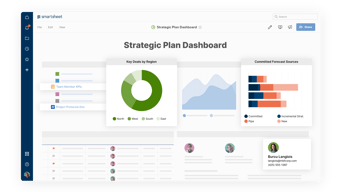
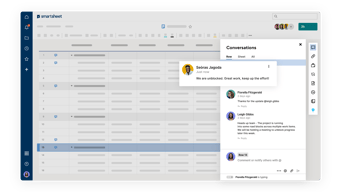
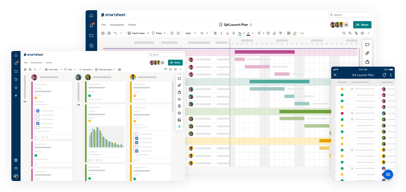
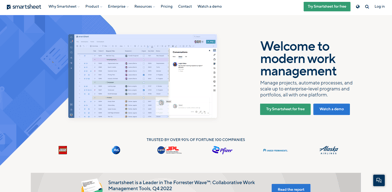
Priding itself as the trusted work management platform of over 90% of Fortune 100 companies, Smartsheet is a modern work management software that enables businesses to manage projects, automate processes and workflows, and scale up to enterprise-level portfolios and programs. It offers a robust set of views, dashboards, reports, and workflows to track and capture project plans, schedules, and resources. Smartsheet easily integrates with a number of third-party apps and software to allow teams to integrate the platform into their current way of working. Enterprise-grade, it’s one of the most secure work management software in the marketplace, giving managers and IT teams visibility and granular control over data and access.

| Capabilities |
API
|
|---|---|
| Segment |
Small Business
Mid Market
Enterprise
|
| Deployment | Cloud / SaaS / Web-Based, Mobile Android, Mobile iPad, Mobile iPhone |
| Support | 24/7 (Live rep), Chat, Email/Help Desk, FAQs/Forum, Knowledge Base, Phone Support |
| Training | Documentation |
| Languages | English |
Smartsheet Pros and Cons
- Data-driven automation for more efficient workflows
- Easily customizable platform
- A highly visual solution makes task tracking easier
- Critical task management features help drive productivity at scale
- Reliable automation of critical business processes for team and projects
- No time tracking feature
- Doesn’t offer an auto-save option
- Limited calendar view
- No time tracking feature








Compare Smartsheet with other popular tools in the same category.
I am a big fan of Smartsheet's automated tools, letting us send email notifications as things change or due dates get closer. I also really like the ability to switch views from grid to other variations like gant, where I can sort all of my projects by status rather than create date or similar. Overall, it is a very handy project management tool that our company will continue to use effectively throughout the future.
I wish there were more automation features; some automations get very tricky to perform and workfllows could contain more options and variables to let us get into the weeds a little more. Overall, not a huge negative, but something that could potentially be improved upon.
Project organization, transparency, and prioritizing are the major things Smartsheet has helped me with.
I have been using Smartsheet in my DevOps cloud role for managing projects and I must admit that I like its flexibility. The shortcuts and key commands are my favorite as these maneuver through my project’s tasks and work. I can even access documents right in the program, which saves a ton of time, and the notifications let me know when a change is made to a document I’ve shared in real time.
The Gantt chart feature thereof, on the other hand, resembles a simple alternative in a negative way. Columns management, especially across multiple projects at once, might be a little puzzling and navigation could be easier.
With Smartsheet, I am able to manage projects better, as it provides a basis for collaborative efforts as well as access to documents in one place. With notifications, it facilitates instant response to changes making my team aware what is happening hence enhancing project efficiency in my DevOps cloud operations.
A great customizable project management and collaboration tool. Keeps the team on track with managing time frames, projects. It is customizable.
Add on for time tracking needed. A lot of learning required.
Managing the incoming projects for our design team. Alocating jobs. Storing information such as briefings, links to resources, used for communication
The project assistance templates are so easy to use. The dashboards are a great way to display data in a visual and digestible way. The workflow automation makes collaboration easier and effective.
It's hard to get individuals outside the company to sign up for accounts in order to use it.
Solves the problem of contant artifact upkeep with automation which saves time.
As a veteran Project Manager of 40 years and using several different PM tools to track project status, I have found Smartsheet to be easy to use and understand. I like that there are options in the type of plan I might be interested in using based on the projects I manage. I use the standard Waterfall plan and the Scrum Cards and even the Task List on occassion. I like that it is simple and I can invite outside users to become active participants in the plan
I know that Smartsheet has reporting capabilities and I have used them but I wish there were other options to pulling resports or showing status of an overall plan etc.
It allows me to track Project and task in an organized fashion. It is a tool that the Project Team members can use to quickly identify task assigned to them or an overall status of the project. It also provides me the data to create Status Reports to my upper management as far as overall progress and health of a project.
The near endless possibilities through native workflows, formulas, and using Smartsheet APIs. I have created many uses in Smartsheet internally and externally with clients, both in the private and public sector. The ability to direct connect to Power BI for more powerfully reporting / dashboarding is extremely beneficial.
1. It would be nice to be able to choose whether a report should take on the formatting of source sheets. 2. Would like ability to share full folders not just a single sheet or full workspace 3. Would like folder sharing to be able to have differnt permissions within one workspace 4. Lack of HTML formatting in automations. I have workarounds but natively for new users would be beneficial.
We use Smartsheet for project and program management. Everything from schedules to invoice submissions & approvals. I have built mulitple uses for CIP tracking for the public sector, COVID site tracking, staff onboarding starting with an automated offer letter through day 1 prep collaboration across company workstreams, inventory management, and public collaboration. Most builds are connected to Power BI and embedded in Smartsheet dashboards for ease of collaboration.
Love it's smart functions & collaborative tools. I'm a project manager and it helps me keep track of all tasks and delegations
A bit slow when there is a lot of data in sheets, not all functions are beginner friendly to build
It's reducing the need to email, it functions as the nucleus for every part of my job
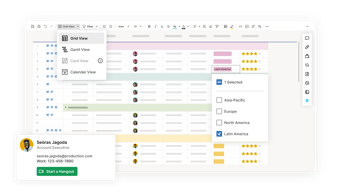
I like the multiple view options. I can view my smartsheet as a excel doc or I can view the projects in card format. I really like being able to switch back and forth for organization. I really like the card features to move completed items to their own column. It really helps with project management from start to finish! Being able to add notes accordingly, create marketing form requests for projects, and setting due dates helps me be more successful with executing.
Nothing so far. I really have lived it compare to asana and guidecx
Every aspect of project management. Helps me stay on top of my to do list so I don't forget any projects.
It is very user friendly expecially since we use it internally and also for our clients. The frequency in which we utilize the tool has expanded across the practice. We have been able to integrated the tool with PeopleSoft and utilize a multiple number of features to provide workspaces for the teams to use during their customer engagements. The ease of implementing Smartsheets with our tolls comes as no surprise as we overcome any challenges by using the Customer Support provided by the Smartsheets team. This is an amazing tool and the continue to listen and improve the tools based on their customer needs.
I will be glad when it is able to inact with Microsoft better when creating dashboards. I will add the note that this comes with me not knowing how to or even the fact that it is not easy to pull in miscrosoft tables and/or print out the dashboard with ease when client ask for a copy. This is mostly due to the scrolling boxes. Minor ask and I am pretty sure this will be addressed soon.
It allwos us to have a central location when managing clint engagments.
SS helps me to add all my numbers, attach documents related to that info -- and helps my clients to share me their doubts on the comments.
I wish I could filter or hide columns like excel.
We organize weddings and it has been very helpfup to orgaizae the whole process, adding every single detail with price.
Smartsheet is easy to use and implement as a collaborative sharing resource for our company. I haven't had to utilize customer support as an internet search provides the answers I seek. SmartSheet was most helpful as a substitute for MS Project.
I have found it difficult to copy and paste to and from the product.
Regulatory submission deadline tracking for various milestones in addition to day to day tasks.
As a commercial property management company, we use the database functionality to sort all of the property information, save it, upload monthly reporting items, and share with stakeholders with confidence that they can interact with our staff. It's so easy for everyone to share information!
We wish it were easier for non-licensed users in our office to set up worksheets.
Provides me with the information I need to see at my fingertips, all in one location
First of all, is so user friendly. I like the way you can have sets of sheets, it makes planning so much easier.
Sometimes the search function shows no results, when there are results to show. All it takes is a refresh and it works. Small glitch, not a big deal.
I love how easy it is to collaberate on a sheet or set of sheets with coworkers.

its easy to navigate and use.very user friendly and now frequently use it on my projects. I have tried the different features that comes with it and whenever i get stuck, i can easily contact customer services for support.its very easy to implement and intergrate
the other members are still struggling to use it
very fast to implement and doesnt take up loads of memory and hence can be used on any machine
Smartsheet allows our teams to collaborate and stay on top of status and updates for multiple projects. Since the various smartsheets for different projects, departments, etc. are all based on the same platform, it is easy for users to navigate and understand the various functions.
The downside is not being able to cut and paste out to Excel.
We use it across various teams. We use it to track our Equipment inventory, scheduling and usage. In project management, we use it to monitor project onboarding and contracts. In accounting, we use it to approve invoices and we use it to upload credit card receipts and track expense reports. We use it for employee onboarding in HR.
Being able to see and manage my upcoming tasks for month end close.
When we use due dates for month end close the dates to not update for holidays causing a small discrepancy in the actual due dates
Helps to guide and controll the many tasks that accountants have to keep track of every month.

Smartsheet allows people to automate their work in spreadsheets. On the contrary to other spreadsheet tools the automation is clickable and no knowledge of writing Macros is needed. Smartsheet is very scallable. It can be used by single person just to track the actions etc. but can be used by entire enterprise if you keep all your data in it.
Some of the basic functionality is taken from Business licenses and you need to buy Enterprise Licence to have this functionality again.
First of all it saves time on repetitive tasks in Spreadsheet so employees can concentrat on other operational work. Second it connects data from different systems and keeps everything in Smartsheet so the data can be easier analysed. As people are empowered to create their own Automations no special training is needed for the non-tech employees.
I really love being able to collaborate with many other individuals within my organization. My favourite feature is being able to send people in my collaboration reminders to collaborate when updates are needed on a weekly or monthly basis. I also like being notified when individuals within the collaboration make their edits, I'm able to receive a notification that they made an edit. Smartsheet is as easy to use as Excel but with many more options to make forms to make collaboration easier, and then being able to create reports based on the data within the collaboration.
Some of the functionality when it comes to manipulating data and formulas isnt as easy as using Excel. It does have a bit of a learning curve that would be made a little easier by having some kind of tutorial or knowlege base for converting formulas from Excel to Smartsheet. I really do like the product after getting past the learning curve, but the learning curve is rather steep.
I have a document that requires the input of a team of 10 people. Its very difficult with conflict copies to use Excel to track the project. Smartsheet has mad e this a lot easier to have reminders going out to those on the project team, and then notifying me when there are edits made so I can track compliance easier on a large sheet

Smartsheet is a quick and easy tool to use and get new sheets set up quickly. I use it daily to manage learning projects and vehicle fleet management where I can pull reports at very short notice. Having the ability to share my sheet with thoose outside my organisation has helped collaboration to drive my work forwards far quicker than ever before. Integrating sheets in to teams discussions and again sharing for collaboration has taken our meetings and working ways to a new level. I highly recommend Smartsheet as I know that its implentation in to any business will take performance to a new level.
Not much to be honest. But I would like to see integated 'how to' short films built in to the platform when needed. I know these exist in the wider web, but having them in one place would be beneficial for ease of access and potentially mean not having to trouble colleagues or customer support when self help could be used. These would greatly aid a quicker route to how to do something new and learn more. No one person can know the platform inside out, so having these as a learning resource would help in the
Data and reporting in one place
As a project manager juggling multiple projects at a time (all with various dependancies) smartsheet allows me to organize each project in such a way that I'm able to remain on task and see where we are in each project with a quick glance. Automation within smartsheet is critical and the ability to roll up data across multiple workbooks makes my job even simpler! Of course, not everything has to be complex. I integrate smarteet into my daily review of what each team member has on their plate and use it to keep track of wish list items/upcoming projects. If you are looking for a product that's easy to implement and use frequently (rather than just another tool you forget to use) Smartsheet is your go-to. While I haven't taken advantage of it yet, Smartsheet also appears to have excellent customer support (based on feedback from colleagues) and they are consistently offering classes to help you maximize your use of this tool.
Unlike excel where you are mostly focused on basic spreadsheet functionality, Smartsheet has a lot of features and you would benefit from participating in the walkthroughs they offer.
The ability to remain focused on multiple projects and manage multiple people at a time is a skillset some people naturally have. For me, I need an assistant and Smartsheet is essentially that. It helps me organize/drill down into what is going to be needed during projects; the timelines; those people involved;etc. and keep it organized. It allows my team members to collabore b sharing notes/tasks/linking out to various materials and helps us all to stay on task. I also use it for every staff meeting so that I can see what people are working on outside of projects they are assigned to and keep tabs on what is coming up as future tasks or projects.
ease of use, cloud based, collobration capablities
charts, pivot could be improved, some of the views on the sheet get messed up and you can move across the sheet beasuse the slide bar disappears, permissioning for attachments by users.
portfolio management and visibility
I love the simplicty to create graphs, or any other visuals
PII. Cant save Personally Identifiable Information on it due to the Google base.
It helps me acheive all of my presentation goals
Some of the best things about Smartsheet is that is easy to use and learn. When we first started integrating some of our processes into Smartsheets there was some hesitation because it was yet another thing to learn, however, staff picked up the process quickly it was easy to get everyone onboard. One of my aboslute favorite things is the ability to automate processes. We are able to set reminders for when things are due and able to have interactive comments on our sheets. Communication that would span across days via email can be done in Smartsheets. There is also change tracking that helps document who and at what time made the change. This is required by some of our compliance and regulatory and just some features that aren't available with excel.
There really isn't a whole lot of downside with Smartsheet. The biggest thing that we run into with some of our large projects would be line compacity right now is at 20,000 rows I believe? But this is easily fixed with a new page and combining them using the report feature.
Like I had stated, we use Smartsheet in pretty much every aspect of our work. We use it for Project Management and tracking various Lab Developed Tests. We use it for Lab Meeting notes and QA Calendars. We store all of our safety data sheets in Smartsheet. A big use is compiling data from clients that are across the country into one place. We have used dashboard's and forms to have clients submit their documents for our review so they don't get lost in emails.
Smartsheet is great for collaborative work. Our company uses it corporate wide for all types of live reports.
It does not autosave. This function would be very helpful for when multiple people are working on it at the same time.
Seamless collaborative work in one place.
The dependencies function in sheets for project management purposes. It allows updates to end dates to cascade through the rest of the project.
More intuitive workflows would be helpful.
It is solving our forecasting and our communication problems. We have better forecasting ability as well as better version control over our documents.
I enjoy the functionality of Smartsheet when collaborating on projects with a larger team. Smartsheet feels familiar to the spreadsheets that we're already familiar with, but it helps us expand on projects with comments, tagging and assigning tasks, and staying better organized. We especially like the gantt and calendar views to help us keep our projects on task.
I would appreciate if Smartsheet had more out of the box templates for different use cases. While we have toyed with a few of the standard Smartsheet templates in the past, we'd like to see more options in the future if possible.
Smartsheet helps us combine data sets with managing projects and timelines across teams.
I ike that smartsheet has tutorials. I really love the sending as an attachment feature when needing to send reports.
I wish the dashboard making was more user friendly.
Smartsheet is helping me send regular reporting to clients & customers. This assists me when I need to take a day off.
The easy to use online task management allows for more productivity.
No real time updates with the information
Productivity has increased, more organized task flow
The best thing about smartsheet is that you can have so much information either on one sheet or multiple sheets that can track and keep others accountable for what is added, changed or removed and then integrate workflows to send updates or request based on may different criteria.
The fact that many of the integrations with other software and enhanced features are very expensive
Smartsheet allowed us to have colaberation with many others while assigning certain task to them thru the workflows with out having to send seperate emails or phone calls
simple design, easy to use and follow with customers
I dislike the comments as they can sometimes disappear.
allows us to send a detail list to clients where they can clearly see and respond to open items.