Unclaimed: Are you working at GoToWebinar?
GoToWebinar Reviews: 4.3/5 — Solid Choice
Best known as the world most popular webinar and webcasting tool, GoTo Webinar is an easy-to-use solution that allows users to host webinars, virtual conferences and events. The platform comes with robust features and integrations that allow users to engage with audiences to drive business growth.
| Company | LogMeIn, Inc. |
|---|---|
| Year founded | 2003 |
| Company size | 1001-5000 employees |
| Headquarters | Boston, MA, United States |
| Social Media |

| Capabilities |
API
|
|---|---|
| Segment |
Small Business
Mid Market
Enterprise
|
| Deployment | Cloud / SaaS / Web-Based, Desktop Mac, Desktop Windows, Mobile Android, Mobile iPad, Mobile iPhone, On-Premise Linux |
| Support | 24/7 (Live rep), Chat, Email/Help Desk, FAQs/Forum, Knowledge Base, Phone Support |
| Training | Documentation |
| Languages | English |
GoToWebinar Pros and Cons
- Hosts automated webinars
- Option to simultaneously host organizers and panelists
- Capable of hosting webcasts
- Provides webinar analytics and exports
- Integration with GoToMeeting
- Costly compared to other alternatives
- Basic plan only accomodates 100 webinar attendees
- Requires presenters and participants to download specific software to be able to use platform

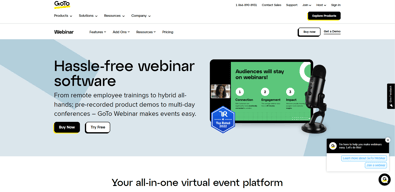





GoTo Webinar is one of the longest-running webinar platforms, and it sells reliability at scale rather than the newest features. If you are running regular webinars for hundreds of attendees and the cost of a technical failure is high, that track record is what you are paying for. If you are running your first webinar for forty people, it is an expensive way to do it.
- What it is: Webinar and virtual event software with registration, automated email sequences, polls, Q&A, analytics, and attendee-facing simplicity.
- Best for: Marketing, training, and enablement teams running webinars regularly at 500+ attendee scale, particularly in enterprise and regulated environments.
- Pricing: Reach $59/month and Elevate $103/month billed annually ($69 and $129 monthly). Complete is custom. A 7-day free trial, no free plan. Verified on GoTo’s pricing page in July 2026.
- The honest catch: Cloud recording, arguably the most basic webinar feature there is, sits on Elevate rather than the entry plan. For most buyers that makes $103/month the real starting price.
What Is GoTo Webinar?

GoTo Webinar launched in 2006 as part of the Citrix GoTo family, later spun out into GoTo as an independent company alongside GoTo Meeting, GoTo Training, and the LogMeIn products. That two-decade history matters more here than in most software categories, because a webinar fails publicly and in real time, and buyers with an audience watching tend to weight reliability above feature count.
The product is built around a straightforward loop: create a registration page, drive signups, send automated reminders, run the event with engagement tools, then follow up with recordings and analytics. It does that loop well and has done it for a long time. What it does not do is compete on innovation with newer platforms that ship more aggressively.
The independent ratings are respectable but not uniformly glowing, and the gap between them is instructive: 4.5 out of 5 on Capterra across 2,073 reviews, but roughly 4.2 out of 5 on G2 across about 801 reviews. Reviewers consistently praise attendee-side ease and large-audience handling, and consistently raise cost and occasional audio and video problems.
How GoTo Webinar Works
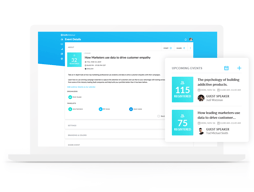
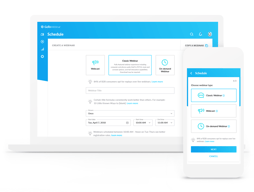
- Registration and promotion. Custom registration pages, automated confirmation and reminder emails, and source tracking so you can see which channel produced which registrants. The email automation is mature and is the part marketing teams rely on most.
- Running the event. Presenter tools, screen sharing, polls, surveys, live Q&A, and handouts. Attendees join without installing anything, which reviewers repeatedly call out as a genuine advantage with non-technical audiences.
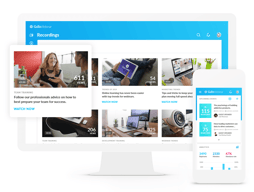
- Recording and reuse. Cloud recordings on Elevate and above, plus the ability to run a recording as a live event, which is the simulive pattern used for repeatable demand-generation webinars.
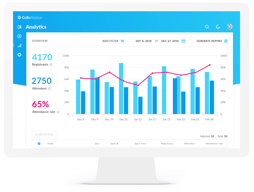
- Analytics. Attendance, engagement, and drop-off reporting, plus registration source tracking on the Complete tier, with integrations into HubSpot and Salesforce that reviewers describe as reliable.
- Scale. 500 participants on Reach, 1,000 on Elevate, and up to 3,000 on Complete, with live streaming to unlimited attendees at the top tier.
In 2026 the notable additions are AI summaries and transcripts on Elevate, and breakout rooms. Both are useful, though neither is unique at this price point any more.
GoTo Webinar Pricing
Pricing is per organizer seat and gated primarily on participant count. Figures verified in USD on GoTo’s webinar pricing page in July 2026.

| Plan | Annual (per mo) | Monthly | Participants | Key additions |
|---|---|---|---|---|
| Reach | $59 | $69 | 500 | 1 organizer seat, reporting and analytics, automated reminders and follow-ups, polls and live Q&A, mobile hosting |
| Elevate | $103 | $129 | 1,000 | Branded webinars and custom URLs, cloud recordings, AI summaries and transcripts, recordings as live events, breakout rooms |
| Complete | Custom | Custom | 3,000 | Custom organizer seats, live streaming to unlimited attendees, paid events and certified training, GoTo Meeting license, registration source tracking |
The things that change the calculation:
- Cloud recording starts on Elevate. This is the single most important detail in the pricing. Recording a webinar is table stakes, and putting it on the middle tier effectively makes $103/month the entry price for most buyers rather than $59.
- Branding also starts on Elevate. Custom URLs and branded webinars are not on Reach, which matters if the webinar is a marketing asset representing your company.
- Annual billing saves 14% to 20%. Reach drops from $69 to $59 and Elevate from $129 to $103, so the discount is larger on the plan most people need.
- Per-organizer, not per-attendee. Reach includes one organizer seat. Multiple hosts running independent webinars means multiple seats, which climbs quickly.
- There is no free plan. The trial is 7 days with no credit card required, which is short. Plan the webinar you want to test before you start the clock.
Who Should Use GoTo Webinar
- Teams running webinars as a regular programme. The registration, reminder, and follow-up automation is genuinely mature, and it is the difference between a webinar that fills and one that does not.
- Organizations with large or non-technical audiences. No-download attendee joining and proven handling of 500 to 3,000 participants are real strengths.
- Enterprise and regulated buyers. A long track record, established security posture, and reliable HubSpot and Salesforce integrations matter when procurement is involved.
- Training and certification teams. Paid events and certified training on the Complete tier, plus the sibling GoTo Training product, cover a use case most webinar tools ignore.
It is a weak fit for solo creators, small businesses running occasional webinars, and anyone whose priority is marketing-funnel features like evergreen automated webinars. In those cases you are paying enterprise prices for capabilities you will not use, and the alternatives below serve you better.
Honest Pros and Cons
Strengths
- Reliability at scale is the core proposition. Two decades of running large events shows in a platform that handles hundreds of attendees without drama.
- Attendees do not need to install anything. Repeatedly praised in reviews, and it directly reduces the number of people who register but fail to attend.
- Mature email automation. Registration, reminders, and follow-ups are well built and are the operational backbone of a recurring webinar programme.
- Solid integrations. HubSpot and Salesforce connections are described as seamless by reviewers, which matters for lead routing.
- Simulive. Running a recording as a live event is a genuinely useful pattern for repeatable demand generation, though it requires Elevate.
Limitations
- Expensive relative to the category. The most common complaint in independent reviews, especially from small businesses. Competitors deliver comparable core functionality for less.
- Recording is gated to the middle tier. Hard to defend, and it materially changes the real entry price.
- Occasional audio and video problems. Some reviewers report technical issues serious enough to have driven them to competitors. Not universal, but it appears often enough to note.
- Limited branding and customization. Reviewers want more control over branding and more editing options for pre-recorded content.
- A 7-day trial is short. Barely enough to plan, promote, and run a real webinar, which is the only meaningful test.
- Fewer marketing-funnel features. Evergreen and automated webinar funnels are weaker here than in tools built specifically for that job.
GoTo Webinar Alternatives and How It Compares
- Demio is the strongest comparison for marketing teams. Browser-based, cleaner interface, better suited to demand generation, and generally cheaper.
- Livestorm is browser-based with a genuinely usable free tier and strong analytics, and it appeals to teams that find GoTo’s interface dated.
- WebinarJam targets marketers and online sellers, with strong funnel and evergreen features through EverWebinar, at the cost of a busier interface.
- ClickMeeting is a lower-cost, flexible European alternative worth comparing if data residency matters.
- Zoho Meeting is dramatically cheaper and adequate for straightforward webinars, particularly if you already use Zoho.
- Zoom Webinars is the default comparison for organizations already standardized on Zoom, and often wins on price and familiarity alone.
For a fuller comparison, see our guide to the best webinar software.
The Verdict
GoTo Webinar is a dependable, well-integrated platform that earns its place with organizations for whom a failed webinar is a serious problem. The registration and email automation is mature, attendees join without friction, and large audiences are handled without incident. The 4.5/5 Capterra rating across more than 2,000 reviews reflects a product that does the fundamentals well.
The pricing is the sticking point, and specifically the decision to put cloud recording on the middle tier. Once you accept that Elevate at $103/month is the realistic entry point, GoTo Webinar is expensive against a field where Demio, Livestorm, and ClickMeeting deliver comparable core functionality for less. The honest answer is that you are paying for reliability and enterprise-readiness, and whether that premium is worth it depends entirely on what a failed event would cost you.
If you run a serious, recurring webinar programme in an organization that cares about vendor stability and Salesforce integration, this is a defensible choice. If you are a small team or a creator building a marketing funnel, Demio or WebinarJam will serve you better for less money. Whichever way you lean, plan your test webinar before starting the 7-day trial, because it is too short to waste.
FAQ
Is there a free version of GoTo Webinar?
No. GoTo Webinar offers a 7-day free trial with no credit card required, but there is no permanent free plan. Paid plans start at $59/month billed annually. If a free tier is important, Livestorm offers one with limited attendee and duration caps.
How much does GoTo Webinar cost in 2026?
Reach is $59/month billed annually or $69 billed monthly, and supports up to 500 participants. Elevate is $103/month billed annually or $129 monthly, and supports up to 1,000 participants. Complete is custom priced and supports up to 3,000 participants with live streaming to unlimited attendees.
Does GoTo Webinar record webinars?
Yes, but cloud recording is only available on the Elevate plan and above, not on the entry-level Reach plan. Since recording is a basic requirement for most webinar programmes, this effectively makes Elevate at $103/month the practical starting tier rather than the advertised $59.
How many attendees can GoTo Webinar handle?
Reach supports up to 500 participants, Elevate up to 1,000, and Complete up to 3,000, with the option to live stream to unlimited attendees on the Complete tier. Participant capacity is the main dimension the plans are gated on.
What is GoTo Webinar best for?
Organizations running webinars as a regular programme at meaningful scale, where reliability, mature registration and reminder automation, and CRM integration matter more than the newest features or the lowest price. It is particularly well suited to training, enablement, and enterprise marketing teams.

Compare GoToWebinar with other popular tools in the same category.
It's all very self explanatory. Click the link, then click this button and wait for others to do the same. With a unique link, phone number and access code automatically delivered by email to viewers, you can quickly and simply get everyone on a conference call with screen share capabilities
You do have to download the app, which makes it faster and more reliable, but this can be problematic for people that have restrictions on their work computer or are working off a public computer.
Trying to communicate about technical or visual topics by phone or email can be challenging and sometimes cause more frustration and confusion. With share-screen, conference-call style software like gotomeeting you get the ability to show others exactly what you see on your screen and talk as if you're sitting in the same room. A great way to have meetings and presentations without needing to be in the same location.
Love the ability to connect anywhere and almost everywhere
that there are other free options out there that clients and connections what to use instead
Was using the program for educational purposes.. still working on educating districts in using and connecting with webinar programs -= this cuts cost of travel to other cities for conferences and annual meetings
Ease of use/UI design is the most appealing aspect of using this application.
Slowness, which was likely a result of a poor corporate network connection.
Using the application to collaborate with others

I like the organization of the information. I also like the hub with downloadable documents, a list of meeting participants, and the automatic muting of attendees.
Nothing honestly comes to mind. The software is very user friendly and gives great instructions.
Instead of traveling far distances for state mandated trainings, the GoToMeeting/GoToWebinar software gets the information to different people at the same time without having to travel.
It's easy to use once you get a feel for it. Most importantly, it's easy for the attendee to navigate. We find customers use GoToWebinar most frequently and it's an easy software install. It also integrates nicely with our CRM.
Definitely requires a few practice runs to ensure you've hit the Start Broadcast button or un-muted yourself (it's the worst realizing 10 mins into the webinar you were on mute the whole time). The UI seems outdated but again, it's reliable. Audio can be bad too, especially if you're just using the mic & speakers on your computer. And make sure you're hard wired in or you have a super strong Wi-Fi signal. Can be clunky if you have multiple organizers that are signing in from different locations and you need to hand off the presentation controls.
We use GoToWebinar for product demos and educational webinars. We get tons of our sales leads from our webinars.
Ability to set goals, socially promote, and have a practice seminar
Honestly, I haven't found anything I dislike thus far
The ability to meet with customers quickly, efficiently, and consicely. It helps with all of this
Intuitive platform and how easy it is to use as administrator and user.
Sometimes the speaker view has a little delay.
Collaborating with teams and partners across different offices domestically and internationally.
The ability to confrence a group while sharing your screen. Also allowing others to share their screen as well.
Nothing that I've found so far. Only issue is sometimes people are too noisy and all users must be muted
Marketing problems as well as IT and tech
Whenever I register for a webinar, I click on the webinar link, which takes me directly to the software link to download it. Once you download the software that opens up the Citrix server, it will directly take you to the webinar interface. The webinar interface is very easy to handle. For example, to open up the control panel, there is a small orange arrow button located on the top right to click on it. Audio is very clear most of the time, and there are very few issues (unless the organizer has a connection problem).
Other than having to install the small software to open the Citrix server, I find nothing wrong with using the software at all. As I mentioned, it is easier to work with and clear when the host or organizer wants to demonstrate the subject and reinforces interaction from all participants.
I mostly use it for learning experiences and online webinars; however, in a remote conference setting, it is excellent for companies to talk with management and other co-workers. It provides a feature that will allow the participants to interact not only through audio (microphones) and video (cameras) but also show polls, charts, and presentation sharing.
When a webinar is in full swing, the software is easy to navigate and has great screen sharing capabilities. Sound and visual quality is good. Overall it is an enjoyable webinar experience.
Not all people attending like to register, but when doing webinars this is a requirement. Also, unless upgraded to a premium account, the owner of the account still has to log in to start/stop/record the webinar, despite naming a presenter during the registration process.
Many times visualizing information eliminates miss-communication.
Honestly, its hard to find a really reliable service with decent customer service in a webinar platform and GoToWebinar does a great job. I enjoy that it is easily to edit, duplicate and share webinar invitations. I like the advancements they are making with the beta testing of registration from different places.
I wish there was more options to edit the post webinar survey. They advertise NPS scoring when scoring their service but won't let us provide a 0-10 scales on their integrated service tool.
We provide webinars as a lead generations tool and occasionally as a training tool. We are able to achieve a reliable, convenient tool that we can share with leads and gather more information on in order to work through our pipeline.
Go To Webinar is a great resource for employers because you can host webinars that are beneficial to potential candidates.
I do not have any dislikes for GoToWebinar.
The benefits that I have realized is our company is able to provide professional development opportunities to individuals before they go through our application process.
I like the ability to connect with businesses of different sizes and industries to address common topics.
I have occasional connectivity issues but those may be more a physical failure in my building than anything to do with GoTo itself.
The ability to schedule and hold meetings across the country has been an invaluable tool for my small rural company.
GoToWebinar is easy to download and use as both a participant and as the conference host. It's user-friendly, loads quickly and opens as a separate application from browser. I appreciate the pop-up that gives me the call-in information and allows me to choose to call in and/or be called/listen via my computer's platform. All boxes within platform are easy to use and follow.
Haven't experience any major issues so can't comment with anything that I dislike/didn't work for me.
Have utilized this product as a user, logging in to other's trainings, conferences and offerings. It is a platform that I've been able to access from both a desktop as well as my mobile device (by downloading app). Has allowed me to connect from wherever I am, without an internet connection (works on data from mobile device). I appreciate the flexibility and ease of use.

GoToWebinar is through GoToMeeting where you can host a webinar about anything and send out invitations for those to view your webinar. It is the best thing thus far. You can save the webinar and share it at anytime.. The pricing is not too bad depending upon the amount of participants. As a business owner it is a good way to make sales... They also have an app...
They have some pop ups pertaining to chat or starting an account that can get annoying. This is a big company the many folks know about. Now need to have pop ups regarding chatting or joining....
A project that is being overseen and may need some guidance you can do a webinar and invite colleagues to get some advice. I realized the phone is not needed and you can get this done in now time and proceed to the next step.
It's easy to use! I like that everything is right there!
There is not much that I can say that i do not like.
We have colleagues at multiple locations, this allows us to meet, without having to drive long distances each day and spend money on mileage reimbursement.
Its simple. I can invite people via a link, they sign up, show up and I can share my screen.
I have forgotten to record before which is super upsetting and realize is 100% user error but would love if the recording option was more prominent or if there was a pop up prior to starting the broadcast to remind me
We use GTW for continuing education for our clients and group trainings. Because we can record them, we can then send the recorded webinars out, so they are endlessly beneficial.

I like that I can attend a meeting, conference, or presentation from my office or home.
I do not like that it seems that every time I launch GoToWebinar, I have to update the program.
Solving the problem of costs to attend conferences and presentations Solving problem of getting information and resources to colleagues unable to attend in person Benefits - better attendance at meetings, colleagues getting resources and information
It makes sharing information with colleagues and business partners a breeze! Especially when there is a tutorial aspect.
One improvement would be the ability to share and control others screens.
It has been great for communicating tutorial-like information out to the field.
I love Citrix, they may not be the fastest innovator but definitely one of the most reliable ones! I love the most - scheduling and reminder feature for scheduled events with GoToWebinar are fantastic! - You can send the Attendee a customized link to the session a day before and an hour before. - I loved that I was able to keep my audience active engagement and integrate Polls. - overall ease of use to setup is so simple and quick that it beats everything I have used before
It was hard for some clients to load a GTW session, especially further in eastern parts of the world as well as regulated industries. They were simply not allowed to download an exe which prevented them from joining.
We needed a tool to conduct world wide available webinar series, related to a variety of different topics and required a platform that allows for big (100 and up) groups to dial in.
Makes it easy for you to schedule virtual conferences at any time and place.
Sometimes the loading time takes very long and is not effective for quick meetings.
Conferences with other professionals have been easy.
It's easy to use and log in to. It makes sharing and interacting with others easy.
sometimes there is a slight delay. Other than that no real issues i have witnessed.
i like this because the host can show you their screen and you can follow along that way. It makes it way easier than trying to find it on your own.
I like that it's extremely easy to use and implement.
Sometimes the audio lags, and that can be annoying.
It's great for training remotely.
Very easy to use and log in. Had no difficulty and could see and hear everything in real time.
Very limited use. Do not have a dislike at this time.
Communication is key
Ease of use and widespread use throughout many industries.
Have had issues where I've had to download the product multiple times on the same system.
Being able to meet with outside agencies to view our internal intranet. This makes it so they do not have to come on site to view web apps behind our firewall.
I love this program! This makes life so easy for me to keep up with my hectic schedule
I only have the one complaint that the iPad app doesn't support split screen
Im not missing important meetings because of this app! Thank you!
We are able to add a large scale of participants to the webinars.
In the past when listening and viewing webinars, was at times a little choppy.
Having larger groups be able to attend an online webinar. This has helped solve that problem.
I like how versatile it is and how widely used - we've used this for meetings, training sessions, and vendor interviews/demonstrations/sales pitches. The interface is good, the shared screen aspect is good, and it has been very easy to use overall.
Sometimes people would have issues logging in, but those were generally speaking very easily resolved. I do not really have complaints about the system.
This has allowed us to work with people spread over 4 campuses throughout the state and to work with people across the United States. We've been able to work with companies not from our area in order to get the best service through this more personal interaction utilizing GoToWebinar.

GotoWebinar is an easy software to use. It acts as a great tool for organizers (those who control and launch the webinar), presenters (those ONLY presenting) as well as audience members where you can chat, send handouts, run polling questions, etc.
At times the login details ends up in SPAM boxes. The polling questions design is functional, but no flexibility to change the design. At rare times (happened once) it is glitch-y with the audio when there are more than 5 panelists. Audience members viewing the online browser version, as opposed to the desktop version, sometimes get themselves stuck and have to refresh their browser.
Lead generation and running live webinars. CITRIX does a good job collecting leads and information, as well as easy-to-use live webinar functions.
Pros - User-friendly, email-functionality, and real time screen sharing.
Cons - Requires you to download software before using, requires use of JAVA that sometimes causes program to crash.
Working to enhance and improve business operating procedures and processes as well as working to find solutions to improve software programs.