

Unclaimed: Are you working at Zoho CRM?
Zoho CRM Reviews: 4.1/5 — Solid Choice
Zoho CRM is a leading customer relationship management platform that businesses of all sizes can rely to manage sales, track marketing campaigns, and gain customer insight within a centralized, collaborative environment. Using Zoho CRM, users can set up and customize that platform according to their personal preferences and incorporate all necessary data and workflow to maximize its features. Zoho CRM is also available on a free plan and scales gradually depending on features needed.
| Company | Zoho Corporation |
|---|---|
| Year founded | 2000 |
| Company size | 10,001+ employees |
| Headquarters | Chennai, Tamil Nadu |
| Social Media |

| Capabilities |
AI
API
|
|---|---|
| Segment |
Small Business
Mid Market
Enterprise
|
| Deployment | Cloud / SaaS / Web-Based, Mobile Android, Mobile iPad, Mobile iPhone |
| Support | 24/7 (Live rep), Chat, Email/Help Desk, FAQs/Forum, Knowledge Base, Phone Support |
| Training | Documentation |
| Languages | English |
Zoho CRM Pros and Cons
- Extensive omnichannel customer support via live chat, phone and email
- High-level automation options for various sales tasks
- Tons of integrations with third-party tools like Outlook and LinkedIn
- Mobile version with access to visual reports
- Data security, integrity, and regulatory compliance built-in
- Not the best tutorials for beginners
- Integrations can be a little clunky

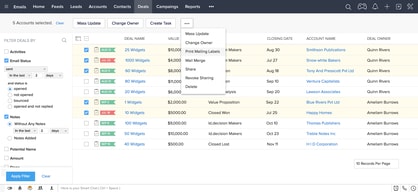
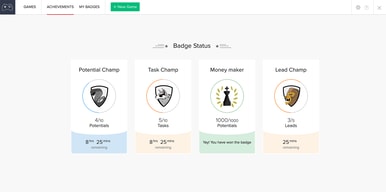
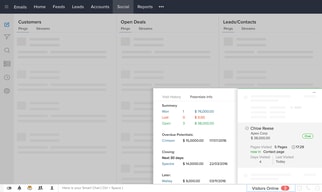
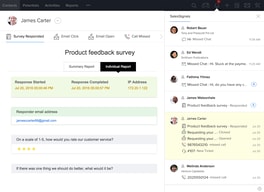
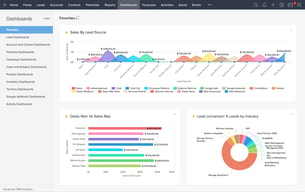




Compare Zoho CRM with other popular tools in the same category.
best in the market ,easy to use ,best indian customer support ,have large number of feature ,best implementation practice as per indian standard,east to integrate with various tools like tableau software and powerbi,can be used for frequent roles , and internal evaluation to devlop core team
little global presnce ,high complexity of coding
in getting direct orders from customer to delivering the quotes pricing and details of delivery ,customer retantion to new customer engagment ,proper utilization of current resource of knowledge pool

The flow and easy to access everything in one place
There is absolutely nothing to dislike about it.
Going the old school and working on excels. Zoho has made things much easy to maintain

This CRM empowers businesses to streamline sales processes, track leads, automate tasks, and gain valuable insights for informed decision-making.
How technical it can be however it is easy once used frequently.
Problem: Manual and time-consuming sales processes can hinder productivity and lead to missed opportunities. Solution: Zoho CRM automates repetitive tasks, streamlining sales workflows and allowing sales teams to focus on more strategic activities.
I like how I am able to set tasks and reminders for my week and am constantly reminded until they're completed
The CRM can be a bit too simple at times and doesn't fully integrate with my company's quoting tool
Customer data compilement as well as task and deadline fulfillment
I like that it is user friendly and there are a lot of features we can use for the business. We have been using Zoho for almost 2 years and it is definitely something that we would be able to recommend to someone who is using crm on a daily basis. We use Zoho frequently.
None that I have encountered so far. Haven't reached out to customer support yet for any issues.
Able to sort leads in a convenient way. It's where we store all our lead info and where we add notes and documents for our leads. We can add tasks as well.
Ability for multiple users to interact and update. Ability to interact with outside client.
Sometimes it is almost too big to get all of the data in there. It feels like it is incomplete even though you have a lot updated.
Client management and client information sharing across internal departments. As well as allowing us to share documents securely to and from clients.
I like how you can customize your experience for onboarding, CS, and repairs. So easy to implement all the tools at your disposal. I use it every day for my job. I even use it to integrate my lead generating NFC band, Linq.
It's a little cumbersome to figure out with no experience, or guidance.
All of my client and dealer conversations are logged. Even quote forms are generated throught the app

Easy to use for any user (admin or end user) and can be implemented in any business industry by doing minimal customisations to the application as per need.
Pricing can be reduced for enterprise edition which comes with loaded features.
Quickly Send quotes to customers, have track of complete customers with stages of the deal / Oppurtunity.
The return on investment and the cost to benefit ratio of ZOHO CRM is unmatched. It has just enough features required to run the sales and marketing division of a small to medium b2b/b2c business without incurring huge cost. It's extremely easy to use and the learning curve for new sales people is usually no longer than a couple of weeks if they use it daily.
The software is best for small to medium business but it doesnt handle all the requirements necessary to run a large company. Customization quickly can become a bottleneck and customer support can sometimes be a little difficult to work with.
Zoho CRM is a customer relation management tool that helps sales and marketing teams to manage an entire customer's journey beginning from lead discovery to converting it to a paid customer.
Very user-friendly to personalize. Canvas to personalize the user interface.
The extension for Outlook and Gmail is not very handy, and it's a shame as CRM and Emails are tools that work together. Zoho CRM will be on the top when the extension for Outlook and Gmail gets upgraded.
Manage the pipeline from leads to deals. Offer analytics to measure Marketing initiatives, Sales performance, and Customer Satisfaction.

Zoho com is easy to use free CRM plan popular to track leads and manage contacts easily. It easy to integrate with G2 with single click. Provides excellent customer support with ease in implementation.
There is nothing downside in Zoho CRM to mention.
Zoho CRM helps businesses of all sizes build excellent customer relationships with a built-in AI sales assistant and other features like sales pipeline management, marketing automation, and much more.

Ease of use no programming knowledge required or needed, much of the interface is easy and quite simple to use. Reports are easy and lightning quick
Some things can only be customized by admin otherwise one of the better CRMs and at a fair price
Keeping track of clients, calls opportunities and emails

zoho CRM offers so many features including Versatility ease of navigation and also zoho CRM has mobile apps for android and ios to access it from anywhere. zoho CRM is affordable to small start ups and businesses automation tools in the platform is a great way to streamline processes and save the time also the reporting time are good way of tracking performance
some of the features like reporting and customisation are advanced and can be challenging sometimes. eventhough it has intuitive interface it may require initial learning to grasp the grasp the functionalities and and maximize its potential
zoho crm is helping in the streamlining the sales, marketing, and customer support processes, automating tasks, and eliminating manual data entry.

zoho CRM provides all-in-one solutions for our business to streamline our operations
Not much about.Maximum it works as needed
Handling Leads, assigning to consultants, payment tracking, documentation
Zoho CRM is very pocket friendly in tariff and as well other Zoho Apps. It comes with Deals, Offers, Leads, Insights, and much more. It was a pleasant experience and great learning during the integration. Firstly, we made an SoW and MVP (Minimum Viable Product) in trial license to understand the proof of concept. Later, we added Zoho in Enterprise Application Azure AD, then we finally got to connect our Zoho CRM. It was used by SAML Authentication, which is friendly and secure.
In our case, our most important feature is translation, which is available on and above the Enterprise plan, which leads us to take the high-value program for translation only, while we preferred to be in Professional plan, but had to move on.
Our CRM is integrated with Leadfeeder and we are also adding data manually wherever required, to maintain a customer base with segregation with categorization. Overall, the experience is good and integration is also more focused on App Gallery available in the Zoho marketplace.

I have been involving Zoho CRM for a long time and it's been an extraordinary encounter. I'm really content with the portable application and the adaptability of set up and utilize is brilliant.
Cons The main issue is getting project workers to utilize new programming and their capacity to try and utilize it. They are not generally the most joyful to have a go at a new thing so it took a work to get them ready for it.
Managing records, invoices, and credentials for websites. It is most inexpensive and relatively easy CRM to keep records of website and client management. I like that it exports details in CSF
Good for checking clients info, you can get documents and share project status
Sometimes The login is really difficult, OneAuth is required
I haven't experienced any issue with CRM , it's pretty good
Zoho CRM helps me do my job even better. It has all the tools I need.
I've used the product for a year and I don't have any problems so far.
It helps me manage my list of tasks everyday and the automated email templates makes my work easier and quicker.

zoho crm is best for customer relation managmnet.
Nothing bad all features and functionality are awesome and cheap in cost.
solving human reduce efforts and benfit in optimsing work and tasks.

The interface is easy to learn and navigate. Lead tracker is simple to set up. Not as complex as most CRM's out there. Easy to understand and learn and great for newbies.
Hard to get help from customer support but there are tons of youtube videos that answered any questions I had.
Email Marketing has improved since using Zoho. Easily track which emails get opened, clicked and which ones don't make coming up with an email marketing strategy flawless.

Easy to install with great customer support and it helps me automate my business, easy to impliment in any business.
Costly as compair to its compititor and dasboard is too clumsy.
It increases my lead convertion rate also it connects my clients more effectively.
It's dashboard is the best thing I ever used, it's easy to use and easy to integrate in any system, also it hase great support team which help in every scenario.
It's costly and more clumsy as it has more features then needed
It connects my clients to my sales and management team easily and without any fear of missing leads.
I have been using Zoho from last few yers my experience with Zoho was amazing like Sales process in Zoho is very good . it's easy to use , I am using is frequently, the best thing is that Zoho have mobile application which makes every process easy . Their customer support service is very fast , I loved it .
Zoho need some improvement , it have time taking proceses , also it is more expensive then other CRM . In this price rang Zoho should offer more features . Sometimes we face integration issue.
As a Sales person , I feel that sales process of Zoho is fantastic , Also they have Mobile applications which helps alot. CRM is perfect.
Its easy to instal- intergrate and implement. Its good for sales cycle and to use Zoho is very easy. It has all the features you will need in a CRM and customer support is top Quality. I use zoho daily
Nothing i love every thing about Zoho CRM
Sales Cycle - reporting - sending emails - and tracking
It has everything that a CRM must have. User access is simple, each stage of sales has been defined, very convenient to directly update the leads, contacts and deals through Outlook.
I do not find anything to dislike with ZOHO CRM. It works well for me.
- Keeping records of sales cycle. - Complete database of leads and contacts for all geographies and industry verticals. - Deal tracker and reminding with the records that I have maintained for taking the follow ups. - Sales analytics to track down KPI's. Account management of Inbounds and outbounds during the sales cycle.
The support is outstanding and tons of value
Nothing that I dislike as of now. Every issue was resolved
Lead to win solutions as well as a robust after sales module
Our support team likes the ticket system. Our CEO likes the price. Our Sales & Marketing team are setting up a lot of automatations in the CRM.
Sometimes there are bugs with the system. Their tech support team is helpful in getting them sorted out.
One place to keep all customer information.

I loke how I can save customer information, schedule tasks and meetings and still intergrate my emails with Zoho CRM
Sometimes, when I make calls, they are not recorded correctly.
I am solving the problem of record keeping and data retention. I have been able to retain customer comments and information as well as assist in following up with them.

This CRM provides end to end solution to a sales professional. The tool helps in identifying the leads and helps till the order execution process. In short, It is features rich sales tools for an individual as well team leaders. If you would like to utilize it best, use its app on mobile. Instant call to a potential customer and follow-up is really easy from the mobile app.
Configuring access right features little complex mostly when the team size is big. Merging duplicate data is also not as easy. Social media integration could be better.
Tracking the right kind of prospects and making follow-ups with them perfectly. The tool helping me in execution of sales process and helping me in day to day sales activities.
Switching to a full-fledged online business software suite is a great advantage. Zoho's complete suite includes all the software that integrates well with the system. If you are looking for more features, you can find them all there.
There are some features that are only available in the paid version, such as filtering and layout adjustments.
It was easy to work in the Zoho environment. The layout is good and everything has a nice consistent feel.