

Unclaimed: Are you working at Helpshift?






Helpshift Reviews: 4.3/5 — Solid Choice
Helpshift is an in-app customer engagement and web-based customer support platform that helps improve customer experience via mobile apps. With the platform, users can help drive higher ratings, reduce churn and increase retention. Helpshift’s comprehensive customer care suite is notable for improving agent resolution statistics and boosting user satisfaction with their in-app experience.





| Capabilities |
AI
API
|
|---|---|
| Segment |
Small Business
Mid Market
Enterprise
|
| Deployment | Cloud / SaaS / Web-Based, Mobile Android, Mobile iPad, Mobile iPhone |
| Support | 24/7 (Live rep), Chat, Email/Help Desk, FAQs/Forum, Knowledge Base, Phone Support |
| Training | Documentation |
| Languages | English |

Compare Helpshift with other popular tools in the same category.
I enjoy that you can view all cases and have the ability to create your own smart views.
The search function within the program does not work very well unless you use "AND" - Site does not update in real time, slight delay. Occasionally causes coworkers to take cases from one another because on one screen it says open and on the other it shows taken.
Solving order issues with Target. Helpshift works as a great alternative to emailing the guest.
I really like help shift for the simplicity it's very user friendly
They have bots that filter the chat sometimes
I help customers with billing issues
I love how easy it is to use with mobile use, allowing for in-app users to receive a message with the push of a button.
Although easy to respond to and easy to send an initial message, it does not receive 100% feedback, but that would be expected from any service.
We get much more feedback and customer interaction from customers who are online exploring or site or app but may not want to talk to someone directly.
User friendly, easy to use tool. A very simple tool to handle customer inquiries. Quite happy using it for the simplicity and ease it brings us in terms of customer handling and resolving our customer's issues and queries. Its a good tool for any business to have and use, be it the customer facing or internal help desk or for internal customers. I dont know what else to put in here as the page keep requesting me to fill out the detail on these, when I already have it. I dont know what else to put in here as the page keep requesting me to fill out the detail on these, when I already have it. I dont know what else to put in here as the page keep requesting me to fill out the detail on these, when I already have it. I dont know what else to put in here as the page keep requesting me to fill out the detail on these, when I already have it.
Nothing at the moment, but perhaps, there could be a edit option for the live chat when a response has been sent. Besides, that, nothing much to ask for at the present.
At the moment HelpShift seems to perfect for our company's use. We don't have any complaints as of yet, however the speed and some tweaking on the user friendliness would be great addition to have.
User friendly. Can be accessed thru a mobile device
Reports can be improved. Latency is another thing
Customer service, technical support for outlook.com
The Conversation is saved which makes it easy to navigate across the history
Reporting can be improved a little , while pulling up the data there are few reports which are not available
Quick customer contact and response
I use the FAQ feature the most, and appreciate that it's pretty easy to navigate, create, and edit questions.
Formatting of FAQs can sometimes be problematic, especially when copying and pasting.
Customer service inbound requests. Customer self-service via FAQs. Live chat integrated via our mobile app.
Customization of the report and easy access.
Lag while working on helpshift. Multiple people have provided feedback that the tool is bit slow which impacts productivity of the individual agents.
Connecting with the customers.
Admin panel was easy to use to generate a new key for integration. Javascript snippets allow for convenient and quick integration.
Sequence of chat workflow took a bit of figuring out.
Allow for a unified chat experience across different platforms. Also, a significant amount of issues were solved by the in-built FAQ.
I like that there is a lot of really powerful data in Helpshift
I find Helpshift, especially Power BI to be unintuitive at times and hard. Sometimes, I wish the data was available in tables and I can just use SQL and Periscope to visualize it. The refresh time can sometimes be quite long a well and sometimes, the dashboards fail to stay up to date even after I have refreshed it.
I'm trying to determine agent performance and whether or not we're meeting our target SLAs using Helpshift and Power BI. The data is great but I have to export it into Excel and manipulate it from there.
The light-weight nature of the tool, with clearly defined fields, integration of required support data, management of tickets thru tags, use of FAQ to help both agents and agents, basic analytics, users & teams management, etc.
Not able to manage bugs, need a clear escalation path for unresolved issues, integration with other support management tools, lacks minor customization of existing features, etc.
Providing support for mobile apps, moving to providing support for desktop apps, lowered cost of support, able to plug in agents from different background & train them on job, etc.
sending email and adding notes in the same window
The tag tab, I find it confusing and can be time consuming if the tag list is huge, better come with a different way of doing this and remove the tag option
Confidential
Ease of API use and creating customized metadata
UI needs to be more intuitive and simpler.
keep live chat records. use chat to assign task.
Easy to use, user friendly, and lightweight. It's very easy to see customer conversation history.
Very limited customization available for agents, no night mode.
Game issues. This is very useful for our customers.
The layout, it's easy to toggle between different emails I'm working on.
It would be great to have an FAQ easily available. I'm not sure how to combine issues/emails together that are related.
Customer service issues.
the communication between 2 or more parties
the format in composing a email to another person or company
our correspondence with customers is done through help shift
all the notes that you can put in helpshift
custom issue fields that we are required to fill in
all the emails are connected with each other

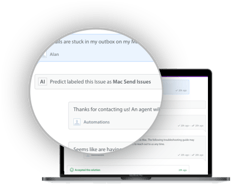
Helpshift has done a great job on their chat support platform. There are some nice features that are geared towards AI and automations - Auto responses based on keywords, FAQ question display based on keywords, time based automations and more. They have a nice real-time dashboard to display how many issues are in the funnel and they've integrated with power BI to deliver some in depth metrics for a thorough analysis. Another great feature is their ability to integrate with your mobile app to provide an in-app support experience to the customers. This includes displaying FAQs, starting chats or sending emails. Integrating into the mobile app also provides you the ability to send users push notifications which is always a plus. Finally, helpshift collects a lot of user/device data which can be used for both support troubleshooting and analytics.
Although the platform is well organized for navigation purposes, some of the admin options take time to fully grasp as they are not very straight forward. There is also a lack of customizability when it comes to FAQ questions in terms of image/chart display, font adjustments, hyperlinks, etc. They are striving to make improvements, but not quick enough on the simpler features that would make viewing FAQs more pleasant.
Helpshift allows our customers to chat with our support team rather than calling in. We've realized that by making a chat option available to our customers, we are able to mitigate call volume which is more costly than chat. We are also surprised to see how many people chose to chat rather than call.
The customer support for clients is pretty good
Analytics need improvement. Not sure if Power BI is the solution I like
Can see volume pretty well.
I love the simplicity of the flow while working in HelpShift. At first if you are adjusting from another service, it may feel like "Am I missing something, is it really this easy?" It is! The chat format of conversations for all platforms makes it easier to keep track of the customer's concerns. It feels seamless which makes it less stressful.
I wish there were some additional information available, such as issue numbers in the "other issues" tab for individual customers. I would also like if there were a keyboard shortcut to open the Quick Reply box to prevent extra clicking around. It's also not as easy as we'd like to view individual agents' satisfaction "star" ratings and comments left by the customer.
Our live chat and email/in-app contacts are streamlined into 1 place which helps keep the workload organized and in order. I like that there are queue priority filters, this helps us keep up with customers in the order they have contacted us.
I love that the fact that we were able to integrate Helpshift into our games. Users are able to contact Customer Care just through the game instead of getting taken out of it.
I wish macros were easier to use like Zendesk.
Currently no business problems at the moment. It's been nice to be able to have the FAQ and ticket system all rolled into one.
The tags and custom issue fields make it easy to quickly see business trends.
It is difficult to use on a mobile device. Being that many users are on the go and work from phones, a solid mobile app would be very useful.
Spotting trends and bugs as fast as possible is crucial. Using tags and automations in HS help us do that.
What I like the most with Helpshift is that I can see all the details of the customers which are reliable and helpful for our work. It is a friendly site that can be easily used by everyone.
Sometimes, it is slow to load all the details that are presented on the page.
It helps our business to do our work easily and we can communicate well with our customer which is a good thing if you're providing a not just good but best customer service experience.
I like the simplicity of the tool, and it is very user friendly
You always need to refresh after 5 mins when you are on idle.
Moviepass subscription. Its a better way to resolve customer issue.
I like Coding for healthcare billing.it involves coding such that timings, level of services, and days can be added.
I do not like testing of the software. It is boring and time consuming with no learning involved.
It helps in data analysis
Intuitive platform. They are continually getting better and improving features. Easy to keep everything straight and orderly so we can get to customers quickly.
I wish I could flag issues I need to come back to. Something more than just selecting an additional tag. I wish I could set up my own quick text options rather than company wide ones as I hate typing my own name a million times per day. I also wish the FAQ section had an easier viewing/selecting option. Persistent notes for a customer would also be ideal (notes that carry over from one issue to the next).
Communications with customers is key. Live chat has been particularly helpful as it gets customers help very quickly.
Helpshift is constantly updating and improving which is so important!
The thing I dislike the most is that I feel like there are so many features that I don’t use because I don’t understand how to use them.
We are slaying customer support 1 day at a time and helpshift is helping us do that in the most effective and easy way possible.
I like that each ticket has a unique code that I can refer back to check on the issue.
I dislike that searching in open or closed issues requires high specificity.
I am trying to get quick support help for my customers, connecting them to support agents. I've realized that helpshift is great at organizing the tickets that need review, but a downfall is that some tickets get backlogged in the descending chronological order. First is first, but sometimes last should be first.
Love using Helpshift as a way to organize customers.
Everything is pretty good with using Helpshift
We solve all thing related to customer issues as a way to connect with a Trooper.
I like that a helpshift has a user-friendly interface and it makes it incredibly easy to keep track of your types of issues using their tag system. It's also great because they have a mobile version. So a colleague could send you a link to a Helpshift issue and you can open it and reply right from your phone. They recently came out with a 'Quick Reply' category which is so helpful when using their live chat feature. You can send your customers short phrases that already pulls their name from the top of the ticket.
It’s slow and not 100% reliable. It takes a lot of page refreshing to get the most accurate up to date figures. They seem to have hiccups on their end quite a bit. I'd love if they came out with a real-time tracking system because it can sometimes take hours to get the most accurate numbers from their analytics. I also would like to see them come out with a smart phone appl.
We help our customers using Helpshift. So it’s important. We also use the tags to organize the issues that come in to better understand the user experience. Using their tag organization, we can foresee what problems our customers are experiencing and predict what will happen next. It makes it easy to find the types of problems customers are having. We also use Helpshift to keep track of the user's history with us. This makes it nice because we can easily open their past issues and not have to ask them a bunch of questions they've already answered.