

Unclaimed: Are you working at Pipedrive?
Pipedrive Reviews: 4.2/5 — Solid Choice
Pipedrive is a web-based sales CRM platform that provides users full visibility of all active sales pipelines. It’s best known for its interactive user interface that displays detailed progress stages for every deal, along with key details an actionable items. The platform was specifically built using activity-based selling-methodology. Its mailing system also seamlessly integrates with major email service providers.
Pipedrive is also often used as CRM of choice in Venture Capital and Sales tech stacks.

| Capabilities |
API
|
|---|---|
| Segment |
Small Business
Mid Market
Enterprise
|
| Ease of use |
Beginner
Intermediate
|
| Deployment | Cloud / SaaS / Web-Based, Mobile Android, Mobile iPad, Mobile iPhone |
| Support | 24/7 (Live rep), Chat, Email/Help Desk, FAQs/Forum, Knowledge Base, Phone Support |
| Training | Documentation, In Person, Live Online, Videos, Webinars |
| Languages | Dutch, English, French, German, Italian, Polish, Portuguese, Spanish, Turkish |
Pipedrive Pros and Cons
- Straightforward and intuitive user interface
- Unlimited custom fields for collecting customer information
- Easily track deals, values, and win probabilities
- Access custom reports to track recurring revenue
- Examine individual sales calls, emails, and demos
- Limited functionality for bigger businesses
- Problems with list separation







Pipedrive Review: Does This Popular CRM Live Up to the Hype?
Sales reps need to be able to juggle a lot of information—especially on high-velocity teams where they’re dealing with 400+ leads per month. How do they manage?
By using a reliable sales CRM to help them manage the work better.
One of the more popular CRM options out there is Pipedrive—but does it live up to the hype? In this Findstack review, we’re taking a deep dive to answer that very question.
What is Pipedrive?
Pipedrive describes itself as “the first CRM designed by salespeople, for salespeople”.
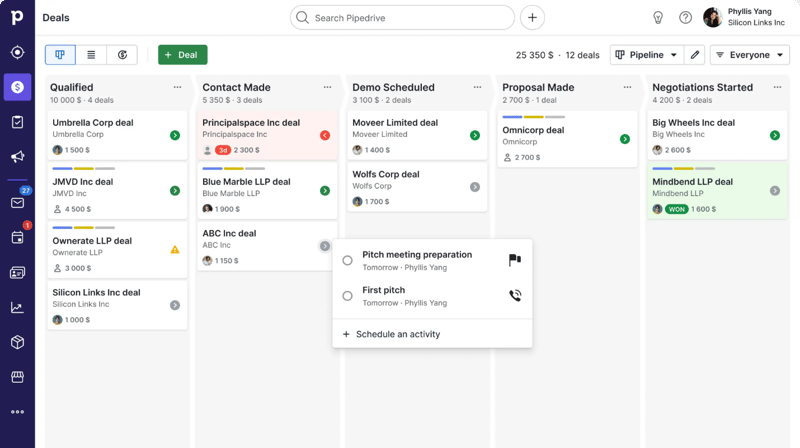
While it probably isn’t the first, the rest is true—it’s a CRM specifically designed to fit a sales team’s unique needs and processes. The software is designed to help teams better manage their sales pipelines, making it easier to track leads and opportunities, manage customers, and automate busywork—all in one place.
Getting Started with Pipedrive
Getting started with Pipedrive is a super easy process. Before diving into the tool’s actual features, there are only really three things you need to do:
- Set up your pipeline stages. Stages are fully customizable, so they can reflect the specific process you have in place.
- Add deals and contacts. You can add deals and contacts manually, import them via a CSV file, or import them from another tool.
- Invite your team and set access controls. You can invite users to the platform via bulk email invitations. You can also choose which team members will have access to certain data points.
Once you’ve completed these three steps, it’s time to start exploring the platform.
Pipedrive Key Features
Sales Pipeline & Deals
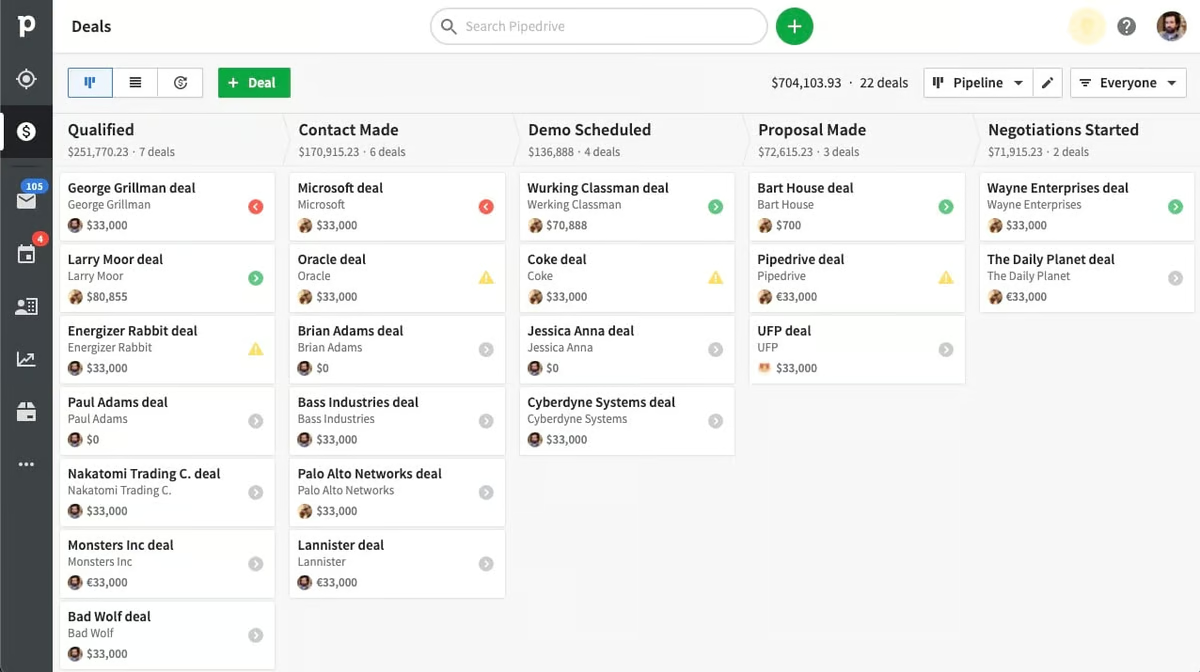
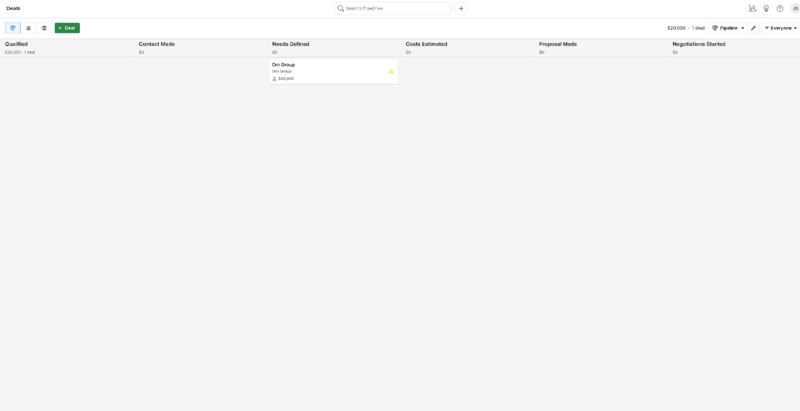
Pipelines and deals are Pipedrive’s (and every other sales CRM’s) bread and butter. They’re visual representations of your sales process, including stages, deal flow, and the status of your current deals.
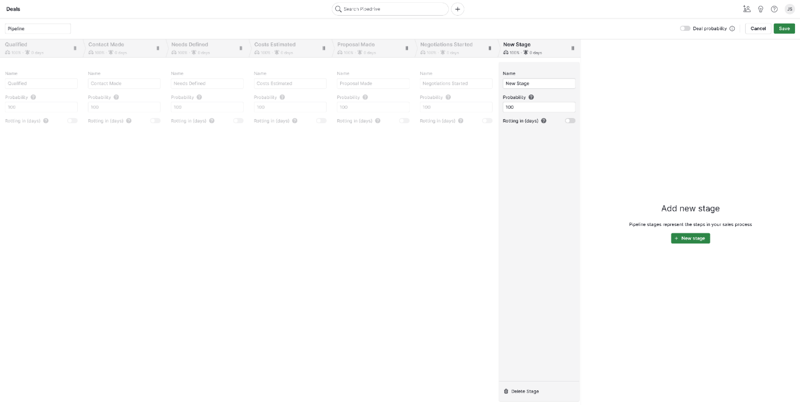
In Pipedrive, pipelines are completely customizable. You can easily add new stages to the pipeline and adjust the order of stages by dragging and dropping—just click “Edit Pipeline” in the upper right-hand corner.
You can also easily add new deals and view existing ones from the pipeline view. The option to review every deal’s details is especially useful and accessible simply by clicking on it in the pipeline. This includes:
- Contacts
- Labels
- Notes
- Products
- Communication history
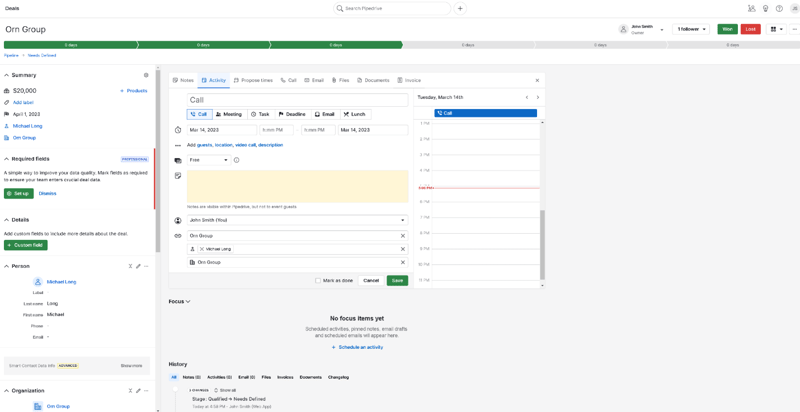
You also have the option to define custom fields for your deals. These can either be marked optional or required—perfect for helping your sales team prioritize key pieces of information in their talks. The “Deals” tab is also where your team will write notes, schedule sales activities, and track availability.
Communication Tracking
Pipedrive’s communication tracking features are great.
For starters, the underlying organizational system is super intuitive—contacts are organized by dividing them into “people” and “organizations”. You can then link these to the deals they’re associated with and easily check your history of calls, emails, and activities with any of your contacts or deals.

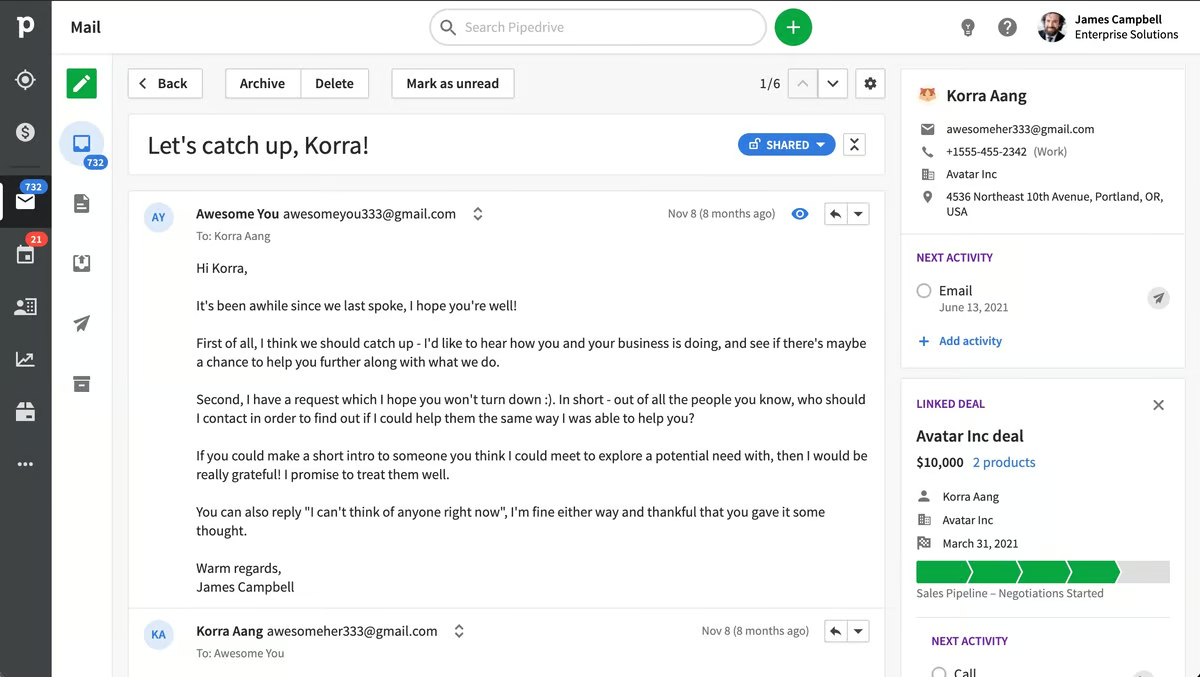
Pipedrive’s email inbox is sales-focused and super intuitive, too. It has a ton of features that speed up the process of managing and sending emails, including:
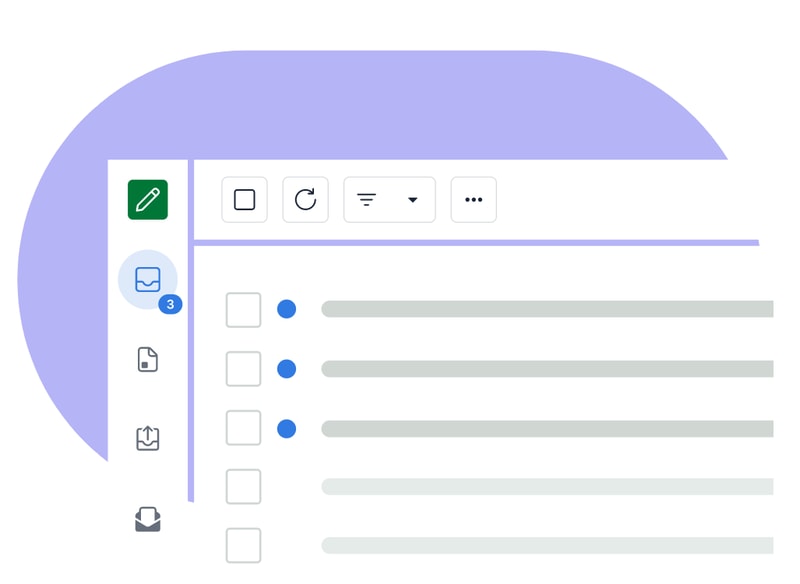
- Email synch
- Email tracking
- Email distribution groups
- Email scheduling
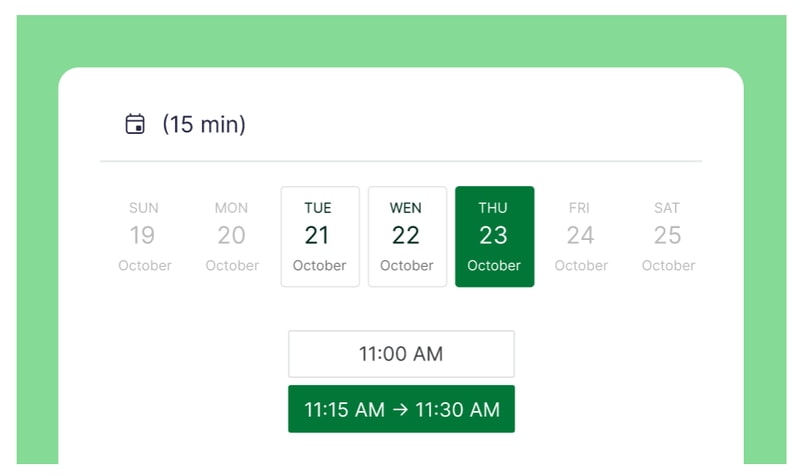
There’s also Scheduler—a feature that helps you set up meetings without annoying back-and-forths by sharing your availability and letting invitees book time slots that work for them. You can also automatically set up video calls for scheduled time slots on Zoom, Microsoft Teams, and Google Meet.
Last, but (definitely) not least, Pipedrive integrates with a ton of great phone tools, so you can place calls from within the platform. This makes it easy to track your activity, record data, and even automate certain call-related processes—but more on automation in a moment.
Automation
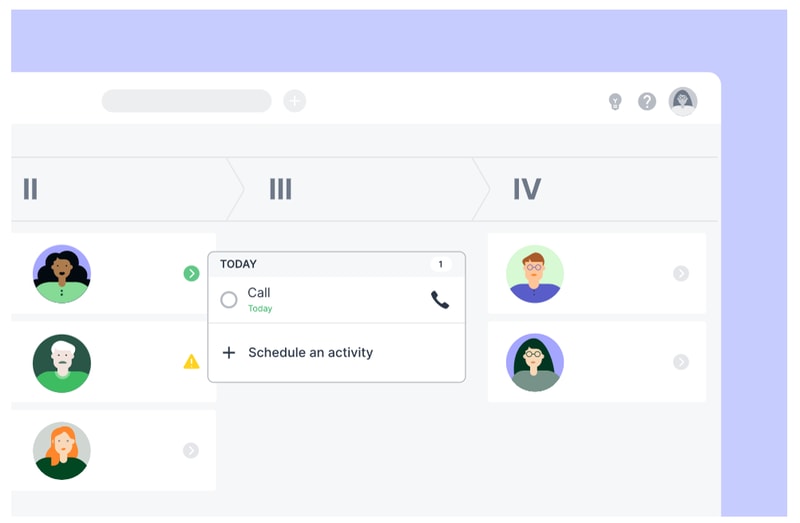
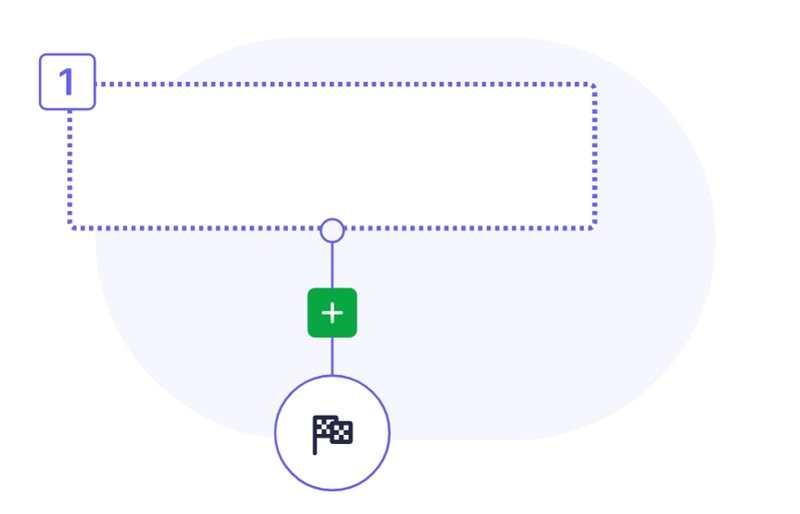
One of Pipedrive’s main selling points is its automation features. There are quite a few to unpack here, but there are two main types:
- Sales automations
- Workflow automations
Sales automations are features designed to help you optimize your business’ sales process. Take Sales Assistant, for example—this automation tool creates custom behavior-based cards with performance tips, notifications, and progress updates for each team member on your roster. It also notifies everyone affected by changes to settings and deals, so no one’s left wondering where their recent deals went.

Smart Contact Data is another sales automation tool that pulls in data from sources like LinkedIn, Google, and X to help you get a better understanding of your contacts.

On the workflow side, Pipedrive’s Automations let you create custom actions and processes that are triggered automatically when a certain action is taken (e.g., when a deal changes pipeline stage). These are great for cutting down on admin work and freeing up your team to focus on bigger and better things (like actually closing deals).
Insights & Reporting
Finally, it’s time to talk about Pipedrive’s reporting features.
Starting with the basics, Pipedrive’s sales reports are totally customizable. You can track whatever data points you need, and cut out the ones you’re not s interested in. Plus, there are a few pre-built reports you can use, including:
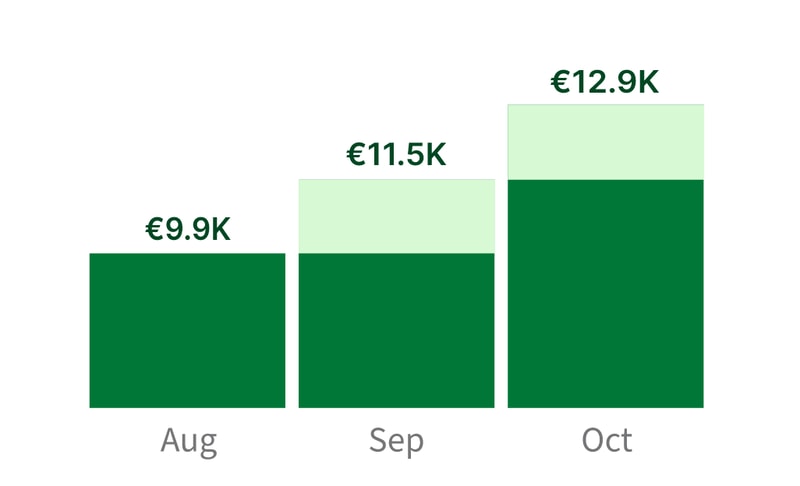
- Revenue forecasts
- Performance reports
- Conversion reports
Pipedrive’s Insights dashboard is great, too—you can turn all your data and metrics into beautiful, interactive charts and graphs that are easy to read (and share).
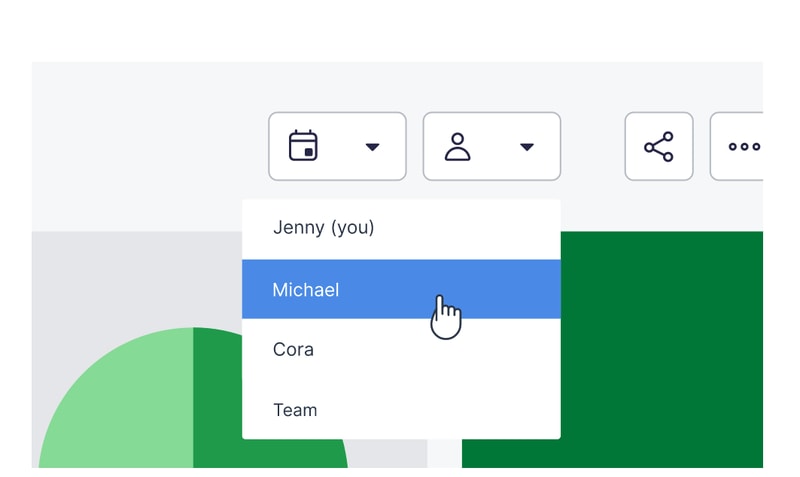
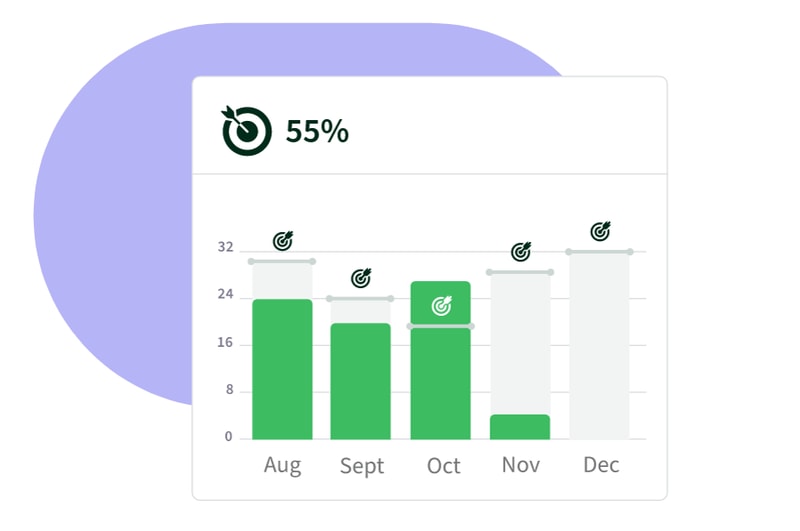
If you want to set goals for your team, Pipedrive has you covered there, too. You can create goals based on deals or activities, and specify them by adding key details like assignees, types, pipelines, durations, and intervals.
Oh, and if you’re looking for even more customization, Pipedrive has an open API. That means you’re free to build custom integrations that meet even the most specific of reporting requirements.
What Makes Pipedrive Stand Out from Other Platforms?
Time-Saver
Pipedrive is one of a select-few CRMs that genuinely feels like it’s saving you time. Its automation features and intuitive interface make it easier to manage contacts, deals, emails, calls, and activities—all without having to manually enter every single piece of data.
Visualization & Reporting
It always helps to see information presented visually—and that just so happens to be an area where Pipedrive excels. From the visual pipeline to the Insights dashboard and interactive reports, Pipedrive is packed with features that make it easier to interpret your data.
Impressive Integrations
Pipedrive’s Marketplace is massive. At the time of writing, there are more than 300 integrations available. Plus, the listed tools range from video calling platforms to lead generation tools, so you’re sure to find something that fits your needs.
Pipedrive Pricing
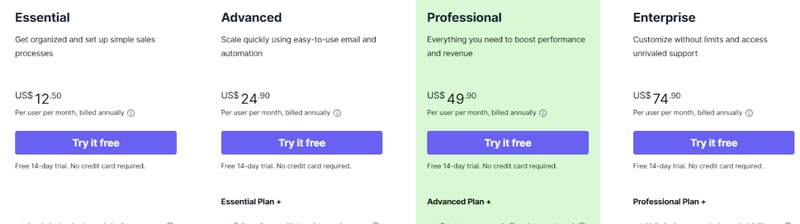
Pipedrive has four paid plans that you can choose from.
- _ Essential _ includes lead, deal, calendar, and pipeline management, simple data import and customization, and 24/7 support with over 300 integrations.
- _ Advanced _ offers all the features of Essential, plus full email synch with templates and scheduling, group emailing with open and click tracking, and customizable automations with an in-depth automation builder.
- _ Professional _ includes all the features of Advanced, plus the ability to create, manage, and eSign documents and contracts, revenue projections, forecasts, and enhanced custom reporting.
- _ Enterprise _ includes all the features of Professional, plus unlimited user permission and visibility settings, additional and heightened security preferences, an implementation program, phone support, and no feature usage limits.
See Pipedrive pricing for current rates.
Still on the fence? Don’t worry—all four plans come with a 14-day free trial. No credit card required.
It’s not all good news, though. In addition to the plans, you’ll also need to think about which add-ons you need. Quite a few great features (e.g., Scheduler) are pay-walled behind pricey add-ons that don’t come packaged with the base plans.
Pipedrive Pros & Cons
Pros
- Highly customizable pipelines and fields
- Highly visual dashboards
- Massive selection of integrations
- Easy-to-use automation builder
- Extensive reporting capabilities
- Affordable paid plans
- 14-day free trial (no credit card required)
Cons
- No free plan for light users
- Automations not available on the Essentials plan
- The add-on system increases the cost dramatically
- No ticketing system and spotty customer support
What’s the Verdict?
Pipedrive is one of the top sales CRMs for a reason—a few reasons, actually. It packs in a lot of features designed with sales teams in mind, and most features are executed well.
The only real downsides are the result of the company behind the product, not the product itself. If you can overlook them, you’re in for a great experience.
Overall, Pipedrive’s well worth considering if you’re shopping for a CRM—but it isn’t even close to the only option.
If you haven’t found the CRM you’re looking for, Findstack can help. We’ve compiled a list of the best CRMs (complete with reviews and comparisons), all in one place. Start browsing for your new CRM today!

Compare Pipedrive with other popular tools in the same category.
Effective interface, looks nice, works nice.
Deal creation date can not be changed. Off line option not yet there(?)
Geotagging which was resolved perfectly even within trail period!
Pipedrive is an affordable, simple to use and adaptable cloud CRM system. It helps the sales team account for and sort customer information, and we use it as a CRM. The process of entering information, creating channels, and combining platforms is versatile. The monitoring of email addresses allows us to be aware of when a recipient opens a message and presses a link, this will allow us to have a grasp on the tasks that are still awaiting completion or the investigation of unusual occurrences.
On certain occasions the notifications can be misconfigured, but this is possibly done on our end because we don't know how to configure it properly through the chat. I would also like to have more diversity in the forms of email marketing, this way it is not necessary to go back and choose the possibilities they offer. In addition, I would like to update it more frequently in order to avoid the occurrence of different types of mistakes that have already been generated because of employment.
In our organization, Pipedrive is primarily utilized as a CRM. We use it to remember to set reminders about the urgency to follow up with customers who intend to close the purchase, to perform activities and to have a tool to record data such as closing numbers, performance records and more. Pipedrive has helped our marketing team keep track and preserve all of our customer information in one easy-to-access and organized place.

The ability to automate tasks saves time. The next event/task popup that appears after marking a task complete saves clients from falling through the cracks with some staff.
Some small changes recently in the email client that are annoying -having to turn on the email opening tracking for each email (used to remain on if activated). -when scheduling delayed emails they added an additional step when selecting the date.
Tracking closure rates (time) and success (percentage) of sales. We mainly use it for the CRM and ensuring that various staff members have access to all the info for each client we service.
Integration and ease of use was important to us as a business. The flow of the platform allows us to easily monitor customer activity, as well as schedule pipedrive tasks to enhance our opportunity of securing future business.
I am still waiting for someone to contact us regarding the hours free training offered. It would be great if we could get this in the calendar ASAP.
Allowing us to have a centralisted area for all sales based activities.
Very easy to use. Great user Interface. Right Price point
nothing at this point. Great features ar right price point
Tracking of Pipeline and leads.
So far I like that it is highly customizable and there is great customer support when needed. Joana walked us through the process step by step and made sure that our needs were met. She went above and beyond!
The layout ot the pipelines could be simpliefied
The main reason why we are using Pipedrive is to manage leads and be able to track when sales reps are responding to those leads. It is also a centralized location to track deals.
Its easy to use, organizes our salesflow and disseminates information to all parties accurately and correctly.
reporting capability can be improved, as well as ability to customize
User friendly interface with simple and easy-to-use CRM that we focus on our sales and marketing activities
Provides us with a very easy to use CRM to help us manage our many corporate clients' needs.
The limited number of customizations with the Essential package.
Imports
No need to onboard, just register and start working. Great ways to customize your experience and craft the tool to your own needs.
We would like to see even more flexibilty in data management, now we still need external tools (Excel, Airtable, ...) for more sophisticated queries and reports.
Collaborating between different team members, easy follow-up of activities and integrated email marketing.
Pipedrive is an extremely powerful solution with tremendous functionality. Integrated email, integrated calendars, flexible tasks. You can build multiple sales pipelines for different types of business with ease, and moving deals along a pipeline is extremely easy, both from mobile or desktop. Custom fields allow you to really tailor the CRM to your workflow. The tool is great from an automation perspective: You can build automations within the platform itself, and it has numerous integrations with other tools, allowing you to have a truly integrated workflow and system. The best part is that this is all easy to pick up within a few hours of working with the product. At the end of the day, there are definitely more powerful CRMs that can support broader functionality, but they have a crazy high learning curve. Pipedrive is powerful right out of the gate and can have you up and running in no time.
There is no branching within the pipelines to accommodate multi-track style sales paths. When looking at upcoming activities in a calendar view, you are unable to view multiple calendars overlapping; you can only view one at a time. The reports you can build for insights is somewhat limited in that they have a few canned style reports that you must build from. These do allow some degree of flexibility, but you still need to consider how to get the data you want using a format they are willing to support.
My previous CRM did not fit all of my needs. It was impossible to get a comprehensive look at all leads in motion and where they were in the process. I needed a CRM that allowed me to really track our leads on a proper workflow, and monitor our sales team to ensure they are doing what needs to be done. Above all, I needed it to integrate with the other technologies we use. Pipedrive solves all of this for me.
The easy up to date and start using, with great features and support for advance integration and solucitions
It could be great if the work area could be more personalization for color or moods
Can automate all the sales process and the one to one follow on task for the clients and for follow ups with multiple teams and software intergration
I love the visual sales pipelines as well as the custom search filters, very easy to use and set up.
I did not like that there was no phone support.
the CRM makes it very easy to track sales journeys.
It is seller oriented. It is made to help the seller. not like other tools that are very reporting oriented
the mailing is quite poor and expensive. It also charges for the total number of people in Pipedrive, since one always sends to a filtered list.
In pursuing a large number of businesses
Pipedrive empowers businesses with seamless email integration, extensive third-party tool compatibility, mobile accessibility, robust customizability, and insightful sales reporting. Its standout feature is the visual and customizable sales pipeline, aiding team organization and focus.
Pipedrive primarily focuses on sales and pipeline management so it may lack some advanced marketing automation features available in dedicated marketing platforms.
Pipedrive enhances time management, lead organization, and drives business growth, particularly in sales
The most helpful feature of Pipedrive is that all the information relating to the customer is there at hand for you to maximise the sales process.
Mainly the duplication of leads coming through pipedrive forms causes an issue but nothing that some due diligence cannot fix.
It helps navigate and correlate leads for us that we struggled to keep track of previously.

Ease of use and customization. Integrations is well. Customer Support is good.
Being in the Logistics industry, we have specific sales pipelines structures. It's tough trying to differentiate the different Status, when sometimes we need just one Line. Organizations, leads, deals can all be lumped into one item in our pipeline.
Orgainizing Prospects and Customers with in our organization.
Great flexibility. Unbelievable customer support. Great integration with Google Docs. Unique custom fields are very helpful. Has auto save which help impulsive tab changers.
That it's deal-centric (but seems adaptable for my purposes) I would prefer to have an auto follow up pop up after each completed task which PD does not do.
I'm currently a new user. I'm using PD for sales but also trying to adapt it to a coaching crm. I help managers and supervisors increase productivity in their areas. I have benefited by being able to put my coaching assignments on the Pipeline as projects
It's very easy to navigate because the interface is user friendly. The automation makes it efficient and easy to schedule tasks, it also helps view your sales conversions basically able to track and rate your performance over time.
Nothing really because it helps me be efficient, so I haven't noticed a feature that i do not like.
It is solving the need to recapture leads, allocating them to different folders and just overall showing me our sales performance and how many leads have turned into sales
easy to use CRM for small and medium companies.
it doesn't indicate duplicate contacts, unlike other CRM's.
yes, it helped us to use on daily basis and track our sales and maintain contacts
Its clean and easy-to-use interface, my team loves using pipedrive because it has all the necessary resources to perform the work, especially in conjunction with the apps.
Due to its robustness, the cost ends up being a little high, especially here in Brazil.
Temos todo o controle sobre vendas, etapas de negociação e relatórios bastante precisos. Meus vendidos possuem uma ferramenta que os suportam em todos os sentidos.
I like their simple interface, navigation and price policy. I can effortlessly create and track the location of specific deals or leads. You can also view all activities and touchpoints associated with each lead, deal, or contact.
I don`t like to use dashboards and apply advanced filters because, in my opinion, it is not user-friendly. I believe you should better design these dedicated sections.
We were looking for a simple and accessible CRM tool, and we stopped at that one among other propositions. It is easy to use and helps us to manage our processes.
Pipedrive performs exceptionally well in its sales pipeline management abilities. The CRM gives a holistic view of our sales pipeline, making it possible for us to recognize bottlenecks, put in priority deals, and allocate resources efficiently. The drag-and-drop features can make it simple and easy to move deals between phases, update progress, and monitor overall performance. The comprehensive analytics and reporting attributes give useful insights into our sales performance, allowing data-driven decision making.
While Pipedrive gives customer support, sometimes we observed that the available support options are minimal. End users might prefer additional channels like live chat or extended support hours to deal with their concerns or technical problems more quickly.
Pipedrive assists companies in successfully handling their sales pipelines. It comes with a visual and customizable user interface that allows end users to monitor deals, set goals, and move them via different phases. This streamlining helps to ensure that sales possibilities are effectively monitored, prioritized, and progressed, resulting in increased sales performance and better conversions.
Dashboards are very helpful and provide an easy snapshot of the day and focus areas
Some of the automation doesn't function properly
tracking new business and closeout projects

I like the option to connect email to each contact or deal. It's also so helpful to be able to move deals from one stage to the next.
I dislike that there are so many categories to save notes under. It's too much and a little overwhelming.
We are solving the problem of client contact note taking and recruitment tracking. Pipedrive helps us to keep track of all interactions (phone, email, in person, text, etc) between our team and the clients.
Pipedrive is an exceptional CRM platform for establishing an effective sales process for your company. It provides a comprehensive set of features and allows for extensive customization to align with your specific needs.
I have been using this product for several months, and I must say that I am extremely satisfied with it. The user interface is simple and intuitive, making it effortless to navigate through the various features and functionalities.
One of the notable strengths of Pipedrive is its ability to guide you through each step of the sales process. It offers a clear and intuitive interface that simplifies the management of leads, deals, and contacts. With Pipedrive, you can easily track and monitor the progress of your sales pipeline, ensuring that no potential opportunities are missed.
How easy and simple to navigate and move among different custom workflows.
So far, I don't have reasons to dislike.
Simplyfing sales and support workflows process.
Pipedrive makes CRM use easier for us ! We have all our data at the same place and easy to use.
It could be long to correctly configure it but it worths it !
Pipedrive allows us to have all our data in the same place and to do deep dive into specific client details.
Easy to navitage, learn new features, communicate with other uers
There is nothing that I dislike, everything seems to be in order
Putting the contacts data into the system, sharing contacts, contacting them
Pipedrive is a simplest crm to use easy to use for freshers.
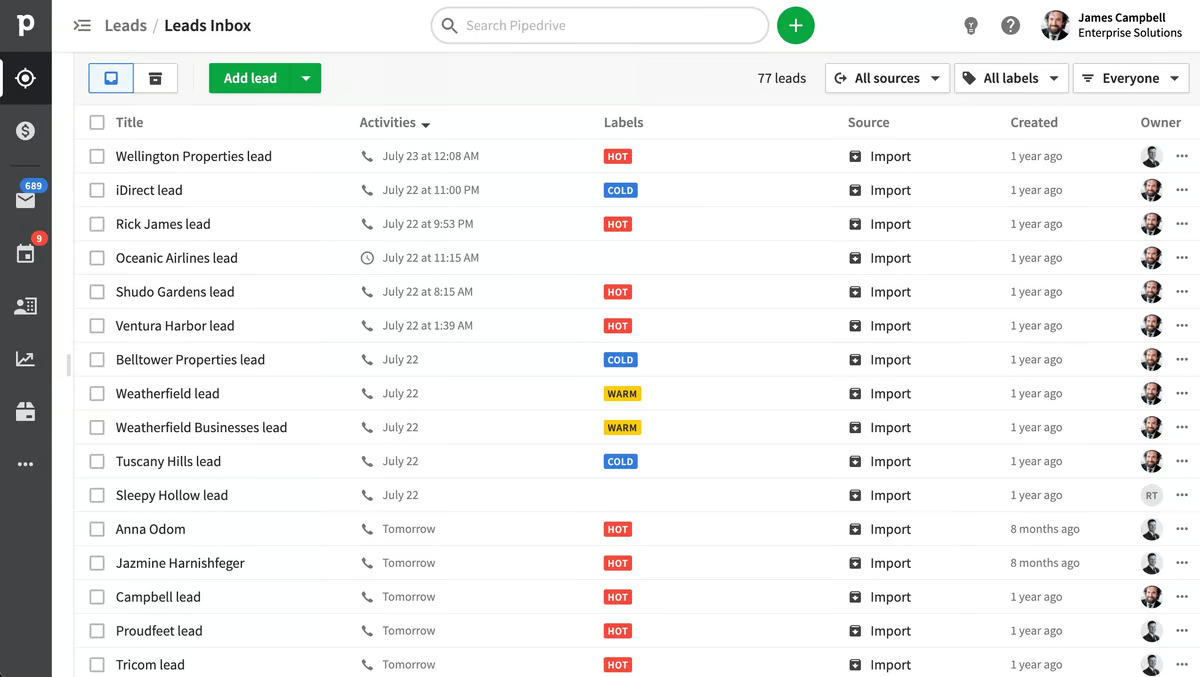
In pipedrive you can make filters for leads.
Pipedive is best crm for finding leads and do work easly.
Easy to learn, and I found the organization of information excellent.
I'm still learning how to include or not include certain team members.
It helps me keep track of potential clients.