

Unclaimed: Are you working at Pipedrive?
Pipedrive Reviews: 4.2/5 — Solid Choice
Pipedrive is a web-based sales CRM platform that provides users full visibility of all active sales pipelines. It’s best known for its interactive user interface that displays detailed progress stages for every deal, along with key details an actionable items. The platform was specifically built using activity-based selling-methodology. Its mailing system also seamlessly integrates with major email service providers.
Pipedrive is also often used as CRM of choice in Venture Capital and Sales tech stacks.

| Capabilities |
API
|
|---|---|
| Segment |
Small Business
Mid Market
Enterprise
|
| Ease of use |
Beginner
Intermediate
|
| Deployment | Cloud / SaaS / Web-Based, Mobile Android, Mobile iPad, Mobile iPhone |
| Support | 24/7 (Live rep), Chat, Email/Help Desk, FAQs/Forum, Knowledge Base, Phone Support |
| Training | Documentation, In Person, Live Online, Videos, Webinars |
| Languages | Dutch, English, French, German, Italian, Polish, Portuguese, Spanish, Turkish |
Pipedrive Pros and Cons
- Straightforward and intuitive user interface
- Unlimited custom fields for collecting customer information
- Easily track deals, values, and win probabilities
- Access custom reports to track recurring revenue
- Examine individual sales calls, emails, and demos
- Limited functionality for bigger businesses
- Problems with list separation







Pipedrive Review: Does This Popular CRM Live Up to the Hype?
Sales reps need to be able to juggle a lot of information—especially on high-velocity teams where they’re dealing with 400+ leads per month. How do they manage?
By using a reliable sales CRM to help them manage the work better.
One of the more popular CRM options out there is Pipedrive—but does it live up to the hype? In this Findstack review, we’re taking a deep dive to answer that very question.
What is Pipedrive?
Pipedrive describes itself as “the first CRM designed by salespeople, for salespeople”.
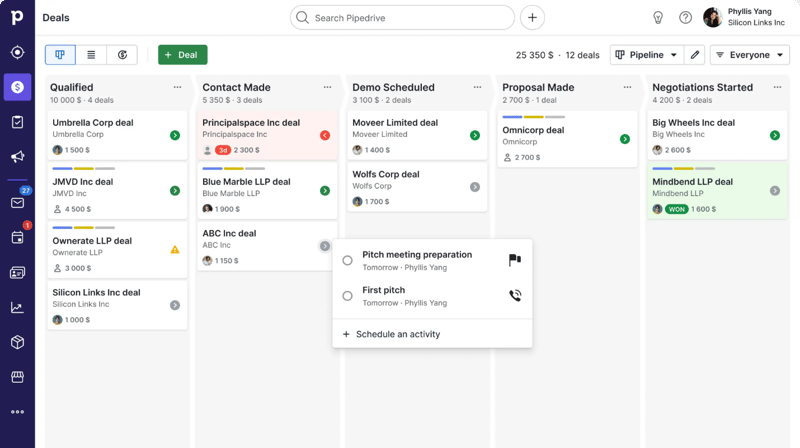
While it probably isn’t the first, the rest is true—it’s a CRM specifically designed to fit a sales team’s unique needs and processes. The software is designed to help teams better manage their sales pipelines, making it easier to track leads and opportunities, manage customers, and automate busywork—all in one place.
Getting Started with Pipedrive
Getting started with Pipedrive is a super easy process. Before diving into the tool’s actual features, there are only really three things you need to do:
- Set up your pipeline stages. Stages are fully customizable, so they can reflect the specific process you have in place.
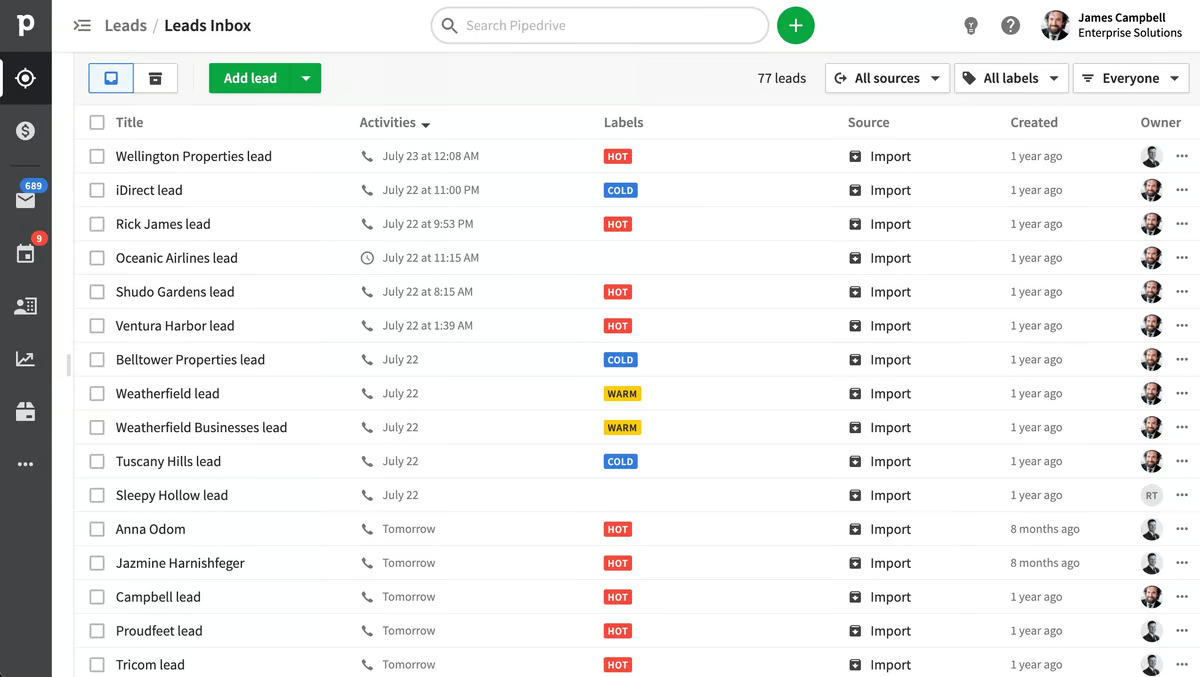
- Add deals and contacts. You can add deals and contacts manually, import them via a CSV file, or import them from another tool.
- Invite your team and set access controls. You can invite users to the platform via bulk email invitations. You can also choose which team members will have access to certain data points.
Once you’ve completed these three steps, it’s time to start exploring the platform.
Pipedrive Key Features
Sales Pipeline & Deals
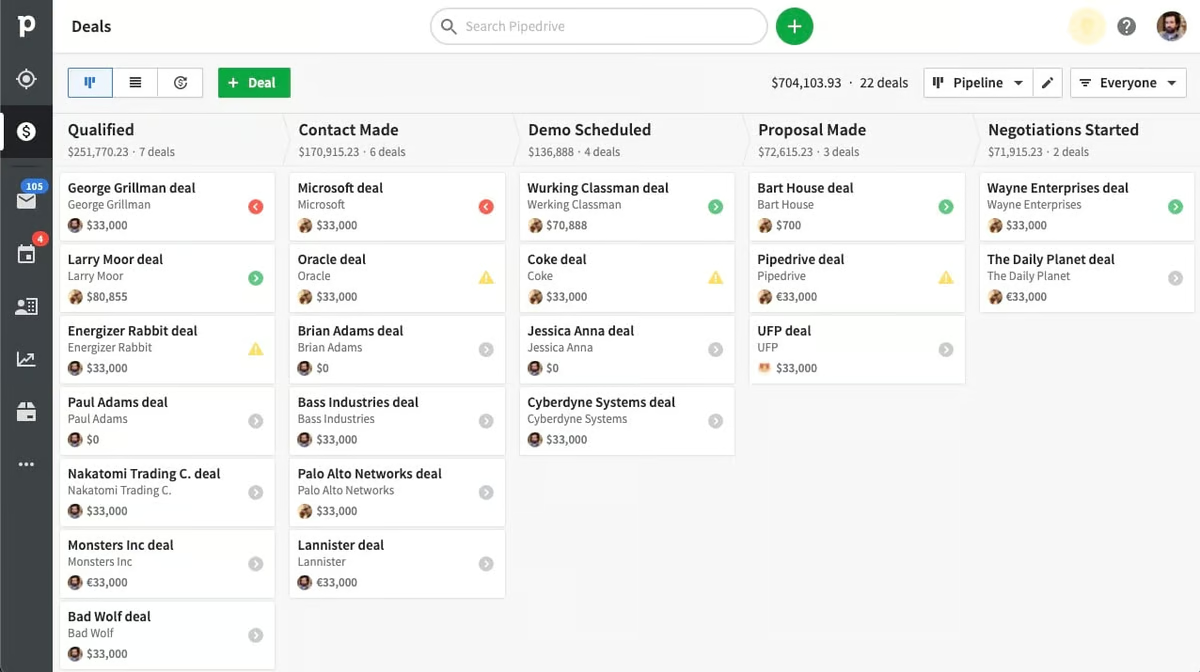
Pipelines and deals are Pipedrive’s (and every other sales CRM’s) bread and butter. They’re visual representations of your sales process, including stages, deal flow, and the status of your current deals.
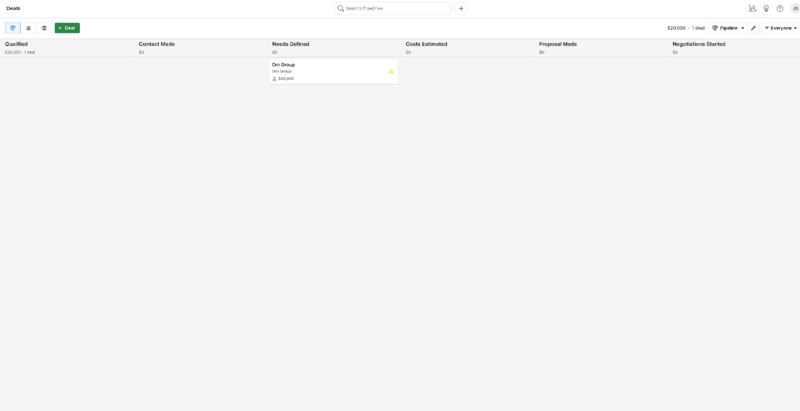
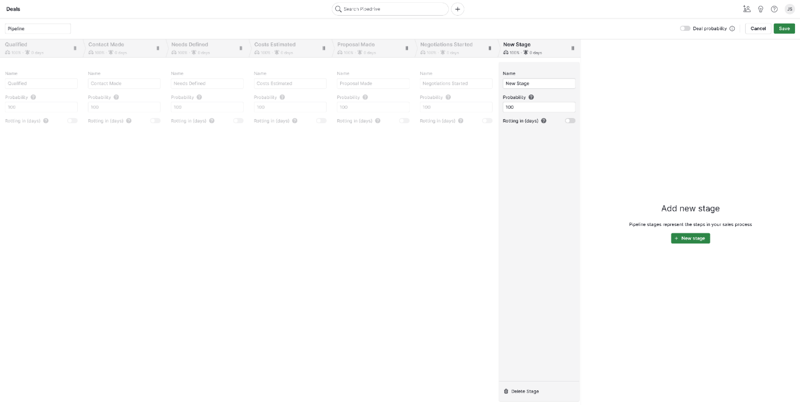
In Pipedrive, pipelines are completely customizable. You can easily add new stages to the pipeline and adjust the order of stages by dragging and dropping—just click “Edit Pipeline” in the upper right-hand corner.
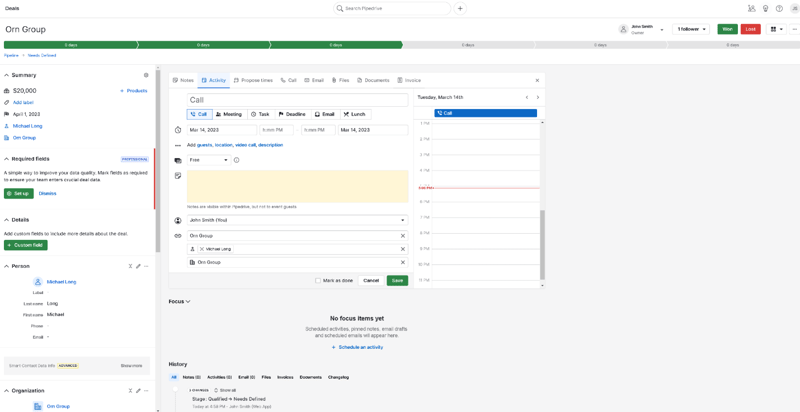
You can also easily add new deals and view existing ones from the pipeline view. The option to review every deal’s details is especially useful and accessible simply by clicking on it in the pipeline. This includes:
- Contacts
- Labels
- Notes
- Products
- Communication history
You also have the option to define custom fields for your deals. These can either be marked optional or required—perfect for helping your sales team prioritize key pieces of information in their talks. The “Deals” tab is also where your team will write notes, schedule sales activities, and track availability.
Communication Tracking
Pipedrive’s communication tracking features are great.
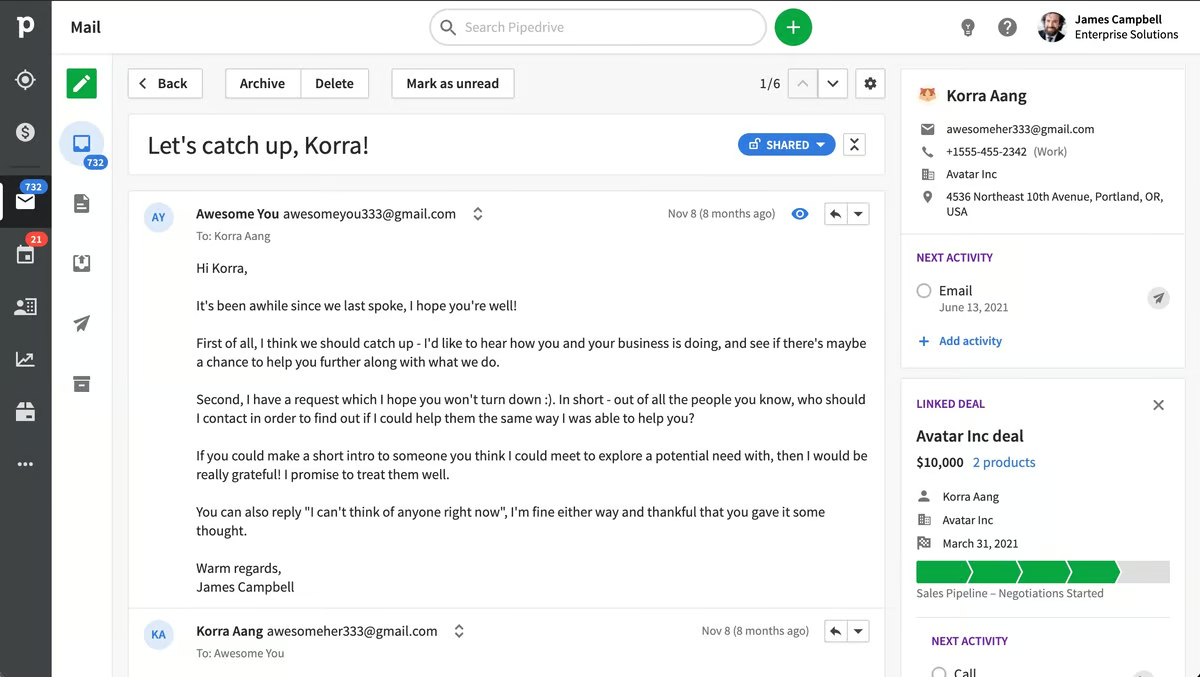
For starters, the underlying organizational system is super intuitive—contacts are organized by dividing them into “people” and “organizations”. You can then link these to the deals they’re associated with and easily check your history of calls, emails, and activities with any of your contacts or deals.

Pipedrive’s email inbox is sales-focused and super intuitive, too. It has a ton of features that speed up the process of managing and sending emails, including:
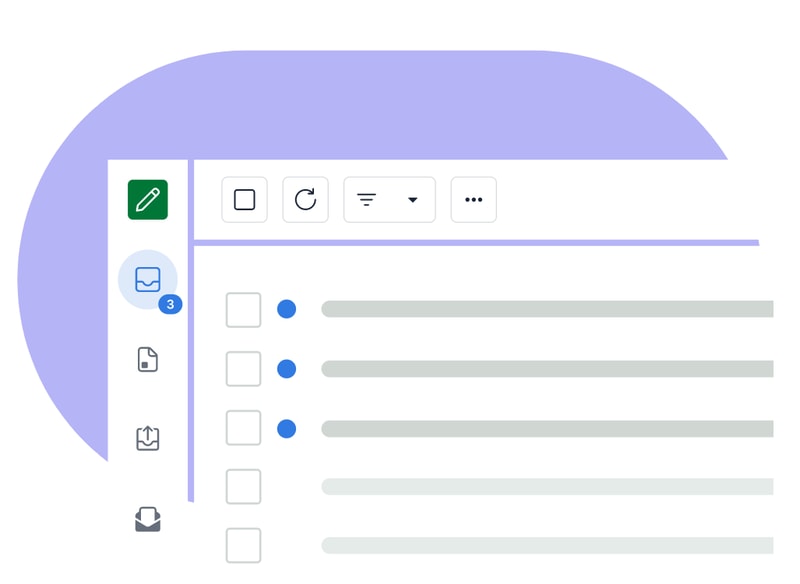
- Email synch
- Email tracking
- Email distribution groups
- Email scheduling
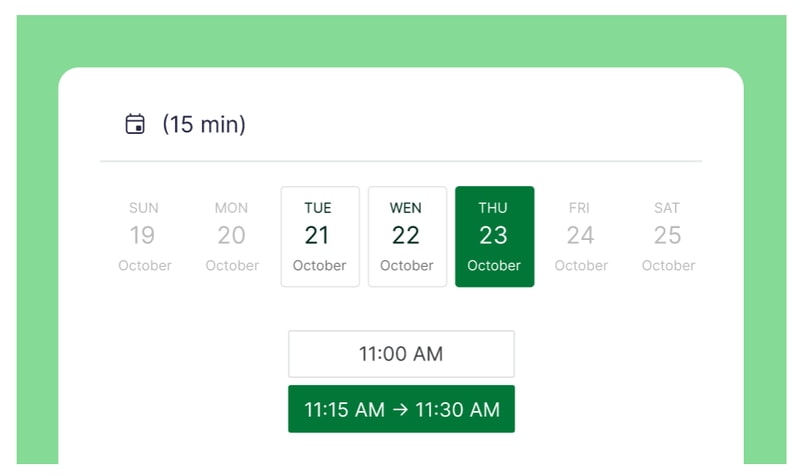
There’s also Scheduler—a feature that helps you set up meetings without annoying back-and-forths by sharing your availability and letting invitees book time slots that work for them. You can also automatically set up video calls for scheduled time slots on Zoom, Microsoft Teams, and Google Meet.
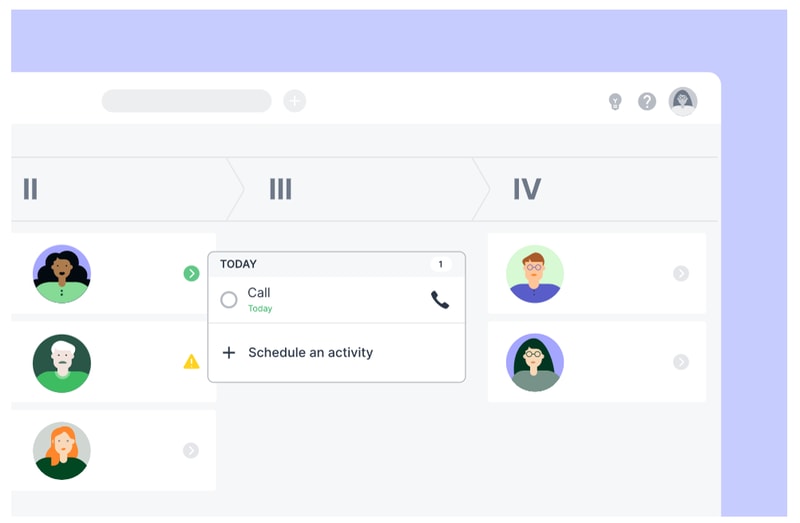
Last, but (definitely) not least, Pipedrive integrates with a ton of great phone tools, so you can place calls from within the platform. This makes it easy to track your activity, record data, and even automate certain call-related processes—but more on automation in a moment.
Automation
One of Pipedrive’s main selling points is its automation features. There are quite a few to unpack here, but there are two main types:
- Sales automations
- Workflow automations
Sales automations are features designed to help you optimize your business’ sales process. Take Sales Assistant, for example—this automation tool creates custom behavior-based cards with performance tips, notifications, and progress updates for each team member on your roster. It also notifies everyone affected by changes to settings and deals, so no one’s left wondering where their recent deals went.

Smart Contact Data is another sales automation tool that pulls in data from sources like LinkedIn, Google, and X to help you get a better understanding of your contacts.

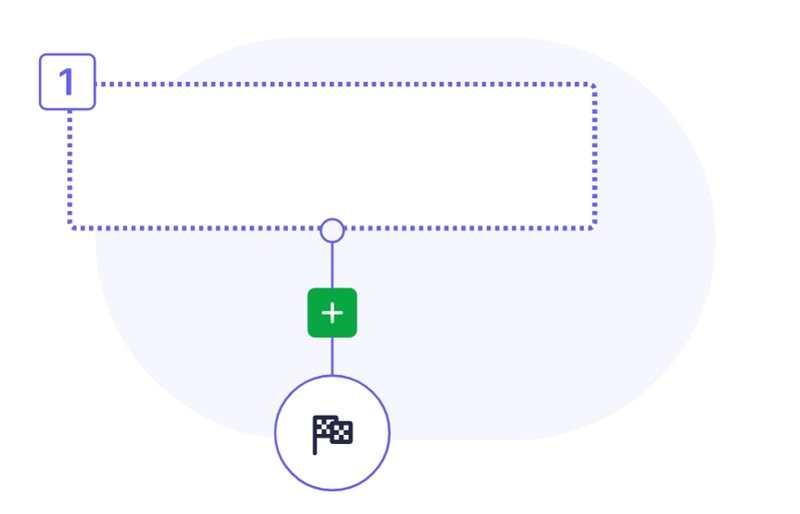
On the workflow side, Pipedrive’s Automations let you create custom actions and processes that are triggered automatically when a certain action is taken (e.g., when a deal changes pipeline stage). These are great for cutting down on admin work and freeing up your team to focus on bigger and better things (like actually closing deals).
Insights & Reporting
Finally, it’s time to talk about Pipedrive’s reporting features.
Starting with the basics, Pipedrive’s sales reports are totally customizable. You can track whatever data points you need, and cut out the ones you’re not s interested in. Plus, there are a few pre-built reports you can use, including:
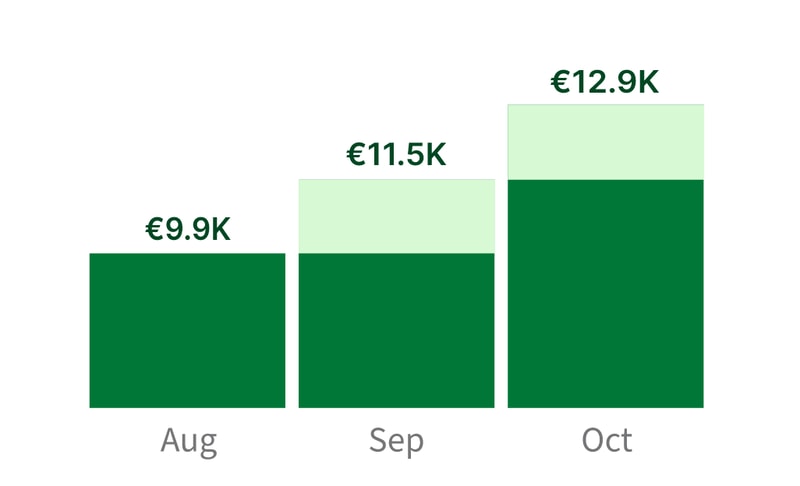
- Revenue forecasts
- Performance reports
- Conversion reports
Pipedrive’s Insights dashboard is great, too—you can turn all your data and metrics into beautiful, interactive charts and graphs that are easy to read (and share).
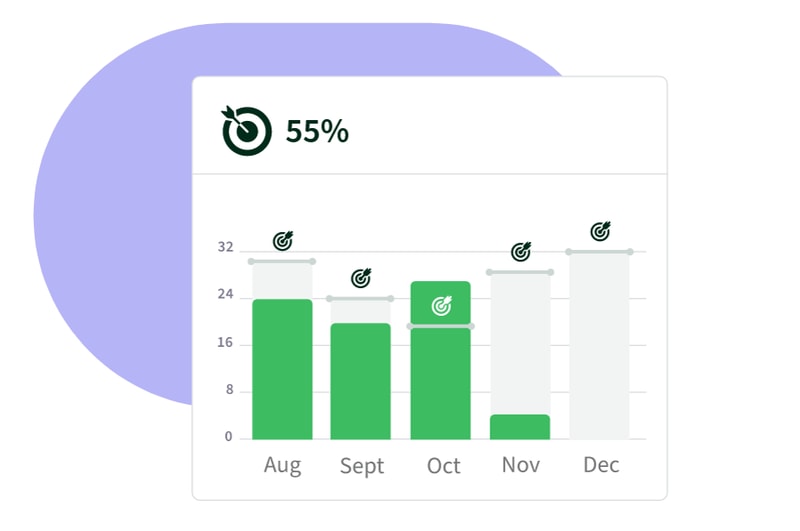
If you want to set goals for your team, Pipedrive has you covered there, too. You can create goals based on deals or activities, and specify them by adding key details like assignees, types, pipelines, durations, and intervals.
Oh, and if you’re looking for even more customization, Pipedrive has an open API. That means you’re free to build custom integrations that meet even the most specific of reporting requirements.
What Makes Pipedrive Stand Out from Other Platforms?
Time-Saver
Pipedrive is one of a select-few CRMs that genuinely feels like it’s saving you time. Its automation features and intuitive interface make it easier to manage contacts, deals, emails, calls, and activities—all without having to manually enter every single piece of data.
Visualization & Reporting
It always helps to see information presented visually—and that just so happens to be an area where Pipedrive excels. From the visual pipeline to the Insights dashboard and interactive reports, Pipedrive is packed with features that make it easier to interpret your data.
Impressive Integrations
Pipedrive’s Marketplace is massive. At the time of writing, there are more than 300 integrations available. Plus, the listed tools range from video calling platforms to lead generation tools, so you’re sure to find something that fits your needs.
Pipedrive Pricing
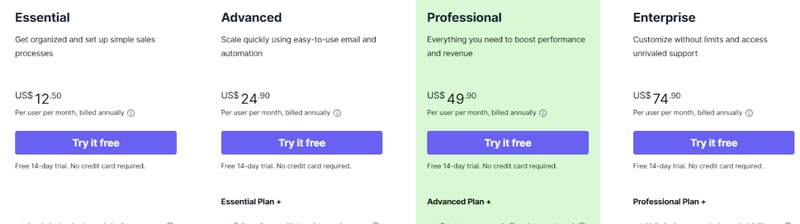
Pipedrive has four paid plans that you can choose from.
- _ Essential _ includes lead, deal, calendar, and pipeline management, simple data import and customization, and 24/7 support with over 300 integrations.
- _ Advanced _ offers all the features of Essential, plus full email synch with templates and scheduling, group emailing with open and click tracking, and customizable automations with an in-depth automation builder.
- _ Professional _ includes all the features of Advanced, plus the ability to create, manage, and eSign documents and contracts, revenue projections, forecasts, and enhanced custom reporting.
- _ Enterprise _ includes all the features of Professional, plus unlimited user permission and visibility settings, additional and heightened security preferences, an implementation program, phone support, and no feature usage limits.
See Pipedrive pricing for current rates.
Still on the fence? Don’t worry—all four plans come with a 14-day free trial. No credit card required.
It’s not all good news, though. In addition to the plans, you’ll also need to think about which add-ons you need. Quite a few great features (e.g., Scheduler) are pay-walled behind pricey add-ons that don’t come packaged with the base plans.
Pipedrive Pros & Cons
Pros
- Highly customizable pipelines and fields
- Highly visual dashboards
- Massive selection of integrations
- Easy-to-use automation builder
- Extensive reporting capabilities
- Affordable paid plans
- 14-day free trial (no credit card required)
Cons
- No free plan for light users
- Automations not available on the Essentials plan
- The add-on system increases the cost dramatically
- No ticketing system and spotty customer support
What’s the Verdict?
Pipedrive is one of the top sales CRMs for a reason—a few reasons, actually. It packs in a lot of features designed with sales teams in mind, and most features are executed well.
The only real downsides are the result of the company behind the product, not the product itself. If you can overlook them, you’re in for a great experience.
Overall, Pipedrive’s well worth considering if you’re shopping for a CRM—but it isn’t even close to the only option.
If you haven’t found the CRM you’re looking for, Findstack can help. We’ve compiled a list of the best CRMs (complete with reviews and comparisons), all in one place. Start browsing for your new CRM today!

Compare Pipedrive with other popular tools in the same category.
The functionality, practicality, and ease of use are the top factors for me. In minutes I had imported my entire database (several thousand contacts). After several years of use, everything I do is assisted by their "pipeline" sales-driven structure, activity-based data, unlimited custom fields, great tech support, and email integration. My team contains several non-tech savvy members who have adapted and figured out Pipedrive and have even grown to enjoy using it to speed up their daily tasks. Workflow automation is a newer feature that I haven't had ample time to explore yet, but several other team members have expressed the dozens of hours—per WEEK— that workflow automation is saving them!
I dislike that there isn't an integrated email marketing dashboard (i.e. Mailchimp). There is an integration with Mailchimp that is easy to use but isn't fluid for syncing labels or custom fields. An integrated email marketing system within Pipedrive would be that final touch on an excellent software.
I solved the need for a cloud-based CRM. Our company had everything in Access. No need to explain the obvious problem there. Benefits: activities, tech support, pipeline view, and the concept of deals to drive action and sales.

- easy to get started and to configure, plug and play - easy onboarding for new employees - simple pricing, easy to increase and decrease number of users
- very good software, but more integrations for marketing activities and campaigns would be nice
Keeping track of my sales team progress and deal pipeline as well as CRM tool in general.
Easy to use and very functional for even non tech people like myself.
There is nothing specifically that I dislike about Pipedrive. Being able to sync with certain other applications would be helpful.
Features for tracking and management of deals makes for better, faster overall performance.
Easy to use Health me and figuring out my day's work and meeting deadlines it really makes my job easier and more faster with organization
haven't found anything that I dislike about it
Refining an element to focus on deals and closing
I like how it is very bare-bones compared to other CRM’s I have used in the past, but it’s everything that I need to be effective in my role.
There’s not much that I dislike. The only thing that comes to mind is the import of new leads doesn’t always come out the way that I would like. I can however fix it after the fact.
Staying on top of tasks and knowing history of a prospect when reconnecting. I have realized the benefits of prospects appreciating the fact that I remember where we last left off.
It is a very flexible and powerful software, but with the right price. You don´t need a system expert to implement it. Also, the mobile app allows you to update the information on the road. The automation feature saves you a lot of time and the visibility for the rest of the company allows a great team job. Goals setting feature is very useful in order to get the goals needed.
If your email service provider is not one of the "big names", you might have issues with the sync feature. The dashboard is kind of simple.
Salespeople can focus on the most important activities for every lead. Also, is very simple and user-friendly. It allows for great teamwork and management of the sales team gets easy.
I like that when I need to ask a question or receive help I can usually reach someone in 2-3 minutes max. They are always very polite and respectful when helping me.
There are a couple of features that have been updated recently that I am not a fan of. It is more aesthetics than anything though.
It allows me to have all of my clients in one spot and easily track their progress. I feel organized and on top of my work with Pipedrive.
I like the way you can keep everything organized, the capacity, we use to keep 100's of names in the data base. Tons of information, attachments. You can make notes in everything, and it calculates your sales so it really helped my business!!
Nothing at all everything is great about this app
Organization and keeping track of sales.
I enjoy how simple and easy it is to use the program.
I have yet to find something I do not like about it!
This product allows our business to all be on the same page. We don't lose track of information with it.
Very user friendly and is easy to use. Not much training needed to use and It integrates easily with other sales tools to give a great solution for sales. Easy to customize and support offered is also good. Scheduling tasks with reminders is an excellent way to keep track.
Not really experienced any thing bad or I dislike just yet, however can be less expensive.
Excellent solution for tracking and managing sales efforts. Gives better understanding of how sales process is performing and where we need to improve.
It is an intuitive lead management CRM , easy to manage and customize. It adapts to the needs of small and medium companies. Pipelines can be easily configured and is key in our sales processes. Pipedrive allows us to save time and its integration with email platforms facilitates the interaction with clients and prospects. It supports multiple integrations, which facilitates the entry and management of data. It is perfect for sales.
It would be nice if Pipedrive had more data filters, it would make data management more efficient.
Improves sales management, facilitates the configuration of standard sales processes. It optimizes the sales flow, helps distinguish leads and build an approach based on their priorities.
The visual design is excellent on the web app and mobile app, which makes me want to use it. I can set it up to match my actual pipelines and workflow, so I'm not having to work around software to get things done. And best of all the activities actually help me get things done.
I guess it would always be nice to have a lower cost, there are some features included in the package I'm on that I don't need.
Being forced to schedule a future activity when marking one as complete means nothing falls through the cracks. I've closed more deals and followed up more effectively since using Pipedrive.
Very intuitive, very fast and very complete. I've used numerous CRM's in my career and this is by far the best.
Would be nice to get reports emailed at a designated interval i.e weekly etc.
Increased communication between all employees.
the ability to look up a deal and know the status of it right away!
I would like to be able to customize it a little more...
Locating a deal and knowing everything about it! Who is working on it, what the status is, etc. So easy!
Really user (Salesman) friendly. It makes my life easier. The phone app functionality is perfect, I can log my calls immediately, or search for near by partners and on the top of that I can work together more efficiently with the inside sales team.
Sometimes the editing is tricky but after a few working ours I learned how to manage.
It makes the teamwork easier. I can handle the hot leads while I am on the road.
I've tried many of the other CRMs out there and found that they are either too simple or very complex (SF). PipeDrive seems to have just the right amount of features, is intuitive, and the reporting keeps me honest in showing me exactly what I have done, and what I need to do.
I am concerned that if they keep adding in features that it will become bloated and too difficult to use.
Keeping all of my prospect records in one place, keeping track of activities, and my unique sales process. This gives me the confidence that I need to be in the right mindset to sell better.
It is very easy to get setup and navigation is super easy. Their customer support is top notch and responds right away if there is an issue. We have used Salesforce and insightly in the past and Pipedrive is a much more fluid interface which makes it easy to move opprotunities through your pipeline and has a great visual as it moves through. The reports are amazing! Its easy to see how your team is doing and see what areas projects get hung up on the most so you can discuss with your team on ways to move projects past sticking points. Did I mention it is super easy to use! Overall our whole team is happy with this CRM and will be using it for the forseeable future.
There is not a whole lot I dislike, to be honest. It does everything we need without all the fluff and extras Salesforce seems to put in. I can tell it keeps cost down but for a smaller business, there is no need for all the extras Salesforce puts in.
Keeping our team in contact with all of our customers. We now have set activities to reach out to EVERY customer. This was hit or miss in the past and other CRMs made it difficult to keep up with scheduling new activities. We have expanded this program to our Malaysia facility and they are now using it as well. Our customers love that we reach out once a month just to check in and Pipedrive makes it SUPER easy to set activities.
Pipedrive lets us easily keep track of who we have and have not contacted even though we don't all work in the same office.
It was a little hard to figure out at first but they offered a tutorial for us and it helped so much
We used to have clients that would slip through the cracks because we forgot to contact them but Pipedrive has fixed that.
PipeDrive is so much more intuitive than other sales tracking programs I've used. It's also a lot less keystroke heavy.
I haven't used it long enough to dislike anything.
Can't say that I'm solving any problems, but tracking prospects through the sales cycle is crucial and PipeDrive does it very well.
I like how easy it is to setup and graphical interface. The online chat is decent and better than I thought it would be. They are very helpful when you get them and fun to interact with.
I dislike the email composer which is not as font friendly as I'm used to. minor in respect to what it does.
I was able to manage my company's sales and employee. The reports were also pretty good
Support is amazing. They really fo over and beyond to help users of the software.
Import functions can be less complicated. User API's with other software could be a bit easier to converse with.
Multiple pipelines giving me the ability to manage and track activities in multiple locations.
I like being able to create projects and assign tasks to the team. We also use it for entering activities per project and tracking progress of each project
I wish there was a way to create actual tickets for projects if there is an issue.
We are all able to keep track of of projects and see who is next assigned to the project. We are also able to keep involved with each other thru the platform. We also get reminders on the day of our tasks.
I've been using Pipedrive since it was in Beta and recommend it to tons of my clients. I think it organizes leads so efficiently yet it's simple.
There nothing I truly dislike about Pipedrive. There is a bit of a learning curve when rearranging the Pipes but once you understand it, it's fairly easy.
Moving leads through the sales funnel in a way that makes sense and that salespeople aren't afraid to use or hesitant. I also like the mobility of it. Able to use on a mobile device.
So easy to use and navigate. Definitely a hit,
Cheaper plans for lead scoring would be nice.
Sales tracking
I like that it has all of the features that are needed for the business but it doesn't cost as much as other expensive CRM's.
There are some features that other CRM's have that pipedrive does not. Deeper analytics would be nice
We are using them to keep track of all of our customers and move them along the sales process.
Manages all your data without forcing a workflow (to some this can seem confusing since "you don't know how to use it properly", but I see it as an advantage). Highly customizable with custom fields. Great mobile app. Wonderful API that was super easy to integrate with my own server, to automatically create a Person, Organization, Deal and Activity when people submit an interest form on my website.
Some fields in the "New Deal" prompt cannot be customized.
I started using it about a year ago when starting up my company. I am the only employee so I don't have any experience using Pipedrive with colleagues. I use Pipedrive to keep track of all my leads and existing customers.
I like that we have several sales people on our team using the system, but we can keep our own account in line with what we are doing, and see their pipelines when necessary.
Sometimes it's hard for me to keep my account as organized as I need it to be when I'm in a busy sales time and have a lot coming in.
We have several sales people in different territories but have people in our pipeline from a year or more ago that we can easily overstep. With pipedrive, I can easily see who other reps are working with and where their touch points are.
I like the name. It would take me days, maybe months to come up with a catchy name the Pipedrive. Good job team.
I dislike that I can't name my band Pipedrive. Because it's already taken. One day, I took two tabs and both those words seemed to form in a perfect combination of sounds. I quicklt called up Marge and Ron, (my bandmates) and screamed the words Pipedrive over the phone. Day and night until we realized it was the name of a start up.
It's literally in the way of my music. You guys aren't here for the music man, just the instagram posts.
The simplicity of Pipedrive makes it very easy to use. It has a great layout without a million things in your face to confuse you. The team at Pipedrive are quick to respond to feedback etc.
Nothing. As of now I am yet to find anything I dislike.
Makes sales history accessible. Great as a backup on your mobile if unable to access your work computer.
I love how Pipedrive keeps us on track with all of our leads and sales activities. The 2 things I like the best are the visual pipeline and the fact that Pipedrive always asks for the next activity on a deal. If you stop creating activities before a deal is complete, Pipedrive warns you.
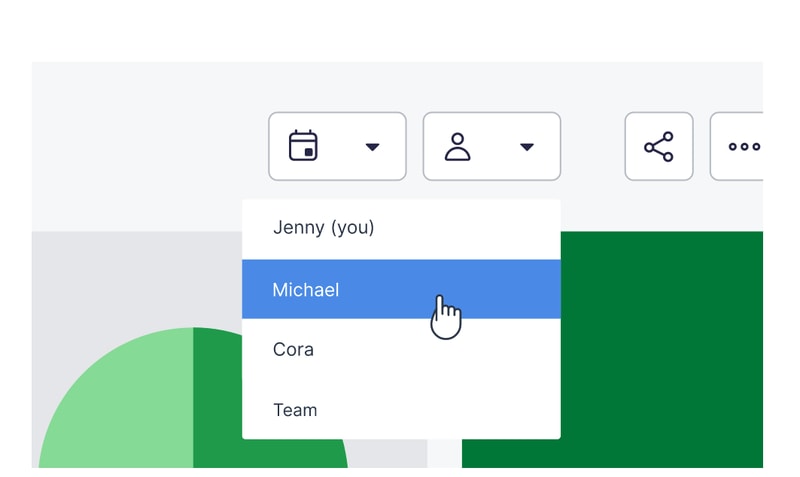
I would like the ability to view everyone's deals together. This may be due to our setup as I am not the administrator, but you have to select each user to view their deals separately.
We use Pipedrive to keep track of all of our sales leads and sales pipeline.